
Dialing into your voicemail inbox feels like a major step back in time. It's a classic workflow killer, forcing you to stop what you're doing just to listen to messages one by one. This guide is all about reclaiming your time by converting your voicemail to text—a simple change that can revolutionize your productivity.
Stop Listening And Start Reading Your Voicemails
Let's face it, nobody enjoys the chore of checking voicemail. You see the notification, sigh, and begin the tedious process: dial in, enter your PIN, and sift through a string of messages just to find that one piece of information you actually need. It's wildly inefficient and completely out of step with how we manage every other form of communication.

Think about your daily routine. You scan emails for keywords, glance at text messages in seconds, and skim through project updates. Why should voicemails be any different? Turning them into text transforms them from an audio chore into a piece of searchable, scannable data. This simple switch unlocks a level of productivity that just isn't possible with a traditional voicemail system.
A Modern Fix For An Old Problem
For any busy professional, getting a voicemail to text transcription isn't just about convenience; it's a necessity. The ability to read a message instead of listening to it has immediate, practical benefits that genuinely streamline your day.
Imagine being able to:
- Quickly scan a message in the middle of a meeting without being disruptive.
- Instantly find a callback number or address without replaying a long-winded message.
- Search your entire voicemail history just like you search your email archive.
- Copy and paste important details to save for your records or share with a colleague.
This approach effectively turns a time-sucking interruption into just another efficient part of your workflow.
In an age of instant communication, where over 47% of adults listen to audio content like podcasts on the go, voicemails remain a frustratingly slow medium. Reading them bridges that gap, blending old-school communication with modern efficiency.
This guide will show you exactly how to make the switch. We'll walk through the practical solutions, from the powerful tools already built into your phone to dedicated apps that offer even more capability for converting voicemail to text. It's time to hang up on dialing in and start reading.
Using Your Phone's Built-In Transcription Tools
Before you start looking for a new app, the best place to turn your voicemail to text is right in your pocket. Most modern smartphones already have surprisingly good transcription tools built right in, and they are completely free to use. For many people, these native features are all you'll ever need.
These functions are integrated directly into your phone's operating system, so you avoid clunky workflows or separate apps. Your voicemail transcriptions appear right alongside the audio, giving you a seamless way to read your messages instantly.

Voicemail Transcription on Your iPhone
If you have an iPhone, you've likely already seen Visual Voicemail. It’s the feature that lays out all your messages in a neat list, so you can pick and choose what to play. But the real game-changer is the text preview that pops up with each message, providing an on-the-spot voicemail to text conversion.
Once your carrier (like Verizon, AT&T, or T-Mobile) enables it, iOS automatically transcribes new voicemails. The text appears right below the audio player in your Phone app. This makes it incredibly easy to scan for a callback number or a client's name without ever having to press play.
Unlocking Voicemail to Text on Android
The Android ecosystem offers a couple of fantastic built-in options. If you're using a Google Pixel phone, the feature is already part of the default Phone app, creating a clean, integrated experience similar to the iPhone's. It's fast, and for most everyday messages, it's more than accurate enough.
For everyone else on Android, the Google Voice app is a powerful free solution. It gives you a separate phone number with a robust voicemail system that transcribes everything automatically. You can get the text sent to your email or just read it in the app, making it a solid, carrier-independent choice for getting voicemail to text on any Android device.
The market for voice-to-text technology on mobile devices, which powers these very features, was valued at $15.93 billion and is expected to explode to $54.98 billion by 2035. This growth shows just how essential transcription has become in our daily lives. You can dive deeper into these trends in this detailed market report.
A quick look at the voicemail transcription capabilities built into popular mobile operating systems.
Comparing Native Voicemail to Text Features
| Feature | Apple iOS (Visual Voicemail) | Google Android (Pixel & Google Voice) |
|---|---|---|
| Integration | Directly in the native Phone app | Pixel: Native Phone app. Others: Google Voice app. |
| Activation | Carrier-dependent (most major ones support it) | Pixel: Enabled by default. Google Voice: App setup. |
| Cost | Free (included with carrier plan) | Free |
| Accuracy | Generally good for clear messages, can struggle with accents or noise. | Solid, leveraging Google's speech-to-text engine. |
| Best For | iPhone users who want a simple, zero-setup solution. | Pixel users and anyone wanting a powerful, free alternative via Google Voice. |
As you can see, both platforms offer solid, no-cost ways to get started with voicemail transcription.
Carrier Support Is Key
Just remember, for a feature like Apple's Visual Voicemail to work its magic, your mobile carrier has to support it. Most of the big players do, but settings can sometimes be tricky. If you're not seeing transcripts, a quick check of your carrier plan or a call to customer service usually clears things up.
The convenience of these built-in tools is tough to beat. They offer a great starting point for managing voicemails more effectively before you even think about looking into specialized third-party services.
Leveling Up with Third-Party Transcription Apps
Your phone’s built-in transcription is a great starting point, but it definitely has its limits. When a voicemail is packed with critical details, muffled by background noise, or simply too important to misinterpret, it's time to bring in the specialists.
This is where third-party voicemail to text apps shine. Dedicated services like MeowTxt, Otter.ai, and Rev are designed for one purpose: high-fidelity audio transcription. They can handle background noise, tricky accents, and technical jargon far better than the free tools on your phone.
For professionals, this isn't a luxury; it's a necessity. Imagine a sales rep needing to log exact prospect details into a CRM, or a contractor trying to document a client’s last-minute change request. In those moments, "good enough" transcription just won't cut it. You need precision.
Getting Your Voicemail Audio Out
First things first, you need to get the audio file off your phone. This is a simple step that many people overlook. Instead of just hitting "play," look for a "share" or "export" icon within your voicemail app.
This little button lets you save the voicemail as a standard MP3 or M4A file. From there, you can email it to yourself, save it to your device, or upload it to a cloud service like Google Drive or Dropbox.
Once you have that file, uploading it to a transcription service is usually as simple as dragging and dropping it into your browser. This simple process lets you finally tackle that backlog of old voicemails you've been saving. If you're weighing your options, our guide on the best audio to text converter breaks down the top contenders.
AI vs. Human Transcription: What's Right for You?
When you explore third-party apps, you’ll find two main types of services: AI-powered transcription and human-powered transcription. They both get the job done, but in very different ways.
- AI-Powered Transcription: Services like MeowTxt use powerful algorithms to turn your audio into text in minutes, sometimes even seconds. It’s incredibly fast, affordable, and perfect for the vast majority of daily business needs where you just need a quick, searchable record of a conversation.
- Human Transcription: On the other end, services like Rev use professional human transcribers. They listen to your audio and type it out by hand. It's slower and more expensive, but it delivers the highest possible accuracy—often hitting 99% or better. This is the gold standard for legal proceedings, published interviews, or any scenario where every single word must be perfect.
If you want to explore AI solutions without a commitment, there are some excellent tools available. You can check out a rundown of the best free transcription software options to see what fits your project.
The market for voicemail transcription, a niche but vital part of the speech-to-text industry, has ballooned to $1.4669 billion. Businesses, which account for over 60% of this market, find that using these services leads to 25-30% faster follow-ups with customers—a massive advantage when you're buried in messages. You can dig into the numbers in this market analysis.
The right service really just comes down to your needs. Do you need speed and efficiency for a high volume of calls, or do you need flawless accuracy for one mission-critical message? By exporting your audio, you give yourself the power to choose the perfect tool for the job.
Creating an Automated Voicemail to Text Workflow
Why manually manage voicemails one by one when you can build a smart system to do the heavy lifting for you? Moving beyond single transcriptions is where you unlock serious efficiency. It’s all about creating a hands-off voicemail to text process where messages are instantly transcribed and sent to the tools you use every day.
The key is connecting your voicemail service, like Google Voice, to an automation platform such as Zapier or IFTTT. These tools act as a bridge, detecting a new voicemail and then triggering a specific action in another app. The best part? You don't need to be a coder to set it all up.
It simply comes down to automating a few simple steps.
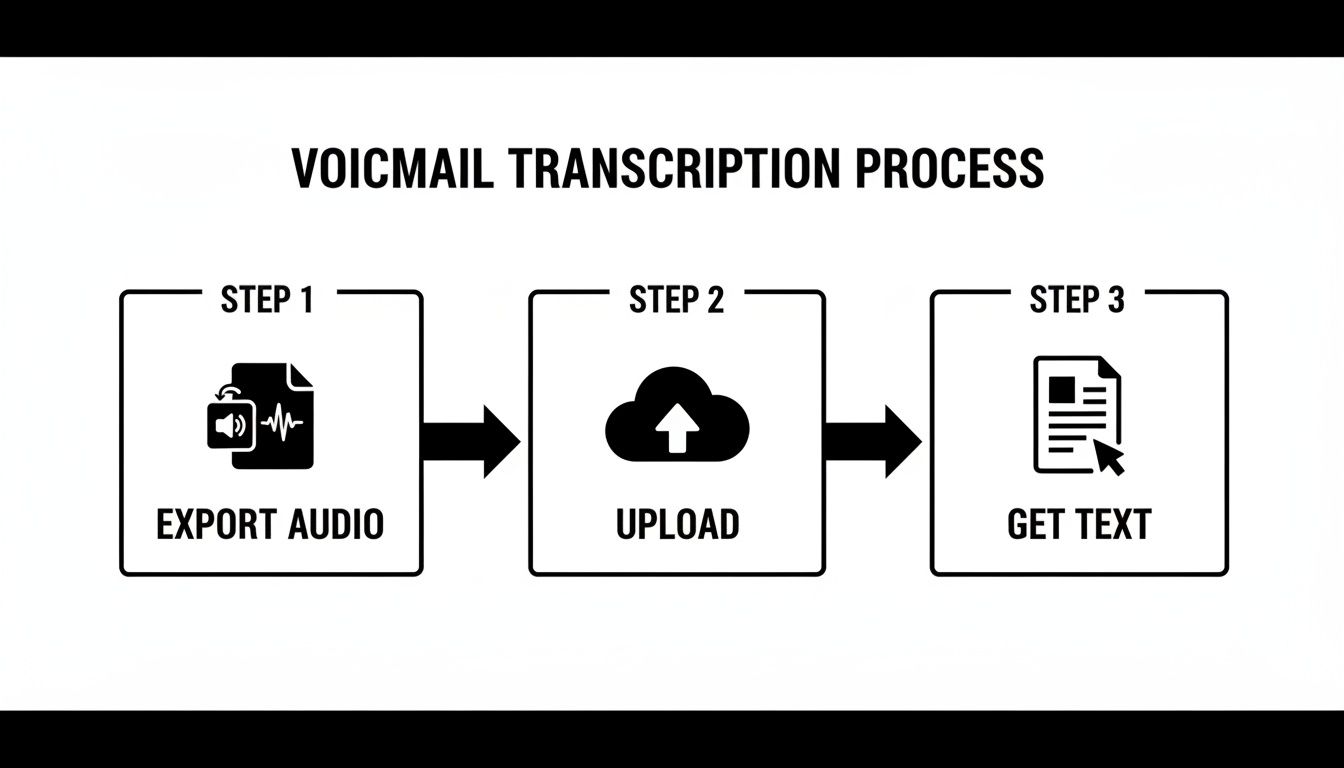
Automation links these manual steps—exporting, uploading, and transcribing—into a single, seamless process that runs the second a new message hits your inbox.
Powerful Automation Recipes You Can Build
Imagine a new voicemail from a client doesn't just sit in your inbox. Instead, it instantly appears as a new message in your team's Slack channel, complete with the full text. Or picture a missed call from a hot lead automatically creating a new task in Asana or Trello, with the transcribed message right in the description.
These aren't complicated setups. They're practical automation "recipes" you can get running in just a few minutes.
Here are a few popular ideas:
- Voicemail to Slack: Use Zapier to link Google Voice with Slack. When a new voicemail arrives, the audio file and its transcription get posted to a dedicated #voicemails channel for the whole team to see.
- Voicemail to Project Management: Connect your voicemail provider to a tool like monday.com. A new voicemail can trigger a new item on a "Client Follow-Up" board, assigning it to the right team member.
- Voicemail to Spreadsheet: For meticulous record-keeping, create an IFTTT applet. It can log every new voicemail transcription, along with the caller's number and a timestamp, into a new row in a Google Sheet.
As you build these workflows, it’s worth taking a moment to properly configure speech-to-text settings where available. Fine-tuning these options can give you a noticeable bump in the accuracy of your automated transcripts, ensuring the data you're capturing is reliable.
An automated system ensures nothing falls through the cracks. It turns your voicemail inbox from a passive archive into an active, integrated part of your workflow that pushes critical information to you.
Ultimately, automation is about more than just saving a few minutes. It's about building a reliable system that prevents missed opportunities and keeps your team in sync without anyone lifting a finger. If you're interested in how these small tweaks can stack up, we've got a deeper dive on improving workflow efficiency that you might find useful.
Managing Accuracy and Privacy Like A Pro
Getting your voicemail to text is a huge time-saver, but it's not foolproof. The quality of your transcription can vary widely based on a few key factors. If you want consistently readable and reliable results, you need to understand what helps—and what hurts—the process.
The biggest enemy of an accurate transcript is poor audio quality. Simple things like a weak cell signal, loud background noise (like coffee shops or traffic), or a caller on a cheap speakerphone can turn a clear message into a jumbled mess. Strong accents and rapid speech can also challenge even the most advanced AI.
Boosting Your Transcription Accuracy
While you can't control how other people leave messages, you can definitely take steps to get better results. When choosing a third-party service, look for one that uses a powerful Automatic Speech Recognition (ASR) engine. These systems are trained on vast datasets and are much better at navigating tricky audio. To get a better handle on the tech, you can check out our simple guide on what is ASR.
Here are a few practical tips:
- Listen to the first few seconds: If a transcript looks off, just play the original voicemail. You’ll know right away if the problem was a bad connection or someone calling from a wind tunnel.
- Pick the right tool for the job: For critical messages, a dedicated service like MeowTxt will almost always outperform a free, built-in tool. The difference comes down to the quality of the AI models.
- Provide context when you can: Some advanced platforms let you upload a glossary of unique terms or names. This can dramatically improve accuracy for industry-specific jargon that the AI wouldn't otherwise recognize.
The technology behind this is improving at a startling pace. The entire speech-to-text API market, which powers these tools, was valued at $3,813.5 million and is on track to hit $8,569.5 million by 2030. This means AI models are seeing error rates drop by 30% year-over-year, even with challenging audio. You can find more on this growing market on grandviewresearch.com.
Protecting Your Voicemail Privacy
Just as important as accuracy is privacy. When you send a voicemail to be transcribed, you’re handling potentially sensitive information. It’s absolutely critical to know where your data is going and how it's being protected.
Not all services handle this the same way.
The biggest privacy difference comes down to where the transcription happens. On-device processing, like Apple’s Live Voicemail, is inherently more secure because your audio data never leaves your phone. Cloud-based services, on the other hand, upload your voicemail to a server for processing.
When you're looking at a cloud service, always take a minute to review its privacy policy. You're looking for clear commitments to end-to-end encryption and straightforward data retention policies. Good services will explicitly state they don’t sell your data and will automatically delete your files after a short period. A little due diligence here goes a long way in keeping your communications confidential.
Got Questions About Voicemail To Text?
Switching to a voicemail to text system is a game-changer, but it's natural to have questions. The concept is simple, but details like cost, accuracy, and privacy can seem a bit confusing at first. Let's clear up some of the most common questions people have when they start reading their voicemails.
Getting straight answers helps you pick the right tool for the job, whether you're just tired of dialing your voicemail box or trying to build a smarter workflow for your business.
Is Voicemail to Text Actually Free?
More often than not, yes. Many of the most convenient options won't cost you a dime.
Most modern smartphones come with excellent free, built-in features. If you have an iPhone, you already have Visual Voicemail. Google Pixel phones have a similar feature baked right into the phone app. The Google Voice app is another great free choice that works on any phone, giving you a separate number with a surprisingly solid transcription service.
However, "free" often comes with trade-offs. If your work depends on near-perfect accuracy—especially with messy audio, strong accents, or technical jargon—a paid third-party service is a wise investment. These tools usually charge per minute or have a subscription, but they deliver professional-grade results that free services can't always match.
Just How Accurate Is It, Really?
It's gotten incredibly good, and the technology is constantly improving. For a clear message left in a quiet environment, you can expect AI-powered services to hit over 95% accuracy. That’s more than enough to understand the gist of a call or pull out a callback number without having to listen.
Of course, the real world isn't a recording studio. A few factors can trip up the AI and reduce accuracy:
- Poor cell service or a crackly connection
- Loud background noise (like construction sites or busy cafes)
- Thick regional accents or very fast talkers
- Industry-specific terms the AI hasn't been trained on
For day-to-day messages, the free, built-in options are perfectly fine. But if you're dealing with critical business, legal, or medical information where every word counts, a professional service that offers human review is the only way to guarantee a near-perfect transcript.
Can I Transcribe My Old Voicemails?
Absolutely. This is one of the best reasons to use a third-party transcription tool. If you can save or export an old voicemail as an audio file (usually an MP3 or M4A), you can upload it to nearly any dedicated transcription service.
The process is simple: just save the message from your phone's voicemail app to your device's storage or a cloud service like Dropbox or Google Drive. From there, you just upload the file to the transcription platform. It’s the perfect way to finally archive, document, and make searchable those important conversations from the past that have been stuck on your phone.
Is It Safe to Use a Voicemail Transcription Service?
This is a crucial question, and the answer depends on the service you choose. Your privacy is paramount, so it pays to be selective.
The gold standard for privacy and security is on-device transcription. This is the method Apple uses for its Live Voicemail. The audio is processed directly on your phone and is never sent to a server, meaning it stays completely confidential.
When you use a cloud-based service, your audio file is uploaded to their servers for processing. Reputable companies will use strong, end-to-end encryption to protect your files both in transit and while stored. Before you upload anything, take a minute to read the service's privacy policy. Look for clear language about how they handle your data, how long they keep it, and if they share it with anyone. Stick with services that are transparent about their security—it's non-negotiable when you're dealing with sensitive voicemails.
Ready to transform your voicemails into searchable, actionable text? Meowtxt offers a fast, accurate, and secure solution for all your transcription needs. Start transcribing your audio for free at meowtxt.com and see how easy it can be.


