
In a world where digital files are the lifeblood of business, education, and creativity, protecting them is not just an IT task—it's a fundamental responsibility. From sensitive client meetings transcribed into text to confidential legal recordings and proprietary research, the data you handle is a prime target for increasingly sophisticated threats. A single breach can lead to devastating financial loss, reputational damage, and legal consequences, making robust data security best practices non-negotiable.
Generic advice like 'use strong passwords' no longer cuts it. The modern threat environment demands a multi-layered defense that integrates technology, processes, and people. This guide moves beyond the basics to provide a prioritized, actionable checklist of data security best practices. We'll explore ten crucial strategies that provide a comprehensive defense for your most valuable digital assets.
This listicle is designed for anyone handling sensitive information, especially users of cloud services like transcription platforms. You will learn how to implement technical controls like end-to-end encryption and multi-factor authentication, establish critical organizational policies for access control and data retention, and ensure compliance with frameworks like GDPR and HIPAA. We will provide concrete examples and clear implementation steps for each practice, empowering you to build a stronger digital fortress for your data, one critical step at a time. Let’s dive into the essential practices that keep your information confidential, intact, and secure against modern threats.
1. End-to-End Encryption for Data in Transit and at Rest
The most fundamental of all data security best practices is implementing robust encryption across the entire data lifecycle. This means securing your files not only while they are being uploaded or downloaded (in transit) but also while they are stored on a server (at rest). For users of transcription services, where sensitive audio, video, and text files are constantly moving between devices and the cloud, this non-negotiable layer of protection ensures that even if data is intercepted or a server is breached, the underlying information remains unreadable and useless to unauthorized parties.
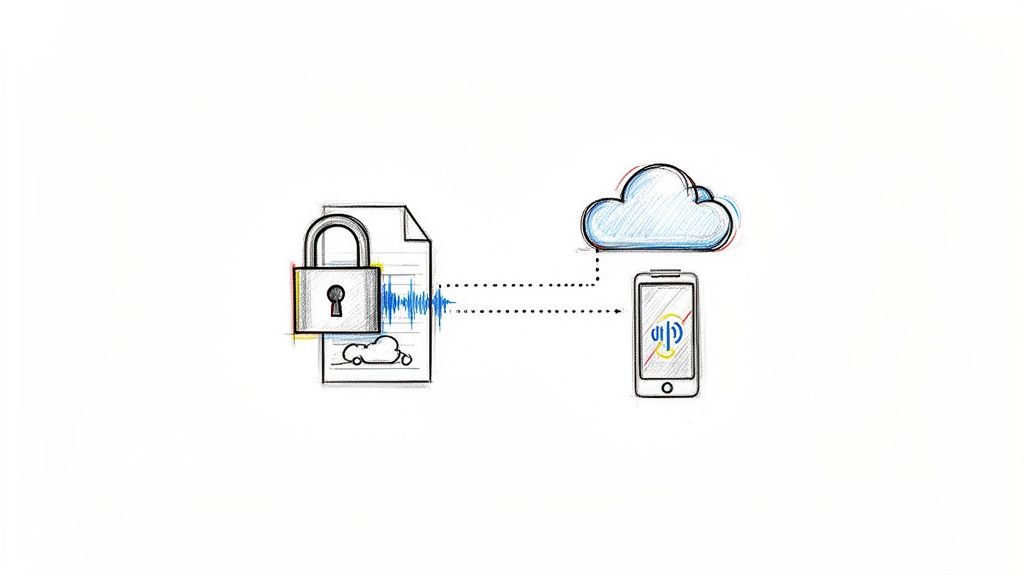
Encryption works by using complex algorithms to scramble data into a format that can only be unlocked with a specific key. End-to-end encryption takes this a step further, ensuring that only the sender and the intended recipient can decipher the information. This level of security is a cornerstone of any effective data security strategy.
Why It's a Critical First Step
For a legal professional uploading a confidential client deposition for transcription or a business team submitting a strategic planning meeting, the content is highly sensitive. Encryption acts as a digital safe. If a hacker intercepts the file during upload (data in transit) or gains access to the cloud storage where the transcript is saved (data at rest), they will only find a jumbled mess of ciphertext without the corresponding decryption key. This is why services like Signal and ProtonMail have made end-to-end encryption their core security feature, setting a high standard for data security best practices.
Actionable Implementation Tips
To effectively implement this practice, focus on these key areas:
- Verify Algorithm Strength: Ensure your transcription service provider uses industry-standard, battle-tested algorithms like AES-256 or ChaCha20. These are recognized by institutions like NIST for their resilience against brute-force attacks.
- Manage Encryption Keys: The security of your data is only as strong as the security of your keys. Keys should be stored in a separate, secure environment, such as a dedicated Hardware Security Module (HSM) or a managed service like AWS KMS. Implement a key rotation policy (e.g., every 90 days) to limit the potential damage if a key is ever compromised.
- Audit and Document: Regularly test that your encryption is working as expected without creating significant performance bottlenecks that could slow down transcription workflows. Maintain clear documentation of your encryption methods and policies, which is essential for compliance audits under regulations like HIPAA or GDPR.
2. Automatic Data Deletion and Retention Policies
Beyond protecting data while it's active, a crucial data security best practice is to define its lifespan. Implementing automatic data deletion and retention policies minimizes the window of risk by ensuring sensitive information doesn't linger indefinitely. For transcription users who frequently handle confidential meeting audio, legal depositions, or proprietary research, this practice adheres to the principle of data minimization: only keep what you need, for as long as you need it. Once a transcript is delivered and its purpose fulfilled, automatically and securely deleting the source files reduces the potential attack surface.

This approach automatically purges files after a predetermined period, such as 24 hours or 30 days. It’s a proactive security measure that limits exposure from potential future breaches and helps maintain compliance with privacy regulations that mandate data lifecycle management.
Why It's a Critical Next Step
Consider a business team that transcribes its weekly strategy meetings. While the initial notes are invaluable, the raw audio files containing candid, unfiltered discussions become a liability over time. A clear retention policy, like a 30-day auto-delete, ensures this data isn't forgotten and left vulnerable on a server. This practice is popularized by privacy-focused regulations like GDPR and CCPA, which require clear justification for storing personal data. Services like AWS S3 allow users to configure lifecycle policies to automatically delete objects, operationalizing this security principle efficiently.
Actionable Implementation Tips
To effectively implement this data security practice, focus on these key areas:
- Communicate Policies Clearly: Be transparent with users about your retention schedule. Inform them upfront that their files will be deleted after a specific period and provide clear instructions on how they can download their data before it's purged.
- Provide User Controls: While a default auto-deletion policy is secure, offer options for users to extend retention if necessary, perhaps as part of a premium tier. This provides flexibility for those needing long-term access for compliance or archival purposes. You can learn more about how to manage transcribed content by exploring how to take effective meeting notes and integrating them into your workflow.
- Ensure Secure Deletion: Simple deletion often just marks data for being overwritten. Implement secure erasure methods, like the DoD 5220.22-M standard, which overwrites the data multiple times to make recovery virtually impossible. This is critical for meeting stringent compliance requirements.
- Audit and Report: Use event-driven architecture to reliably trigger deletions and maintain logs. Generate compliance reports that demonstrate successful data purging, which is essential for audits under regulations like HIPAA.
3. Multi-Factor Authentication (MFA) Implementation
Passwords alone are no longer enough to protect sensitive accounts. Multi-Factor Authentication (MFA) adds a critical second layer of defense, requiring users to provide two or more verification factors to gain access to an account. For users of transcription services, where an account breach could expose confidential legal files, business strategies, or private research, MFA acts as a digital gatekeeper. It dramatically reduces the risk of unauthorized access even if a password is stolen.
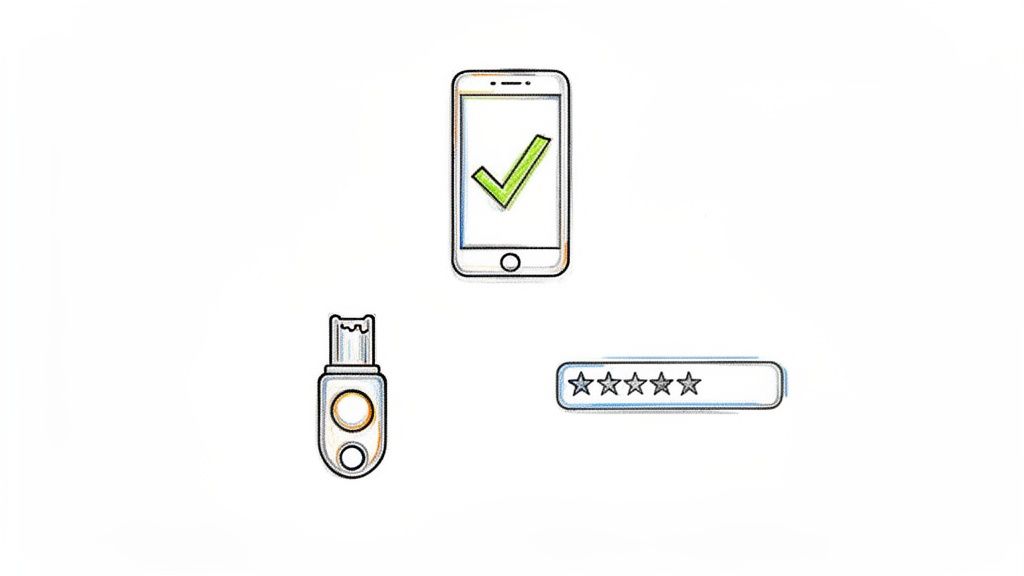
This practice moves beyond "what you know" (a password) to include "what you have" (like a smartphone app or a physical key) or "who you are" (like a fingerprint). This multi-layered approach is a core component of modern data security best practices.
Why It's a Critical Second Step
Imagine a legal team’s account credentials are exposed in a third-party data breach. Without MFA, a cybercriminal could immediately log in and access every audio file and transcript. With MFA enabled, the stolen password becomes useless without the second factor, which could be a code from an authenticator app on the team lead’s phone. This is why major platforms like Microsoft 365, Google Workspace, and banking institutions now mandate MFA to protect high-value accounts.
Actionable Implementation Tips
To effectively leverage MFA, consider these essential strategies:
- Prioritize Stronger Methods: Encourage the use of Time-based One-Time Password (TOTP) apps like Google Authenticator or Authy over SMS-based codes, which are vulnerable to SIM-swapping attacks. For the highest level of security, implement support for hardware keys using standards like WebAuthn/FIDO2.
- Make It Mandatory for Admins: While MFA should be available for all users, it must be mandatory for administrative and staff accounts that have elevated permissions to manage sensitive data or user settings.
- Streamline User Experience: Implement features like "device trust" to reduce authentication friction, allowing users to bypass MFA for a set period on their recognized devices. Educate users on the importance of MFA during onboarding and provide clear instructions for setup and account recovery.
4. Role-Based Access Control (RBAC)
Once data is encrypted, controlling who can access it is the next critical layer of defense. Role-Based Access Control (RBAC) is a security model that restricts system access to authorized users based on their specific job functions within an organization. For users of a cloud transcription platform, this means not everyone needs full administrative rights. A paralegal might only need to upload audio files and view the resulting transcripts, while a senior attorney might need to edit those transcripts and manage billing information. RBAC ensures users only have access to the data and features essential to their roles, dramatically reducing the risk of unauthorized data exposure or accidental deletion.
This method moves away from assigning permissions to individuals one by one, which is prone to error. Instead, permissions are assigned to predefined roles, and users are assigned to those roles, creating a scalable and manageable system.
Why It's a Critical Next Step
Implementing RBAC is one of the most effective data security best practices because it operates on the Principle of Least Privilege, granting the minimum level of access required to perform a job. Consider a media production team using a transcription service. The video editor only needs to access and download completed transcripts for captioning. They don't need access to project billing, user management, or raw audio files from other departments. If that editor's account were compromised, RBAC contains the breach, as the attacker's access would be confined to that limited role, preventing them from accessing sensitive company-wide meeting notes or client interviews.
Actionable Implementation Tips
To effectively implement RBAC within your transcription workflow, focus on these key areas:
- Define and Document Roles: Clearly outline the distinct roles within your team (e.g., Uploader, Editor, Viewer, Admin). Document the exact permissions each role requires, aligning them directly with job responsibilities to eliminate ambiguity.
- Start with Least Privilege: When creating roles, always begin with the absolute minimum permissions. Grant additional access only when a specific job function requires it and has been properly justified. This is far more secure than starting with broad access and trying to restrict it later.
- Conduct Regular Audits: At least quarterly, review who is assigned to each role. People change jobs and responsibilities, and their access rights must be updated accordingly. Remove former employees or contractors immediately to close potential security gaps. This regular audit is a core tenet of modern data security best practices.
5. Security Audits, Penetration Testing, Logging and Monitoring
Proactive defense is a cornerstone of modern data security best practices. Instead of waiting for an attack, this approach involves actively searching for weaknesses through third-party security audits and penetration tests, while simultaneously maintaining detailed logs to detect suspicious activity in real time. For users of transcription services, knowing your provider undergoes this rigorous scrutiny provides confidence that their systems are battle-tested against emerging threats, protecting your sensitive audio, video, and text files from being the next headline.
Security audits, like those required for SOC 2 or ISO 27001 certification, are comprehensive reviews of security policies and controls. Penetration testing (pen testing) takes it a step further, where ethical hackers attempt to breach the system to expose real-world vulnerabilities. Continuous logging and monitoring act as the digital surveillance system, recording every action for immediate analysis and incident response.
Why It's a Critical First Step
Imagine a law firm uploads a sensitive pre-trial witness interview. A security audit ensures the transcription provider has the right policies in place, like access control and encryption. A penetration test confirms those controls can't be bypassed by a determined attacker. Meanwhile, if an unauthorized user attempts to access that file, real-time logging and monitoring would trigger an immediate alert, allowing security teams to intervene before a breach occurs. Major platforms like Microsoft Azure and Google Cloud undergo these tests annually and run bug bounty programs on platforms like HackerOne to constantly fortify their defenses.
Actionable Implementation Tips
To ensure your data is protected by a proactive security posture, focus on these areas:
- Verify Third-Party Validation: Ask your transcription service provider for redacted copies of their latest SOC 2 Type II report or ISO 27001 certification. These documents are proof of a successful, independent security audit.
- Implement Immutable Logging: Ensure all system access, authentication attempts, and file actions are logged with user, timestamp, and action details. These logs should be stored in write-once storage (like AWS CloudTrail) to prevent tampering by attackers trying to cover their tracks.
- Leverage SIEM for Monitoring: Use a Security Information and Event Management (SIEM) tool like Splunk or Datadog to correlate log data from different sources. This helps identify complex attack patterns and reduces alert fatigue, allowing teams to focus on genuine threats without disrupting workflows. For more details, explore our guide on improving workflow efficiency while maintaining security.
6. Secure API Design and Authentication
For developers integrating transcription services into their applications or workflows, the Application Programming Interface (API) is the front door to your data. A poorly secured API can expose sensitive audio and text files to unauthorized access, manipulation, or denial-of-service attacks. Secure API design is a critical data security best practice that involves building this door with robust locks, alarms, and access protocols, ensuring that only legitimate, authenticated requests are ever fulfilled.
This practice moves beyond simple username-and-password logic. It uses modern authentication standards like OAuth 2.0 and token-based systems to grant specific, limited permissions. This ensures that an integrated application can only perform its intended function, such as submitting an audio file for transcription, without gaining broader access to other account data.
Why It's a Critical Layer for Integrations
Imagine a custom-built legal case management tool that automatically sends client interview recordings to a transcription service via its API. If that API uses weak authentication, a flaw in the tool could be exploited to access not just one client's data, but every single file processed through that integration. Strong API security, as championed by the OWASP API Security Top 10, prevents this by treating every API call as untrusted until proven otherwise through strict verification. Leaders like Stripe and Twilio build their entire platforms on this principle of secure, granular API access.
Actionable Implementation Tips
To ensure the integrity and confidentiality of data accessed through APIs, explore advanced techniques for secure API design and authentication, including the implementation of effective API gateway best practices:
- Use Modern Authentication: Implement standards like OAuth 2.0 for user-delegated access instead of embedding raw credentials in your code. This allows users to grant permissions without sharing their password.
- Scope API Keys: When generating API keys, assign them specific permissions or "scopes." A key used for uploading new files should not have the permission to delete old transcripts. This containment limits potential damage if a key is compromised.
- Enforce Rate Limiting and Logging: Protect your service from abuse by setting reasonable request limits (e.g., 100 requests per minute). Maintain detailed logs of all API calls, including timestamps, IP addresses, and user IDs, to detect and investigate suspicious activity quickly.
7. Data Classification and Handling Policies
Not all data is created equal, and your security controls shouldn't treat it as such. Implementing clear data classification and handling policies is a critical best practice that involves categorizing information based on its sensitivity. This ensures that the most robust security measures are applied to your most critical assets, like transcripts of legal proceedings or strategic business meetings, while less sensitive data receives an appropriate level of protection. By defining categories like Public, Internal, and Confidential, you can create a scalable framework that aligns security effort with actual risk.
This approach moves security from a one-size-fits-all model to a precise, risk-based strategy. Handling rules are then attached to each classification level, dictating who can access, share, or delete the information, and what security controls (like encryption or access logging) are mandatory.
Why It's a Critical Next Step
Without classification, a user might accidentally share a confidential transcript of a board meeting with the same ease as a public press release. For a healthcare provider, this could mean failing to properly safeguard Protected Health Information (PHI) within a transcribed patient consultation, leading to severe compliance violations under HIPAA. Data classification provides the essential context needed for both automated systems and employees to make correct security decisions, preventing data leakage and ensuring regulatory compliance. This is a core principle of frameworks like ISO/IEC 27001 and is a foundational element in robust data security best practices.
Actionable Implementation Tips
To effectively implement this practice, focus on these key areas:
- Establish a Simple Scheme: Start with 3-4 clear categories, such as Public, Internal, Confidential, and Restricted. Too many levels can cause confusion and lead to misclassification. A law firm might classify case files as "Client Confidential," while a corporation could label strategy documents as "Restricted."
- Automate Where Possible: Use tools that automatically classify files based on content. For example, a system can be configured to automatically label any transcript containing a Social Security Number or credit card information as "Confidential," reducing the burden on users and minimizing human error.
- Train Your Team: A classification policy is only effective if people use it correctly. Conduct training during onboarding and provide simple, downloadable guides with clear examples. This is a key part of building a strong knowledge management culture around security. To further develop this, you can explore more best practices for knowledge management within your organization.
- Enforce with Technology: Integrate your classification scheme with Data Loss Prevention (DLP) tools. This can automatically block an email from being sent if a file labeled "Restricted" is attached to an external recipient or prevent it from being uploaded to an unsanctioned cloud service.
8. Secure File Upload and Validation
Beyond protecting data in transit and at rest, a critical data security best practice is to secure the entry point itself: the file upload mechanism. This involves rigorously validating and scanning all audio, video, and document files to prevent malicious content from ever entering your system. For users of transcription services, where files are the primary input, this preemptive measure stops attacks like malware injection, resource exhaustion, or other exploits that leverage the upload pipeline.
Secure file validation acts as a digital bouncer, inspecting every file before it's allowed into the secure environment. This process checks not just the file extension but its fundamental structure and content for any signs of danger.
Why It's a Critical Safeguard
Imagine a team member uploading a video file of a sensitive product meeting for transcription. If that file is unknowingly infected with malware disguised as a .mp4, it could compromise the entire transcription platform and expose all stored data. Secure upload validation prevents this scenario. By scanning files with antivirus engines and verifying their true type, services like Gmail (which uses ClamAV) and Dropbox (which uses VirusTotal) ensure that uploaded files are what they claim to be and are free from known threats.
Actionable Implementation Tips
To ensure your file upload workflow is fortified, implement these measures:
- Validate File Types Rigorously: Don't just trust the file extension (e.g.,
.mp3). Use server-side checks to verify the file's "magic bytes," which are unique binary signatures that identify the true file type (e.g., a real MP3 file versus a renamed .exe file). Maintain a strict whitelist of allowed file types and MIME types. - Integrate Malware Scanning: Use robust antivirus engines like the open-source ClamAV or an API from a service like VirusTotal to scan every file upon upload. It's best to perform this scan in a sandboxed environment before the file is processed or stored permanently. Keep malware signature databases updated daily.
- Set and Enforce Limits: Establish reasonable file size limits (e.g., 500MB for a one-hour video) to prevent denial-of-service (DoS) attacks, where an attacker attempts to overwhelm a server by uploading an enormous file. Log all uploads with their file hashes to aid in any future incident investigations.
9. Compliance Framework Implementation (GDPR, HIPAA, SOC 2)
Aligning your data security practices with recognized compliance frameworks is no longer an optional extra; it's a foundational requirement for earning customer trust and enabling enterprise adoption. Frameworks like GDPR, HIPAA, and SOC 2 provide a structured, externally validated roadmap for protecting sensitive information. For a transcription service handling everything from patient health information to corporate strategy sessions, these certifications prove that your security controls meet stringent, industry-accepted standards.
This moves data security from an internal promise to a verifiable commitment. When you adopt these frameworks, you are implementing a comprehensive set of controls governing how data is managed, stored, accessed, and protected, which is essential for any modern business handling user data.
Why It's a Critical Step for Trust
For a healthcare provider to use a transcription service, that service must be HIPAA compliant and willing to sign a Business Associate Agreement (BAA). Similarly, a European company cannot legally use a service that doesn't adhere to GDPR's strict data privacy rules. These frameworks are non-negotiable legal and business requirements. To understand the importance of robust data security, it's crucial to grasp What is SOC 2 compliance and how this framework helps build customer trust by evaluating controls related to security, availability, and confidentiality.
Actionable Implementation Tips
To effectively implement compliance frameworks, focus on these key areas:
- Prioritize Based on Your Market: Start with the framework most relevant to your target users. SOC 2 Type II is an excellent baseline for demonstrating security credibility to a wide range of business clients. If you serve healthcare, HIPAA is mandatory. If you operate in or serve the EU, GDPR must be your priority.
- Document Everything: Compliance is built on documentation. Meticulously record all policies, procedures, and controls related to data handling, access management, incident response, and employee training. This documentation is the primary evidence auditors will review.
- Conduct Regular Audits: Don't wait for the official external audit. Perform annual internal audits against each framework's requirements to identify and remediate gaps proactively. Engage accredited third-party auditors for official certifications to provide objective validation of your security posture.
- Train Your Team: Compliance is a company-wide responsibility. Implement mandatory annual training for all staff on the specific requirements of GDPR, HIPAA, or other relevant regulations to ensure everyone understands their role in protecting customer data.
10. Employee Security Training and Insider Threat Prevention
Even with the most advanced firewalls and encryption, your organization's greatest vulnerability can be its own people. Insider threats, whether malicious or accidental, pose a significant risk because employees have legitimate access to sensitive data. Implementing a robust training program and monitoring for unusual activity are essential data security best practices that turn your human firewall from a potential weakness into a formidable defense.
This practice involves creating a security-conscious culture where every employee understands their role in protecting data. For users of transcription services, this means ensuring the provider trains its staff to handle confidential legal depositions, strategic business plans, or sensitive personal recordings with the highest level of care, preventing accidental leaks or intentional misuse.
Why It's a Critical Layer of Defense
An employee who clicks on a phishing link or an overworked transcriber who accidentally emails a sensitive file to the wrong recipient can bypass millions of dollars in security technology. Insider threats account for a significant percentage of data breaches. By educating your team and the staff of your vendors, you address the root cause of many security incidents. Companies like Microsoft and Google have made annual security training and regular phishing simulations mandatory because they recognize that a well-informed employee is the first line of defense against sophisticated social engineering attacks.
Actionable Implementation Tips
To effectively mitigate insider risks, focus on continuous education and proactive monitoring:
- Conduct Mandatory Training: Implement mandatory, role-specific security training for all employees upon hiring and at least annually. Developers should be trained on secure coding, while support staff should learn to spot social engineering tactics.
- Run Phishing Simulations: Regularly send simulated phishing emails to test employee awareness. Anyone who clicks the link should receive immediate, automated retraining to reinforce security protocols.
- Implement DLP and Monitoring: Use Data Loss Prevention (DLP) tools to monitor and block unauthorized transfers of sensitive data via email or cloud storage. Monitor for behavioral red flags, such as employees accessing data at unusual hours or downloading abnormally large files.
- Establish Clear Policies: Create and enforce a "clean desk" policy to secure physical documents and implement strict access revocation procedures the moment an employee's tenure ends. This ensures that access privileges are always aligned with current job responsibilities.
10-Point Data Security Best Practices Comparison
| Item | Implementation Complexity 🔄 | Resource Requirements ⚡ | Expected Outcomes ⭐ | Ideal Use Cases 📊 | Key Advantages & Tips 💡 |
|---|---|---|---|---|---|
| End-to-End Encryption for Data in Transit and at Rest | High — requires KMS, E2E design and processing support | Moderate–High — CPU, HSM/KMS, key management | Very high confidentiality and regulatory alignment | Legal, healthcare, confidential meetings, enterprise transcripts | Protects data even if infra is compromised; tip: rotate keys and separate key storage |
| Automatic Data Deletion and Retention Policies | Low–Moderate — scheduling, secure erase, audit logs | Low — storage reduction but needs reliable triggers | Reduces exposure window and supports privacy rights | Ephemeral content, draft transcripts, education use | Lowers liability and storage cost; tip: offer export/extension options before deletion |
| Multi-Factor Authentication (MFA) Implementation | Moderate — integrate TOTP/biometrics, recovery and session flows | Low–Moderate — auth services, token delivery or WebAuthn support | Very high reduction in account takeover risk | Admins, enterprise users, legal teams accessing sensitive transcripts | Strong defense against phishing; tip: prefer TOTP/WebAuthn and provide backup codes |
| Role-Based Access Control (RBAC) | Moderate–High — role modelling, permission inheritance, audits | Moderate — IAM tooling and periodic maintenance | Enforces least privilege and reduces insider exposure | Teams with varied responsibilities and shared transcripts | Simplifies large-scale permissions; tip: define clear roles and audit quarterly |
| Security Audits, Penetration Testing, Logging and Monitoring | High — coordinated pentests, SIEM, continuous monitoring | Very High — third-party tests, SIEM, storage and analyst effort | Early vulnerability detection and forensic readiness | Regulated enterprises, customers requiring high assurance | Demonstrates security commitment; tip: budget regular audits and tune alerts to reduce noise |
| Secure API Design and Authentication | Moderate — OAuth, rate limiting, webhook signing, versioning | Moderate — API gateway, auth infrastructure, developer docs | Secure integrations and reduced abuse/exfiltration risk | Developer integrations, media pipelines, third‑party tools | Enables secure third-party access; tip: require HTTPS, use scoped keys and rotate regularly |
| Data Classification and Handling Policies | Moderate — taxonomy, auto-classification rules, DLP integration | Low–Moderate — classification engines, training, DLP tools | Ensures controls match data sensitivity and reduces over/under protection | Legal, healthcare, enterprise knowledge management | Matches protection to risk; tip: use 3–4 clear categories and auto-classify common patterns |
| Secure File Upload and Validation | Moderate — file validation, AV scanning, sandboxed processing | Moderate — antivirus engines, sandbox infra, quarantine queues | Prevents malware, resource exhaustion, and processing exploits | Public uploads, user-generated audio/video, drag-and-drop interfaces | Protects downstream systems; tip: validate magic bytes and process uploads in sandboxes |
| Compliance Framework Implementation (GDPR, HIPAA, SOC 2) | High — policy, controls, documentation, audits | Very High — consultants, audit fees, continuous control maintenance | Enables enterprise sales and legal/regulatory defense | Healthcare, finance, enterprise customers requiring certifications | Third‑party validation builds trust; tip: start with SOC 2 and engage a compliance consultant |
| Employee Security Training and Insider Threat Prevention | Low–Moderate — training programs, simulations, policies | Low–Moderate — training platforms, time, monitoring tools | Reduces phishing and accidental exposures; improves culture | All organizations handling sensitive transcripts | Human risk mitigation is cost-effective; tip: run frequent phishing sims and role-specific training |
From Checklist to Culture: Making Security Second Nature
The journey through the landscape of data security best practices reveals a fundamental truth: robust security is not a destination, but a continuous process. We've explored the critical layers of defense, from the non-negotiable foundations of end-to-end encryption and Multi-Factor Authentication (MFA) to the sophisticated strategies of Role-Based Access Control (RBAC) and regular security audits. Each practice, whether technical like secure API design or procedural like employee training, represents a vital piece of a much larger puzzle.
However, treating these as isolated items on a checklist is a common pitfall. The real power of these measures is unlocked when they are woven into the very fabric of your organization's culture. True security resilience isn't just about having the right tools; it's about fostering a mindset where every team member, from a legal professional handling sensitive depositions to a content creator uploading their next podcast, instinctively prioritizes data protection.
Bridging the Gap Between Policy and Practice
The most effective data security best practices are those that become second nature. This cultural shift begins when abstract policies are translated into tangible, daily actions.
- For Individuals and Small Teams: This means making security a personal habit. When you upload a file containing sensitive meeting notes, do you consider the platform's data retention policy? Do you actively choose services that offer automatic deletion to minimize the window of exposure? These small, consistent choices dramatically reduce your digital footprint and potential risk.
- For Organizations: This involves embedding security into every workflow. It's about ensuring your developers aren't just building features, but building them with secure coding principles from the ground up. It’s ensuring that when a new employee joins, their security training is as integral to their onboarding as learning the company's mission.
Key Takeaway: A security policy on a shelf is useless. A security principle applied in a daily workflow is priceless. The goal is to make the secure path the easiest and most intuitive path for everyone to follow.
Your Actionable Path Forward
Moving from theory to implementation can feel daunting, but progress is built on incremental, decisive steps. The data security best practices we've covered provide a clear roadmap. Start by assessing your current posture against this list. Where are your most significant gaps?
- Prioritize the Pillars: If you haven't already, implement MFA and strong access controls immediately. These are foundational elements that provide the highest return on investment for preventing unauthorized access.
- Automate Your Defenses: Leverage technology to do the heavy lifting. Implement automatic data deletion policies to ensure sensitive information isn't retained longer than necessary. Use tools that provide continuous monitoring and logging to detect threats before they escalate.
- Educate and Empower: Your team is your first line of defense. Go beyond a one-time training session. Foster an environment of open communication where employees feel comfortable reporting suspicious activity. Share real-world examples of security incidents to make the threats tangible and the best practices more relevant.
Ultimately, mastering these concepts is about building trust. It's about assuring your clients, your audience, and your partners that the data they entrust to you is handled with the utmost care and integrity. In an era where data breaches are commonplace, a demonstrable commitment to security is not just a competitive advantage; it is a prerequisite for success. By transforming this checklist into a living, breathing culture of security, you build a resilient digital presence prepared for the challenges of today and tomorrow. Stay vigilant, stay educated, and make the security of your digital world a core value.
Ready to put these principles into practice with a tool designed for security from the ground up? meowtxt offers a secure, privacy-first transcription service with features like end-to-end encryption and automatic 24-hour data deletion. Start transcribing with confidence at meowtxt and experience how powerful data security best practices can be when built directly into your workflow.


