
Using an AI-powered service is hands-down the fastest way to turn a video into a transcript. What used to take hours of manual work can now be done in minutes, converting an hour-long video into searchable, editable text before you can finish your coffee.
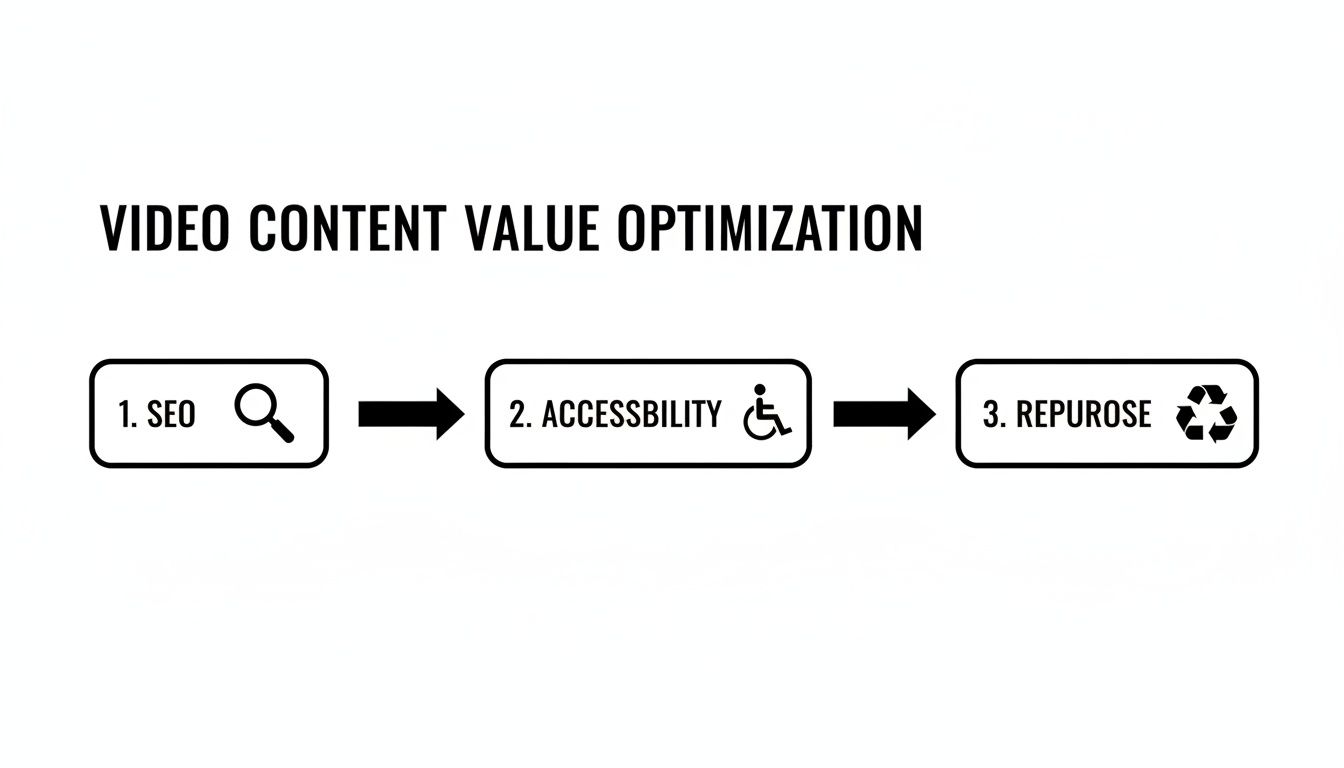
This isn't just about speed; it’s about making your content work harder for you. A transcript makes your video searchable, accessible, and ready to be repurposed into blog posts, social media updates, and more. Getting a transcript of a video is a crucial first step in maximizing its value.
Why Turning Video Into a Transcript Is a Content Goldmine
In a world overflowing with video content, the text hidden within your recordings is your most overlooked asset. Deciding to turn a video into a transcript isn't just a technical step—it's a strategic move that unlocks a ton of value, turning a single piece of media into a powerhouse for your entire content strategy.
Think about a YouTuber who just uploaded a 20-minute product review. Without a transcript, that video's reach is limited to the platform's algorithm and whatever viewers catch by ear.
But once you get that video transcribed? The content becomes a goldmine. The entire script is now indexable by search engines like Google. Someone searching for a specific phrase you mentioned in the video can now find it directly. This simple action completely changes how people discover your work and is a key reason creators seek out a reliable video to text converter.
Supercharge Your SEO and Accessibility
Search engine bots can't watch videos, but they excel at crawling text. A transcript acts as a detailed map for these bots, giving them rich, keyword-dense content to analyze and rank. This dramatically improves your video's chances of showing up in search results for all sorts of specific, long-tail keywords.
Beyond search engines, transcription is the foundation of accessibility. It immediately makes your content available to:
- Individuals who are deaf or hard of hearing.
- Non-native speakers who find it easier to read than to listen.
- People in noisy environments (like a train or open office) who can't play audio.
This isn't just about reaching a broader audience; it's about building trust and showing you care. The demand for these tools is exploding. The global AI transcription market is projected to jump from $4.5 billion to a staggering $19.2 billion by 2034, all driven by this universal need for searchable, accessible content. You can explore more data on the AI transcription market's growth and its impact on content creation.
Now let's look at the many advantages that converting your video content into text can bring to the table.
Key Benefits of Video Transcription at a Glance
This table breaks down the core advantages of turning your video content into text, showing how it impacts different goals for creators and businesses alike.
| Benefit | Impact for Creators | Impact for Businesses |
|---|---|---|
| Enhanced SEO | Videos rank for specific spoken keywords, driving organic traffic from search engines. | Corporate videos and webinars become discoverable on Google, capturing high-intent leads. |
| Improved Accessibility | Content becomes fully accessible to deaf/hard-of-hearing audiences, building community trust. | Ensures compliance with accessibility standards (like WCAG) and broadens market reach. |
| Content Repurposing | A 20-min video can be instantly turned into a blog post, multiple social media clips, and a newsletter. | A one-hour webinar transcript can fuel a month's worth of marketing content: articles, case studies, and emails. |
| Better User Experience | Viewers can search the transcript for key moments, read along, or consume content without audio. | Customers can quickly find answers in support videos or tutorials, reducing support tickets. |
As you can see, transcription isn’t a small tweak—it’s a foundational strategy that adds value across the board, from individual creators to large enterprises.
Unlock Effortless Content Repurposing
The real magic happens when you start seeing a transcript as raw material. That single video can instantly be spun off into dozens of other content pieces without you having to create anything from scratch.
A transcript is not the end product; it's the beginning of a dozen new ones. It’s the most efficient way to multiply your content output without multiplying your workload.
For instance, a business can record a one-hour team meeting, generate a transcript, and instantly create an AI-powered summary for stakeholders who couldn't attend. A podcaster can take their episode transcript, pull out key quotes for slick social media graphics, write a detailed blog post expanding on the topic, and draft an email newsletter—all from that one original recording.
This workflow saves a massive amount of time and keeps your content calendar perpetually full.
Your First Video to Transcript Walkthrough with Meowtxt
Alright, let's move from theory to action. This is where you see just how simple it is to turn a video into a transcript with Meowtxt. I want to walk you through the exact process, from raw footage to polished, usable text. Forget complex software—this is a straightforward, creative workflow.
The whole journey kicks off by getting your video file into the system. Meowtxt is built with a simple drag-and-drop interface, so you can pull an MP4, MOV, or other common video files right off your desktop. No technical prep or file converters needed. Just find your file and drop it in. If you want to dive deeper into the specifics, we have a whole guide on how to convert MP4 to text.
Uploading and Processing Your Video
Once you’re in your dashboard, the upload area is right there in front of you. It’s designed to be completely intuitive, so you're not left guessing what to do next.
This clean layout gets you started immediately, without getting lost in confusing menus.
The moment you upload, Meowtxt’s AI gets to work. You'll see the progress happening in near real-time as the system analyzes the audio and turns speech into text. For a 30-minute video, the entire thing is often done in less than a minute. That’s a world away from the hours you’d spend doing it by hand.
Before it finalizes, you get a couple of quick options: select the video's original language and tell it how many speakers there are. This small step is a huge deal for accuracy, helping the AI correctly assign dialogue and better understand different accents.
Editing and Polishing Your Transcript
No AI is perfect, but getting your transcript flawless is incredibly easy. After the first pass, you land in an interactive editor that syncs the text directly to your video's audio. Think of it like a souped-up Google Doc.
You can click any word in the transcript, and the video player jumps to that exact moment. It makes hunting down and fixing any little mistakes a breeze.
The real power here is that the interactive editor eliminates all that frustrating back-and-forth scrubbing through a video timeline. You just edit the text, and the timestamps adjust automatically.
Here are a few quick edits you can make to get everything perfect:
- Speaker Labels: Assign names to each speaker. Meowtxt is smart enough to detect different voices, and you can easily label them something like "Interviewer" or "Jane Doe."
- Timestamp Adjustments: While the AI is impressively accurate, you can manually nudge timestamps with a simple click-and-drag if you need ultra-precise caption alignment.
- Find and Replace: This is a lifesaver for fixing recurring misspellings of brand names, industry jargon, or unique names. Correct it once, and it’s fixed everywhere.
Exporting for Any Use Case
With your transcript polished and ready to go, the final step is getting it into a format that works for you. Meowtxt gives you a bunch of options to fit any workflow you can imagine.
- DOCX/TXT: Perfect for spinning your video into blog posts, articles, show notes, or meeting summaries.
- SRT: This is the gold standard for video captions. You can upload this file directly to YouTube, Vimeo, or your video editor for perfectly synced subtitles.
- JSON/CSV: Ideal for developers or data analysts who need to pipe transcript data into custom apps or analytics tools.
Just pick your format, hit download, and you’re done. You’ve successfully turned a video file into a valuable, multi-purpose text asset you can use anywhere.
Practical Tips for Achieving Flawless Transcripts
Even the smartest AI appreciates a little help. While our transcription engine is incredibly powerful, taking a few simple steps before you even upload your file can make a huge difference in the final result when you turn a video into a transcript.
Think of it as giving the AI the best possible source material to work with. It all comes down to one thing: audio quality. A clean, clear audio track is the single most important factor for getting a near-perfect transcript right off the bat. If the AI is straining to hear the words, it’s just making an educated guess.
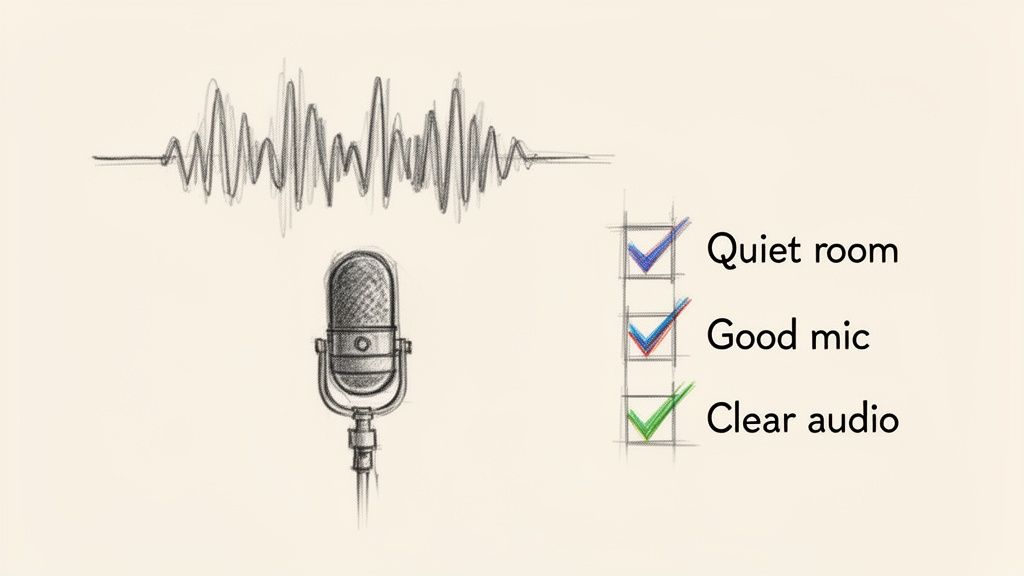
Don't worry, you don't need a professional recording studio. Just being a little more mindful of your recording environment can work wonders.
Pre-Upload Habits for Better Accuracy
Before you hit that "upload" button, just run through this quick mental checklist. These small habits pay dividends by giving you a much cleaner first draft, which means less editing time for you later.
- Kill the Background Noise: Find the quietest space you can. Shut the windows to block traffic noise, turn off that buzzing air conditioner, and silence your phone. Every little sound is competition for the speaker's voice.
- Use a Decent Mic: Your laptop's built-in microphone will do in a pinch, but even a cheap external USB or lavalier mic makes a world of difference. The easiest trick in the book? Just move the microphone closer to the person speaking.
- Discourage Crosstalk: If you're recording a meeting or interview, gently ask everyone to speak one at a time and enunciate. People talking over each other is one of the toughest challenges for any transcription software to untangle.
The old saying holds true: garbage in, garbage out. A muffled, noisy recording will always result in a messy transcript. A clean one will get you 95% of the way there on the very first pass.
Smart Post-Transcription Editing Tricks
Once Meowtxt has done its thing, you’ll find a nearly perfect transcript waiting for you in the editor. Now it’s time for the final polish. A few clever editing tricks can take it from great to publication-ready in just a few minutes. This final human review is what catches the subtle nuances an AI might miss.
This last step is an art in itself. If you want to get really good at it, you can learn more about the art of proofreading in transcription and see why it’s so crucial for high-quality content.
One of the most powerful tools in our editor is "Find and Replace." This feature is an absolute lifesaver for standardizing terms quickly.
For instance, if the AI keeps misspelling a unique company name or misinterpreting a niche acronym, you can fix every single instance with one command. It's way faster than scanning line by line. While you're at it, give a quick scan to any proper nouns or names—these are often the trickiest words for an automated system. A quick check and fix ensures your final transcript is 100% accurate and ready to go.
Go Beyond Just Text with Advanced Features
Getting a perfect transcript is a fantastic starting point, but it's really just the beginning. Modern tools like Meowtxt don't just turn a video into a transcript; they turn that static text into an intelligent, dynamic asset. This is where you can squeeze incredible value out of your original recording, saving time and reaching entirely new audiences.
Imagine you just finished a product demo video for a global audience. Instead of creating separate videos for each language, you can use a one-click translation feature. Meowtxt lets you convert your English transcript into over 100 languages instantly, making your content accessible to viewers in Spain, Japan, or Brazil in a matter of seconds.
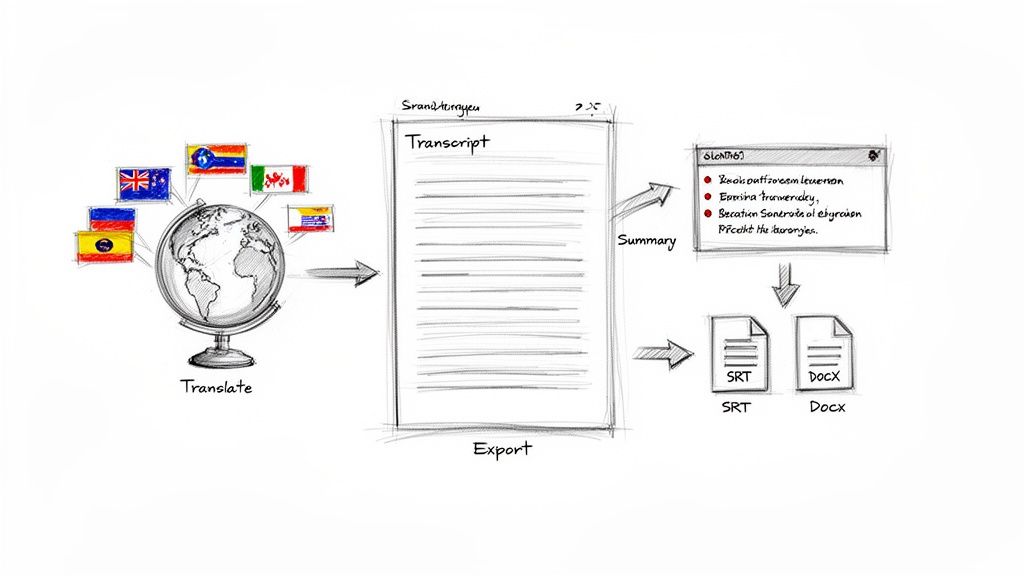
From Dense Meetings to Crisp Summaries
Another powerful tool is the AI-powered summary generator. Let's take a common business scenario: you've just wrapped up a dense, hour-long project meeting. Not everyone could attend, and nobody has time to watch the full recording.
Instead of burning another hour writing a recap email, you can feed the transcript to the AI. In seconds, you get a crisp, five-point summary highlighting the key decisions, action items, and next steps.
This isn't just a time-saver; it’s a productivity multiplier. It ensures everyone is on the same page without adding another tedious task to your plate.
The demand for these efficiencies is clear. The U.S. transcription market hit $30.42 billion and is projected to reach $41.93 billion by 2030. With business meetings increasing by 25% post-pandemic, AI summaries are helping teams improve decision-making speed by 40%.
Expanding Your Content's Reach
These advanced features directly support your content strategy by making it more versatile and accessible.
- Global Reach: Instantly translate your video transcript to create multilingual blog posts or international marketing materials.
- Time Efficiency: Condense long-form content like webinars or lectures into shareable summaries for social media or internal communications.
- Enhanced Accessibility: A great transcript is the first step when you want to learn how to add captions to videos, transforming your content for a wider audience.
By using these tools, you’re not just documenting what was said; you're creating a launchpad for a dozen new pieces of content. If you're focusing on creating captions, check out our guide on how to create SRT files for more detailed steps.
Proven Workflows for Creators, Teams, and Developers
Getting a transcript is just the starting line. The real magic happens when you build that text into a smart, repeatable process that actually saves you time and gets your content seen.
How you use a transcript is going to look completely different if you're a YouTuber versus a project manager. Let's walk through a few playbooks I've seen work wonders in the real world. These aren't just theories—they're practical strategies to make your content work harder for you.
The Content Creator Playbook
For anyone making content—YouTubers, podcasters, bloggers—a single video or audio file isn't just one asset. It's the seed for a dozen others. The goal is always to get the most mileage out of the work you've already done, and a solid transcription workflow is how you do it without burning out.
Picture this: you've just wrapped up a 15-minute YouTube video. Before you just hit "publish" and move on, you can turn that video into a transcript to kick off a content multiplication machine.
Here’s how it works in practice:
- Get Your Raw Material: First, upload your finished video to Meowtxt. In a few minutes, you'll have an accurate transcript. This text is now your foundation.
- Spin Up a Blog Post: Tidy up the transcript, toss in a few headings, and you’ve got a detailed, SEO-friendly blog post. Suddenly, every single word you spoke is indexable by Google.
- Mine for Social Gold: Scan the transcript for those punchy quotes, surprising stats, or killer tips. Pull out five or ten of these gems, and you’ve just created a week's worth of posts for X (formerly Twitter), LinkedIn, or your Facebook page.
- Add Perfect Captions: Export the SRT file and upload it directly to YouTube. This immediately boosts watch time and makes your content accessible to a much larger audience.
This workflow isn't about adding more tasks to your plate. It's about being smarter with the effort you've already invested. That one video is now driving traffic from search engines, engaging your social media followers, and boosting your YouTube metrics.
The Business Team Playbook
In a business setting, clarity and efficiency are everything. Transcripts shift from being public-facing content to becoming an internal source of truth—a searchable, actionable archive of what was said and decided.
Think about a typical weekly project sync on Zoom. Important decisions get made, but action items have a funny way of getting lost, especially for people who couldn't make the call.
A transcription workflow cleans this up instantly:
- Just record the Zoom meeting and upload the video file.
- Meowtxt generates the transcript with speaker labels, so there's no confusion about who said what.
- Use the AI summary feature to pull out a clean list of key decisions and next steps.
- Post that summary in Slack or send it via email to the whole team.
This simple process creates a single, definitive record. It keeps everyone accountable and aligned, and nobody has to waste an hour re-watching a meeting they missed.
The Developer Playbook
For developers, media companies, and technical teams, transcripts are pure data. When you turn a video into a transcript in a format like JSON, you unlock a ton of programmatic possibilities that go way beyond simple text.
For example, you could pipe transcript data from customer support calls into a custom app that analyzes sentiment and flags recurring issues. Or you could build an interactive video player that uses timestamp data, letting users click any word in the transcript to jump straight to that moment in the video. The technical flexibility is enormous.
For creators looking to streamline their entire production process, exploring the right software is key; you can find more insights on the best tools for content creators.
A Few Common Questions About Turning Videos Into Text
Jumping into transcription for the first time usually brings up a handful of questions. Let's tackle the big ones so you can get started with confidence.
How Long Does This Actually Take?
Honestly, using a good AI service is ridiculously fast. Modern tools can process video at up to 40x its actual runtime.
What does that mean in the real world? A 30-minute video can be fully transcribed in less than a minute. Compare that to doing it by hand, where a professional transcriptionist would need 4-6 hours of focused work for just a single hour of audio. The time savings are massive.
How Accurate Is AI Video Transcription?
The best AI tools can hit up to 97.5% accuracy, but that number really depends on your source file. For the best results, you need to feed the AI a video with clear audio, minimal background noise, and speakers who aren't talking over each other.
A quick final proofread is always a smart move. It's your chance to catch any unique names, specific industry jargon, or company acronyms the AI might not recognize, getting your final text from great to perfect.
Is It Safe to Upload My Videos?
Absolutely. Any reputable service takes security seriously. Your files should be encrypted both when you upload them and while they're stored.
We take it a step further at Meowtxt. To give you complete peace of mind, we automatically and permanently delete all uploaded media from our servers after 24 hours. Your sensitive data is never stored long-term, period.
What Video File Formats Can I Use?
You shouldn't have to waste time converting your files just to get a transcript. Modern platforms are built to handle pretty much anything you throw at them.
Most services, including ours, accept all the common formats without any fuss:
- MP4
- MP3
- WAV
- MOV
You can usually just drag and drop your file right into the app. The goal is to keep your workflow simple and smooth from the very start.
Ready to see for yourself how quick and easy it is to get usable text from your videos? Try Meowtxt today and get your first 15 minutes of transcription on us. Turn your video into a transcript now!


