
Ever tried to find one specific comment in a two-hour meeting recording? Or that perfect quote buried deep in a podcast episode? It’s a needle-in-a-haystack problem that wastes a ton of time. This is exactly where audio to text transcription software comes in. Think of it as a lightning-fast digital typist that turns all that spoken audio into text you can actually use.
What Is Audio to Text Transcription Software?
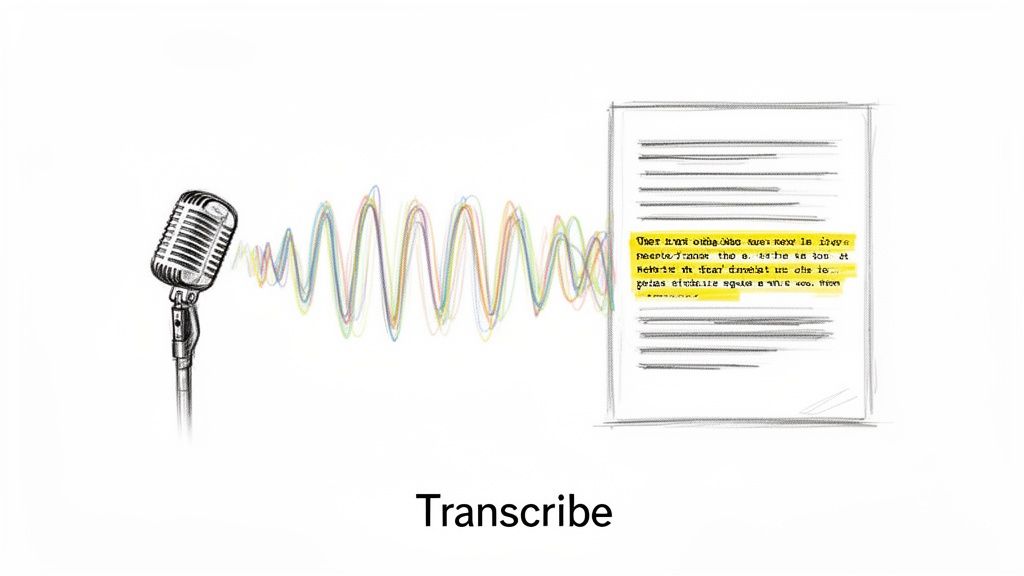
At its core, audio to text transcription software is a tool that automatically converts speech from an audio or video file into a written document. It builds a bridge from the spoken word to the written one, saving you from the soul-crushing task of typing it all out by hand. Instead of listening and re-listening, you get a text file you can scan, search, and edit in minutes.
The magic behind this is a flavor of Artificial Intelligence (AI) called Automatic Speech Recognition (ASR). The software listens to the sound waves in your file, breaks them down into tiny phonetic sounds, and then uses some seriously complex algorithms to stitch them back together into words and sentences. The result is a surprisingly accurate transcript, delivered way faster than any human could manage.
If you want to go a bit deeper on the tech, we have a whole guide on what ASR is and how it works.
Why Everyone Is Adopting This Technology
The demand for these tools isn't just growing; it's exploding. The global AI transcription market, valued at $4.5 billion in 2024, is on track to hit a staggering $19.2 billion by 2034. This isn't just a fleeting trend. It shows a massive shift away from slow, manual methods toward automated solutions that can process files with accuracy rates now touching 97.5%.
This growth is a direct response to a real-world need. We’re all creating more audio and video content than ever before—from team meetings and webinars to podcasts and interviews. This software unlocks all the valuable information trapped inside those recordings.
A transcript turns a static audio file into a dynamic, searchable asset. Suddenly, all that information is findable, accessible, and incredibly easy to repurpose.
The Real-World Benefits of Transcription
So, what does this actually mean for your day-to-day work? When you use audio to text transcription software to convert audio to text, you unlock some serious advantages that make your workflow smoother and more productive.
- You Save a Ton of Time: It can take a person four to five hours to manually transcribe a single hour of audio. The software does it in a few minutes.
- You Make Content Accessible: Transcripts open up your audio and video to people who are deaf or hard of hearing. They also make it easier for non-native speakers to follow along.
- You Get Found More Easily: Search engines can't listen to audio files. A transcript gives them keyword-rich text to index, which can seriously boost your SEO and help new audiences discover your work.
- You Can Repurpose Content Effortlessly: A transcript is the perfect starting point for creating blog posts, social media updates, articles, or detailed notes from a single recording.
Ever wondered what makes audio to text transcription software so indispensable? It’s not just about turning spoken words into text. Think of it as a key that unlocks your audio and video, transforming it from a one-dimensional, inaccessible format into a versatile asset you can search, edit, and repurpose in countless ways. This simple flip from a passive recording to an active document creates a massive amount of value.
For content creators, the payoff is immediate. Podcasters and YouTubers can take hours of conversation and instantly spin it into SEO-friendly blog posts, detailed show notes, or a dozen social media snippets. All of a sudden, search engines can actually crawl and index what was said, helping new audiences discover your work through a simple Google search.
It’s a massive efficiency boost, too. Instead of manually creating show notes or captions, creators who use tools like podcast editing VAs can hand off a clean transcript, freeing up everyone’s time for more creative work.
From Meeting Chaos to Actionable Clarity
In the business world, the impact is just as significant. We’ve all been in that hour-long meeting—full of brilliant ideas and critical decisions, but all of it is trapped inside a recording. A week later, trying to remember who agreed to what is a surefire way to miss deadlines.
Transcription software completely changes the game. It takes a rambling audio file and turns it into a neatly organized, scannable document. With speaker identification, you instantly know who said what. AI summaries then take it a step further, boiling down the entire conversation into the most important action items and decisions.
The real magic of transcription is its ability to convert unstructured chatter into structured data. It creates a single source of truth that drives accountability and keeps everyone aligned, making sure nothing important falls through the cracks.
This shift is fueling some serious growth. The market for AI meeting transcription is expected to surge from $3.86 billion to a staggering $29.45 billion by 2034. It’s an explosive trend, kicked into high gear by the remote and hybrid work boom. Organizations are generating thousands of hours of audio every month and need a scalable way to document it all. You can dig into more of the numbers in these meeting transcription adoption statistics on Sonix.ai.
Unlocking Potential in Specialized Fields
The benefits don't stop at the office door or the recording studio. In highly specialized professions, fast and accurate transcription is a game-changer.
- Legal Professionals: Imagine getting an accurate draft of a deposition in minutes instead of waiting days. This kind of speed allows legal teams to analyze testimony faster, build stronger cases, and ultimately serve their clients better.
- Educators and Students: A professor can provide accessible notes for every student, including those with hearing impairments or different learning styles. Students can skip scrubbing through long lecture recordings and just search for specific keywords when studying for an exam.
- Researchers: Qualitative researchers can transcribe dozens of interviews in a fraction of the time, letting them focus on what really matters—analyzing the data and uncovering insights, not just typing.
In every one of these scenarios, the core value is the same. The software frees the information trapped inside audio files, making it genuinely useful. By offering a variety of export options—like a TXT file for raw notes, a DOCX for a formal report, or an SRT file for video captions—it gives you the flexibility to solve your unique challenges and find new ways to use your content.
An Essential Checklist for Choosing Your Software
Picking the right audio to text transcription software can feel like trying to find the best coffee shop in a huge city—every single one claims to be the best. To actually find the right fit, you need a solid checklist of what really matters. This isn't about chasing flashy features; it's about nailing the fundamentals that will either save you hours of work or create a frustrating mess.
By zeroing in on a few critical criteria, you can confidently size up different tools and land on the one that feels like it was built just for you, whether you’re transcribing a podcast, your weekly team meeting, or a formal legal deposition.
Accuracy: The Foundation of a Good Transcript
Let’s be blunt: accuracy is everything. While no AI is perfect just yet, the whole point is to get a transcript that’s so close to human-level quality that your editing time is minimal. Modern AI models are now hitting 95% to 98% accuracy on clear, well-recorded audio, which is a massive leap forward.
But "accuracy" isn't just one number. It's a moving target influenced by a few key things:
- Audio Quality: Garbage in, garbage out. A clean recording with zero background chatter and no one talking over each other will always give you the cleanest transcript.
- Accents and Dialects: Has the software been trained on a wide range of global accents? If not, it might stumble over regional speech patterns.
- Industry Jargon: If you work in a specialized field like medicine or finance, the software needs to understand your terminology. The best tools let you build a custom dictionary to teach the AI your specific vocabulary.
Think of it this way: a transcript with 98% accuracy on a 10-minute file (about 1,500 words) means you only have to fix around 30 words. Drop that to 85% accuracy, and you’re suddenly correcting 225 words. That's a huge difference in editing time.
Speed: How Fast Do You Need It?
After accuracy, speed is king. The main reason we use software for this is to get results faster than a human could ever deliver them. Most modern platforms are incredibly fast, often turning an hour-long audio file into text in just a handful of minutes.
Look for software that chews through audio much faster than real-time. A tool that runs at 20x speed or higher can take a 60-minute recording and spit out a full transcript in three minutes or less. This is a game-changer for anyone on a tight deadline, like turning a live webinar into a blog post or getting meeting notes distributed before everyone logs off for the day.
Language and Format Support
Life would be easy if every audio file was a perfect MP3 and everyone spoke English. But that’s not the real world. A truly useful tool needs to be flexible enough to handle whatever file type you throw at it, in whatever language it was recorded.
Before you commit, check that the software can handle:
- Multiple File Formats: At a bare minimum, it should support MP3, MP4, WAV, and M4A without making you convert them first.
- Multiple Languages: If you work with international content, you need a tool with a deep roster of supported languages for both transcription and translation. The top-tier platforms handle dozens, sometimes hundreds, of them.
A great transcription service doesn't just convert audio to text; it breaks down barriers. The ability to transcribe in one language and instantly translate into another opens up your content to a global audience with just a few clicks.
Speaker Identification and Timestamps
For any recording with more than one person—think interviews, podcasts, or team stand-ups—knowing who said what is non-negotiable. Speaker identification (sometimes called diarization) is the feature that automatically slaps a label on each speaker, making the conversation a breeze to follow.
Just as critical are timestamps. These little markers link words in the transcript back to the exact moment they were spoken in the audio. This makes editing so much easier; you can just click on a word you're unsure about and instantly hear the original audio to check it. These two features work together to turn a giant wall of text into a neat, organized, and searchable document.
To see how these and other features stack up, check out our deep-dive on what to look for in voice to text transcription software.
To make comparing your options a bit easier, here’s a quick rundown of the most important features.
Key Features of Transcription Software at a Glance
| Feature | Why It Matters | What to Look For |
|---|---|---|
| Accuracy | The less time you spend editing, the better. This is the single most important metric. | A rate of 95% or higher for clear audio. Bonus points for custom vocabulary features. |
| Speed | Fast turnaround is essential for time-sensitive workflows, like news or content creation. | Processing speeds of 10-20x faster than the audio's real-time length. |
| File & Language Support | You need a tool that works with your existing files and can handle global content. | Support for common formats (MP3, WAV, MP4) and a long list of languages. |
| Speaker ID & Timestamps | Turns a confusing block of text into a clear, navigable conversation. | Automatic speaker labeling (diarization) and word-level timestamps. |
| Security | Your conversations, interviews, and meetings are sensitive. Your data must be protected. | End-to-end encryption, clear data deletion policies, and GDPR/CCPA compliance. |
| Pricing | The cost structure should align with how much you'll actually use the service. | Flexible models like pay-as-you-go for occasional use or subscriptions for high volume. |
This table covers the essentials, but the final piece of the puzzle is figuring out which pricing model makes the most sense for you.
Security: Is Your Data Safe?
When you upload a recording, you’re entrusting your data to another company. For sensitive material—like confidential client meetings, legal discussions, or proprietary research—security isn't a bonus feature, it's a fundamental requirement.
Look for a provider that’s transparent about its security practices. Here’s what to check for:
- End-to-End Encryption: Your files should be encrypted while you're uploading them (in transit) and while they're stored on the server (at rest).
- Data Deletion Policies: Does the company automatically wipe your files after a certain period? This is a good thing—it stops your private info from lingering on a server forever.
- Privacy Compliance: Look for mentions of GDPR or other major privacy regulations. It shows they take data protection seriously.
Pricing Models: Finding a Cost-Effective Fit
Finally, let’s talk about cost. How you pay should match how you work. Most services fall into one of two categories, and each has its place.
- Subscription Plans: These are great for consistent, high-volume users. Think podcasters who drop an episode every week or marketing teams that transcribe all their webinars. You get a lower per-minute rate, but you might pay for minutes you don't use if your workload fluctuates.
- Pay-As-You-Go: This model is perfect for occasional users or anyone with unpredictable needs. Students transcribing a few lectures or researchers working on a specific project love this flexibility. The per-minute cost might be a bit higher, but you only ever pay for what you actually use.
Before you commit, take a moment to estimate your monthly transcription needs to see which model saves you more money. Even better, find a service with a free trial. It's the best way to test drive the accuracy, speed, and features for yourself.
How to Integrate Transcription Into Your Workflow
Knowing the features of audio to text transcription software is one thing. Actually weaving it into your day-to-day work is where the magic happens. The good news? It’s not about adding some clunky, complicated new process. It's a small tweak that gives you a massive amount of time back.
Let's walk through a real-world example.
Imagine you're a podcaster fresh off a great interview. That raw audio file is a goldmine—packed with quotes, stories, and insights. But right now, it's just a file. Your goal is to spin that single recording into a whole suite of content: a blog post, detailed show notes, a bunch of social media clips, and video captions.
Here’s how a smart workflow makes that happen in just a few steps.
Step 1: Start with a Clean Audio Recording
This is the simplest step, but it’s also the most important. A clean audio file is the foundation for an accurate transcript. That means starting with a high-quality file (like an MP3 or WAV), keeping background noise to a minimum, and making sure speakers aren't talking over each other.
Modern software is surprisingly good at handling less-than-perfect audio, but a little effort here pays huge dividends. It slashes the number of potential errors the AI might make, meaning you'll spend way less time editing later. Think of it as setting the whole process up for success.
Step 2: Upload Your File with Ease
Once your audio is ready, you just need to get it into the transcription tool. This part should be dead simple. The best platforms have a straightforward drag-and-drop interface, letting you upload your file directly from your computer without any fuss.
No complex setup, no technical hoops to jump through. You just grab your MP3, WAV, or even an MP4 video file, and the software takes it from there. The AI immediately starts analyzing the audio, getting ready to turn all that speech into a tidy text document.
Step 3: Review and Refine the AI Transcript
After a few minutes, you’ll have a complete, AI-generated transcript ready for you. This is where you'll see features like speaker labels and timestamps really shine. The text is neatly organized, showing exactly who said what and when.
Your job here isn't to retype anything—just to give it a quick once-over. Read through the text while listening to the audio, making small corrections if needed. Timestamps make this super efficient. If a word looks a bit off, you can click on it to instantly hear that exact moment in the original audio and confirm what was said. This quick quality check ensures your final transcript is polished and professional.
This simple, three-stage process—upload, review, export—is the core of any good transcription workflow.
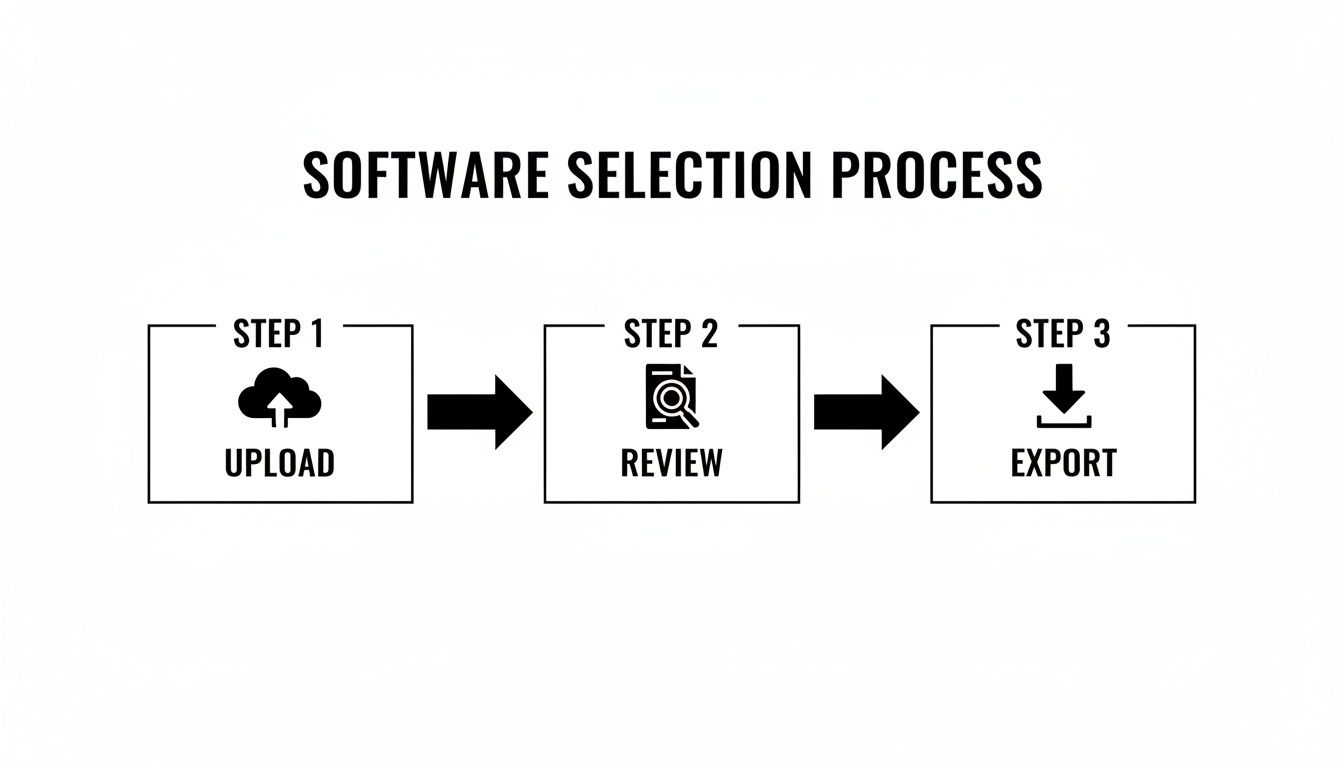
As you can see, a powerful workflow doesn't need to be complicated. It’s all about moving smoothly from your raw file to a polished, usable document.
Step 4: Export and Repurpose Your Content
With your transcript perfected, it's time for the fun part: putting it to work. This is where the true creative potential gets unlocked. A solid audio to text transcription software will give you multiple export options to fit whatever you're trying to do.
For our podcaster, that looks like this:
- Export as a DOCX: This becomes the skeleton for a full-length blog post, expanding on the key themes from the interview.
- Export as an SRT: Instantly create perfectly timed captions for video clips of the podcast to share on YouTube or social media, making the content accessible to everyone.
- Export as a TXT: A simple text file is perfect for pulling out key quotes for promotional graphics or creating detailed show notes.
The real power comes from repurposing. That single audio file has now become the source for a blog, captions, and social media content, multiplying its reach and impact with minimal extra effort.
From here, the possibilities are endless. You could use an AI summary feature to generate a few quick social media posts or even translate the entire transcript to connect with a global audience. For more ideas, check out our guide on effective content repurposing strategies. This workflow transforms transcription from a simple chore into a cornerstone of your entire content strategy.
Why Accuracy and Security Are Non-Negotiable
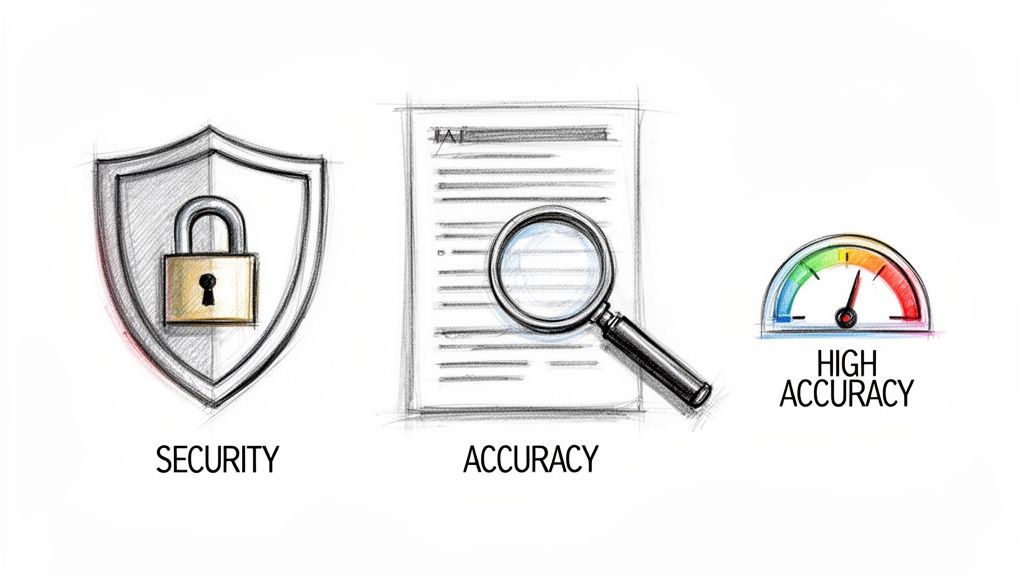
When you're dealing with sensitive information—think confidential client meetings, legal depositions, or private medical records—choosing an audio to text transcription software is about a lot more than just saving time. In these high-stakes fields, accuracy and security are the two pillars holding everything up. Get them wrong, and you’re not just risking a few typos; you’re putting trust, privacy, and your professional integrity on the line.
Uploading a recording of a confidential business strategy session to an unvetted platform is a massive gamble. You need to be certain that your data is locked down from the moment you upload it until the moment it's gone for good.
The Critical Role of Security Features
In a world where data breaches are practically a daily headline, a casual approach to security is a recipe for disaster. The best transcription platforms treat your files with the seriousness they deserve, building a digital fortress around your information.
What does that fortress look like? Here are the non-negotiables:
- End-to-end encryption: This scrambles your audio file, making it unreadable from the moment it leaves your computer, while it's being processed, and as it sits on a server.
- Automatic file deletion: A top-tier service won't hoard your files. Look for a clear policy that permanently deletes your data within a set period, like 24 hours, to minimize exposure.
- Compliance with privacy regulations: Sticking to standards like GDPR is a clear signal that a provider takes its responsibility to protect user data seriously.
These aren't just bullet points on a feature list. They are essential safeguards that protect you, your clients, and your entire organization.
Why High Accuracy Is More Than Just a Number
On the other side of the coin is accuracy. A platform might throw around a 97.5% accuracy rate, but what does that actually mean for your workload? It’s not a vanity metric—it’s a direct measure of your own efficiency.
Let's break it down. A 30-minute recording contains roughly 4,500 words. At 97.5% accuracy, you're looking at around 112 errors to find and fix. Annoying, but manageable. But if that accuracy drops to just 90%, you’re suddenly hunting for 450 errors. That’s the difference between a quick five-minute review and a painstaking, soul-crushing editing session.
High accuracy translates directly into confidence. It means you can trust the document the software produces, spend less time fixing it, and get on with the actual work of analyzing information or creating content.
This precision is absolutely vital in sectors like healthcare. The medical transcription software market, valued at $2.55 billion in 2024, is projected to hit $8.41 billion by 2032, all driven by the need for flawless documentation. In the U.S. alone, the medical segment commands over 43% of the entire transcription market, because accurate records are non-negotiable under regulations like HIPAA. You can dive deeper into the growth of the cloud-based medical transcription market on Fortunebusinessinsights.com.
Ultimately, for any professional, the right audio to text transcription software is one that delivers a reliable, secure, and accurate result every single time. It saves you time, protects your data, and gives you a final document you can actually depend on.
So, Where Does Meowtxt Fit In?
After running through the checklist of what makes an audio-to-text tool genuinely useful, it’s pretty clear what separates the good from the great. This is exactly where a platform like Meowtxt comes into the picture. It’s not about just ticking boxes; it’s about delivering on the core promises of speed, accuracy, and security in a way you can actually feel.
The whole experience is built for people who don’t have time to waste. For instance, we talked about processing speed being a deal-breaker. Meowtxt is engineered to rip through audio files up to 40x faster than real-time. What does that actually mean? A one-hour podcast or team meeting becomes a fully transcribed document in less than two minutes.
A Serious Stance on Accuracy and Security
Of course, speed is useless without reliability. Meowtxt hits a 97.5% accuracy standard on clear audio, which drastically cuts down on the time you’d otherwise spend cleaning up mistakes. That level of precision means you can trust the transcript right out of the gate.
Security is the other non-negotiable. So many recordings are sensitive, and Meowtxt gets that. All files are handled with robust encryption, and there’s a strict 24-hour automatic deletion policy. Your data is protected, and it doesn't just hang around on a server somewhere. It’s peace of mind, built-in.
Meowtxt combines modern AI speed with a fundamental respect for user privacy. Your workflow isn't just faster—it's secure from the ground up. That dual focus makes it a partner you can actually trust.
Built for Any Workflow
A great tool needs to adapt to you, not the other way around. Meowtxt is designed with that flexibility in mind. It handles a whole range of common audio and video formats, so you can skip the annoying step of converting files first.
Once your transcript is done, you can grab it in formats like TXT, SRT, and DOCX. This makes it dead simple to repurpose the text for blog posts, pull quotes, or drop it straight into your video editor for captions.
But it also goes a step further. You can instantly translate your transcript into over 100 different languages, opening up your content to a global audience. The AI-powered summaries are another huge time-saver, boiling down long recordings into the key takeaways you actually need.
Got Questions? We've Got Answers.
Jumping into audio to text transcription software for the first time? You're bound to have a few questions. We’ve pulled together the most common ones we hear to give you clear, straight-up answers so you can get started without a hitch.
Think of this as your quick-start guide to clear up any last-minute uncertainties.
So, How Accurate Is This Stuff, Really?
This is always question number one, and for good reason. Under ideal conditions, modern AI transcription services can hit accuracy rates between 95% and 98%. That's incredibly high, but "ideal conditions" is the key phrase.
The final quality of your transcript really hinges on the quality of your audio. A few things make a massive difference:
- Clean Audio: If you have a recording with minimal background noise and people aren't talking over each other, you'll get a stellar transcript.
- Speaker Clarity: Thick accents, super-fast talking, or mumbling can occasionally throw the AI for a loop.
- Niche Jargon: Highly specialized terms might not get picked up perfectly unless the software has a custom vocabulary feature.
Is My Data Actually Safe with These Online Tools?
Totally valid concern, especially if you're transcribing sensitive meetings or confidential interviews. Any reputable audio to text transcription software provider takes security seriously and has multiple layers of protection built-in.
You should always look for platforms offering end-to-end encryption, which essentially scrambles your files while they're being uploaded and stored. Also, poke around their privacy policy for data deletion rules. Many top-tier services, including ours, automatically and permanently delete your files after a short window (like 24 hours) so your info never lingers on their servers.
Choosing a service with a transparent, robust security policy isn’t just a nice-to-have—it’s a must. Your conversations are your data. They deserve to be protected.
Can the Software Tell Different Speakers Apart?
Absolutely. This is a standard feature in any quality tool, usually called speaker identification or diarization. The software is smart enough to analyze the different vocal signatures in a recording and automatically slap labels like "Speaker 1" and "Speaker 2" on the dialogue.
It’s the magic that turns a confusing wall of text into a clean, easy-to-follow script. You can't live without it for interviews, podcasts, or team meetings.
How Long Does It Actually Take to Get a Transcript?
The speed is probably the most mind-blowing part of modern AI. A human transcriptionist might need four or five hours to manually type out a one-hour recording. The software? It can do it in minutes.
Most leading platforms process audio many times faster than its actual runtime. For instance, a 60-minute audio file can often be fully transcribed and ready for you in under five minutes. The turnaround is practically instant.
Ready to see just how fast and accurate transcription can be? Meowtxt nails that sweet spot with 97.5% accuracy and industry-leading speed, all wrapped in a secure, ridiculously easy-to-use platform. Try it for free and get your first transcript in minutes.


