
Ever wondered about the invisible force making video content accessible, searchable, and engaging across the globe? That’s the magic of subtitle files. Think of them as a simple script that tells a video player exactly what text to show on screen and precisely when to show it.
Getting a handle on the different subtitle file types, like a basic .SRT versus a more advanced .VTT, is the first real step toward a smarter, more effective video strategy.
Why Subtitle File Types Matter for Your Videos
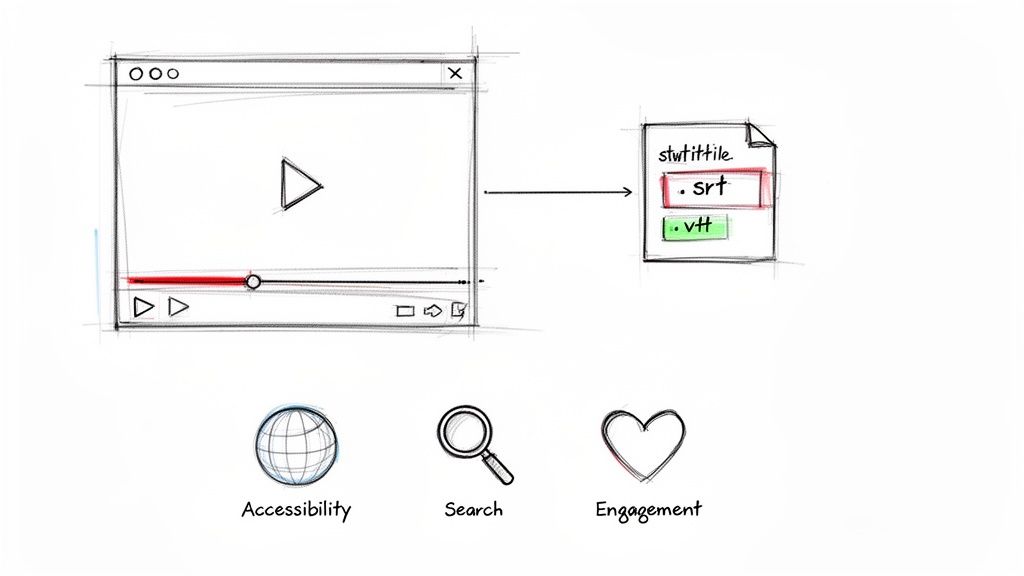
Choosing the right subtitle format is about way more than just putting words on a screen. It’s a strategic choice that directly impacts user experience, accessibility, and even your video's search engine ranking.
It's a bit like picking tires for a car. Any standard tire will get you from A to B, but a specialized one can dramatically improve performance and safety in specific conditions. Subtitle files work the same way—some are universally compatible, while others unlock powerful features like custom styling and precise text placement.
Boosting Reach and Viewer Engagement
Subtitles are your secret weapon for connecting with viewers in sound-off environments, like on public transport, in quiet offices, or scrolling through social media. A staggering 85% of social media videos are watched on mute, so without clear text, your message is completely lost.
This boost in accessibility isn't just a nice-to-have; it leads to better engagement, like longer watch times and higher completion rates. Plus, search engines can read the text inside these files, helping your video rank for relevant keywords.
If you're ready to put this into action, our guide on how to add captions to a YouTube video walks you through the practical steps.
At its core, a subtitle file is just a plain text document containing lines of dialogue, each paired with an exact timestamp. This simple but brilliant structure is what allows a video player to sync the text perfectly with the audio.
The demand for this technology is exploding. The global captioning and subtitling market was valued at USD 317.07 million in 2022 and is projected to hit USD 648.74 million by 2033. The media and entertainment sector leads the charge, holding a massive 57% market share. You can find more insights on the growing captioning market here. This incredible growth just shows how essential captions have become for any modern content strategy.
SRT: The Universal Standard for Subtitles
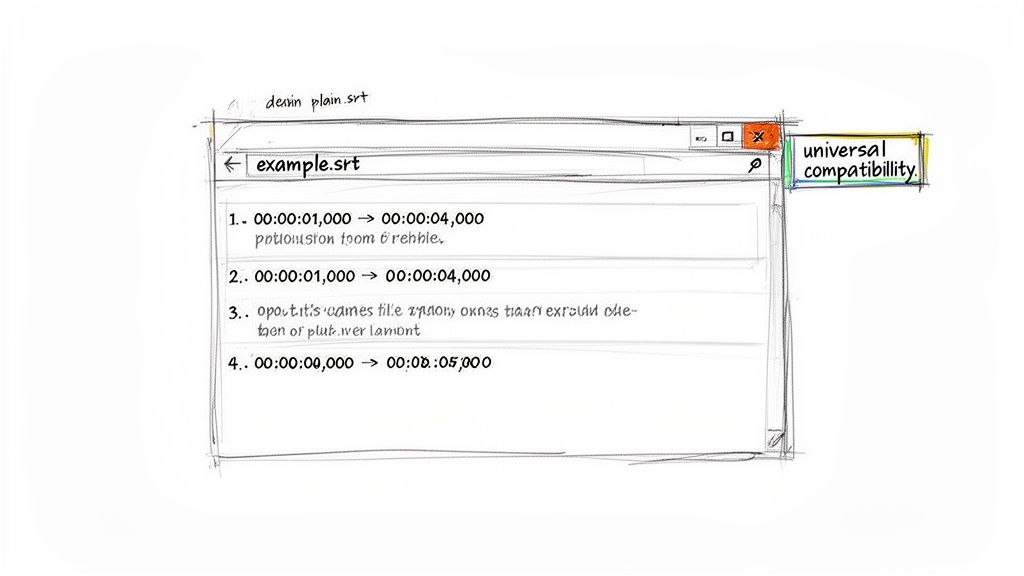
If you’ve ever worked with a subtitle file, you’ve almost certainly encountered an SRT. Short for "SubRip Subtitle," this format is the dependable workhorse of the captioning world. Its greatest strength is its simplicity—it’s just a plain text file you can open and edit with something as basic as Notepad or TextEdit.
This stripped-down approach is exactly what makes it so accessible. An SRT file is essentially a numbered list of captions. Each one has a start and end time, followed by the text that appears on screen. There are no complicated colors, fonts, or positioning commands to worry about.
That lack of bells and whistles is precisely what makes it the universal standard. Video players and editing software don’t need to decipher complex styling rules. They just read the timecodes and text, which is why SRT files are practically guaranteed to work everywhere.
The Anatomy of an SRT File
The beauty of the SRT file is its incredibly straightforward structure, which is the key to its widespread adoption. Every single caption follows a clean, four-part sequence, ensuring any video player can understand and display it correctly.
Here’s a breakdown of each entry:
- A Sequence Number: A simple counter (1, 2, 3...) that keeps the captions in order.
- The Timecode: Shows exactly when the caption should appear and disappear, formatted as
hours:minutes:seconds,milliseconds. - The Caption Text: The actual words that will pop up on the video.
- A Blank Line: This empty space acts as a divider, signaling the end of one caption block and the start of the next.
This clean, predictable structure means you don't need fancy software to create or fix them. In fact, learning how to make an SRT file from scratch is a fantastic skill for any content creator who wants total control over their video's accessibility.
The real power of the SRT format lies not in what it can do, but in what it doesn't do. By ditching complex styling, it guarantees maximum compatibility, eliminating technical headaches and ensuring your captions just work, no matter the platform.
Its widespread use has cemented its status as the industry leader. SubRip files are now the most common subtitle format globally, holding the biggest market share among all subtitle file types. This dominance is all thanks to its universal compatibility and technical simplicity, which makes delivering subtitles a breeze. For creators, this means a reliable workflow and the ability to reach the widest possible audience.
VTT: The Modern Format for Web Video
If SRT is the reliable, no-frills workhorse, think of WebVTT (or VTT) as its younger, web-savvy cousin. It was built from the ground up for online video, taking the simple foundation of an SRT and adding a whole suite of creative controls.
While it's still a plain text file at its core, VTT introduces styling and positioning features that are essential for modern web content. It was designed to play nicely with HTML5, the engine that runs most video you see online today. The jump from SRT to VTT is like going from a black-and-white photo to a full-color one; the subject is the same, but the presentation is worlds apart.
Going Beyond Basic Text with Styling and Control
The single biggest advantage VTT has over SRT is its ability to handle rich formatting. This isn't just about making text look pretty—it's about adding clarity, emphasis, and even brand identity directly into your video’s captions. The right styling can make subtitles much easier to read and help viewers understand the context of what’s being said.
With VTT, you can design captions that feel like a natural part of your visual storytelling. Here’s a taste of what you can do:
- Text Formatting: Easily make words bold or italicized to stress a point or show a change in tone.
- Color Customization: Change the color of specific words or entire lines to match your brand’s look or to highlight who is speaking.
- Caption Positioning: Move captions around the screen to keep them from covering up important visuals, like a speaker's face or an on-screen graphic.
These features transform captions from a simple accessibility add-on into an integral part of the viewing experience. You could, for example, position a speaker’s name at the top of the screen or color-code dialogue for different characters, adding a professional polish that SRT just can't deliver.
WebVTT stops being just about what is said and gives creators control over how it's shown. This opens the door to a more immersive and accessible experience, where the visual style of the text supports the video's narrative.
Sure, it’s a little more complex than an SRT, but the learning curve is gentle. That extra bit of effort pays off with a much more refined presentation. It's why platforms that care deeply about a polished user experience, like Vimeo and a huge range of HTML5 video players, have made VTT their format of choice. This makes it an essential tool among the various subtitle file types available today.
Comparing the Most Common Subtitle Formats
Figuring out which subtitle file type to use doesn't have to be complicated. It almost always boils down to a simple trade-off: do you need it to work everywhere, or do you need creative control over how it looks?
For most of us, the choice comes down to three major players: the old reliable SRT, the web-savvy VTT, and the powerhouse ASS/SSA.
You can think of it like this:
- SRT is the plain .txt file of the subtitle world. It’s bare-bones, with only text and timestamps. Its superpower? It just works, everywhere.
- VTT is like a basic Rich Text document. It gives you the essentials—bold, italics, and a splash of color—making it perfect for modern web video where branding matters.
- ASS/SSA is a full-blown graphic design tool. It lets you go wild with custom fonts, animations, and complex positioning.
At a Glance Comparison
To make the decision even easier, let's put these formats head-to-head. The right choice really depends on where your video is going to live and what job you need your subtitles to do. Are they just for accessibility, or are they a part of your visual identity?
This decision tree gives you a quick visual for the two most common formats you'll encounter for online video.
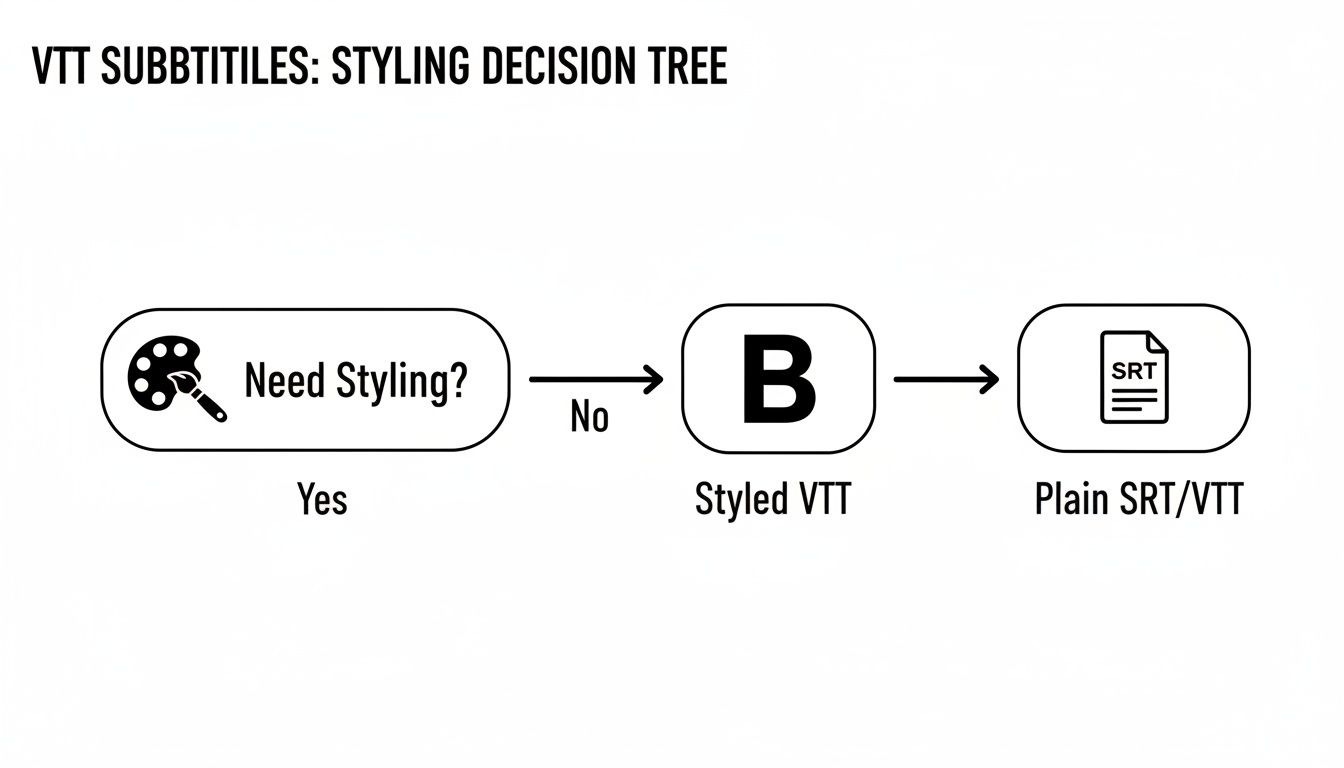
The takeaway is pretty clear: if you need even a little bit of styling, VTT was built for the job.
Subtitle File Format Feature Comparison
To really dig in, the table below breaks down the key differences. It compares what each format can do, how widely it's supported, and where it shines the brightest.
| Feature | SRT (SubRip) | VTT (WebVTT) | ASS/SSA (Advanced SubStation Alpha) |
|---|---|---|---|
| Styling Options | None | Basic (bold, italics, color, positioning) | Advanced (custom fonts, animations, layers) |
| Compatibility | Universal (works on nearly all players) | High (most modern web players, YouTube) | Limited (popular with VLC, anime community) |
| Best Use Case | Maximum reach, social media, general use | Branded web content, HTML5 video | Creative projects, anime fansubs, karaoke |
| Ease of Use | Very Easy | Easy | Moderate to Complex |
This table shows the core dilemma pretty clearly. SRT gives you maximum compatibility, while VTT and ASS/SSA offer more creative freedom at the cost of universal support.
The fundamental choice is this: do you prioritize guaranteed delivery or a customized experience? SRT ensures your message gets seen on any platform, while VTT and ASS let you shape how that message is presented.
In the end, your distribution platform often makes the choice for you. If you're uploading to YouTube and just need captions that work, SRT is your safest bet.
But if you’re embedding a video on your own website where brand consistency is key, VTT delivers a much more polished look. Knowing the difference between these subtitle formats is crucial for getting it right every time.
Beyond the Basics: A Look at Advanced and Niche Subtitle Formats
While SRT and VTT will get you through 95% of your subtitling jobs, there’s a whole other world of specialized formats built for specific creative and technical needs. Think of these like a professional chef's knives—you won't use the fancy boning knife every day, but for the right task, nothing else will do.
These advanced subtitle file types are designed for industries that need much more than just timed text on a screen.
One of the most famous is ASS/SSA (Advanced SubStation Alpha). If you’ve ever watched fan-subtitled anime, you’ve seen this format in action. It’s a favorite in that community for one simple reason: it offers total artistic freedom. Forget basic styling; ASS lets you control custom fonts, create complex animations, build karaoke-style effects, and even layer text. It turns subtitles into a dynamic, expressive part of the storytelling.
Formats Built for Professional Broadcasting
Once you step into professional broadcasting, the rules change completely. For broadcast television, subtitles aren't just dialogue—they're a regulated part of the transmission that must meet rigid technical standards.
This is where you run into formats like EBU-STL (European Broadcasting Union). This is a legacy format designed for PAL broadcast media, especially in Europe. It's all about technical precision, not creative flair, ensuring captions show up perfectly on millions of TVs. It’s a highly structured blueprint that professional video editing systems depend on for compliance.
These niche formats drive home a key idea: the more specialized the industry, the more specific the tool. For pure creative expression, ASS is a blank canvas. For broadcasting, EBU-STL is a rigid, reliable template.
Other Specialized Subtitle Formats
The landscape of subtitle formats is huge, with countless variations developed for a particular piece of software or platform. The trick isn't to memorize them all, but to know that a solution probably exists for whatever challenge you’re facing.
Here are a few other notable examples you might encounter:
- DFXP (Distribution Format Exchange Profile): An XML-based format commonly used for Flash video, providing a standardized way to deliver timed text.
- SCC (Scenarist Closed Captions): You'll still find this one in broadcast and web video workflows. It's based on the old CEA-608 closed captioning data, the standard for analog broadcast in North America for decades.
- SAMI (Synchronized Accessible Media Interchange): Developed by Microsoft for Windows Media, this format uses HTML-like tags to style and structure captions.
You don't need to master every single one of these complex subtitle file types. Just knowing they exist is half the battle. It empowers you to find the right tool when a project's needs go beyond the basics, whether it's for an artistic effect, broadcast compliance, or a software-specific quirk.
How to Create and Convert Subtitle Files
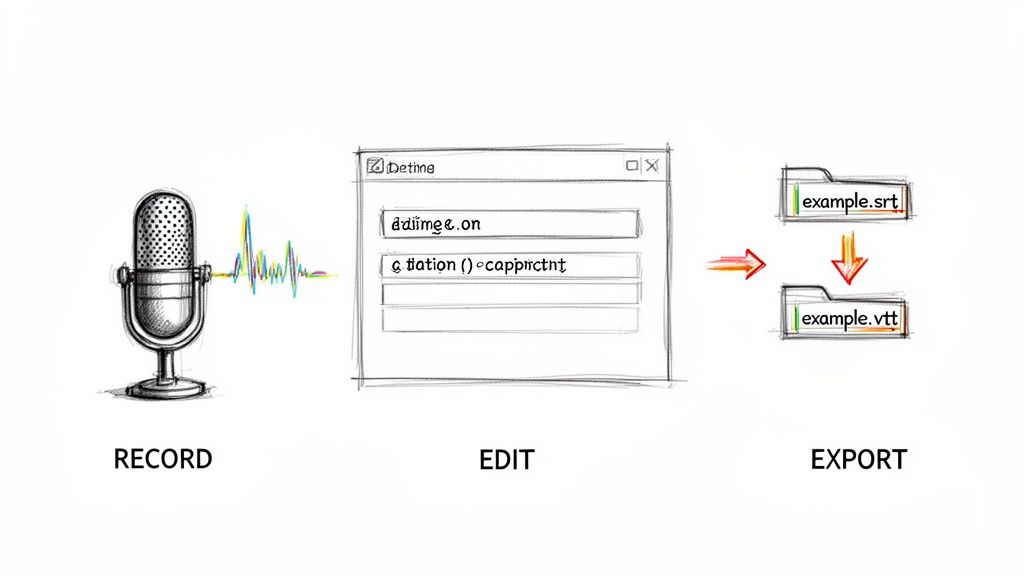
This workflow shows the basic journey from raw audio to polished SRT and VTT files. The process boils down to transcribing what's said, locking in the timings, and exporting the final product.
Knowing the different subtitle file types is one thing, but actually making and managing them is where the rubber meets the road. The good news is you don't need expensive software to get started. Many formats, especially the trusty SRT, are just plain text files you can build from scratch.
It’s a surprisingly simple process that gives you total control. All it takes is a basic text editor like Notepad on Windows or TextEdit on a Mac to manually type out your captions and their timestamps.
Creating Subtitles Manually
Going the manual route is perfect for shorter videos or when you need every word and timestamp to be absolutely perfect. It definitely takes more time, but it's a fantastic skill to have. The process follows a simple, repeatable pattern for each piece of dialogue.
Here’s the basic recipe for a single SRT caption:
- Sequence Number: Start with
1, then2,3, and so on for each new caption block. - Timestamp: This is the most important part. Enter the start and end times in this exact format:
hours:minutes:seconds,milliseconds --> hours:minutes:seconds,milliseconds. - Caption Text: Just type the dialogue you want to display.
- Blank Line: Always leave one empty line before starting the next sequence. This tells the video player a new caption is coming.
That's it. Repeat this block for every line of dialogue, save the file with a .srt extension, and you're good to go.
Automated and Conversion Tools
For anything longer than a few minutes, creating subtitles by hand can be a real grind. This is where automated tools become your best friend. Countless services can listen to your video's audio, transcribe it, and generate a timed SRT or VTT file in minutes. If you're looking for tools to help with this, exploring the best apps for creating captions is a great place to start.
But what if you already have a subtitle file in one format and need it in another? This is a common task, especially when moving a video between different platforms.
The ability to effortlessly switch between formats is a core skill for any content creator. It ensures your subtitles work perfectly, whether you're uploading to YouTube, embedding on a website, or preparing for broadcast.
Thankfully, you don't have to rebuild the entire file from scratch. Plenty of free online converters—and even some video players like VLC—can handle the conversion for you. For instance, if you need to switch from the web-friendly VTT format back to the universally loved SRT, you can easily learn more about how to convert VTT to SRT with simple, free tools. Having this flexibility is essential for a smooth workflow.
Got Questions About Subtitle File Types?
Diving into the world of subtitle formats can feel a bit confusing at first, but a few key answers can clear things up fast. Getting these fundamentals right saves a ton of headaches and makes sure your content looks professional.
So, what’s the best format for YouTube? For sheer, rock-solid reliability, SRT is the undisputed champion. Yes, YouTube supports a few others, but SRT’s simple structure means it just works. It’s the safest bet to avoid frustrating upload errors.
Can I Change How My Subtitles Look?
Another common question is about styling. Creators often ask if they can bake brand colors or specific fonts into an SRT file. The short answer is no; SRT files are pure text and timing, with zero styling information.
The look of SRT captions is entirely up to the video player—whether that's YouTube, VLC, or your phone. If you absolutely need your text to have a certain look to match your branding, you'll want to use a more capable format like VTT for web videos or ASS for more complex projects.
The big trade-off in the subtitle world is universal compatibility (SRT) versus creative control (VTT, ASS). Figuring out which one matters more for your project is half the battle.
Open vs. Closed Captions: What's the Real Difference?
Finally, let's clear up the open vs. closed captions debate. It really just comes down to viewer choice.
- Closed Captions (CC): These are the separate files we've been talking about, like an SRT or VTT. Viewers can toggle them on or off with the "CC" button. It’s all about giving them flexibility and accessibility options.
- Open Captions: These are "burned" right into the video frame, becoming a permanent part of the picture. They are always on and can't be turned off. This is perfect for platforms like Instagram or TikTok, where videos often autoplay on mute and you need your message seen immediately.
Ready to create perfectly timed SRT files from your video or audio? meowtxt transcribes your content with incredible accuracy, letting you export ready-to-use subtitles in minutes. Try it for free and see how easy captioning can be.


