
Finding a reliable Arabic to English voice translator can feel like searching for a needle in a haystack. While instant, real-time apps seem magical for a quick phrase, they simply don't deliver the accuracy needed for professional work. The best and most reliable method is a two-step process: first, transcribe the Arabic audio into text. Then, translate that text into clean, editable English.
This professional approach sidesteps the common headaches that trip up simpler tools, like confusing dialects and muffled background noise, ensuring your message is captured perfectly.
Why a Better Voice Translation Workflow Matters
In today's connected world, clear Arabic to English voice translation is more than a convenience—it's essential. Whether you're a content creator reaching a global audience, a researcher analyzing interviews, or a business communicating with partners, solid translation is the bedrock of your work.
But we've all experienced the frustration of a real-time translator app. The conversation gets lost, and the meaning is warped. These tools are notorious for stumbling over complex sentences, the rich diversity of regional Arabic dialects, and any audio that isn't perfectly crisp.
The result? Interview answers get twisted, video captions make zero sense, and client feedback becomes gibberish. This is exactly why a deliberate, professional workflow for an Arabic to English voice translator isn't just a nice-to-have; it's a necessity.
The Problem with Instant Translators
Instant voice translators are fine for asking for directions on vacation, but they crumble under the demands of a professional setting. The problems almost always come down to a few key weaknesses:
- Dialect Diversity: The Arabic language is incredibly rich with regional dialects, from Egyptian to Gulf to Levantine. A basic app can't distinguish between them, leading to significant translation errors.
- Lack of Editability: What you hear is what you get. There’s no hitting 'undo' or going back to fix a word the app misheard. You can't tweak a sentence to better capture the original speaker's intent.
- Background Noise: Let's be honest—field recordings, conference calls, and public interviews are never silent. All that background chatter can easily confuse a real-time translator, leaving you with a jumbled mess.
This need for better tools isn't just anecdotal. The Middle East's market for AI-powered voice translation platforms was already valued at around USD 1.2 billion in an analysis leading up to 2020. This growth is driven by businesses needing higher-quality, more reliable tools for real-world work. You can explore these market insights over on Kenresearch.com.
A More Reliable Approach: Transcribe, Then Translate
Instead of forcing a direct voice-to-voice translation, a much better method splits the job into two logical steps: transcription and translation.
First, you use specialized Automatic Speech Recognition (ASR) technology to convert the Arabic audio into a written transcript. If that term is new to you, you can learn more about what ASR is and how it works. Once you have an accurate text file of the original audio, you can then translate it into English.
This two-step process gives you the one thing instant apps take away: control. It lets you review and polish the Arabic transcript first, ensuring it's perfect before you translate. The final English text is a true reflection of what the speaker actually meant, making it a far superior Arabic to English voice translator solution.
How to Convert Arabic Audio to English Text
Alright, let's walk through the actual process of turning spoken Arabic into clean, usable English text. Forget the confusing tech jargon; this is a straightforward workflow that puts you in control, making sure your message stays perfectly intact from start to finish.
This flowchart truly captures the journey: you start with frustrating, locked-up audio and end with a perfect translation ready for any project.
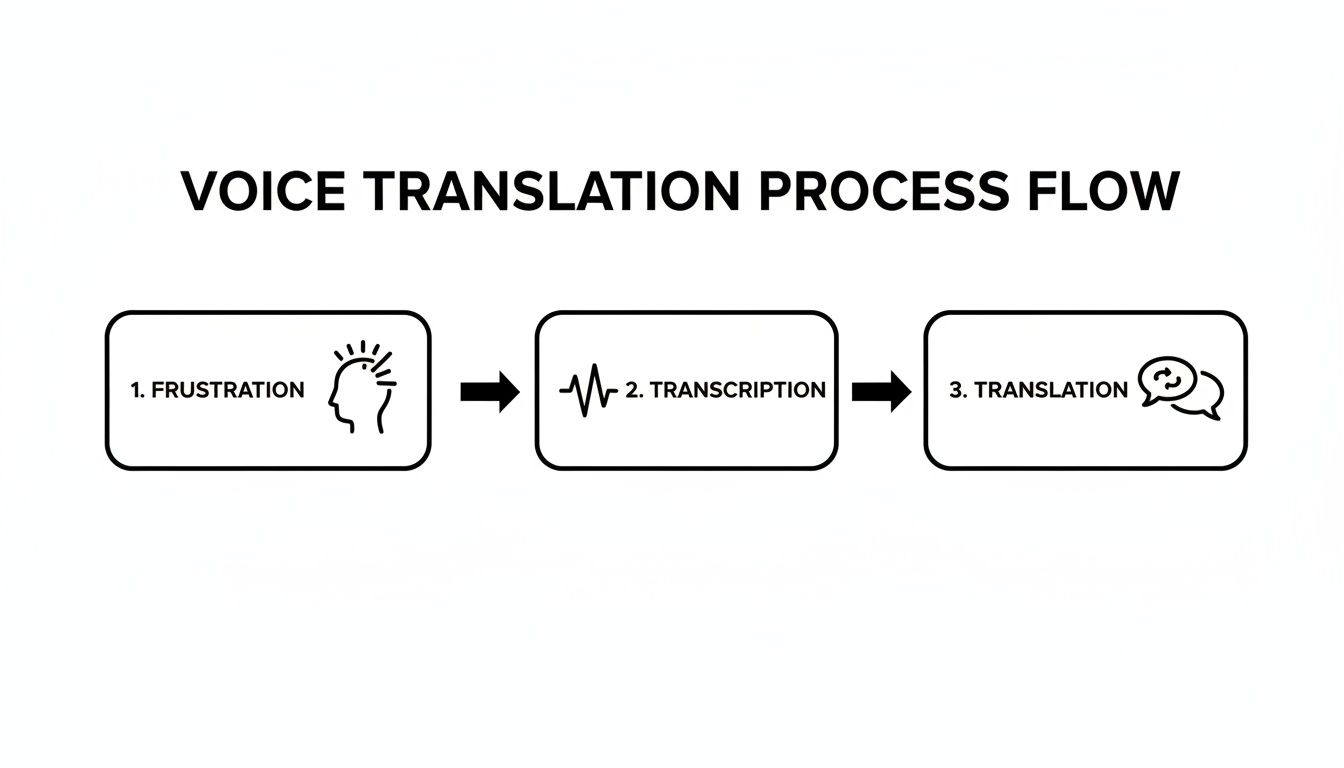
The key takeaway is how this workflow separates transcription from translation. That's the secret sauce for accuracy.
Start With a Simple File Upload
First things first, you need to get your audio into the system. With a tool like MeowTxt, this is incredibly simple. Just find your audio or video file—whether it's an MP3, WAV, or MP4—and drag it right into the upload box. No clunky software to install or a million settings to figure out.
Here’s a pro tip: before you upload, do a quick audio check if you can. Clear audio with minimal background noise will always give you a better starting point for translation. It’s not a deal-breaker, since modern AI is quite smart, but it definitely helps get that initial transcript as close to perfect as possible.
Let the AI Handle the Arabic Transcription
Once your file is uploaded, the real work begins. The system’s Automatic Speech Recognition (ASR) kicks in, listening to every word of Arabic and converting it into written text. This isn't your phone's basic voice-to-text; this AI is trained on vast amounts of data to understand different accents and speech patterns.
In your dashboard, you'll see the Arabic text appear, often with timestamps and even speaker labels if it's a conversation. This step is absolutely crucial because it creates a solid, accurate foundation. Now you have a written record of the original audio that you can proofread and tweak if needed.
This transcription phase is what makes a professional Arabic to English voice translator workflow so much better. By creating an editable Arabic text first, you get to fix any words the AI might have misheard. This ensures the source material is 100% correct before you even think about translating.
Translate to English With a Single Click
With your polished Arabic transcript sitting there, the next part is a breeze. Instead of manually copying and pasting everything into a separate translation tool, you just hit the translate button.
Instantly, the platform processes the Arabic text and generates a complete English translation. Because you started with an accurate transcript, the English version is far more reliable and context-aware than what you’d get from a clunky, real-time app.
The best part? You can see both the original Arabic and the new English translation side-by-side. This makes it incredibly easy to compare sections and confirm the original nuance was captured perfectly, which is a lifesaver for technical or complex topics. For a deeper dive into this process, our general guide on how to translate audio to English has some great additional tips.
Choose Your Export Format
Once you're happy with the English text, you need to get it out of the tool and into your project. Different projects have different needs, so having a few format options is key.
- .TXT: Perfect for raw text you plan to paste into an email, document, or website. No fuss, no frills.
- .DOCX: The go-to for creating formal reports, articles, or any document you'll be editing further in Microsoft Word or Google Docs.
- .SRT: This is the industry standard for video captions. It includes the text perfectly synced with timestamps, so you can add subtitles to your videos on YouTube or Vimeo in seconds.
If you're working specifically with video, this excellent guide to translating videos with AI dubbing gives some great context on transcription quality. Picking the right export format means your translated content is ready to use immediately, saving you a ton of time on tedious reformatting tasks.
Pro Tips for Maximizing Translation Accuracy
Getting a great translation from an Arabic to English voice translator is about more than just clicking a button. While the AI is incredibly powerful, the quality of what you put in directly dictates the quality of what you get out.
Think of it this way: a world-class chef can't make a masterpiece with rotten ingredients. Your source audio is the main ingredient.
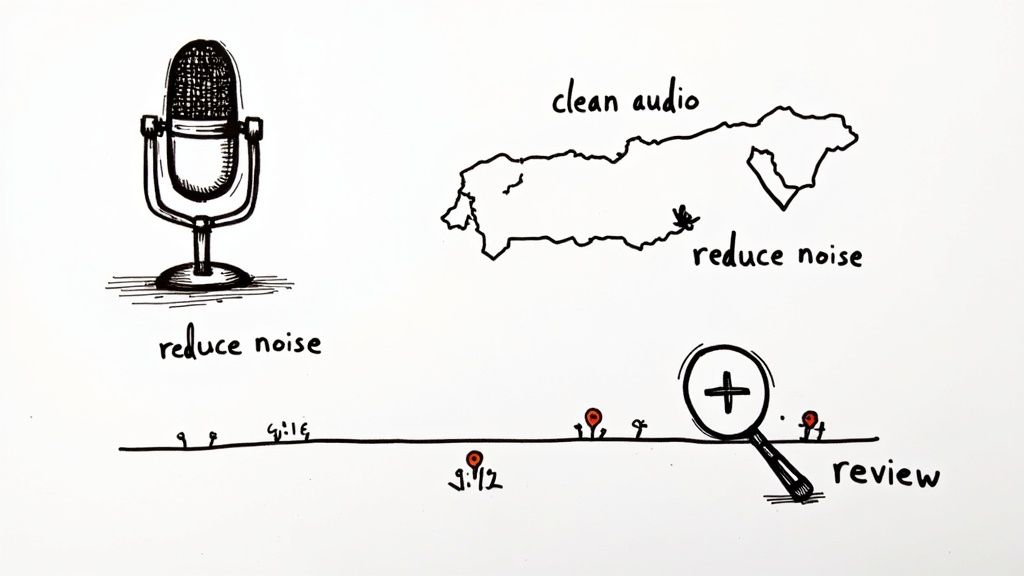
The single most effective thing you can do to boost accuracy is to start with clean, clear audio. Background noise—coffee shop chatter, street traffic, even a humming AC—can easily trip up the transcription AI. When the AI struggles to parse the original Arabic, those mistakes get baked into the initial text and then passed right on to the English translation.
For anyone serious about accuracy, enhancing the quality of the spoken input is key. Even simple adjustments, like choosing the right amplifier for voice clarity or just using a dedicated mic instead of your laptop's built-in one, can make a world of difference.
Navigating Arabic Dialects
The Arabic language is a beautiful mosaic of regional dialects. From Egyptian to Gulf to Levantine, each has its own distinct vocabulary, rhythm, and slang. Fortunately, top-tier AI translators are trained on massive datasets that cover these variations.
Still, you can nudge the AI toward even better results:
- Speaker Clarity: Ask speakers to enunciate clearly, especially when using heavy regional slang or switching between dialects.
- Avoid Overlapping Speech: When people talk over each other, it’s a nightmare for both humans and AI to untangle. Try to capture one voice at a time.
- Context is King: The more audio you provide from a single session, the better the AI gets at learning the speaker's specific patterns. This leads to a much more accurate translation.
This ability to handle diverse dialects is a major advantage of using a professional-grade workflow. For more practical advice, check out our guide on how to improve audio quality for transcription.
The Final Polish: A Quick Review Framework
Even with a near-perfect AI translation, a quick human review is always a smart final step. The AI is fantastic with literal meaning, but it can sometimes miss the subtle cultural context or a specific turn of phrase. This review isn't about re-translating from scratch; it’s a five-minute quality check.
Your goal is to confirm intent. Does the English text feel the way the original Arabic speech did? A quick scan can help you spot those small nuances that make the final output truly flawless.
This final check is also getting cheaper and easier. The market for language translation devices, including portable Arabic to English voice translators, was valued at over USD 990 million in 2022 and continues to grow rapidly.
The same AI advancements fueling this growth have also slashed post-editing costs, making professional-quality translation more accessible than ever. By following these tips, you can go from getting a good translation to a perfect one.
What You Can Do With Your Translated Content
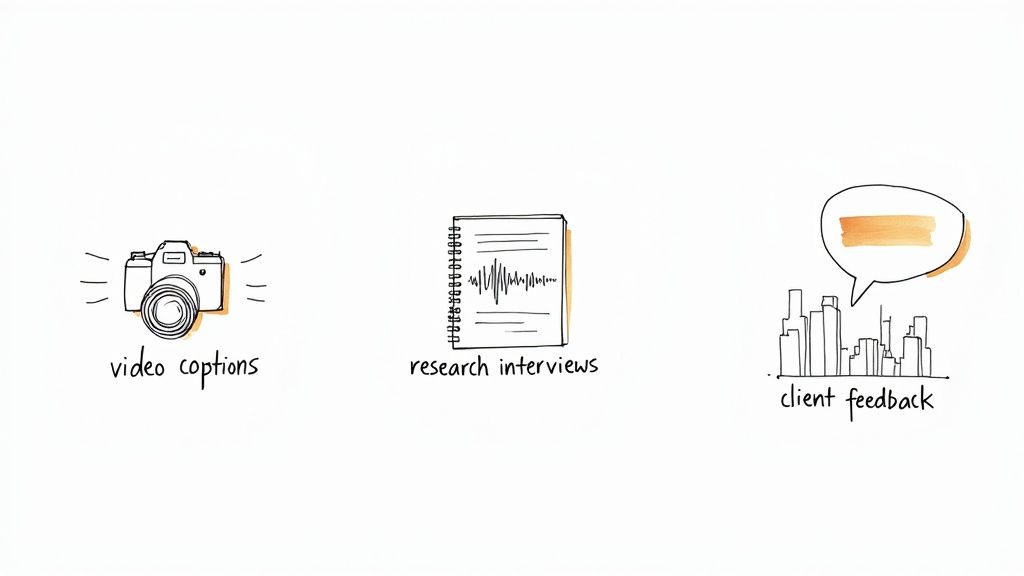
Once you have a clean, accurate English transcript, the real fun begins. This isn't just about switching languages; it's about unlocking the value trapped inside your Arabic audio and video files. A solid Arabic to English voice translator workflow takes your content from inaccessible to impactful, whether you're a creator, researcher, or running a global business.
Let's break down how this solves real-world problems.
For Video Creators and Journalists
Imagine you’re a filmmaker who just finished a powerful documentary in Arabic. The story has universal appeal, but your primary audience is local. How do you break into the global, English-speaking market?
This is the perfect scenario for a professional translation workflow. Instead of settling for YouTube's glitchy auto-captions, you can produce frame-perfect English subtitles that do your work justice.
- Generate an SRT File: After translating your audio, export the SRT file. This small text file contains both the English dialogue and the precise timestamps needed for captions.
- Upload to YouTube or Vimeo: Pop that file into your video platform, and voilà—you’ve instantly added accurate, professional subtitles.
- Expand Your Reach: Suddenly, your film is accessible to hundreds of millions more viewers. This drives engagement, boosts your channel's authority, and can even open doors for international distribution.
Journalists covering events in the Middle East use this exact same process. They can quickly transcribe and translate field interviews, ensuring every quote is captured perfectly for their English-language articles.
For Academic and Market Researchers
If you've ever done qualitative research, you know the struggle. Manually transcribing and translating hours of interviews or focus groups can take weeks, sometimes even months. It's a notorious bottleneck for any project.
An AI-powered workflow shrinks that timeline from weeks to a few hours. A sociologist studying community dynamics in Cairo, for example, can record hours of in-depth interviews, upload the files, and get back a full English transcript ready for coding and analysis.
By automating the tedious work of transcription and translation, researchers can pour their energy into what actually matters—analyzing the data and finding insights. This not only speeds up the research timeline but also preserves the integrity of the source material without the risk of manual error.
For Global Business Operations
In international business, a simple miscommunication can be incredibly costly. Picture a tech company in New York with a major client in Dubai. The client sends over a detailed video call recording with product feedback, all in their native Arabic dialect.
Without a bulletproof translation, that goldmine of feedback could be misunderstood or completely lost. Using a high-quality Arabic to English voice translator gives the product team in New York a precise, editable document of every single comment.
This lets them:
- Pinpoint specific pain points and feature requests.
- Share the feedback across departments with absolute clarity.
- Respond to the client's needs quickly and accurately, building a much stronger business relationship.
In every case, the goal is the same: making Arabic audio content accessible, understandable, and actionable for an English-speaking audience. It’s how you create opportunities that were previously out of reach.
Keeping Your Work Safe and Getting It Out
When you're translating sensitive Arabic audio—think client feedback, confidential interviews, or business meetings—you need to know your data is secure. Trust isn't a "nice-to-have"; it's everything.
That’s why platforms like MeowTxt treat security as a baseline, not a bonus. They use strong encryption when you upload your files and while they're stored. More importantly, your files don’t just sit there forever. A strict 24-hour auto-delete policy means your information is wiped from the servers after you're done, keeping your data footprint to a minimum.
Picking the Right Format for the Job
Once your translation is ready and you're confident it's secure, the last step is getting it into a usable format. Choosing the right one from the start saves a ton of headaches later.
It’s like packing for a trip—you wouldn't bring ski gear to the beach. You need the right tool for the destination.
Here are the most common formats and when I use them:
- .TXT (Plain Text): This is your best friend for simplicity. If you just need the raw English text to paste into an email, a chat message, or a basic document, .txt is the way to go. No fuss, no formatting.
- .DOCX (Word Document): Grab this when your translation is heading into a formal report, an article, or anything that needs more editing and formatting. It opens perfectly in Microsoft Word or Google Docs, ready for you to polish.
- .SRT (SubRip Subtitle): This is the gold standard for video captions. An .srt file is more than just text; it contains the precise timestamps needed to sync the English subtitles perfectly with your video. It's plug-and-play for platforms like YouTube.
Picking the right export option is what makes the final translation truly useful. It’s the final piece of the puzzle, turning your raw audio into a finished asset you can drop right into your workflow, whatever that may be.
Common Questions, Answered
When you're looking to translate Arabic audio, a few key questions always come up. Here are the straight answers to help you get the most out of the process, based on what we see every day.
How Well Does It Handle Different Arabic Dialects?
This is a big one. Modern AI translators are built on massive datasets that include a wide range of regional dialects. While you'll always get the most consistent results from Modern Standard Arabic (MSA), a good system can handle colloquialisms from Levantine, Egyptian, and Gulf Arabic surprisingly well.
The best thing you can do, no matter the dialect, is to start with the clearest audio possible. This gives the AI the best shot at locking onto the words correctly before it even starts translating.
What’s a Realistic Accuracy Rate for Voice Translation?
For high-quality audio, it's not uncommon to see accuracy rates hitting 95% or even higher. The biggest factors that can lower that number are poor audio clarity, background chatter, heavy accents, and people talking over each other.
Pro Tip: Simply using a decent microphone in a quiet room will do more for your accuracy than anything else. Clean audio is the foundation of a great translation, period.
Can I Edit the Text After It’s Translated?
Yes, and you absolutely should. A huge advantage of this kind of workflow is that you end up with a fully editable document. Once you get the English text back, you're in complete control.
You can easily scan through it, tweak any specific terms or phrasing to better fit your context, and then export it in whatever format you need. This puts you in the driver's seat and makes sure the final output is perfect for your audience.
Ready to turn your Arabic audio into accurate English text? Give MeowTxt a try and get your first 15 minutes free. See how a professional workflow can make all the difference, with no subscriptions needed.


