
Whether you're a journalist on a tight deadline, a researcher sifting through hours of qualitative data, or a podcaster creating accessible show notes, manually transcribing interviews is a huge bottleneck. The painstaking process of typing out every word can consume valuable time that could be better spent analyzing content, editing audio, or creating your next project. This is where dedicated transcription software for interviews becomes an indispensable tool, turning a tedious chore into a streamlined, automated process.
The market, however, is flooded with options, each promising superior accuracy and speed. Choosing the right one depends entirely on your specific needs. Do you require near-perfect accuracy for legal proceedings, or is a fast, AI-generated draft sufficient for internal meeting notes? Do you need advanced features like speaker identification and custom vocabulary, or is a simple, cost-effective solution your priority? This comprehensive guide is designed to cut through the noise and help you make an informed decision.
We will provide a detailed breakdown of the leading platforms, complete with screenshots, direct links, and an honest assessment of their strengths and weaknesses. You'll gain practical insights into each tool's ideal use case, from solo content creators to large enterprise teams. For those looking to streamline their entire audio workflow, exploring solutions for editing is also crucial. Consider our guide to the best podcast editing software for 2026 to complement your transcription choice. Our goal is to equip you with the knowledge to select the perfect software that integrates seamlessly into your workflow, saving you time and eliminating the drudgery of manual transcription for good.
1. meowtxt
Meowtxt stands out as a premier choice for interview transcription, striking an exceptional balance between speed, accuracy, and robust features. It's built for professionals who need reliable, editable transcripts without a cumbersome workflow. Whether you're a podcaster analyzing guest interviews, a researcher coding qualitative data, or a legal team documenting depositions, this platform provides a comprehensive toolset. The service quickly processes audio and video, layering in essential elements like speaker identification and precise word-level timestamps, which are critical for navigating and editing lengthy interview recordings.
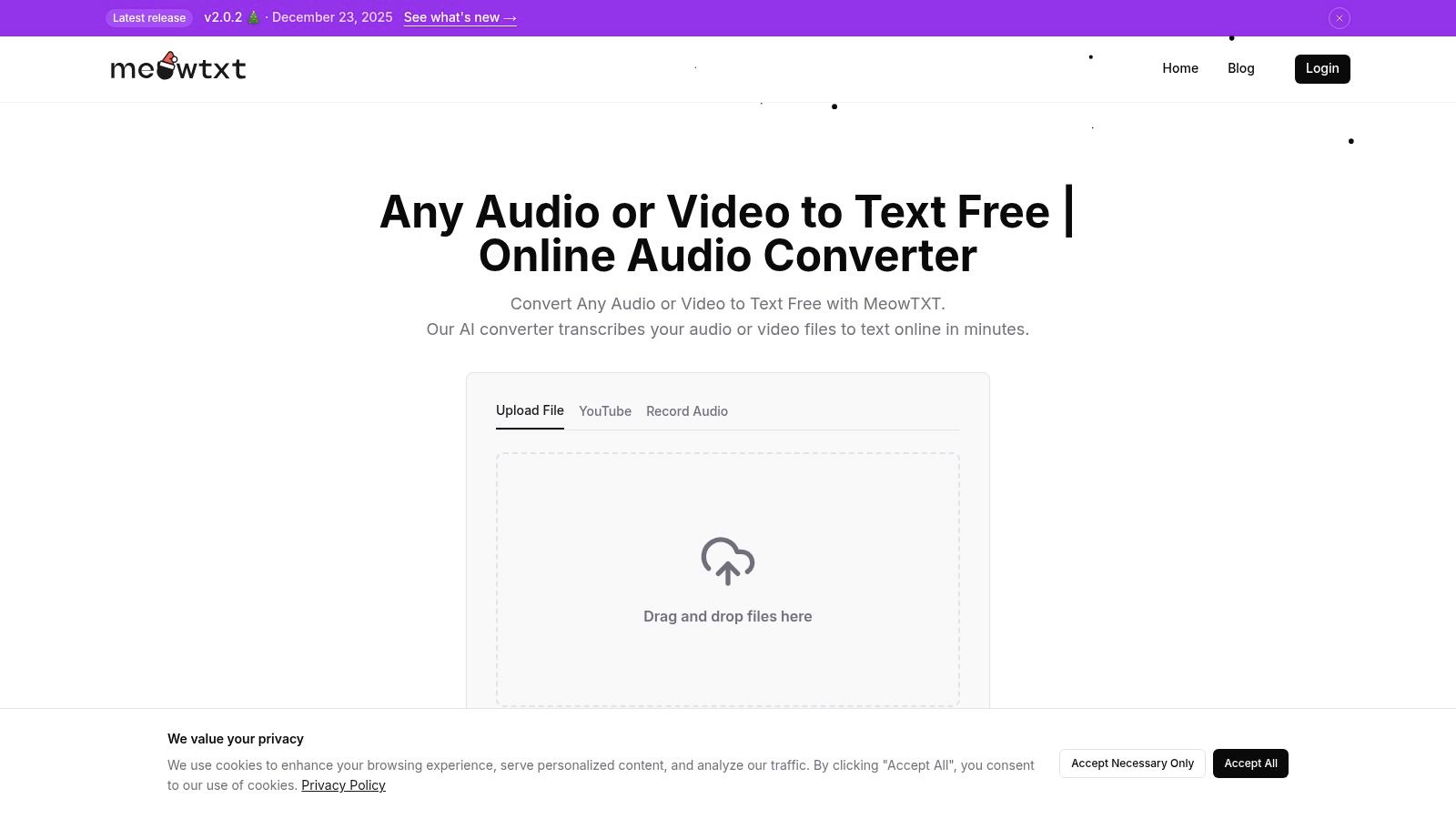
Its flexibility is a significant advantage. Users can upload files directly, paste a YouTube link, or make a quick mobile recording. The ability to test the service with 15 free minutes without registration removes any barrier to entry, allowing you to instantly gauge its accuracy on your specific audio.
Standout Features for Interview Transcription
- High-Speed Accuracy: Meowtxt transcribes audio at up to 40x real-time speed with an advertised accuracy of approximately 97.5%. This combination ensures you get your transcripts back in minutes, not hours, allowing for faster analysis and content turnaround.
- Intelligent Post-Processing: Beyond basic text, it provides speaker labels and word-level timestamps, which are indispensable for interview analysis. For global teams, the platform’s auto-translation feature supports over 50 languages, while AI-powered summaries and direct ChatGPT integration facilitate deeper, more efficient data analysis.
- Seamless Workflow Integration: The platform supports a wide array of export formats (TXT, DOCX, SRT, VTT, JSON) and offers direct integrations with Google Docs, Excel, and YouTube. This versatility ensures the transcript fits perfectly into your existing post-production or research workflow.
Pricing and Practical Considerations
Meowtxt offers a user-friendly pricing structure that scales with your needs. You can start with a free trial, and paid plans begin with the Starter tier (500 minutes/month from $3.99), moving up to Plus (1200 minutes/month from $7.99) and Pro (3000 minutes/month from $12.99). High-volume users can benefit from discounts of up to 50%.
While its accuracy is high, it’s important to remember that extremely noisy environments or heavy accents can impact the final output, potentially requiring some manual review. Additionally, free uploads are deleted after 24 hours, making a paid plan necessary for users who require long-term file storage.
For those new to the process, it's beneficial to understand best practices. Learn more about how to properly transcribe interviews on meowtxt.com to ensure you get the highest quality results from the software.
Website: https://www.meowtxt.com
2. MeowTXT
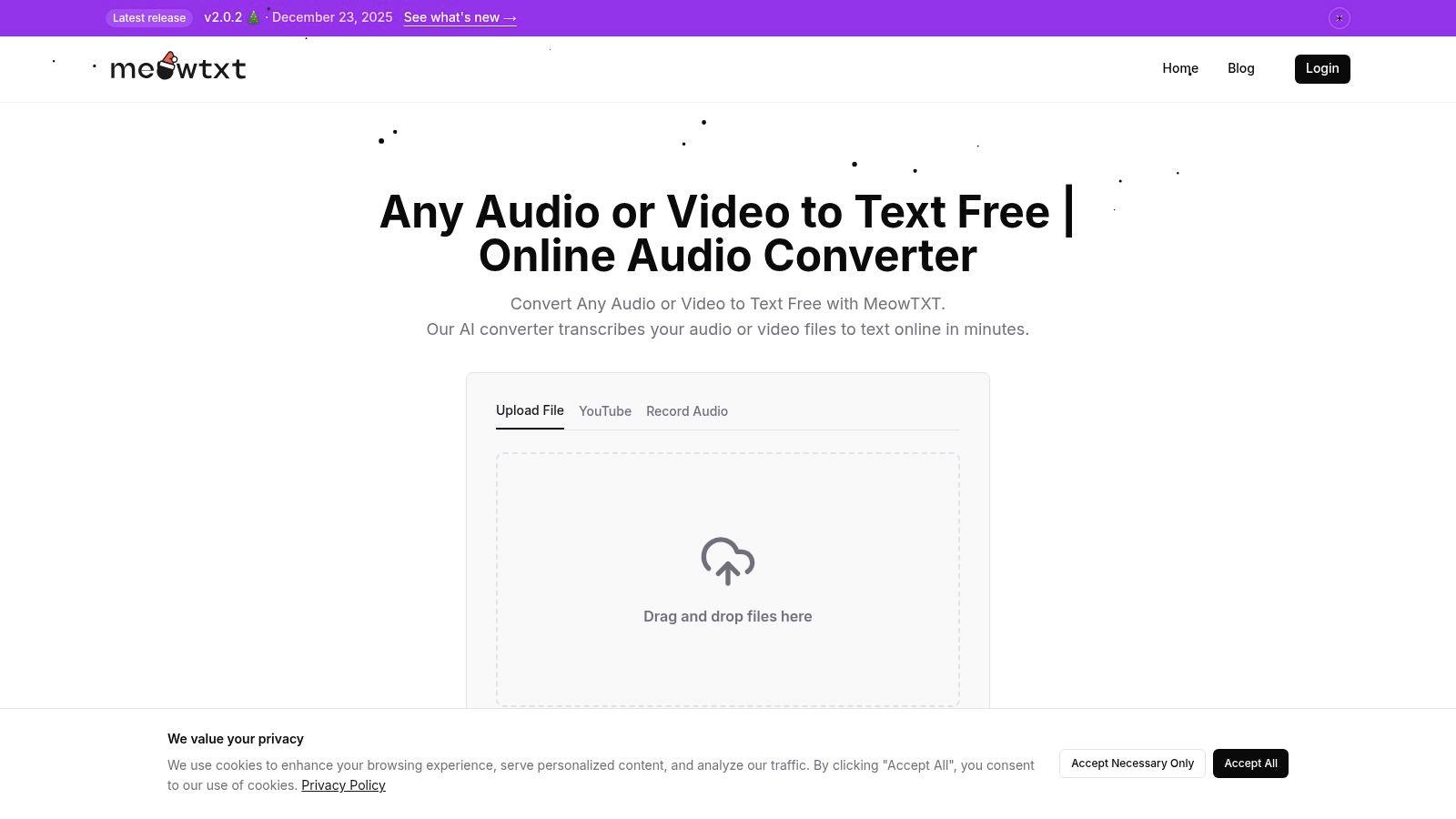
MeowTXT positions itself as a streamlined, privacy-conscious solution for users who need high-quality transcripts without the friction of account creation or complex software. Its standout feature is the simple, no-login drag-and-drop interface, making it exceptionally fast to get started. This makes it an excellent piece of transcription software for interviews when you need to process a one-off recording quickly and securely.
The platform processes audio at up to 40 times real-time speed, boasting a high accuracy rate that holds up well for clear, multi-speaker interviews. It automatically handles speaker identification and provides precise word-level timestamps, which are crucial for editing or referencing specific moments in an interview.
Key Differentiators and Use Cases
MeowTXT shines with its built-in AI tools. After transcribing, you can generate an automatic summary of the interview or translate the entire text into over 100 languages with a single click. For content creators and global teams, this is a significant time-saver. Its strong privacy-by-default model, which auto-deletes files after 24 hours, is ideal for users handling sensitive interview content.
- Pricing: Pay-as-you-go model starting at a competitive per-minute rate, with volume discounts available for larger projects.
- Best For: Researchers, journalists, and creators who prioritize speed, ease of use, and data privacy for individual or batch interview files.
- Pros: Extremely simple workflow, no account required, integrated AI summaries and translation.
- Cons: Web-based only, lacks a dedicated desktop application for offline editing.
Website: https://www.meowtxt.com/
3. Otter.ai
Otter.ai is widely recognized as a powerhouse for real-time transcription, making it a staple for live meetings and interviews. Its core strength lies in its ability to integrate directly with platforms like Zoom, Google Meet, and Microsoft Teams, automatically joining calls to capture and transcribe conversations as they happen. This functionality transforms it into a collaborative assistant, perfect for teams needing instant, searchable notes from any interview.
The platform excels at identifying different speakers and creating a well-organized, time-stamped transcript that can be highlighted, commented on, and shared. Its mobile apps for iOS and Android also make it a fantastic piece of transcription software for interviews conducted in person, allowing you to record and transcribe directly from your phone. Although manual review is often needed, the initial transcript provides a solid foundation, which you can refine using helpful proofreading techniques.
Key Differentiators and Use Cases
Otter.ai's standout feature is its collaborative environment. Team members can access shared workspaces, review transcripts, and pull key highlights, streamlining the post-interview analysis process. The "OtterPilot" feature automates meeting recording and note-taking, making it invaluable for busy professionals who conduct back-to-back interviews. Its robust search function allows you to find specific moments across your entire conversation history instantly.
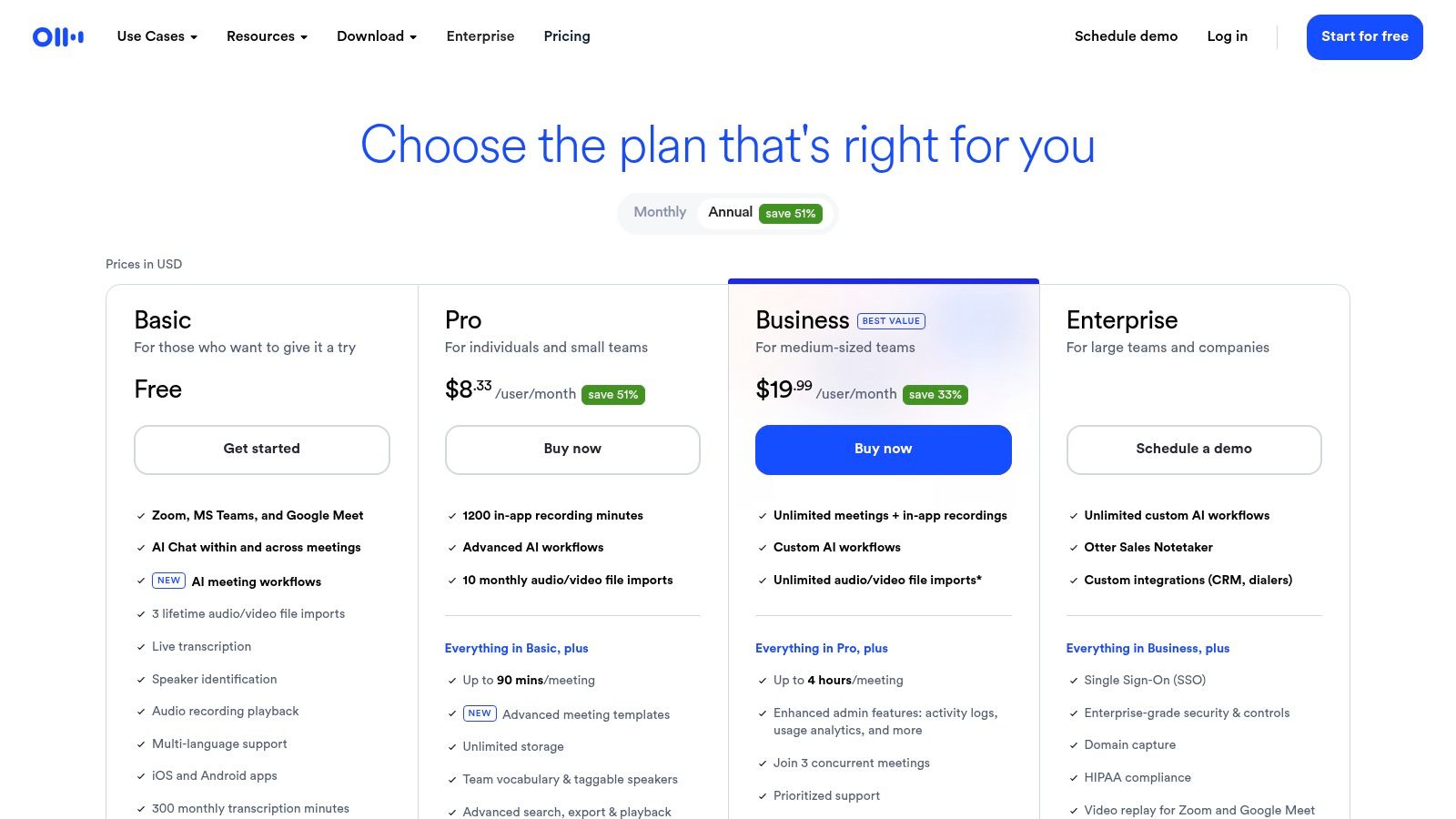
- Pricing: Offers a free tier with monthly minute limits. Paid plans (Pro, Business, Enterprise) unlock more minutes, advanced features, and team management tools.
- Best For: Business teams, students, and journalists who need real-time transcription for virtual meetings and a collaborative platform for reviewing interview content.
- Pros: Excellent real-time transcription, strong integrations with meeting platforms, powerful collaboration and sharing features, and available education discounts.
- Cons: The free and lower-tier plans have restrictive import and monthly transcription limits, and advanced security features are gated behind expensive plans.
Website: https://otter.ai/pricing/
4. Descript
Descript revolutionizes the post-interview workflow by turning audio and video editing into a text-based process. Instead of navigating complex timelines, users edit their media by simply editing the transcript, making it incredibly intuitive to cut sections, rearrange segments, and polish recordings. This unique approach establishes it as a powerful piece of transcription software for interviews, especially for podcasters and video creators who need to transform raw conversations into finished content.
The platform provides a highly accurate, automated transcript complete with speaker detection. From there, you can use one-click tools to remove filler words like "um" and "uh," instantly cleaning up the audio. Its advanced features, such as Studio Sound for audio enhancement and Overdub for creating AI voice clones, push it beyond simple transcription into a full-fledged production suite.
Key Differentiators and Use Cases
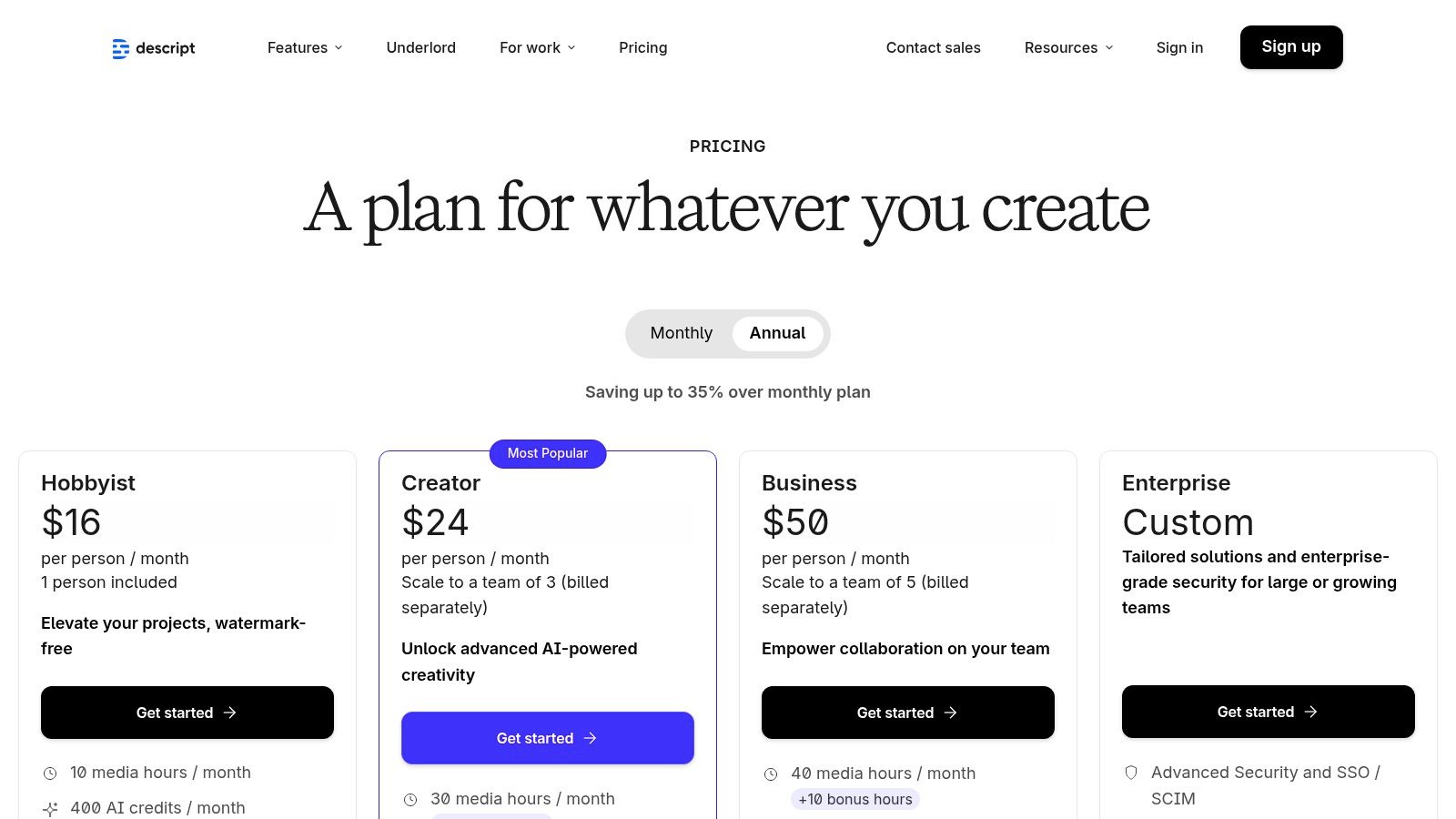
Descript’s core strength is its “edit-the-text, edit-the-media” functionality, which streamlines the process of extracting quotes and creating clips from longer interviews. This is invaluable for marketing teams creating social media assets or journalists pulling key soundbites. The software also includes a screen recorder and collaborative tools with team libraries, making it a comprehensive solution for production teams. Its clear pricing tiers with specific transcription hour allotments allow users to choose a plan that fits their usage needs precisely.
- Pricing: Offers a free tier with limited transcription, with paid plans starting from $12/month (billed annually) that include more transcription hours and advanced features.
- Best For: Podcasters, video editors, and content creators who need an all-in-one tool for transcribing, editing, and producing interview-based content.
- Pros: Excellent workflow for turning raw interviews into polished content, clear transcription allotments, strong feature set for creators and podcasters.
- Cons: Heavy video projects can tax lower-spec machines; Overdub features require a learning curve and consent workflows.
Website: https://www.descript.com/price
5. Rev
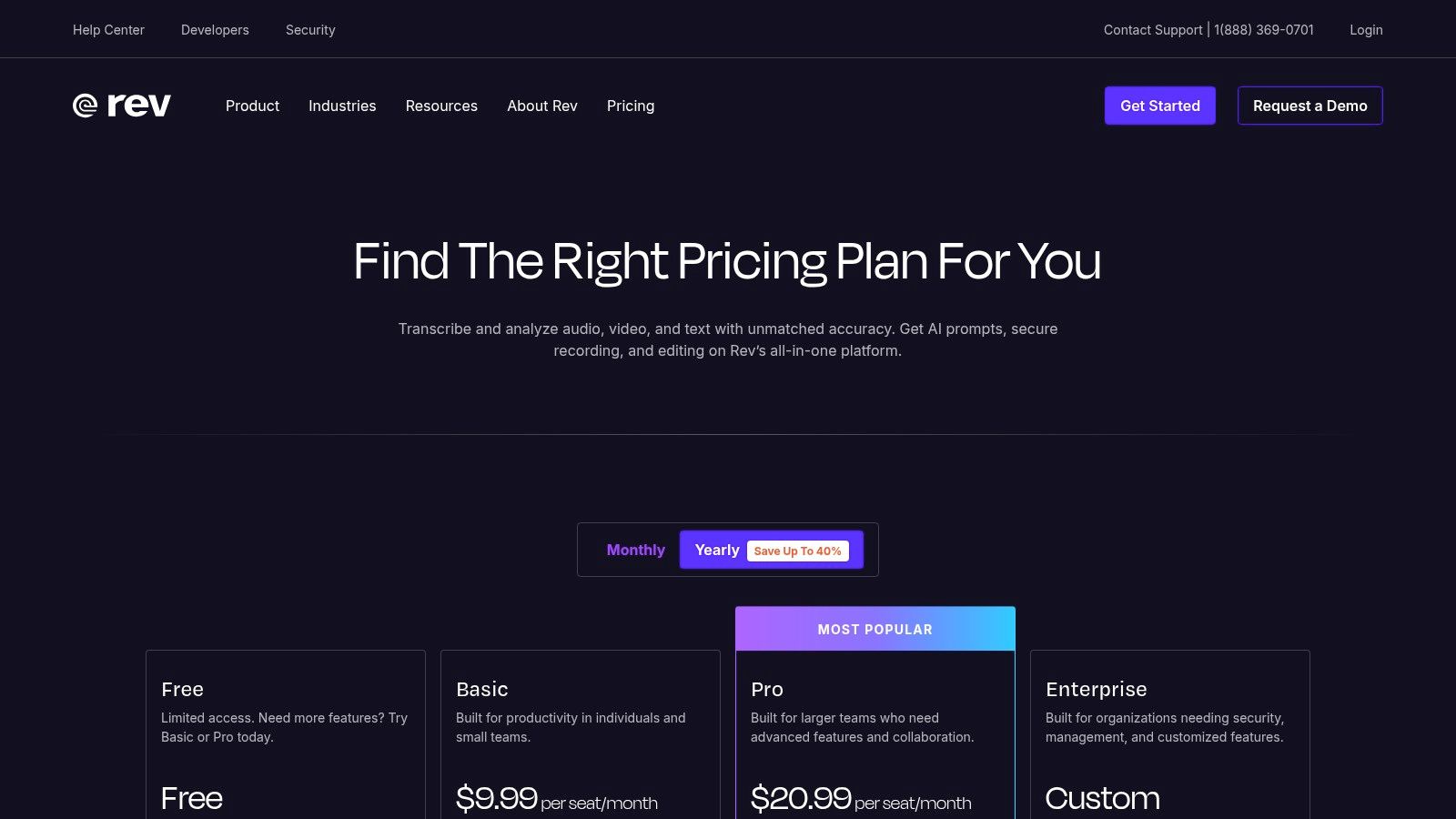
Rev offers a hybrid approach to transcription, blending powerful AI with professional human services to meet diverse accuracy requirements. This makes it a formidable choice for users who need both speed and guaranteed precision. While its automated transcription is fast and cost-effective, its 99%-accurate human transcription service is the gold standard for legal proceedings, published research, and high-stakes media interviews where every word counts.
The platform provides a suite of tools designed for professional workflows. Its interactive editor allows for easy review and correction of transcripts, synchronizing text with audio playback. Rev also offers a mobile app for on-the-go recording and a Notetaker that integrates directly with Zoom, Teams, and Google Meet to streamline the process of transcribing virtual interviews. This comprehensive toolset cements its place as a top-tier piece of transcription software for interviews.
Key Differentiators and Use Cases
Rev's key differentiator is its human transcription service, which provides a level of accuracy that AI alone cannot yet match, especially with challenging audio containing heavy accents, background noise, or overlapping speakers. This makes it indispensable for legal professionals, journalists, and academic researchers who cannot afford errors. The clear pricing structure also helps users budget effectively, though it's important to understand the different transcription services cost before committing.
- Pricing: AI transcription offered on a subscription or per-minute basis. Human transcription is priced at a higher per-minute rate.
- Best For: Legal professionals, media producers, and researchers requiring near-perfect accuracy for critical interview content.
- Pros: Industry-leading 99% accuracy with human transcription, clear and transparent pricing, robust integrations and an interactive editor.
- Cons: Human transcription services are significantly more expensive than AI, and add-ons like rush delivery can increase costs further.
Website: https://www.rev.com/pricing
6. Trint
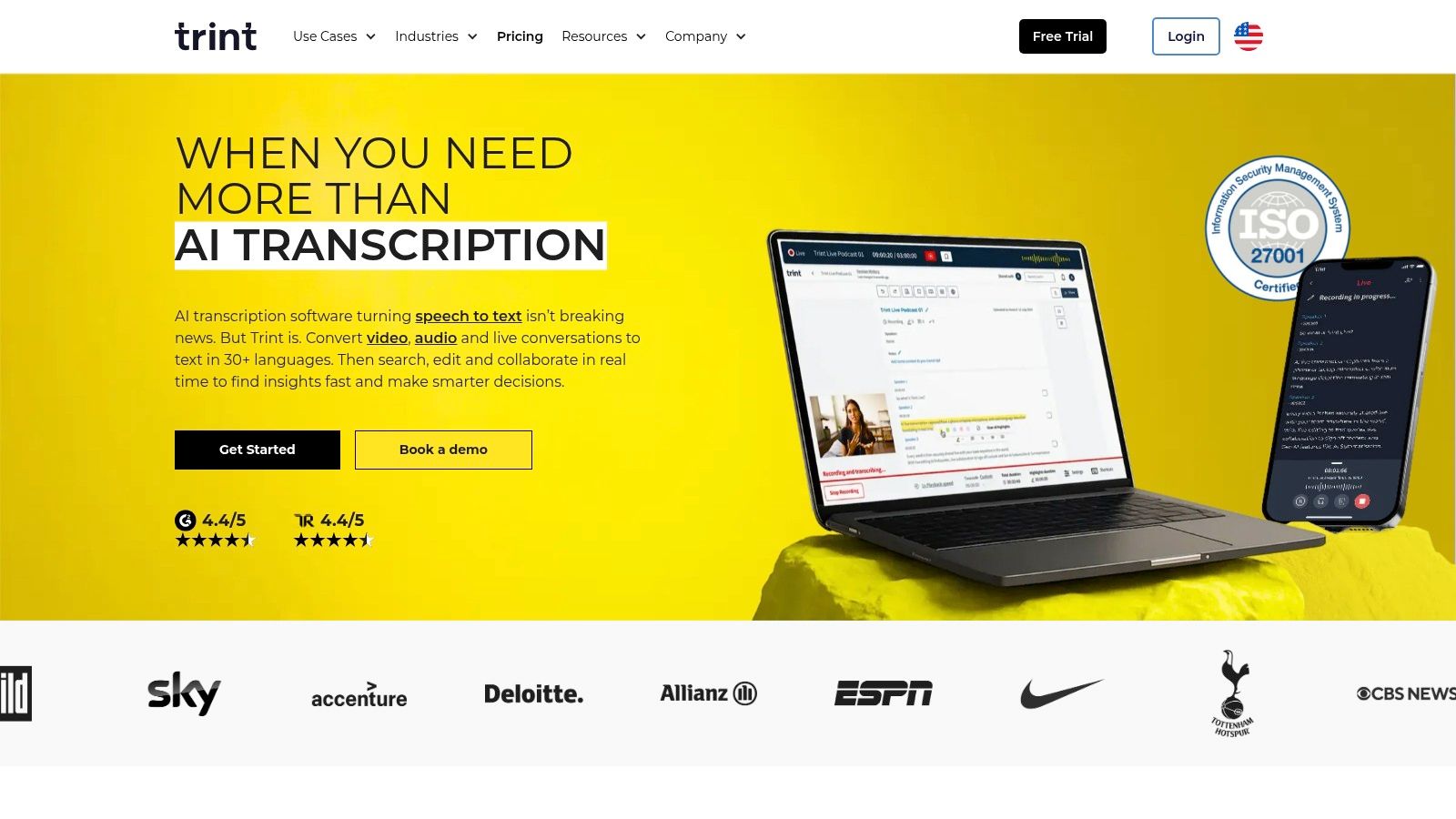
Trint is a powerful, browser-based platform designed for collaborative workflows, making it a top choice for media organizations and content teams. It goes beyond simple transcription by providing an integrated editor that turns raw interview text into a polished narrative. This focus on story-building and team-based editing makes it an exceptional piece of transcription software for interviews that are destined to become articles, scripts, or video content.
The platform combines automated transcription with an interactive text editor where users can highlight, comment, and assign sections to team members. It also offers robust versioning, allowing teams to track changes and revert to previous drafts. With integrations for Adobe Premiere Pro and other professional tools, Trint seamlessly fits into established newsroom and production pipelines, bridging the gap between interview and final product.
Key Differentiators and Use Cases
Trint excels in its collaborative story-building features. Multiple users can work on the same transcript simultaneously, leaving comments and creating "Story" files that pull key quotes from multiple interviews into a single document. Its enterprise-grade security controls, including SSO and detailed admin dashboards, cater to larger organizations with strict compliance needs. The platform also supports multi-language transcription and translation, making it suitable for global media outlets.
- Pricing: Subscription-based plans with different tiers for individuals and teams, often requiring contact for detailed enterprise quotes.
- Best For: Journalists, media production teams, and marketing departments that need to collaboratively turn interview transcripts into polished content.
- Pros: Strong newsroom workflow with group edits and versioning, excellent for transforming interviews into articles, enterprise-grade security.
- Cons: Pricing can be less transparent for higher tiers, and free trials may only transcribe a small portion of longer files.
Website: https://trint.com/
7. Sonix
Sonix is an AI-powered transcription and translation service designed for collaborative environments like research labs and content production teams. It offers a robust suite of tools that go beyond basic transcription, including automated summaries, thematic analysis, and collaborative workspaces. This makes it an ideal piece of transcription software for interviews where multiple stakeholders need to review, edit, and analyze the content together.
The platform supports over 40 languages and provides accurate, word-by-word timestamps and clear speaker labeling. Its in-browser editor allows users to polish transcripts, add notes, and export the final text in various formats, such as SRT for captions or DOCX for reports. For larger organizations, the analytics dashboard offers valuable insights into transcription usage across teams.
Key Differentiators and Use Cases
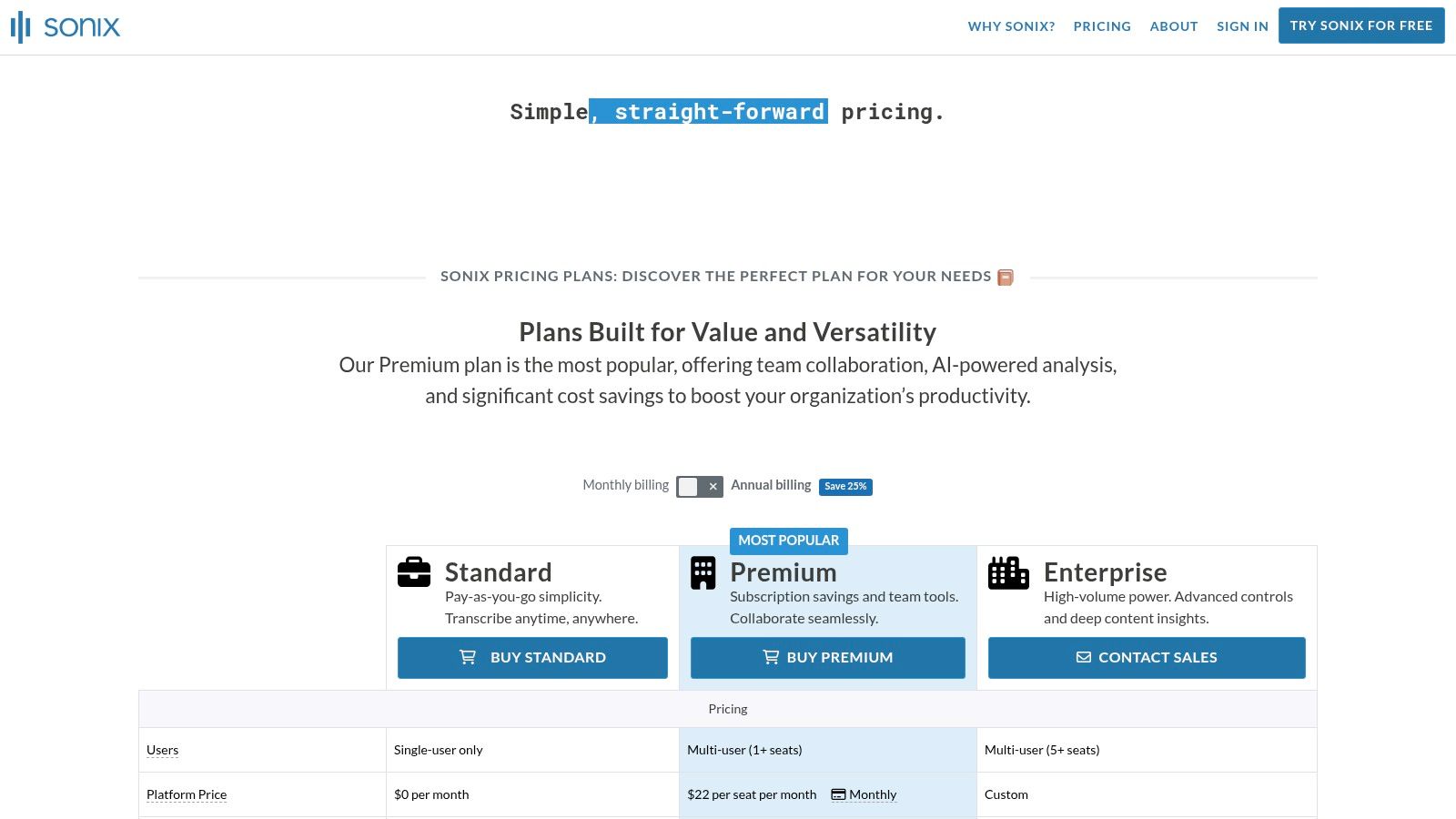
Sonix excels in its focus on team-based workflows. Premium and Enterprise plans include dedicated team workspaces where members can share files, manage permissions, and track progress on transcription projects. The automatic translation and summarization features streamline the process of repurposing interview content for global audiences or creating concise reports. New users can test the service with free trial minutes to evaluate its accuracy and features.
- Pricing: Offers both a pay-as-you-go option and subscription plans. The Premium subscription includes a set number of hours per month, with discounts available for students and non-profits.
- Best For: Academic researchers, marketing teams, and content creators who require a collaborative platform for transcribing, translating, and analyzing interview audio.
- Pros: Strong collaboration and team management features, competitive subscription pricing, flexible export options, and generous language support.
- Cons: The full feature set is locked behind higher-tier plans, and separate storage fees can apply if you exceed the included limits.
Website: https://sonix.ai/pricing
8. Happy Scribe
Happy Scribe offers a powerful and flexible platform that combines robust automated transcription with human-made services, making it a versatile choice for a wide range of needs. It stands out with its extensive multi-language support and collaborative tools, which are ideal for international teams or researchers working with interviews in various dialects. The platform provides both automatic transcripts and human-proofread versions, giving users control over the desired level of accuracy and budget.
This hybrid model makes it an excellent piece of transcription software for interviews where precision is critical but turnaround time is also a factor. The interactive editor allows for easy corrections and speaker assignments, and you can export your work in numerous formats, including SRT, VTT, and Word. Its ability to create custom glossaries and style guides ensures brand and terminology consistency across multiple interview transcriptions.
Key Differentiators and Use Cases
Happy Scribe’s strength lies in its blend of automation and human oversight, supporting over 60 languages for its automated service. The collaborative features are a significant advantage for teams, allowing multiple users to work on a transcript, leave comments, and maintain a consistent style. This is particularly useful for production houses, academic research groups, and marketing agencies handling global interview content that requires precise subtitling and transcription.
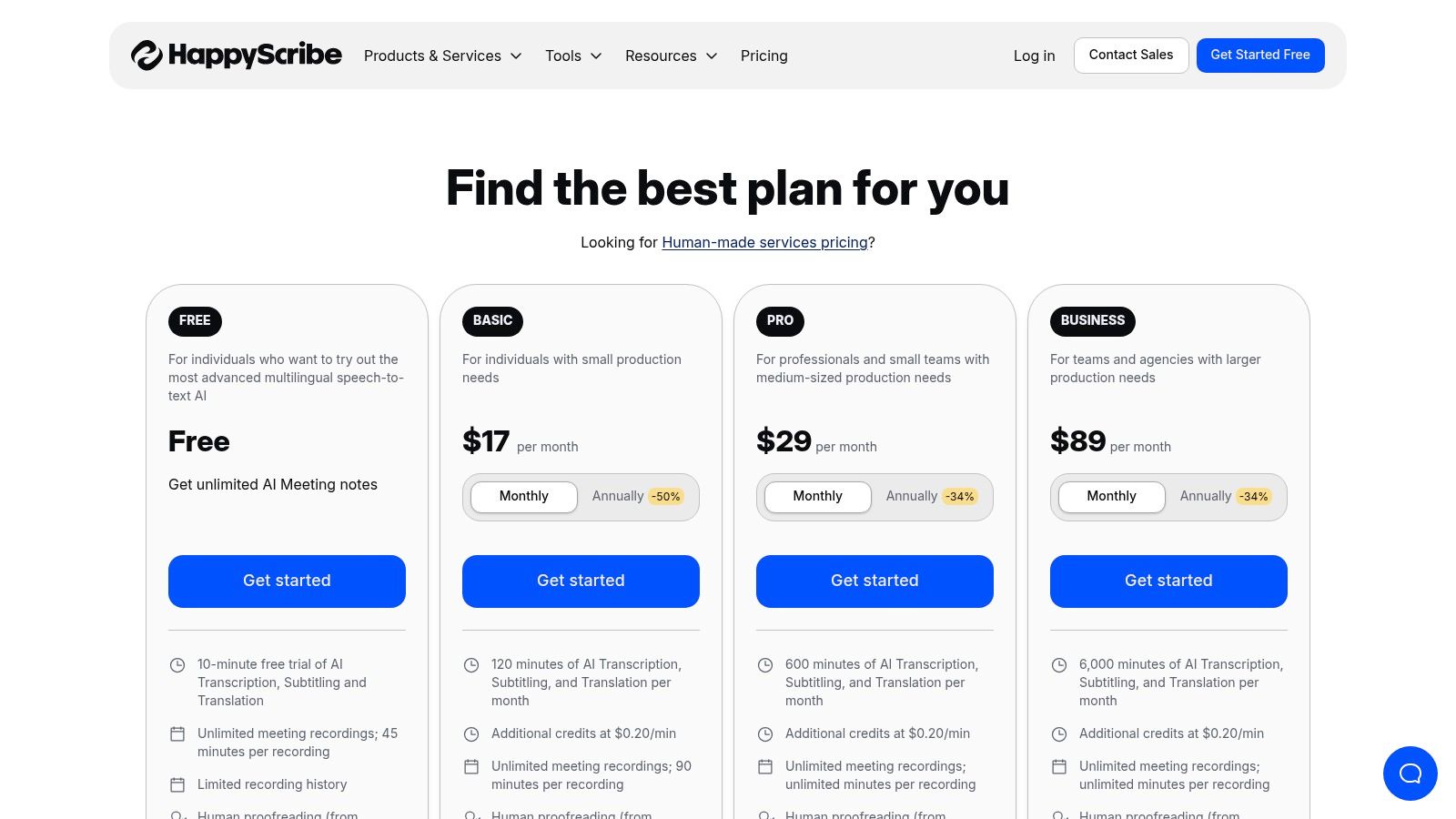
- Pricing: Offers a pay-as-you-go automatic plan and a subscription model for regular users. Human-made services are priced per minute, with costs varying by language.
- Best For: Global teams, media professionals, and researchers who require high-accuracy transcripts and subtitles in multiple languages and need collaborative editing tools.
- Pros: Strong international language coverage, flexible options for AI or human services, excellent collaboration features and export formats.
- Cons: Human services are priced separately and can become costly for large volumes; some advanced team features are locked behind higher-tier plans.
Website: https://www.happyscribe.com/pricing
9. Temi
Temi offers a straightforward, budget-friendly automated transcription service perfect for users with clear, high-quality audio recordings. Its core value proposition is simplicity and speed, making it an excellent choice for converting single-speaker presentations or clean two-person interviews into text without needing a subscription. The platform operates on a simple web-based upload system, delivering transcripts quickly.
The service provides transcripts with speaker identification and timestamps, which are essential for navigating and editing interview content. While its AI is powerful, Temi is transparent about its limitations, noting that accuracy is highest with minimal background noise and clear speakers. This honesty helps users set realistic expectations, making it reliable transcription software for interviews recorded in controlled environments.
Key Differentiators and Use Cases
Temi’s key differentiator is its accessible pay-as-you-go pricing combined with a developer-friendly API. This makes it a go-to for both individuals needing a one-off transcript and developers looking to integrate automated transcription into their own applications. The generous free trial, which allows users to test a file up to 45 minutes long, lets you thoroughly evaluate the accuracy with your own audio before committing.
- Pricing: A flat pay-as-you-go rate of $0.25 per audio minute.
- Best For: Students, podcasters, and small businesses who need fast, low-cost transcripts for high-quality audio and don't require advanced collaboration features.
- Pros: Very affordable and transparent pay-as-you-go pricing, extremely simple user interface, and a robust API for custom integrations.
- Cons: Accuracy can decline significantly with background noise, cross-talk, or heavy accents; it lacks the advanced editing and team features of more premium platforms.
Website: https://www.temi.com/
10. OpenAI API (Speech-to-Text)
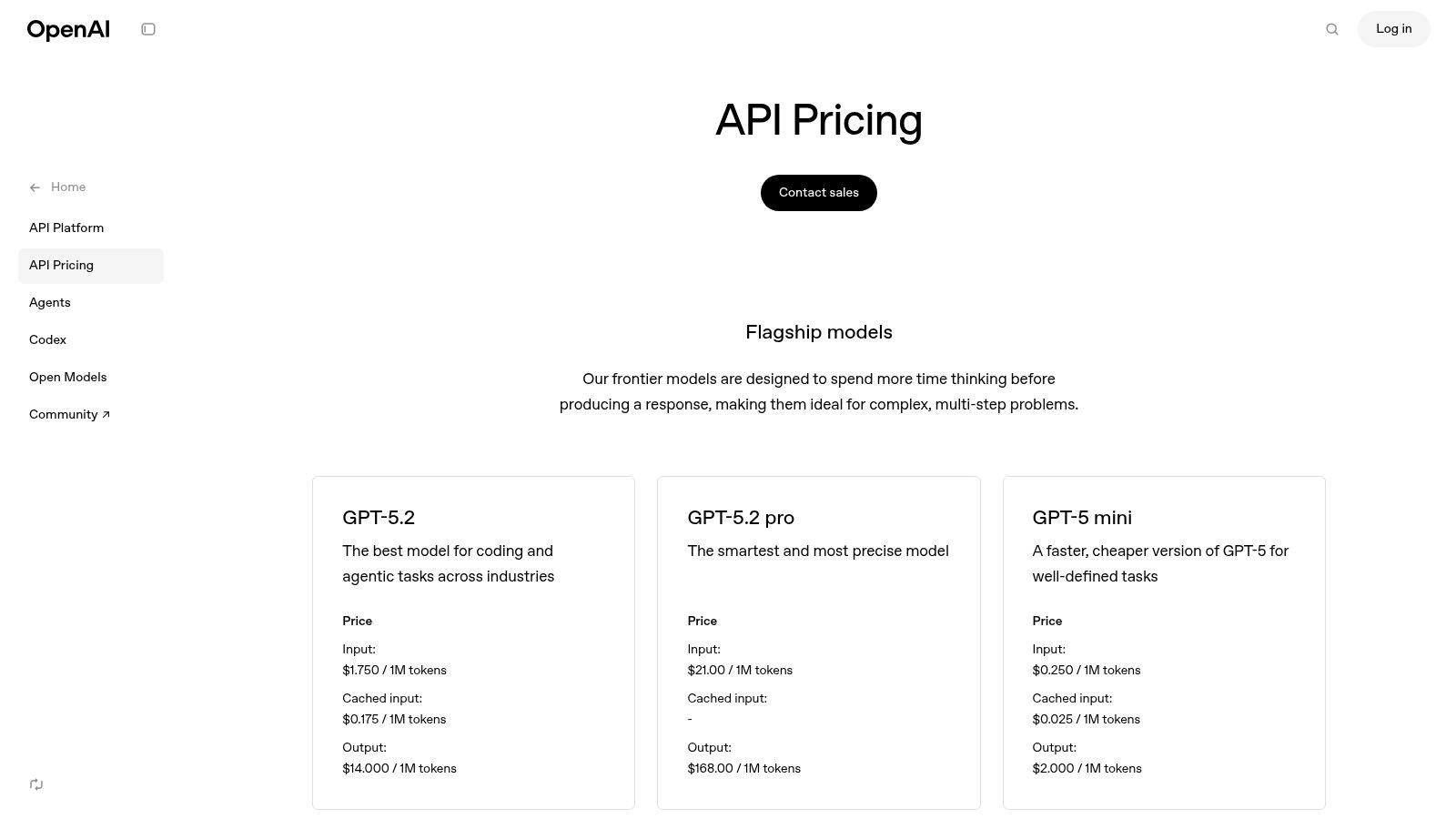
For developers and organizations with technical resources, the OpenAI API provides direct access to powerful speech-to-text models like Whisper and GPT-4o Transcribe. This option bypasses traditional software interfaces, allowing teams to build custom transcription workflows, integrate transcription directly into applications, or create large-scale automated pipelines for processing interview audio. It offers a foundational layer of technology rather than a ready-made product.
This approach is highly scalable and cost-effective, with a pay-as-you-go model that is often more affordable per minute than packaged software solutions. It's an excellent choice for businesses that need to integrate high-quality, automated transcription into their existing media content management systems or proprietary research platforms.
Key Differentiators and Use Cases
The primary differentiator for the OpenAI API is its raw flexibility. Users are not locked into a specific user interface or feature set; they can build exactly what they need, whether it's a simple script to process a folder of interview recordings or a complex real-time transcription feature for a web application. Beyond specific API integrations, it's worth exploring other emerging AI-driven solutions in the speech-to-text space like lunabloomai. This makes it the ultimate piece of transcription software for interviews where custom control is paramount.
- Pricing: Pay-as-you-go billing based on the volume of audio processed, with highly competitive per-minute rates.
- Best For: Developers, startups, and media companies building bespoke applications or internal tools that require a robust transcription engine.
- Pros: Very competitive per-minute pricing, maximum flexibility for custom integrations, and scales easily for high-volume production use.
- Cons: Requires technical expertise (coding) to implement and manage; lacks a built-in user interface or human review loop.
Website: https://openai.com/api/pricing/
11. Staples (Nuance Dragon Professional v16 listing)
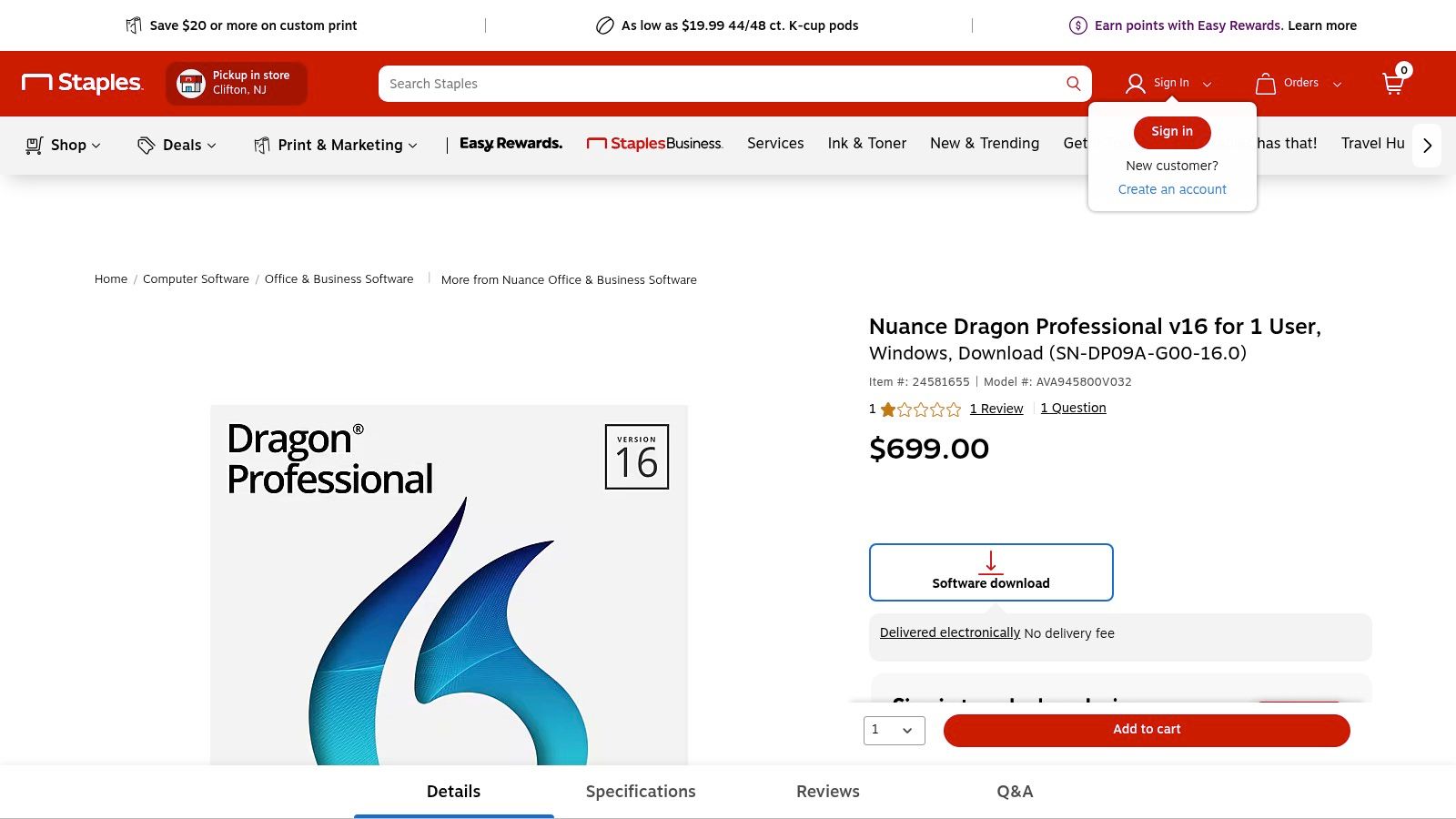
While most modern transcription services are cloud-based subscriptions, Nuance Dragon Professional v16 offers a different model: a perpetual software license. Procuring it through a major retailer like Staples simplifies the purchasing process for organizations that prefer one-time capital expenditures over recurring operational costs. This makes it a unique, albeit specialized, option in the landscape of transcription software for interviews, particularly for those with strict procurement policies.
Dragon Professional is primarily a dictation tool, excelling at converting a single, clear voice into text with high accuracy. It learns and adapts to an individual's voice and vocabulary over time, making it ideal for professionals who dictate notes, reports, or emails. While not built for multi-speaker interviews, it can be used to transcribe one side of a conversation or a single-speaker audio recording.
Key Differentiators and Use Cases
The primary differentiator here is the procurement method and ownership model. Buying through Staples provides a familiar, tax-compliant purchasing experience with U.S.-based customer service, which is a significant advantage for corporate or government buyers. The software operates entirely offline, ensuring maximum data security for sensitive information as nothing is uploaded to the cloud. This makes it suitable for legal, medical, or corporate environments where confidentiality is paramount.
- Pricing: A one-time purchase, commonly listed at $699 for a perpetual license download for one user.
- Best For: Solo professionals, corporate departments, and government agencies needing an offline dictation tool and preferring a single-purchase model from a trusted U.S. retailer.
- Pros: One-time purchase with no recurring fees, offline functionality for enhanced security, easy procurement via a major retailer.
- Cons: Not designed for multi-speaker interview transcription, high upfront cost, and is Windows-only.
12. G2 – Transcription Software category
Rather than a specific tool, G2’s Transcription Software category page is a powerful research hub for anyone looking to compare the market. It aggregates user reviews, ratings, and feature breakdowns across dozens of platforms, functioning as a critical starting point for shortlisting the best transcription software for interviews based on real-world feedback. This makes it an invaluable resource for comparing solutions side-by-side.
The platform allows you to filter options by pricing models, business size, user satisfaction, and specific features like speaker identification or timestamp accuracy. This granular control helps you move beyond marketing claims and see how different tools perform for users with similar needs. G2 also provides buyer guides and articles that offer deeper insights into selecting the right software for your interview workflow.
Key Differentiators and Use Cases
G2's primary strength is its comprehensive, crowd-sourced data. Instead of relying on a single review, you can analyze sentiment trends from hundreds of verified users to gauge a tool's reliability and customer support quality. It helps you quickly identify top-rated solutions and discover niche tools you might otherwise miss. Use the comparison feature to see how your top two or three choices stack up on key metrics before committing.
- Pricing: Free to use for research; pricing for individual software varies by vendor.
- Best For: Professionals, researchers, and teams in the evaluation stage who need to compare multiple transcription tools based on user reviews and specific features.
- Pros: Broad market coverage with up-to-date user reviews, robust filtering and comparison tools, helps identify solutions tailored to interview workflows.
- Cons: Some data may be vendor-supplied and should be verified, sponsored placements can influence initial visibility.
Website: https://www.g2.com/categories/transcription
Interview Transcription: 12-Tool Comparison
| Product | Key features | Quality & UX | Price & Value | Target audience | Standout / Unique selling points |
|---|---|---|---|---|---|
| meowtxt 🏆 | ✨ Up to 40× real‑time; speaker ID; word timestamps; multi‑format export; mobile & API | ★ ~97.5% accuracy; fast UI; in‑browser editing | 💰 Free 15 min; Starter $3.99 (500m)/mo → Pro $12.99; volume discounts | 👥 Creators, podcasters, educators, developers, teams | 🏆 Recommended; ✨ Auto‑translate 50–100+ langs; encrypted; auto‑delete 24h |
| Otter.ai | ✨ Live capture; Zoom/Meet bots; mobile apps; searchable notes | ★ Strong meeting/interview UX; collaborative editor | 💰 Freemium → team plans with limits | 👥 Teams, meeting hosts, students | ✨ Meeting integrations & team collaboration |
| Descript | ✨ Edit‑by‑text; Studio Sound; overdub; screen recorder | ★ Excellent for podcast/video post‑production | 💰 Subscription tiers + add‑on transcription hours | 👥 Podcasters, creators, editors | ✨ Text-based media editing; advanced audio tools |
| Rev | ✨ AI + human transcription; editor; meeting integrations | ★ Human ~99% accuracy option; reliable for interviews | 💰 Clear per‑minute pricing; human more costly | 👥 Legal, media, researchers, high‑accuracy needs | ✨ Human transcription for near‑perfect accuracy |
| Trint | ✨ Team collaboration; versioning; Adobe integrations | ★ Editorial workflow favored by journalists | 💰 Subscription / enterprise pricing | 👥 Journalists, media teams, editorial groups | ✨ Story‑building tools & newsroom workflow |
| Sonix | ✨ 40+ langs; timestamps; summaries; team analytics | ★ Solid accuracy; team workspace features | 💰 Competitive subscriptions; student/nonprofit discounts | 👥 Researchers, content teams, orgs | ✨ Analytics, auto‑summaries, multi‑lang support |
| Happy Scribe | ✨ Auto + human proofreading; 60+ langs; glossaries | ★ Good intl. coverage with human option | 💰 Pay‑as‑you‑go + subs; human priced per min | 👥 Intl teams, researchers, localization | ✨ Human proofreading & style guides |
| Temi | ✨ Fast AI transcribe; simple web editor; API | ★ Good for clean audio; degrades in noisy files | 💰 Low pay‑as‑you‑go; first file free (45m) | 👥 Budget users, quick clean‑audio needs, devs | ✨ Cheapest quick AI transcripts; instant turnaround |
| OpenAI API (Speech‑to‑Text) | ✨ Managed models (Whisper/GPT‑4o); diarization; API | ★ High-quality models; accuracy depends on implementation | 💰 Pay‑as‑you‑go; competitive per‑minute rates | 👥 Developers, custom pipelines, production apps | ✨ Full integration control; scalable models |
| Staples (Dragon v16) | ✨ Perpetual Dragon Pro license; dictation optimized | ★ Excellent single‑speaker dictation accuracy | 💰 One‑time purchase (~$699) | 👥 Single users, enterprises preferring perpetual license | ✨ Offline, perpetual license; vendor support |
| G2 – Transcription category | ✨ Aggregated reviews, filters, buyer guides | ★ Useful market sentiment; data varies by source | 💰 Free research / comparison tool | 👥 Buyers, shortlisters, procurement teams | ✨ Broad market coverage; side‑by‑side vendor comparisons |
Final Thoughts: Selecting the Right Transcription Tool for Your Project
Navigating the landscape of transcription software for interviews can feel overwhelming, but finding the perfect tool is easier than you think. As we've explored, the "best" option isn't a one-size-fits-all solution; it’s a choice that hinges entirely on your specific project requirements, workflow, and budget. The key is to move beyond a simple feature checklist and instead focus on how a tool will solve your unique challenges and fit into your daily tasks.
From the near-instant turnaround of AI-powered platforms to the meticulous precision of human-powered services, the market offers a solution for every need. Your primary job is to clearly define what you need before you start looking. This clarity will act as your compass, guiding you toward the right software.
Distilling Your Decision: Key Factors to Weigh
Before you commit to a subscription or purchase, take a moment to evaluate your priorities. A thoughtful assessment of these factors will dramatically narrow your options and prevent you from investing in a tool that doesn't align with your goals.
- Accuracy vs. Speed: Do you need a 99%+ accurate, legally admissible document, or is an 85-95% accurate draft that you can quickly edit yourself good enough? Human services like Rev excel in accuracy but have a longer turnaround. AI tools like Otter.ai or MeowTXT deliver transcripts in minutes, making them ideal for rapid content creation and meeting notes.
- Budget and Pricing Models: Your financial constraints are a critical factor. Are you looking for a low-cost, pay-as-you-go option like Temi for occasional projects? Or does your high-volume workflow justify a monthly subscription with a generous allowance of transcription minutes, as offered by services like Descript or Trint? Always check per-minute rates versus monthly plans to find the most cost-effective model for your usage patterns.
- Workflow and Integration: How will you use the transcript? If you're a podcaster or video editor, a platform like Descript that combines transcription with an audio/video editor is a game-changer. If you're part of a research or legal team, collaborative features like highlighting, commenting, and secure sharing, found in tools like Trint, are non-negotiable. For developers, direct access to a robust speech-to-text model via the OpenAI API provides ultimate flexibility.
- Audio Quality: Be honest about the quality of your source recordings. If your interviews are conducted in noisy environments with multiple speakers or heavy accents, investing in a service with superior speaker identification and noise filtering is crucial. Many AI tools struggle with poor audio, which might push you toward a human-transcription service or a more advanced AI model to avoid extensive editing.
Your Actionable Next Steps
Making a final choice shouldn't be a leap of faith. The most effective way to select the best transcription software for interviews is through direct, hands-on testing. Nearly every service we've covered, from Sonix to Happy Scribe, offers a free trial or a small number of free transcription minutes.
Take advantage of this. Upload the same audio file—preferably a challenging one that represents your typical interview recording—to your top two or three contenders. Compare the raw output, test the editor's usability, and see how intuitive the overall platform feels. This practical test run will reveal more about a tool's true capabilities and limitations than any marketing material ever could. By investing a little time upfront, you ensure the software you choose becomes a genuine asset, saving you countless hours and enhancing the quality of your final work.
Ready to experience the power of fast, accurate, and affordable AI transcription? meowtxt provides a streamlined solution specifically designed to handle interview recordings with ease, delivering clean transcripts in minutes. Start your free trial at meowtxt and see how simple transcription can be.


