A perfect transcript isn’t born when you start typing—its foundation is laid long before you ever press play.
Seriously, the small steps you take before the interview even begins can save you hours of frustration and guesswork down the line. Think of this prep phase as the blueprint for your project. Getting it right is the difference between a smooth workflow and a chaotic mess of rewinding, guessing, and constant corrections.
Setting the Stage for an Accurate Transcript
Always Secure Explicit Consent First
Before you even think about hitting record, getting explicit consent is a non-negotiable step. This is both an ethical and, in many places, a legal requirement. It’s not just about getting a quick "yes," either—it's about building trust and making sure everyone is on the same page.
Instead of a vague question like, "Is it okay if I record this?" be specific to cover all your bases.
- For a podcast: "Just to confirm, you're comfortable with me recording our conversation today to use for the podcast episode, correct?"
- For research: "This interview will be recorded and transcribed for my research paper. The transcript will be anonymized. Are you okay with that?"
This kind of clarity protects both you and your interviewee. It immediately establishes a professional tone and ensures there are no surprises about how the recording and transcript will be used.
Optimize Your Audio Recording Environment
Bad audio is the number one enemy of an accurate transcript. Period. Even the most sophisticated AI tools will stumble over muffled voices, background noise, and people talking over each other.
Your goal is to capture each voice as cleanly as you possibly can. You don't need a professional recording studio, but a few small adjustments can make a world of difference.
Capturing high-quality audio is the single most impactful thing you can do to simplify the transcription process. Garbage in, garbage out is a harsh reality; clean audio in, clean transcript out is the goal.
For in-person interviews, a simple lavalier mic for each speaker works wonders. For remote calls, just asking your guest to use headphones with a built-in mic (instead of their computer speakers) can eliminate a ton of echo. If you want to really level up your audio game, our guide on https://www.meowtxt.com/blog/how-to-improve-audio-quality has some great tips.
When you're transcribing for professional use, the industry benchmark is at least 98–99% accuracy, because even tiny errors can completely change the meaning of a sentence. Hitting that standard starts with recording at 44.1–48 kHz and using close-range microphones. Another pro move for remote interviews is to capture a separate audio track for each speaker—it makes isolating voices a breeze.
Create a Pre-Interview Cheat Sheet
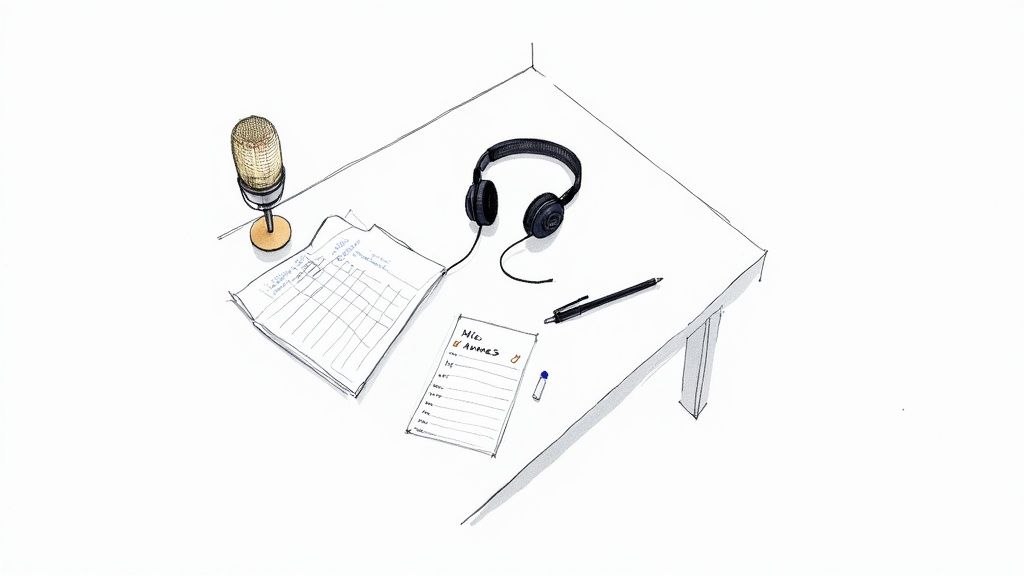
Five minutes of prep now can save you an hour of frantic Googling later. Before the interview, pull together a simple document—your "cheat sheet"—with key terms and names you expect to come up.
This isn't about scripting the conversation. It's about arming your future self with the correct spellings of tricky words so you can stay in the zone.
What should go on this cheat sheet?
- Names and Titles: The full, correctly spelled names of your interviewee and anyone they're likely to mention.
- Company or Product Names: Any brands, organizations, or specific products that will be discussed.
- Technical Jargon: Industry-specific acronyms or terminology that might be hard to decipher from audio alone.
Having this reference handy stops you from constantly pausing your transcription to search for "Was that 'SaaS' with two A's or 'sass'?" It's a simple habit that professional transcribers swear by. Many of these same principles also apply if you're learning how to transcribe videos effectively.
To pull it all together, here’s a quick checklist to run through before you start.
Pre-Transcription Checklist
This table summarizes the essential prep work. Ticking these boxes before you hit "record" will make your life infinitely easier and your final transcript far more accurate.
| Checklist Item | Why It's Important | Pro Tip |
|---|---|---|
| Secure Explicit Consent | Builds trust and ensures legal/ethical compliance. | Be specific about how the recording and transcript will be used. |
| Optimize Audio Quality | Prevents errors and reduces transcription time. | Use individual microphones and ask remote guests to wear headphones. |
| Create a Cheat Sheet | Eliminates guesswork for names, jargon, and brands. | Spend 5 minutes listing key terms before the interview starts. |
| Test Your Equipment | Catches technical glitches before they ruin a recording. | Do a quick 30-second test recording to check levels and clarity. |
Running through these simple steps sets a professional standard and paves the way for a much smoother, faster, and more accurate transcription workflow.
Choosing Your Transcription Method: Human vs. AI
Once your audio is prepped and ready to go, you’ve hit the first major fork in the road: do you go the traditional route with a human transcriber, or do you opt for the raw speed of an AI-powered service?
There’s no single right answer here. The best choice comes down to what your specific project demands in terms of accuracy, turnaround time, and budget. Let’s break down where each method really shines.
When Human Transcription is Non-Negotiable
A professional human transcriber brings a level of nuance and contextual understanding that machines are still trying to figure out. They can catch sarcasm, untangle overlapping conversations, and make an educated guess on a muffled word based on the flow of the discussion.
That kind of detail is absolutely critical in a few high-stakes situations:
- Legal Proceedings: When you’re dealing with court records, depositions, or legal interviews, every single word, stutter, and pause can carry serious weight. Accuracy needs to be as close to 100% as humanly possible, making a professional the only real option.
- Detailed Qualitative Research: If you're analyzing interview data for academic or market research, the "ums," "ahs," and emotional tone are valuable data points. A human can capture this texture in a way that AI often steamrolls right over.
- Poor Audio Quality: Got a recording with heavy background noise, thick accents, or a chaotic group discussion? A human's ability to patiently rewind and decode the audio is something an algorithm just can't match.
The trade-off, of course, is time and money. Think of it as the premium option for when you absolutely, positively cannot afford an error.
The Power and Speed of AI Transcription
On the other side of the coin, AI-powered transcription services have gotten incredibly good. Tools built on Automated Speech Recognition (ASR) technology can churn through hours of audio and spit out a text document in just a few minutes. If you're new to the concept, our guide on what is ASR is a great place to get up to speed.
AI is the perfect move when speed and cost are your main concerns.
Think about these scenarios:
- Content Creation Drafts: Podcasters and YouTubers can get a quick, rough transcript to pull quotes from, create show notes, or draft a blog post. It's all about getting the core message down on paper fast.
- Internal Meeting Notes: Need a searchable record of a team meeting? An AI transcript is more than good enough to capture action items and key decisions without eating into your budget.
- First-Pass Transcription: This is a popular one. Many people use AI to generate the initial draft and then clean it up themselves. It’s a whole lot faster than typing every word out from scratch.
Modern AI tools are all about this kind of ease of use. A simple drag-and-drop interface like this highlights the focus on getting you from audio to text with minimal friction. The main value here is removing that initial, time-sucking labor of manual typing.
Finding the Best of Both Worlds: The Hybrid Approach
More and more, the most efficient workflow isn’t a strict “either/or” choice. The hybrid model—using AI for a rapid first pass followed by a human for proofreading and refinement—offers a powerful balance.
This approach gives you the near-instant speed of automation while still getting the high-quality final polish of a human eye. It's a seriously cost-effective strategy that dramatically cuts down the manual workload. For a deeper dive into turning spoken words into text, exploring different ways for how to create a transcript from any audio file can really help you nail down your preferred method.
The economic shift toward hybrid workflows is undeniable. By combining machine speed with human editing, professionals can cut turnaround times from days to mere hours while maintaining professional standards.
Let’s put some numbers to it. To transcribe a one-hour interview, a professional human service will typically cost $1.00–$3.00 per audio minute and take 24–72 hours. In contrast, an automated service can deliver a transcript in minutes for as little as $0.01–$0.10 per minute, though the initial accuracy won't be as high. Choosing your method wisely is all about matching your project's specific needs to the right tool for the job.
Your Hands-On Transcription Workflow
Alright, this is where the real work begins—turning that audio file into a clean, readable document. Whether you're typing it all out by hand or just cleaning up a draft from an AI tool, having a solid workflow is what separates a smooth process from a frustrating one. This is how you find your rhythm and transcribe an interview accurately without losing your mind.
You've got three main ways to tackle this, each with its own process. This flowchart breaks it down:
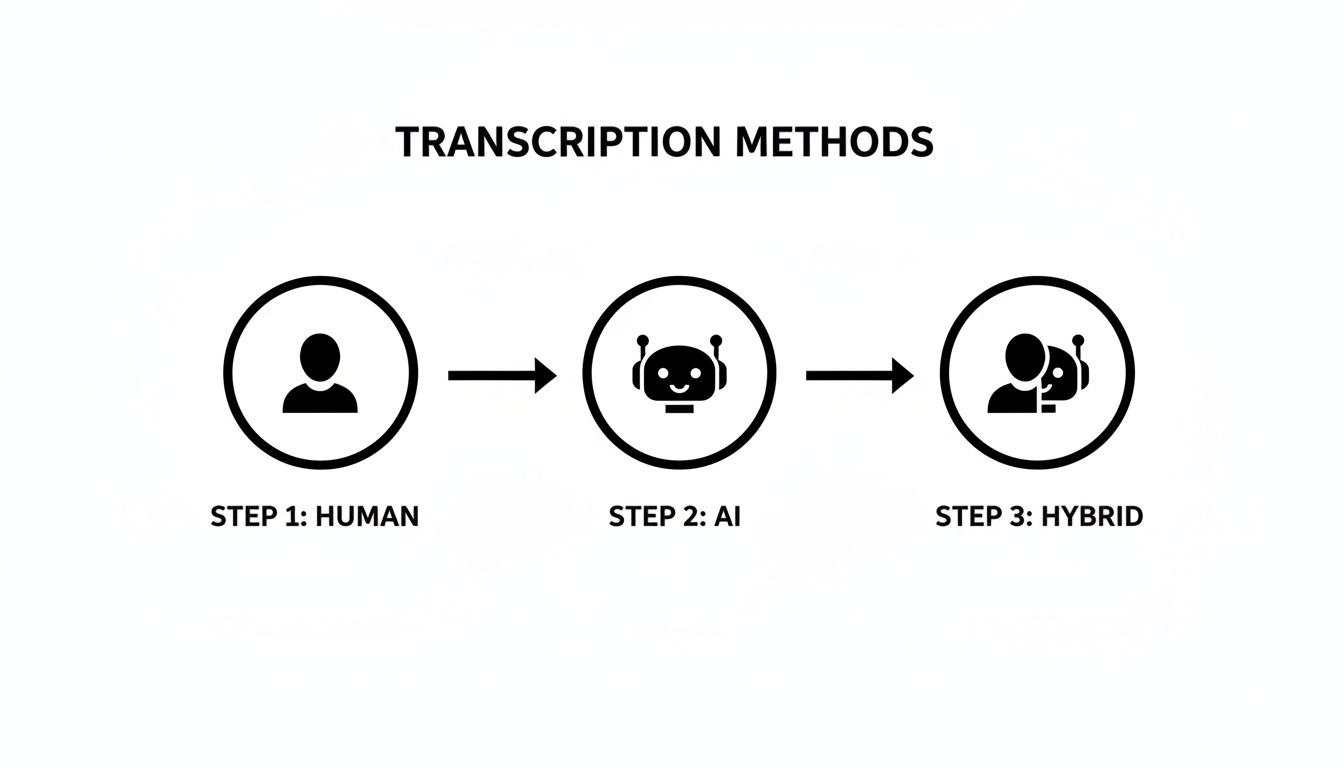
As you can see, the main difference is where you put in the effort. With manual transcription, it's all upfront. With AI and hybrid methods, your job is mostly to review and polish the final product.
Setting Up an Efficient Workspace
Before you even think about hitting play, get your space in order. A few key tools can make a massive difference in your speed and comfort, especially if you're going the manual route.
- Quality Headphones: Seriously, don't skimp here. A good pair of noise-canceling headphones is your best friend for catching those faint, mumbled words you’d otherwise miss.
- Transcription Software: Forget juggling a media player and a text doc. Tools like oTranscribe (free and web-based) or Express Scribe put your audio controls and text editor in one window.
- Foot Pedal: This is the one tool that professionals swear by, and for good reason. A foot pedal lets you control playback with your feet, so your hands never have to leave the keyboard. It sounds small, but the time saved adds up fast.
- Text Expanders: If you're transcribing a long interview, you'll be typing the same names and phrases over and over. A program like TextExpander lets you create shortcuts. For example, typing "iw;" could automatically expand to "Interviewer:", saving you thousands of keystrokes.
This setup isn't just for career transcriptionists. Even for a one-off project, getting comfortable makes the whole task less of a grind.
Developing Your Transcription Rhythm
Most people’s first instinct is to try and type along with the speaker in real time. Don't do it. It's a recipe for frustration and constant rewinding. The real pro-move is the "listen-pause-type" method.
Listen to a short phrase or a single sentence, pause the audio, and then type what you just heard. It feels slower at first, but you'll quickly fall into a groove that cuts down on mistakes and backtracking.
This method does wonders for your short-term audio memory and keeps you focused on small, manageable chunks of speech. You’ll spend way less time jumping back to catch that one word you missed.
The goal isn't to race the speaker. It's to capture what they said with perfect accuracy. Pausing isn't a failure—it's a fundamental part of a good workflow.
This deliberate pace is the key to knowing how to properly transcribe an interview without sacrificing quality for speed.
Handling Common Transcription Challenges
No recording is ever perfect. You're going to hit spots where words are muffled, people talk over each other, or a thick accent makes things tricky. The key is to have a consistent way to mark these issues.
Here are the industry-standard notations you should use:
- Inaudible Words: When you've replayed a section three times and still can't make out a word, it's time to move on. Use [inaudible] or [unintelligible], ideally with a timestamp. For example: "The next phase of the project involved... [inaudible 00:21:14]."
- Crosstalk: When two or more people talk at the same time, it’s often impossible to capture everything. Just mark the spot with [crosstalk]. For example: "I think the data shows— [crosstalk] —but we have to consider the outliers."
- Guessed Words: If you’re about 90% sure of a word but can't be certain, you can flag it. A common way is to put the word in brackets with a question mark, like "[phonetic?]," signaling your uncertainty.
- Heavy Accents or Jargon: Don't be a hero and try to decipher a thick accent at full speed. Most transcription software lets you slow down playback. Dropping the speed to 75% or 80% can make a huge difference without distorting the voice too much.
Using these conventions makes your transcript honest about the source audio's limitations. It’s the mark of a professional document that anyone can pick up and understand.
Refining Raw Text into a Polished Transcript
Getting the words down—whether you typed them yourself or used an AI tool—is a huge step. But it's not the finish line. That raw text is just a first draft. The real work, the part that turns a jumble of words into a clean, accurate, and genuinely useful document, happens in the editing phase.
A truly professional transcript isn't just about what was said; it's about presenting that information clearly and professionally. This is where you elevate your work from simple dictation to a polished, readable final product. Knowing how to properly transcribe an interview means mastering this crucial refinement process.
Adopting a Multi-Pass Review Process
It’s tempting to rush through the editing to get it done, but that’s how embarrassing errors slip through. A much better approach is a systematic multi-pass review. Instead of trying to catch everything in one go, you focus on one type of error at a time. It’s more methodical and way more effective.
First Pass: The Accuracy Check
This is your initial cleanup. Fire up the audio and read along with the transcript. I find it helps to play the audio back a little slower, maybe at 0.9x speed. Your only mission on this pass is to fix the obvious mistakes.
- Did the AI mishear a name or a piece of jargon? Fix it.
- Is a word just flat-out wrong? Correct it.
- Are there missing words or whole phrases? Type them in.
This pass is all about synchronizing the text with the audio. It’s the foundation of a trustworthy transcript. Don’t even think about grammar or punctuation yet—just make sure the words on the page perfectly match the words spoken.
Second Pass: Grammar and Punctuation
Alright, you can close the audio player for this one. Now, you’re just reading. The goal is to make the transcript grammatically correct and easy to follow. This is where you catch the kinds of contextual errors that automated tools almost always miss.
AI is fantastic at getting the words right, but it often trips up on context. It might correctly transcribe "their," "there," and "they're" but use them in the wrong places. This second pass is your human-powered quality control.
Keep a sharp eye out for homophones—words that sound the same but have different meanings. You also want to make sure your punctuation actually clarifies the speaker's meaning. Break up those long, rambling sentences and add commas where they're needed to create a natural, readable flow. This step is a big deal and is often highlighted in guides on proofreading in transcription; it's what separates an amateur draft from a professional document.
Third Pass: Formatting and Consistency
Your final pass is all about presentation. This is a quick scan of the whole document, looking for anything that makes it look messy or inconsistent.
- Are all speaker labels styled the same way (e.g., Interviewer: vs. Interviewer)?
- Is the spacing between paragraphs and speaker blocks consistent?
- Are non-verbal cues like
[laughs]or[phone rings]formatted uniformly?
This last check ensures the final document looks clean, professional, and is easy for a reader to navigate. It’s a small but critical step when you transcribe an interview.
Deciding Between Verbatim and Clean Read
Before you even start editing, you need to make a key decision: what style of transcript do you need? This choice dictates how you handle all the little imperfections of natural human speech, and deciding upfront saves a ton of rework later.
Verbatim Transcription
This is the literal, word-for-word account of everything on the recording. And I mean everything:
- Filler words: "um," "uh," "you know," "like"
- Stutters and false starts: "I-I think we should..."
- Non-verbal sounds: [coughs], [laughs], [sighs]
You'd use a verbatim style when the way something was said is just as important as what was said. This is essential for things like legal depositions, psychological research, or any analysis where speech patterns themselves are part of the data.
Clean Read Transcription
Often called "intelligent verbatim," this is by far the most common style for things like journalism, content creation, and business meetings. A clean read transcript is lightly edited to be clear and readable.
The process involves:
- Removing all the filler words, stutters, and distracting repetitions.
- Correcting minor grammatical slip-ups that people make when talking.
- Crucially, you keep the speaker's original meaning and voice completely intact.
For most projects, a clean read strikes the perfect balance. It delivers an accurate account of the conversation while turning messy, spoken dialogue into a clear and compelling written piece.
Mastering Formatting for a Usable Document
You’ve done the hard work of transcribing and proofreading. Now it's time for the final, crucial step: formatting the text into a document people can actually use. This isn't just about making it look pretty; it's about pure function.
Good formatting turns a messy wall of text into an organized, scannable, and analyzable asset. Think of it as the user interface for your conversation. It ensures a researcher, video editor, or content writer can jump right in and find what they need without getting lost.
The Importance of Consistent Speaker Identification
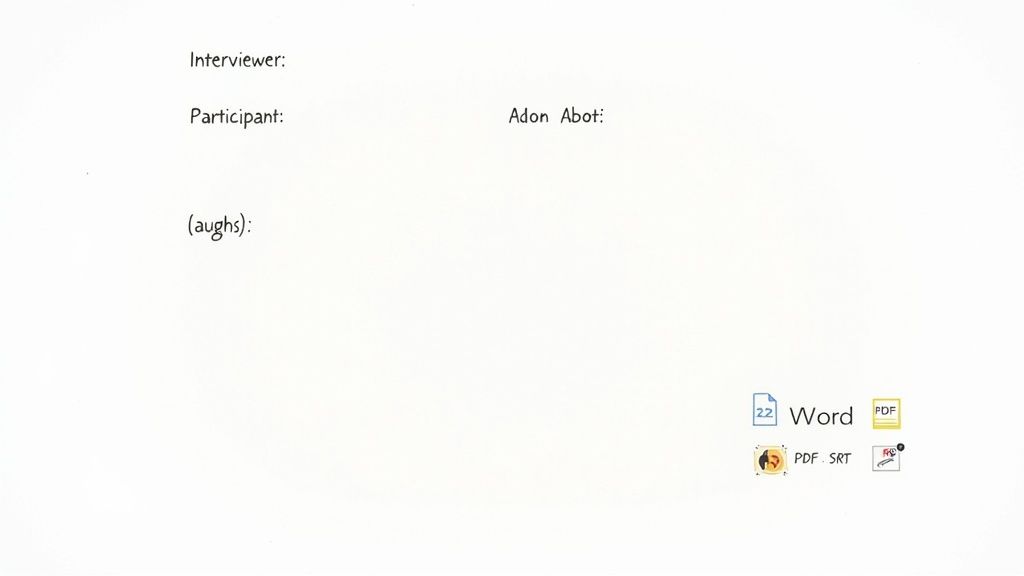
One of the most basic rules, yet one that's surprisingly easy to mess up, is clearly and consistently identifying who is speaking. Get this right, and you’ll prevent a world of confusion later on.
Pick a convention and stick to it. I've seen a few common methods work well:
- Full Names: Interviewer:, Dr. Jane Smith:
- Initials: IW:, JS:
- Roles: Interviewer:, Participant:
The golden rule is consistency. If you start with "IW:", don't flip to "Interviewer:" halfway through. This simple discipline keeps the conversational flow clear and stops readers from having to play detective.
Using Timestamps Strategically
Timestamps are your transcript's GPS, letting readers instantly find a specific moment in the audio or video. But you don't need one after every sentence—that just creates clutter. The right frequency depends entirely on what the transcript is for.
- For Video Captions: Add a timestamp at every single speaker change. This is non-negotiable for creating accurate SRT files where timing is everything.
- For Research and Analysis: A timestamp every 30-60 seconds is a good sweet spot. It lets researchers code specific segments without overwhelming the text.
- For General Content: Just dropping a timestamp at the start of a new topic or every few minutes is usually enough to give helpful reference points.
Proper interview transcription is more than just words; it’s about metadata. Major research and professional standards recommend including speaker identification and timestamps. This has been shown to reduce coder confusion and increase coding speed by 15–40% in thematic analysis. For more on these industry standards, discover insights about the transcription market on Reanin.com.
Strategic timestamps connect the written word directly back to the source audio, making your transcript a much more powerful tool.
Formatting Non-Verbal Cues
Real conversations are messy. They're full of laughter, interruptions, and long pauses that add critical context. A [laughs] or a [phone rings] can completely change the meaning of a sentence.
Standard practice is to put these descriptions in square brackets [] and keep them short.
Here's a real-world example:
Dr. Smith: The results were… completely unexpected. [laughs]
Interviewer: So what happened next?
Dr. Smith: Well, just as we were about to analyze the final dataset… [phone rings] sorry about that, one moment.
This simple notation adds a layer of reality that would otherwise be lost.
Choosing the Right Transcript Style and Export Format
Finally, how you package and deliver the transcript is just as important as the content itself. You need to choose a formatting style and a file format that aligns with the project's end goal.
Choosing the right style—verbatim, clean, or detailed—sets the tone and determines how much detail is captured. This decision impacts readability and the type of analysis that can be performed.
Here’s a quick breakdown to help you decide.
| Style | Description | Best For |
|---|---|---|
| Verbatim | Captures every single word, including "ums," "ahs," stutters, and false starts. | Legal proceedings, psychological analysis, detailed qualitative research. |
| Clean Read | Removes filler words, stutters, and repetitions to create a more readable, polished text. | Content creation (blog posts, articles), general business meetings, PR. |
| Detailed | Includes non-verbal cues like [laughs], [coughs], and [pause] for added context. |
Usability testing, media production, focus groups where tone is critical. |
Once you’ve settled on a style, you need to pick the right file format. Most transcription tools, including Meowtxt, give you plenty of options.
- .DOCX (Word): The go-to for easy editing, sharing, and commenting. Perfect for writers drafting articles or for collaborative review.
- .TXT (Plain Text): A simple, lightweight format that works everywhere. Great for archiving or pasting into other apps without weird formatting issues.
- .PDF (Portable Document Format): The best choice for creating a final, non-editable version for official records or distribution.
- .SRT (SubRip Subtitle): The industry standard for video captions. It contains the text, timestamps, and sequencing needed for platforms like YouTube or Vimeo.
Picking the right format from the start means your polished transcript is ready for action, completing the final step in a truly professional workflow.
Common Interview Transcription Questions
Even with the best workflow, you're going to have questions. This is especially true if you're tackling your first big transcription project. Let's get into some of the most common hurdles and practical questions people run into.
Think of this as your quick-reference guide for those nagging little uncertainties that can grind your project to a halt. Nailing these details down will help you work faster and produce a transcript that meets professional standards.
How Long Does It Take to Transcribe One Hour of Audio?
This is the big one, and the honest-to-goodness answer is: it depends. A seasoned pro can typically manually transcribe one hour of clear audio in about 4 to 6 hours. If you're new to this, it's not crazy for that to stretch to 8 hours or even longer.
So, what makes the clock tick faster or slower? A few key things:
- Audio Quality: This is huge. Crystal-clear audio is a breeze. A recording with background chatter, low volume, or muffled speakers will slow you down dramatically.
- Number of Speakers: A one-on-one interview is pretty straightforward. Once you hit three or more speakers, you spend a lot more time just figuring out who’s talking.
- Technical Jargon: If the interview is packed with industry-specific terms you have to constantly pause and Google, expect to add a big chunk of time to your estimate.
What about AI? A service like ours can spit out a first draft in minutes. But don't pop the champagne just yet. You'll still need to budget at least 1-2 hours for a thorough human proofread to clean it up and hit that 99% accuracy benchmark required for professional use.
What Is the Difference Between Verbatim and Clean Read?
Getting this right is crucial, because it determines the entire style of your transcript. They serve very different purposes.
Verbatim transcription is the whole story, warts and all. It’s a literal, word-for-word account of every single sound you hear. This includes:
- Filler words like "um," "uh," and "you know"
- Stutters and false starts ("I-I was thinking...")
- Non-verbal sounds like
[laughs]or[phone rings]
This style is non-negotiable for legal work, court proceedings, or deep qualitative research where how a person speaks is just as important as what they say.
Clean read transcription (sometimes called "intelligent verbatim") is lightly polished for readability. It strips out all the filler words and stutters and might correct a minor grammatical slip-up, but it always keeps the speaker’s original meaning and voice intact.
For most projects—journalism, content marketing, business meetings—this is what you want. It delivers a professional, easy-to-read document.
What Software Do Professional Transcribers Use?
Pros don't just use a single piece of software; they have a dedicated toolkit designed for one thing: efficiency.
Here’s what a typical professional setup looks like:
- Specialized Transcription Software: Juggling a separate audio player and text editor is a nightmare. Pros use integrated software like Express Scribe or the free, web-based oTranscribe that combines both into one window.
- High-Quality Headphones: Good noise-canceling headphones are a must-have. They make the difference between catching a mumbled word and just typing
[inaudible]. - A Foot Pedal: This is the secret weapon. It lets them play, pause, and rewind the audio with their feet, meaning their hands never have to leave the keyboard. It’s a game-changer for speed.
- Text Expander Software: For automating repetitive phrases, speaker names, or common jargon. This can save thousands of keystrokes over the course of a project.
Ready to skip the tedious parts and get a polished first draft in minutes? Meowtxt uses advanced AI to convert your audio and video into accurate, editable text, giving you a massive head start on your transcription workflow. Try it for free today at https://www.meowtxt.com.


