
So, you've decided you need to transcribe your Instagram videos. Smart move. In short, this means taking the audio from your video and turning it into a text file, like an SRT for captions or a simple TXT file. You can use an automated transcription service to handle the heavy lifting, then upload that file as closed captions or even paste the text into your post description.
Why Bother Transcribing Your Instagram Videos?
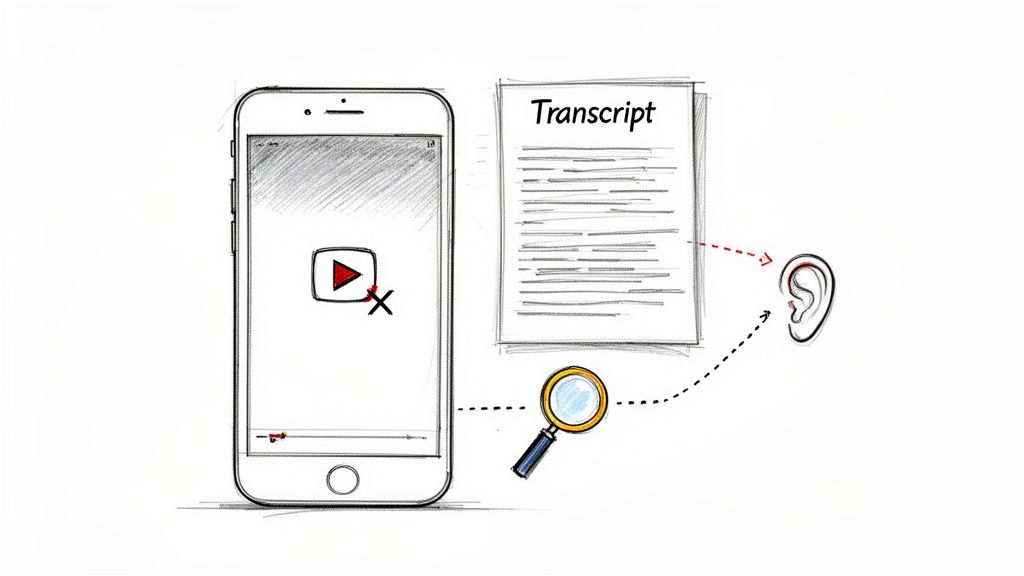
Here’s a hard truth: most videos on social media are watched on mute. If your message is only in the audio, it’s vanishing into thin air. For any creator or brand trying to make a real impact, learning how to transcribe Instagram video content isn't just a nice-to-have—it's absolutely essential.
Think about the last time you were scrolling through your Reels feed. Maybe you were in a quiet office, on public transit, or just didn't feel like grabbing your headphones. What happened when a video without captions appeared? You probably scrolled right past it. That's the reality for a massive portion of your audience.
Give Your Discoverability a Huge SEO Boost
One of the biggest wins you get when you transcribe an Instagram video is the immediate SEO payoff. Search engine crawlers can't "watch" your video to understand its content, but they are incredibly good at reading and indexing text. When you add captions or a full transcript, you're essentially handing Google and Instagram's search algorithm a keyword-rich script on a silver platter.
Suddenly, every single word spoken in your video becomes searchable content. Understanding how captions improve video SEO is a game-changer for getting your videos discovered by a much wider audience that's actively looking for what you have to say.
Crank Up Accessibility and Viewer Engagement
Beyond just being found, transcriptions make your content far more accessible and engaging. You're immediately including viewers who are deaf or hard of hearing, not to mention connecting with everyone else watching in a sound-off environment. This one small step can have a massive impact on your key metrics.
Let's be real, Instagram is a video-first platform. Users spend over 60% of their time watching videos. Adding captions can lift your video views by 12% and spike engagement by as much as 50%. For creators using Reels to drive traffic, tools like Meowtxt make this a breeze—just upload your MP4, and it generates an accurate transcript complete with speaker labels and timestamps.
A simple transcript transforms a single video into a content goldmine. The text from a five-minute Reel can be effortlessly repurposed into a blog post, multiple social media quotes, or detailed show notes, multiplying your output without extra effort.
Repurpose Your Content Without Breaking a Sweat
Finally, a transcript is the ultimate content-repurposing hack. Stop thinking of a video as a one-and-done piece of content. With a transcript, it becomes a foundational asset you can build on for weeks.
- Blog Posts: Use the transcript as a detailed outline to expand on the topics you discussed in the video.
- Quote Graphics: Pull out the most powerful sentences and turn them into shareable images for your feed or Stories.
- Email Newsletters: Give your subscribers a summary of the key takeaways from your video.
This approach saves you a ton of time on brainstorming and content creation. You're not just making a video; you're building an entire content ecosystem from a single recording.
Preparing Your Video for Flawless Transcription
Let's be honest: a high-quality transcript doesn't start when you hit the "upload" button. The prep work you do beforehand is what turns a decent result into a fantastic one. It's the difference between a transcript you can use immediately and one that needs an hour of painful edits.
The core principle here is simple: garbage in, garbage out. Any transcription tool, no matter how advanced, is only as good as the audio file you give it.
First things first, you need the actual video file. If it's your own content, Instagram makes this pretty easy. You can download your Reels, Stories (before they vanish), and Live replays right to your device. Always grab the highest quality version available, which is usually an MP4 file. This clean, original file is the ideal starting point.
But the video quality itself isn't the most important part. Not by a long shot.
Prioritize Crystal-Clear Audio
Automated transcription services are powerful, but they aren’t mind readers. They work by interpreting sound waves, so the cleaner your audio, the more accurate the transcription will be. Background noise, muffled voices, and cavernous, echoey rooms are the mortal enemies of an accurate transcript.
Think about where you're recording. That trendy café with the espresso machine screaming in the background? It’s a transcription nightmare. Instead, find a quiet, enclosed space. An office after hours or even a closet will work in a pinch. Rooms with soft furnishings—carpets, curtains, a couch—are your friends because they absorb echo. These tiny adjustments make a world of difference.
You can dive deeper into creating pro-level sound in our complete guide to video production best practices.
The single best investment you can make for transcription accuracy is an external microphone. Even an affordable lapel mic that clips to your shirt will capture your voice worlds better than your phone's built-in mic, which is designed to pick up sound from every direction at once.
Simple Habits for Better Sound
You don't need a professional recording studio to get clean audio. Just building a few simple habits into your recording process can dramatically improve your results:
- Speak Clearly: This sounds obvious, but it’s crucial. Enunciate your words and try to speak at a moderate, consistent pace. Avoid rushing or mumbling.
- Minimize Interruptions: If you have multiple people on camera, do your best not to talk over one another. Clean, distinct speakers are much easier for an AI to identify and transcribe correctly.
- Check Your Mic Distance: Position yourself at a good distance from the microphone. You don't want to be so close that your "P" sounds pop, but not so far that your voice sounds faint and distant.
Taking a few minutes to nail these steps upfront means your transcription process will be faster, the final text will be far more accurate, and you'll save yourself a ton of time on manual edits later.
Your Transcription Workflow from Start to Finish
Once you've got a clean audio track on your Instagram video, you're ready to see just how fast modern transcription can be. Forget the old days of tedious, manual work. The process today is a simple, repeatable workflow that turns your spoken words into accurate text in minutes.
Let's walk through how to get it done.
The whole journey is pretty straightforward: you record your content, get the file onto your computer, and then upload it to a transcription service.
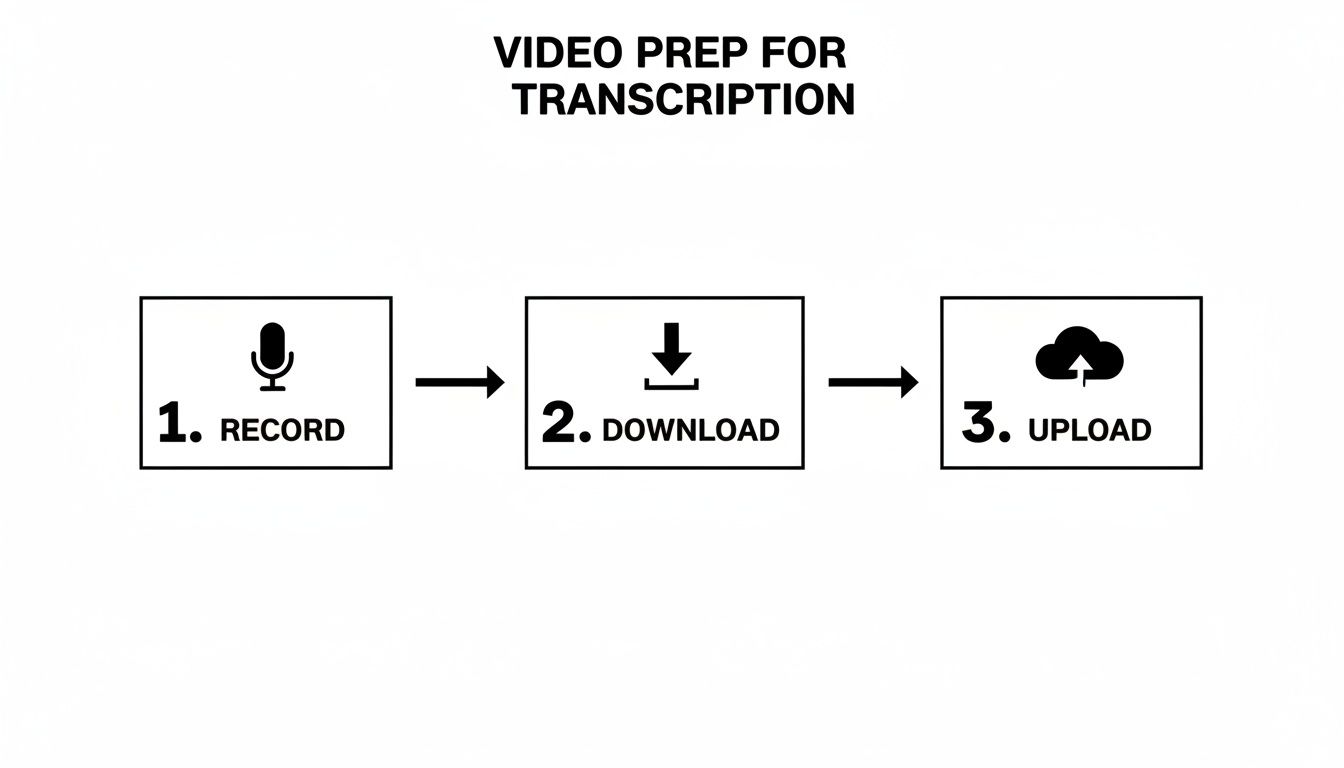
Each step flows logically into the next, setting the stage for the AI to do its best work.
Uploading Your Video and Letting the AI Work
The first real move is getting your video file into the system. Most modern AI tools, like Meowtxt, use a simple drag-and-drop interface. Just find your MP4 and pull it right into the web browser. No complicated software to install or configure.
This is where the magic happens. Once your file is uploaded, the platform's AI gets to work analyzing the audio, figuring out who is speaking, and converting it all into text.
But it's doing more than just a basic conversion. A smart AI also adds precise timestamps to each chunk of text and can automatically identify different speakers. This single feature cuts out hours of tedious labor you’d otherwise spend trying to sync everything up yourself.
The time saved here is significant. Professionals report saving over 4 hours weekly with AI tools, which adds up to more than a month of work time recovered each year. On Instagram, where creators share over 95 million photos and videos daily, manual transcription is impossible to scale. AI can process audio at 3-5 times real-time speed, and adding those subtitles can boost video completion rates from 66% to 91%.
Making Final Edits and Polishes
Even the smartest AI can occasionally mishear a unique name, a piece of industry jargon, or a mumbled word. That’s why the next step in the workflow is a quick human review. A good transcription service will display the text in an intuitive editor, right next to your video player.
This side-by-side setup makes those final polishes incredibly easy. You can play the video and watch as the text highlights in real-time, allowing you to spot and fix any small errors instantly.
Here’s what this final review helps you nail down:
- Correcting Proper Nouns: The AI might spell a unique brand name or person's name phonetically. A quick manual fix makes it perfect.
- Adjusting Punctuation: You can easily tweak commas and periods to better match the speaker's natural flow and intent.
- Verifying Timestamps: While usually spot-on, you have the control to adjust the start and end times for any caption block to ensure perfect sync.
This final editing pass is what elevates a 97% accurate transcript to 100% accuracy. It's the human touch that guarantees a professional result. For a deeper look at the process, we have a complete guide on how to convert audio to text online for free that covers different tools and techniques.
Once you’re happy with the text, you’re ready to export it and put it to work.
Putting Your New Transcript to Work
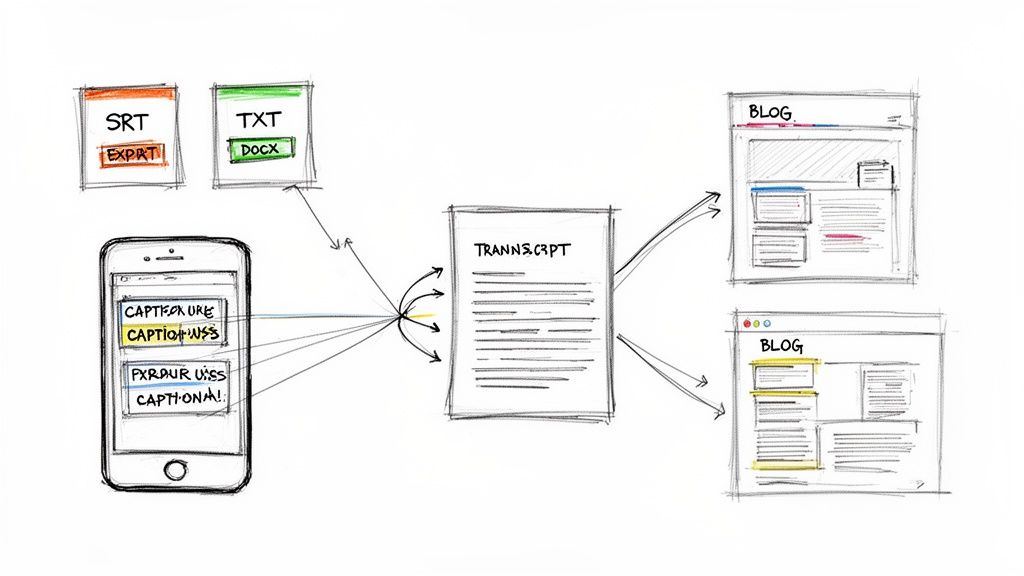
A completed transcript is just the beginning. A text file sitting in your downloads folder isn't really doing you any good; its true value comes from how you use it. Let's break down how to take that raw text and turn it into powerful content that actually boosts your reach and engagement.
Once you transcribe an Instagram video, you'll usually get a few different export options. The format you choose really depends on your next move.
Choosing the Right Export Format
Not all text files are created equal. Understanding the difference between common formats like SRT, TXT, and DOCX is key to putting your transcript to work effectively. Each one serves a distinct, valuable purpose.
Here's a quick breakdown of what to use and when:
- SRT (SubRip Subtitle file) This is your go-to format for creating perfectly synced closed captions. The file contains not just the text, but the precise timestamps that tell Instagram exactly when to show each line of dialogue.
- TXT (Plain Text file) The simplest format, giving you the raw, unformatted text of your video. It’s the perfect starting point for repurposing your content into other forms, like blog posts, social media updates, or even ad copy.
- DOCX (Microsoft Word Document) This format is handy if you need to share the transcript with collaborators for editing, review, or formal documentation, since it retains more formatting options.
When your main goal is making your Instagram Reels more accessible and engaging for sound-off viewers, always choose the SRT file. It's the industry standard for closed captions and guarantees a professional, seamless experience for your audience.
Adding Flawless Captions to Your Reels
Uploading an SRT file to Instagram is surprisingly straightforward. When you're in the final stages of posting your Reel, just look for the "Advanced Settings" option. From there, you can navigate to the accessibility settings and upload your custom SRT file.
This simple step replaces Instagram's often-clunky auto-captions with your own perfectly edited, timed, and punctuated text. It's a small detail that seriously elevates the quality of your content and shows your audience you care about their viewing experience.
Turning One Video into an Entire Content Campaign
That TXT file you downloaded? It’s a content goldmine. Instead of just posting your video and moving on, you can use the transcript as the foundation for a whole new wave of content. Once transcribed, your video’s message can be strategically repurposed for all kinds of marketing, including creating engaging Shortgenius AI UGC Ads.
Here’s how you can multiply your output:
- Craft a Detailed Blog Post: Use the transcript as your outline. Expand on the key points, add more detail, and embed the original Instagram video. This strategy is fantastic for SEO, giving search engines a big piece of indexable, keyword-rich text tied to your video.
- Design Shareable Quote Graphics: Pull out the most impactful, tweetable, or insightful lines from your transcript. Turn them into eye-catching graphics for your Instagram feed, Stories, or other social platforms.
- Write a Compelling Email Newsletter: Summarize the main takeaways from your video for your email subscribers. You can include a snippet of the transcript and a link back to the full video on Instagram to drive traffic.
By following these steps, you take the work you did to transcribe an Instagram video and get multiple pieces of high-value content from it. To dig deeper into this idea, check out our guide on content repurposing strategies. This approach doesn't just save time; it creates a much more cohesive and powerful content ecosystem for your brand.
Pro Tips for Transcripts That Actually Pop
Getting a raw transcript is the easy part. But turning that raw text into something genuinely accurate and engaging? That takes a bit more finesse.
This is where you move beyond the basics and start thinking like a pro. It's about knowing how to handle messy audio and making smart edits that serve your final goal, whether that's perfect captions or a polished blog post.
Tricky audio is the #1 enemy of a clean AI transcription. If your Instagram video has overlapping speakers, background noise, or specific jargon, you have to be strategic.
For instance, videos with multiple people talking can easily confuse an AI, leading to a jumbled mess of text. While tools like Meowtxt are surprisingly good at speaker identification, you can give them a huge head start by simply encouraging speakers not to talk over each other during the recording.
Wrangling Complex Audio
When you can’t control the recording environment, your battleground shifts to post-production. Things like wind noise, café chatter, or even a slight echo can throw the AI off and inject errors into your transcript. The same goes for industry-specific jargon or unique brand names.
The fix? Use the editor to your advantage. Before you even start correcting words, make a quick list of all the specialized terms, names, or acronyms in your video. This becomes your cheat sheet. Use the "find and replace" function to hunt down and fix these terms first, ensuring they're spelled correctly and consistently throughout the text.
Your goal isn't always a flawless, word-for-word transcript. The best approach hinges entirely on how you plan to use the text. For legal records or direct quotes, verbatim is king. For a blog post, cleaning up all the "ums" and "ahs" makes for a much, much better read.
Editing for Readability vs. Verbatim Accuracy
This brings us to a crucial decision: should your transcript be a literal, word-for-word copy, or should it be polished for clarity? There's no single right answer—it all boils down to your end goal.
- Verbatim Accuracy: Stick with this for legal records, research interviews, or any time you need to capture a speaker's exact phrasing, hesitations and all. It preserves the authentic voice but can look messy on the page.
- Clean Readability: This is your go-to when repurposing a transcript into a blog post, article, or social media copy. Here, the goal is to create a smooth reading experience. That means cutting filler words, fixing minor grammatical stumbles, and breaking up run-on sentences.
Deciding which path to take before you start editing will save you a ton of time and lead to a much stronger final product.
Finally, always format for the destination. If you transcribe an Instagram video to create captions, timing is everything. You'll want to ensure your SRT file breaks up sentences at natural pauses, keeping the text on screen short and punchy for people scrolling on their phones.
But if you're turning that same transcript into a blog post, the rules change. Use short paragraphs, bullet points, and clear subheadings to make the content scannable and keep readers hooked.
A Few Common Questions About Instagram Transcription
Even with a solid plan, jumping into transcription for the first time can feel a little fuzzy. A few questions always pop up, so let's clear the air. Getting a handle on these is the last step before you can confidently transcribe an Instagram video and start seeing the results.
Let’s tackle some of the most common uncertainties creators run into.
Can I Transcribe Someone Else's Instagram Video?
Here’s the short answer: you really shouldn't.
Legally and ethically, you should only be working with content you own or have explicit permission to use. While it's technically possible to download and transcribe another creator's video, you're wandering into a minefield of potential copyright infringement.
Stick to transcribing your own stuff. That's where you can legally unlock all the value—better accessibility, SEO juice, and a goldmine of repurposable content.
Just How Accurate Are These AI Transcription Tools?
This is a great question, and the answer is directly tied to the quality of your audio.
If you have a video with a clear voice and minimal background noise, a top-tier service can hit up to 97.5% accuracy. That's incredibly reliable.
But what can knock that number down?
- Heavy or unfamiliar accents
- People talking over each other
- Loud background music or street noise
- Niche industry jargon or unique brand names
This is exactly why any professional tool worth its salt has a built-in editor. It gives you the power to make those small final tweaks to get your transcript to 100% before it goes live.
What’s the Difference Between Captions and a Transcript?
This one trips a lot of people up. The terms get thrown around interchangeably, but they serve totally different functions. Knowing the difference is key to getting the most out of your transcription.
A transcript is the complete, raw text of everything said in your video. Think of it as a script, usually saved as a TXT file. This is your raw material for blog posts, show notes, or beefing up your video descriptions.
Captions, on the other hand, are the timed text that appears on the screen as the words are spoken. They're designed for the in-the-moment viewing experience.
Even within captions, there are two flavors. Closed Captions (CC), which you upload as an SRT file, can be turned on or off by the viewer. Open Captions are burned directly into the video file itself, so they’re always visible—a super popular choice for social media, where videos often start playing on mute.
Should I Use Instagram's Auto-Captions or Upload My Own SRT File?
Look, Instagram’s built-in auto-caption feature is a handy starting point. But it’s notorious for being clumsy and inaccurate, and it gives you almost zero control to fix its mistakes. We’ve all seen those hilariously wrong auto-captions—it’s not a great look for a professional brand.
When you generate your own transcript with a proper service and export a polished SRT file, you're in the driver's seat. You get to perfect the accuracy, timing, punctuation, and even where the lines break for readability. Uploading a custom SRT file guarantees a professional, high-quality experience that respects your audience and makes your content shine.
Ready to stop letting your message get lost in the scroll? Meowtxt provides a fast, accurate, and incredibly simple way to transcribe your Instagram videos. Drag and drop your file, make quick edits, and export the perfect SRT or TXT file in minutes. Start for free and see the difference at https://www.meowtxt.com.


