
In today's fast-paced digital world, knowing how to convert audio to text online free is more than a convenience—it's a critical skill. Thankfully, a variety of powerful AI-driven tools are available that offer free plans, making transcription accessible to everyone. These services can transform your audio and video files into accurate, editable text in just a few minutes, freeing you from the tedious task of manual transcription.
Why Accurate Transcription Is Now an Essential Tool
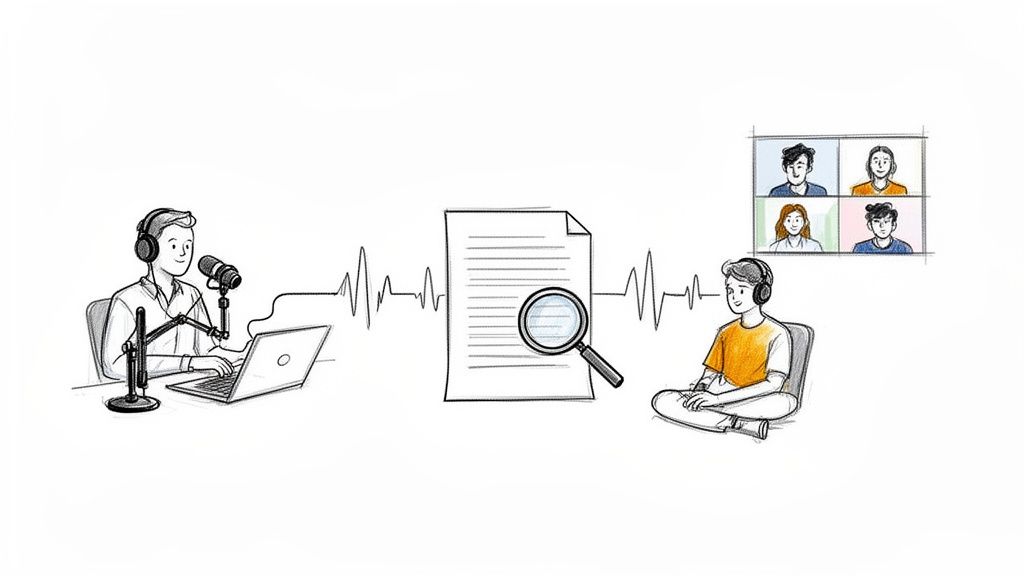
The need to convert audio to text online for free has skyrocketed. What was once a specialized service for journalists is now an indispensable tool for students, professionals, and content creators alike. This isn't just about saving time; it's about unlocking the vast amount of valuable information trapped within audio recordings.
This trend is a game-changer. The global AI transcription market is experiencing explosive growth, projected to soar from $4.5 billion in 2024 to an incredible $19.2 billion by 2034. This growth is fueled by real-world needs: remote teams need searchable meeting notes, creators want to make their content more accessible, and students seek efficient ways to study. You can explore more about these audio-to-text processing trends to understand the full scope of this transformation.
The reason for this surge in popularity is clear. A task that once took hours of painstaking effort is now as simple as uploading a file to a free online audio to text converter like Meowtxt.
Real-World Applications Driving the Demand
The practical applications for quick and accurate transcription are endless. For remote teams, having a searchable text version of meetings means no critical decision or action item is ever lost. Instead of re-watching an hour-long video call, you can simply search for a keyword and instantly find the relevant discussion point.
Content creators, in particular, have embraced this technology. Here’s how they leverage the ability to convert audio to text online free:
- Podcasters and YouTubers: Transcripts are an SEO goldmine. They make spoken content indexable by search engines, dramatically improving discoverability. The text also serves as perfect source material for blog posts, social media updates, and detailed show notes.
- Accessibility: A transcript can be easily converted into captions, making video and audio content accessible to a wider audience, including those who are deaf or hard of hearing.
- Researchers and Journalists: Converting hours of interview audio into text allows them to quickly locate key quotes and analyze information far more efficiently, eliminating the need for constant rewinding.
The core benefit is simple: converting audio to text makes your content more searchable, accessible, and versatile. It turns a static audio file into a dynamic, valuable asset that helps you inform, engage, and expand your audience.
Even students are using these free online tools to transcribe lectures, creating searchable study guides that make exam preparation more effective. Ultimately, the ability to convert audio to text online free empowers you to make your information work smarter, not harder.
How to Prepare Your Audio for Flawless Transcription
Before you start looking for a service to convert audio to text online, there's one crucial step that will determine your success: ensuring high-quality audio. Taking just a few minutes to prepare your audio file can save you hours of frustrating editing later.
Think of it as setting your transcription up for success.
The old saying "garbage in, garbage out" is the golden rule of transcription. An AI is only as effective as the audio it analyzes. Even the most advanced tools will struggle with muffled speech, excessive background noise, or speakers talking over one another. A clean recording is the key to getting a transcript that is accurate and immediately usable.
This small amount of upfront effort is what separates a perfect, ready-to-use transcript from a jumbled, inaccurate mess.
Simple Steps for Cleaner Audio
You don’t need a professional recording studio to produce clean audio. It’s mostly about being mindful of your recording environment and making a few simple adjustments. Learning how to remove background noise from audio is perhaps the most impactful action you can take to achieve clear sound.
Here are a few practical tips that make a significant difference:
- Eliminate Background Noise: Close windows, turn off fans, and move away from humming appliances. Even seemingly quiet rooms can have low-level ambient sounds that can confuse an AI.
- Position the Microphone Correctly: The closer the speaker is to the microphone, the stronger the voice signal will be relative to background noise. This is one of the easiest and most effective ways to improve audio clarity.
- Prevent Crosstalk: When recording an interview or meeting, establish a simple rule: one person speaks at a time. Overlapping voices are the leading cause of transcription errors.
The objective is to make each voice as clear and distinct as possible. Every improvement in audio clarity directly translates to higher accuracy from the transcription AI, minimizing the need for manual corrections.
For existing recordings, a free tool like Audacity can be invaluable. Its noise reduction filter can easily remove consistent background hums or static. For a more comprehensive overview, we have a complete guide on how to improve your audio quality.
Choosing the Right File Format
Finally, let's discuss file formats. While most online converters readily accept compressed files like MP3, a lossless format such as WAV will always yield superior results if available. WAV files retain all the original audio data without compression, providing the transcription AI with more information to work with.
However, a high-quality MP3 (encoded at 192kbps or higher) is sufficient for most situations. The clarity of the original recording is far more critical than the file format itself. Mastering these simple preparation steps will ensure you get the best possible results from any free online service you use to convert audio to text.
A Step-by-Step Guide to Using a Free Online Converter
Now that your audio file is prepped, using a free online tool to handle the transcription is incredibly straightforward. The best services are built around a simple drag-and-drop process that takes you from audio file to finished transcript in minutes.
I’ll walk you through the typical workflow, using a free service like Meowtxt as an example. These tools are designed to eliminate complexity and get you transcribing quickly.
Before uploading, remember that a little prep work makes a huge difference. Getting this part right is the key to a great transcript.
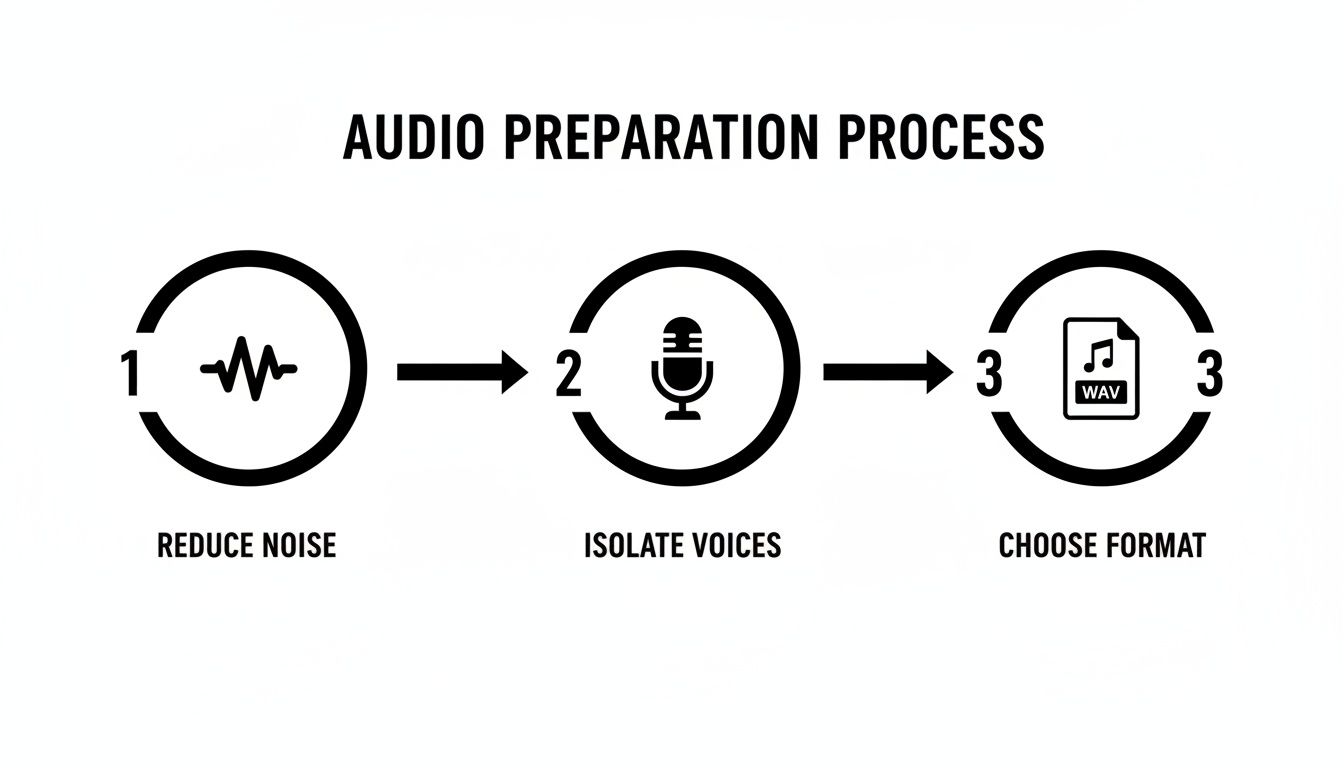
As shown, the process comes down to three key actions: reducing background noise, ensuring clear voices, and selecting a standard file format. If you handle these, the AI will perform much more accurately.
Starting Your First Transcription
The first step is uploading your file. It doesn't matter if you have an MP3 from a podcast, an MP4 from a Zoom meeting, or a WAV file from an interview—most platforms allow you to simply drag it onto the webpage.
Modern interfaces are designed for efficiency, with large upload areas and clear instructions to guide you. Once your file is uploaded, you’ll encounter a few settings that can significantly improve the quality of your final transcript.
Configuring the Right Settings
Before letting the AI begin, you need to provide some direction. This is where you tell the tool what it's listening for, which is the secret to getting an accurate transcript on the first attempt.
You'll typically find these key options:
- Language Selection: This is crucial. Always specify the language spoken in the audio. Even if the tool has an "auto-detect" feature, manually selecting the language improves accuracy, especially for regional accents or dialects.
- Speaker Identification (Diarization): If you're transcribing a meeting or interview with multiple speakers, enable this feature. The AI will analyze different voice patterns and label the text accordingly (e.g., "Speaker 1," "Speaker 2"), saving a tremendous amount of editing time.
- Timestamps: This feature embeds time markers directly into your text, synchronized with the original audio. It’s an invaluable tool for creating video captions or for researchers needing to reference specific moments in an interview.
These online services are booming. The U.S. transcription market alone reached $30.42 billion in 2024. With remote work being standard for 58% of U.S. companies, the volume of meeting audio needing transcription is immense. For the 4 million+ podcasters worldwide, transcripts offer significant SEO benefits, making their content more discoverable. You can find more details in this report on the growth of AI transcription and industry data.
To help you decide which settings to use, here's a quick reference guide.
Choosing the Right Settings for Your Transcription
This table breaks down common scenarios to help you select the best options for your project.
| Use Case | Recommended Language Setting | Enable Speaker ID? | Enable Timestamps? |
|---|---|---|---|
| Solo Podcast or Voice Memo | Manually select the language | No | Optional, but helpful for editing |
| Multi-person Interview | Manually select the language | Yes, definitely | Yes, to easily find quotes |
| Team Meeting or Focus Group | Manually select the language | Yes, essential | Yes, to reference specific topics |
| Video Captions (e.g., YouTube) | Manually select the language | Optional | Yes, essential |
| Creating a Blog Post from Audio | Manually select the language | Optional | No, unless you need to fact-check |
Ultimately, selecting the right settings depends on your intended use for the text. Focus on your end goal, and the choices become clear.
Choosing the right settings is less about technical expertise and more about your final objective. Think about how you plan to use the transcript. For a simple blog post, timestamps might be unnecessary, but for creating YouTube captions, they are absolutely vital.
Once you’ve configured your settings, you simply click the "Transcribe" button. The tool will process your file, which can take from a few seconds to several minutes depending on its length. When it's done, you'll have a complete, editable text document ready for review.
Editing and Exporting Your Perfect Transcript
The AI has completed the heavy lifting, converting your recording into text. Now it's time for the human touch—the critical step where you refine the raw output into a polished, accurate, and truly useful document.
Even the best AI, with up to 97.5% accuracy, can make small errors. It might misinterpret a name, struggle with technical jargon, or get confused by a strong accent. A quick review is essential to catch these minor issues and ensure the final text is flawless.
Most online tools provide a built-in editor that syncs the text with the audio, which is incredibly helpful. You can click on any word, and the audio will jump to that exact spot, making it fast and easy to verify and correct mistakes without switching between different windows.
Polishing Your Transcript for Readability
After correcting any errors, the next step is to improve the text's readability. This goes beyond just grammar; it’s about creating a clear structure.
Break up the long, dense paragraphs that AI often generates from a single speaker. Add punctuation and paragraph breaks to improve the flow. If the speaker identification feature labeled someone as "Speaker 2," take a moment to replace it with their actual name for clarity. These simple refinements make the transcript look more professional and easier for anyone to read.
Your goal during the editing phase is to close the small gap between what the AI heard and what was actually said. A few minutes of review can elevate your transcript from a rough draft to a final, reliable document.
Choosing the Right Export Format for Your Goal
The final step when you convert audio to text online free is exporting the file. This is more than just clicking "download." The format you choose should align with what you plan to do with the transcript next.
Here’s a summary of the most common formats and their best uses:
- TXT (Plain Text): This is the no-frills, universal option. It’s ideal for researchers importing text into data analysis software or for anyone needing a simple, unformatted script to copy and paste.
- DOCX (Word Document): Choose this format if you intend to use the transcript as a basis for an article, report, or meeting minutes. It preserves formatting and makes it easy to start editing, highlighting, and adding comments in Microsoft Word or Google Docs.
- SRT (SubRip Subtitle File): This format is essential for video creators. An SRT file contains both the text and the precise timestamps required to generate captions for platforms like YouTube, Vimeo, or social media. For more information, you can learn how to create SRT files for your videos.
Thinking about your end goal before you export can save you from the hassle of reformatting later. For instance, a podcaster might export both a DOCX for their show notes and an SRT for their YouTube channel from the same audio file, maximizing the value of their content.
Going Beyond Simple Transcription with AI Tools
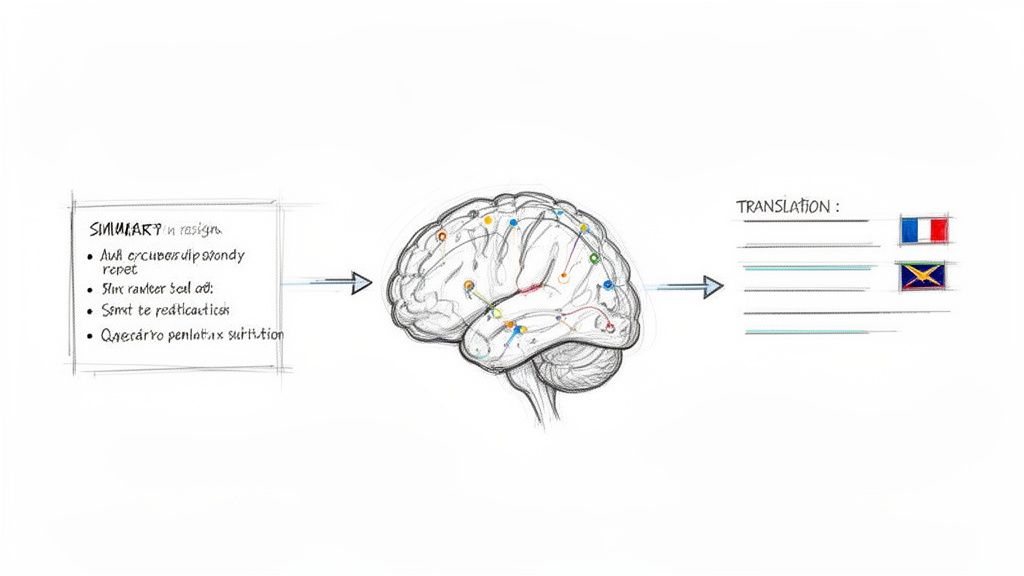
The ability to convert audio to text online free is just the beginning. Modern AI tools are equipped with intelligent features that go far beyond simple word-for-word transcription, helping you extract meaningful insights from your content.
This is where you move from thinking of transcription as a typing alternative to seeing it as a powerful analysis tool. It's the difference between a static document and a dynamic asset.
AI-Powered Summaries for Quick Insights
Imagine you've just finished a 90-minute webinar or a lengthy project meeting. Instead of sifting through pages of text, AI summaries can distill the entire conversation into a few key bullet points or a concise paragraph.
This feature is a huge productivity enhancer. It automatically identifies the main topics, action items, and key decisions. In seconds, you get a high-level overview that's perfect for sharing with your team or refreshing your own memory.
Instant Translation to Reach a Global Audience
Breaking down language barriers is another significant advancement. With instant translation, you can take your original transcript and convert it into dozens of other languages with a single click.
This opens up a world of possibilities. A podcaster in the United States, for example, can make their latest episode accessible to listeners in Spain, Germany, or Japan almost instantly. This kind of global reach is no longer a luxury but a necessity.
The demand for online transcription is surging, with the global market expected to grow from $3.68 billion in 2026 to $4.52 billion by 2035. The speech-to-text APIs that power these services are projected to expand from $5 billion in 2024 to $21 billion by 2034, driven largely by the media and education sectors. This growth underscores why translation is now a core feature for connecting with a worldwide audience.
By leveraging AI-driven translation, you're not just transcribing; you're localizing. You're making your message and content relevant and accessible to people everywhere, regardless of their native language.
These tools are built on a technology called Automatic Speech Recognition (ASR). If you're curious about the mechanics, you can learn more about what ASR is and how it works. And once your audio is transcribed, you can take it a step further with other AI tools, like an AI celebrity voice generator, to turn your new text into engaging narration. It's all part of a workflow that transforms raw audio into powerful, multifaceted content.
Common Questions About Free Audio Transcription
When you're looking to convert audio to text online for free, it's natural to have a few questions. Is it accurate? Is it secure? Let's address some of the most common concerns people have before they begin.
How Accurate Are These Free Converters?
Modern AI transcription can be remarkably accurate, often achieving 97.5% accuracy under ideal conditions. This means a clean recording with a quality microphone, no background noise, and clear speakers who don't interrupt each other.
In real-world scenarios, factors like strong accents, technical jargon, or a noisy environment can reduce that accuracy. It’s best to view the AI as an incredibly fast first draft. It handles the heavy lifting, but a quick human proofread is always recommended to catch minor errors and achieve 100% accuracy.
Is It Safe to Upload My Audio Files?
Security is a major concern, and rightly so. Reputable services understand this. They use strong encryption to protect your files both during upload (in transit) and while stored on their servers (at rest).
Another important aspect is the data retention policy. Trustworthy services like Meowtxt are transparent about this, often automatically deleting files after a short period, such as 24 hours. Before uploading sensitive information, take a moment to review the privacy policy for peace of mind.
The best free services prioritize your privacy. They should be clear about their security measures and how long they retain your files, ensuring your recordings remain confidential.
What Is the Best File Format for Audio?
For the absolute best quality, a lossless format like WAV or FLAC is technically superior. These formats preserve all the original audio data, leaving nothing to chance.
However, in practice, most high-quality converters work exceptionally well with standard compressed files. A high-bitrate MP3 (192kbps or higher) or a common M4A file will produce excellent results. The clarity of the original recording is almost always more important than the file extension.
Can I Transcribe Audio with Multiple Speakers?
Yes, and this is where modern AI tools truly shine. Look for a feature called speaker identification (or diarization).
When you enable this option, the AI analyzes distinct voices and automatically labels them in the transcript (e.g., "Speaker 1," "Speaker 2"). This is a massive time-saver for anyone transcribing interviews, podcasts, or meetings, as it eliminates the need to manually identify who said what.
Ready to turn your audio into accurate, editable text in minutes? Try Meowtxt today and get your first 15 minutes of transcription completely free. Experience the power of AI summaries, instant translation, and effortless exporting. https://www.meowtxt.com


