
The fastest and most reliable way to transcribe a video is by uploading it to an AI-powered transcription service. These powerful tools analyze the audio track and generate a complete, editable text document in just minutes. Most services automatically include timestamps and identify different speakers, allowing you to export the final transcript as a TXT, DOCX, or SRT file for captions.
Why Transcribing Your Videos Is a Strategic Move
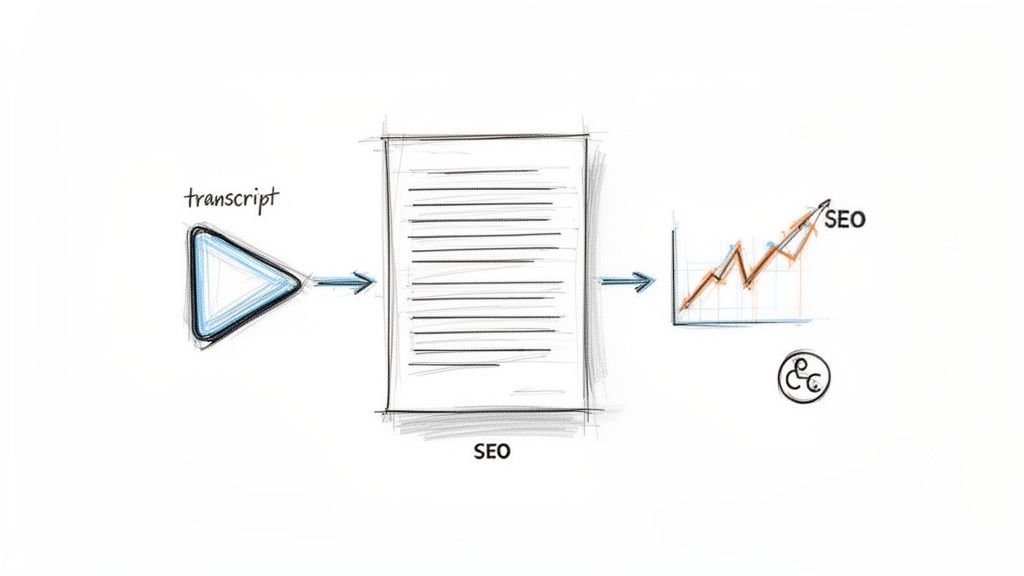
Turning your video content into text isn’t just about checking a box; it’s about unlocking the immense value trapped inside your media. Think about it: a video is a closed container. All the powerful quotes, valuable keywords, and critical insights are locked within the audio, making them completely invisible to search engines and inaccessible to people who are hearing-impaired or simply prefer to read.
When you create a transcript, you instantly make every spoken word discoverable. This single action creates a powerful ripple effect that benefits your entire content strategy.
Unlocking SEO and Accessibility
Imagine a podcaster who transcribes an interview. Suddenly, they have a keyword-rich article that Google can crawl, index, and rank, pulling in a completely new audience through organic search. Or consider a business that records team meetings—a transcript creates a searchable archive, allowing anyone to find a key decision without re-watching an hour-long video.
This isn't a niche tactic; it’s a fundamental shift in content strategy. Video now accounts for over 80% of all internet traffic, but without a text-based version, most of this content is a black box to search engines. The market reflects this urgency—the global AI transcription market soared to $4.5 billion in 2024 and is projected to reach $19.2 billion by 2034. This explosive growth is driven by creators and businesses who need to make their content visible and compliant with accessibility laws. You can explore the data further on video transcription efficiency statistics to see how it’s revolutionizing content workflows.
Turning your video's audio into text is the single most effective way to make it work harder for you. It transforms a one-dimensional piece of media into a multi-purpose asset that boosts SEO, improves user experience, and saves you time.
Before diving into the step-by-step process, it’s helpful to understand the main options available. Most people choose between doing it themselves (manual transcription) or using an automated tool. Here’s a quick comparison.
Transcription Methods at a Glance
| Feature | Manual Transcription | Automated (AI) Transcription |
|---|---|---|
| Speed | Very slow (4-6 hours per audio hour) | Very fast (minutes per audio hour) |
| Cost | High if outsourced, "free" but time-intensive if DIY | Very low (often cents per minute) |
| Accuracy | Can reach 99%+ with a skilled human | 90-98%+, depends heavily on audio quality |
| Scalability | Poor; difficult to handle large volumes | Excellent; can process hundreds of files at once |
| Best For | Highly nuanced, critical audio (legal, medical) | Most content (podcasts, meetings, interviews) |
While manual transcription is still relevant for mission-critical files, automated transcription offers the best balance of speed, cost, and accuracy for the vast majority of content creators and businesses today.
Repositioning Content for Wider Reach
Beyond search visibility, transcripts are a goldmine for content repurposing. A single transcript provides the raw material for:
- Blog Posts and Articles: Effortlessly transform a 20-minute product review video into a comprehensive written guide.
- Social Media Content: Pull out impactful quotes and key takeaways to generate dozens of posts for Twitter, LinkedIn, or Instagram.
- Accurate Subtitles (SRT files): Increase watch time on platforms like YouTube and make your content accessible to a global audience and those with hearing difficulties.
- Email Newsletters: Summarize a webinar or interview and share the highlights directly with your subscribers.
Ultimately, learning how to transcribe video to text changes your entire perspective. The video is no longer the end product—it becomes the starting point for an entire ecosystem of valuable content.
Preparing Your Video for the Most Accurate Transcription
Before you even think about uploading your file, we need to talk about the single most important factor for getting a clean transcript: audio quality.
I can't stress this enough. It’s a classic case of "garbage in, garbage out." Even the most advanced AI will struggle to convert video to text if it can't clearly distinguish what's being said. Taking just a few minutes to prepare your file can save you hours of painful editing later on.
I learned this the hard way. I once tried to transcribe an interview recorded in a bustling coffee shop, thinking the ambient noise would add some character. The result? A complete disaster. The AI couldn't separate our conversation from the hiss of the espresso machine and the clatter of plates. I spent more time fixing that garbled mess than I did conducting the interview.
Audio is Everything
Your primary goal is to capture the cleanest audio possible. Background noise is the absolute enemy of accuracy. A humming air conditioner, passing street traffic, or even people talking in the next room—all of it competes with the speaker's voice and confuses the software.
You can dramatically improve your results with a few simple tweaks:
- Get Closer to the Mic: The closer a speaker is to the microphone, the stronger their voice signal becomes compared to any background noise. This is called improving the signal-to-noise ratio, and it works wonders for transcription accuracy.
- Use a Dedicated Microphone: A simple lapel mic or a quality USB microphone will always outperform the built-in mic on your laptop or camera. They are designed specifically to capture voices clearly and isolate them from ambient sounds.
- Find a Quiet Space: This seems obvious, but it's the one thing people most often forget. If you're recording an interview or meeting, choose a small, carpeted room instead of a large, echoey one. Even just closing the door makes a huge difference.
If you want to dive deeper, we have a whole guide on video production best practices that covers audio setup in detail.
File Formats and Why They Matter
While audio quality is king, your video file format also plays a role. Most services, including Meowtxt, are flexible and accept common video formats like MP4, MOV, and M4A. The key thing to avoid, however, is over-compressing your file.
Heavy compression degrades audio by stripping out subtle data, making it much harder for an AI to differentiate between similar-sounding words. Always export your video using a high-quality preset to keep the audio pristine.
Ultimately, you want to give the AI the best possible source material to work with. If you're exporting a video solely for transcription, make the audio settings your top priority. An uncompressed audio track within a standard video file (like a high-bitrate MP4) is the ideal scenario.
By starting with a clean, clear recording, you’re setting yourself up for a fast, accurate transcript that requires minimal cleanup.
Your Workflow for Converting Video to Text
Alright, you've done the prep work and your video file's audio is sounding crisp and clear. Now for the main event: actually turning that video into text. The key here is to establish a simple, repeatable process that feels less like a chore and more like a reliable part of your content toolkit.
Let's say you just finished recording a 15-minute product review video. The goal is to get that MP4 transcribed into a blog post, fast. Your first move is to open your transcription service of choice—like Meowtxt—and get the file uploaded. Most modern tools feature a simple drag-and-drop interface, making this part effortless.
This is the foundational stage of the workflow, and it's incredibly straightforward.
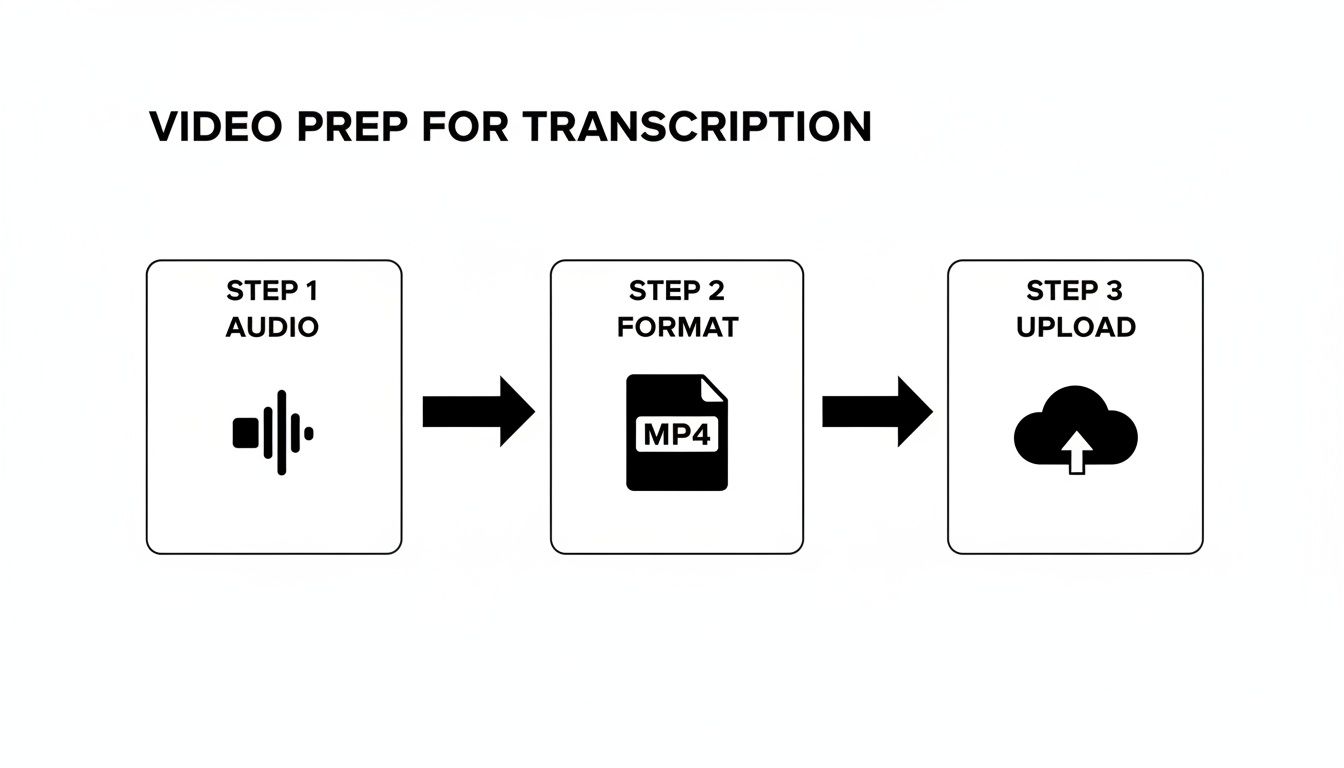
As the diagram illustrates, the entire process kicks off with clean audio and a standard file format. Nailing these two elements is half the battle for getting a fantastic result.
Dialing in Your Transcription Settings
Once your video is uploaded, don't just hit the "transcribe" button. Take a moment to review the settings. These are crucial for getting a clean first draft and can save you a significant amount of editing time later.
- Language Selection: This seems obvious, but it's more nuanced than you might think. If your speaker has a distinct British accent, selecting "English (UK)" instead of the default can make a real difference in how the AI interprets certain words and phrases.
- Speaker Identification: If you have more than one person talking, this feature is a must-have. Often called "diarization," it analyzes unique voice patterns and automatically tags the text with "Speaker 1," "Speaker 2," and so on. It’s an absolute lifesaver for interviews, podcasts, and meetings.
- Specialized Vocabularies: Some advanced services allow you to upload a custom word list. Think company names, industry jargon, or unique product names (like "Meowtxt"). This gives the AI a heads-up on tricky terms it might otherwise misinterpret.
Getting these settings right is your first line of defense against common transcription errors. A few clicks here can save you an hour of headaches later.
The time savings are massive. For a podcaster, what used to be a 4-6 hour manual typing job becomes a 10-minute automated task. YouTubers can generate SRT caption files that have been shown to boost watch time by 12%. Meanwhile, teams drowning in the 300 million daily Zoom meetings can generate AI summaries that cut down review time by 70%.
Understanding the First Draft
After a few minutes, the AI will deliver its first pass. This is the raw output: a complete text version of everything said in your video, usually with timestamps and speaker labels already included. It won't be perfect, but with good audio quality, it can easily reach 97.5% accuracy.
The goal of the initial AI transcript isn't perfection; it's to give you a powerful draft that's already 95% of the way there. Your job is to handle that final 5% polish.
This is where different tools really show their strengths. Some, like the Descript AI Video Editor, blur the line between text and video by allowing you to edit the video simply by editing the transcript. For a pure transcription workflow, however, your main goal is getting that clean, accurate text document. You can learn more about the process in our guide on how to convert video to text for free. From here, your next step is to refine this draft into a final, publish-ready document.
How to Edit and Refine Your Transcript
The AI has done the heavy lifting, giving you a transcript that's likely over 95% accurate. Now it's time for the final human touch—the polish that transforms a good AI draft into a perfect, publish-ready document. This is your chance to catch the subtle errors machines often miss.
Your first pass should be a simple proofread. Play the audio or video back at a slightly slower speed, like 0.75x, and follow along with the text. This makes it much easier to spot typos, missed words, or phrases that don't quite match what was said.
Think of this initial read-through less as a deep edit and more as a quick cleanup for the obvious mistakes. It's a quick win that immediately boosts the transcript's quality.
Correcting Names and Niche Terms
This is where the human brain really outshines AI. Machines are notorious for misspelling proper nouns, brand names, and industry-specific jargon. An AI might transcribe "Meowtxt" as "Meow Text" or a name like "Siobhan" into something completely unrecognizable.
Your job is to be the subject matter expert. Scan the document for these types of words. Most transcription editors have a "Find and Replace" function, and this tool is your best friend here. If the AI consistently misspelled a term, you can correct every single instance in seconds.
- Proper Nouns: Double-check every name of a person, company, or place.
- Industry Jargon: Make sure technical terms specific to your field are accurate.
- Brand Names: AI often stumbles over unique or stylized product names.
This step is absolutely critical for professionalism. An otherwise perfect transcript can look sloppy if it’s full of misspelled names. It’s a small detail that makes a big impact on your credibility.
The editing phase isn't about rewriting the entire transcript. It's about targeted fixes—focusing on names, jargon, and timestamps—to ensure the final text is 100% accurate and readable.
Once the words themselves are right, the next step is making sure they align perfectly with the video's timing.
Adjusting Timestamps for Perfect Syncing
Timestamps are the invisible anchors that connect your text to your video. If you're creating captions (like in an SRT file), perfect timing is non-negotiable. Even a half-second delay can make subtitles feel jarring and completely out of sync with the speaker.
Most interactive editors, including the one in Meowtxt, let you just click on a word to see its exact position on the video timeline. If you notice a line of text pops up too early or hangs around too long, you can easily grab its start and end times and nudge them into place.
A good rule of thumb is to make sure captions don’t linger on screen long after someone has finished talking. You'll also want to break up long monologues into smaller, more digestible text chunks. This not only helps with timing but also makes the captions much easier for a viewer to read. Learning how to properly edit a transcript is a key skill when you transcribe video to text, especially for public-facing content like YouTube videos. The final formatting and flow are what separate a raw file from a professional asset.
Putting Your Transcript to Work
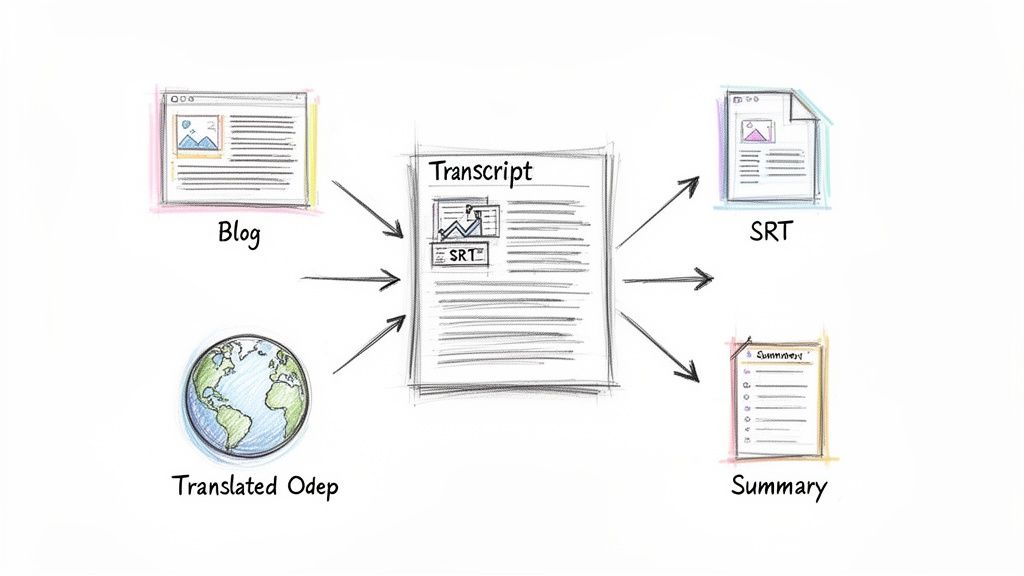
Once you’ve got that polished transcript, the real fun begins. It stops being just a record of what was said and becomes a flexible, powerful asset you can reshape and multiply. Think of it as raw material for a dozen new pieces of content.
This is where you get to be creative and save a ton of time. Instead of starting from a blank page, your transcript is the foundation. It's the perfect way to repurpose webinar content into blog posts, social media snippets, or detailed guides without reinventing the wheel.
From Text to Multiple Assets
The best transcription tools do more than just spit out text. They have built-in features that can turn your one-hour video into a week's worth of content with just a couple of clicks.
For instance, you can instantly generate an AI summary to get the essential points from a long meeting—perfect for sharing key takeaways with your team. Another game-changer is translation. With a single click, you can convert your English transcript into dozens of other languages, opening your content up to a global audience without the cost of a professional translator.
These tools are making a huge impact. For podcasters, who now drop 4 million episodes monthly, generating SRT files can boost discoverability by 12-15%. AI services work 3-5 times faster than real-time, saving creators up to 90% of their time compared to manual typing. And in the world of hybrid work, where 65% of teams include remote members, searchable meeting transcripts have been shown to cut down on follow-up emails by 30%.
Choosing the Right Export Format
How you export your transcript is just as important as the text itself. The file type you choose depends entirely on what you plan to do next, as each format is built for a specific job.
- SRT (SubRip Subtitle file): This is the gold standard for video captions. It doesn’t just contain the text; it has precise start and end timestamps. This ensures your subtitles sync perfectly with the audio on platforms like YouTube and Vimeo.
- DOCX (Word Document): Grab this format when you're aiming to create a blog post, an article, or detailed show notes. It keeps the formatting intact and is universally editable, making it super easy to drop the text into your content management system.
- TXT (Plain Text file): Need the raw data or simple meeting notes? A TXT file is your best friend. It’s a lightweight, no-frills format that’s easy to copy, paste, and share anywhere without wrestling with formatting issues.
Understanding these options helps you seamlessly move your transcribed text into the next phase of your workflow, whether that's boosting your video's SEO or creating entirely new articles. To dive deeper into this, check out our full guide on content repurposing strategies.
Your Top Questions, Answered
Even with a clear plan, it's completely normal to have a few questions before you start turning your videos into text. Most people wonder about the same things: accuracy, privacy, and cost. Let's tackle those head-on.
Getting these details sorted out upfront helps you pick the right tool and know what to expect. Think of it as building a solid foundation before you start your first project.
Just How Accurate Is AI Video Transcription, Really?
Today's leading AI transcription tools can achieve up to 97.5% accuracy, but that figure is heavily dependent on your audio quality. If your video features clear speakers with minimal background noise and distinct voices, you'll get a fantastic result that needs very little editing.
However, factors like strong accents, people talking over each other, or poor audio will lower that number. For most common uses—like drafting blog posts, creating meeting notes, or generating captions—this level of accuracy is more than sufficient. For legal or medical work where every single word is critical, a quick human review is always a smart final step.
Think of AI transcription as a skilled assistant who does 97% of the work in a matter of minutes. Your job is to add that final 3% of polish and context—a much easier task than starting with a blank page.
Is It Safe to Upload My Sensitive Video Files?
That's an excellent question. Security is a major concern, especially when you're working with confidential business meetings or private interviews. Any reputable transcription platform takes this incredibly seriously and builds its entire system around protecting your data.
Always look for a service that uses end-to-end encryption. This is non-negotiable. It means your files are secure both during the upload process and while stored on the company's servers. Top-tier services like Meowtxt also have strict privacy policies, often including automatic file deletion after a short period, like 24 hours. This practice ensures your content isn't just sitting on a server indefinitely.
What's This Going to Cost Me?
One of the biggest advantages of AI transcription is its affordability compared to traditional manual services. The pricing is usually flexible and designed to fit various needs and budgets.
Pricing generally follows one of two models:
- Pay-per-minute/hour: You only pay for the exact duration of the video files you upload. This is perfect for occasional projects or if you're just getting started.
- Subscription plans: If you transcribe content regularly, monthly or annual plans often provide a bulk amount of minutes at a significantly lower rate, saving you money in the long run.
Most services also offer a free trial, allowing you to transcribe your first few minutes without any cost. It’s a completely risk-free way to test the platform’s accuracy and workflow to see if it’s the right fit for you.
Ready to turn your videos into powerful text assets? Meowtxt offers a fast, secure, and incredibly accurate way to transcribe your content in minutes. Try Meowtxt for free and get your first transcript today.


