
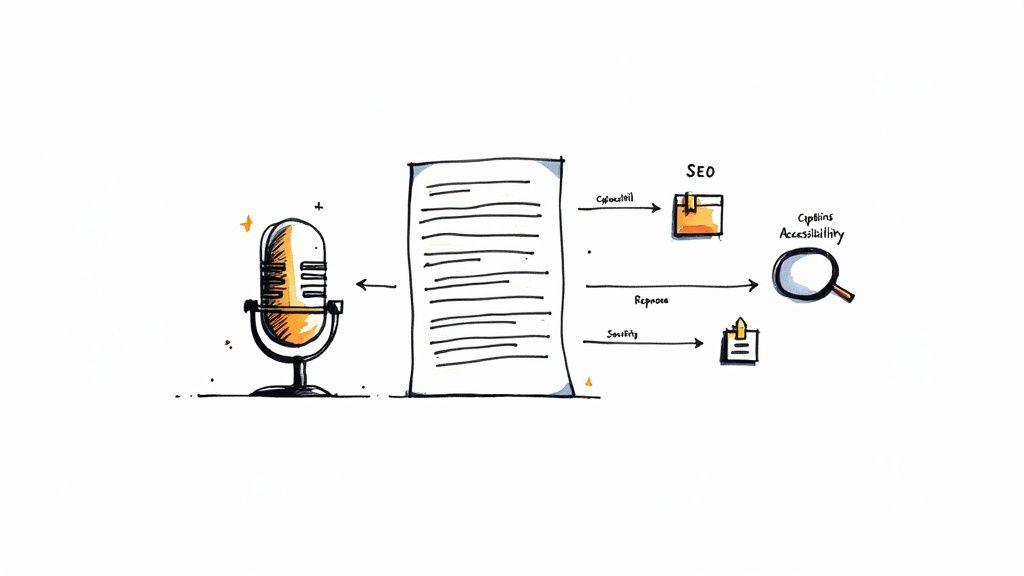
When you transcribe a podcast, you're unlocking its hidden potential by converting spoken words into powerful, searchable text. This isn't just about creating a written record; it's a strategic move to boost your show's visibility, accessibility, and content engine. By making your audio discoverable by search engines and available to a wider audience, you create a massive opportunity for growth.
Why Transcription Is Your Podcast's Secret Weapon
Many podcasters overlook transcription, viewing it as a tedious, non-essential task. This is a significant missed opportunity. Failing to transcribe your podcast means leaving one of the most effective growth strategies on the table.
A simple transcript does more than just document what was said. It transforms your audio into a versatile digital asset that works for you long after an episode is published. It becomes the foundation for powerful SEO, improved accessibility, and a streamlined content repurposing strategy.
Unlocking SEO and Discoverability
Here’s a fundamental truth: search engines like Google can't listen to audio. They rely exclusively on text to understand, index, and rank your content. Without a transcript, your valuable insights, expert interviews, and keyword-rich discussions are completely invisible to them.
When you transcribe a podcast and publish it alongside the episode, you provide search engines with a complete, detailed script.
This is a game-changer for discoverability. Suddenly, your episode can rank for thousands of long-tail keywords and specific questions your target audience is searching for. Every niche topic or casual mention becomes a new pathway for listeners to find your show through organic search.
Making Your Content Accessible to Everyone
Accessibility is about inclusive growth—ensuring every potential listener can engage with your content. The global podcast audience is enormous, with projections showing 584.1 million monthly listeners by 2025.
A significant portion of this audience, including the Deaf and hard-of-hearing community, non-native speakers, and people in sound-sensitive environments, depends on text. Providing a transcript ensures your message is available to all, regardless of their circumstances.
By not providing a transcript, you are unintentionally excluding a large and engaged audience. An accessible podcast is one that can achieve maximum reach and impact.
The Magic of Content Repurposing
The relentless demand for new content is a major challenge for creators. A transcript is a goldmine for solving this problem.
Instead of starting from scratch, you can pull direct quotes for social media graphics, expand key segments into detailed blog posts, or compile highlights into an engaging email newsletter. This approach saves a tremendous amount of time and effort. For a great deep-dive, check out how you can leverage a Spotify podcast transcript to really push your show's growth.
A single 30-minute episode can easily provide a week's worth of promotional content for all your channels.
Setting Up Your Audio for Accurate Transcription
The old saying "garbage in, garbage out" is especially true when you transcribe a podcast. The accuracy of your final text is directly linked to the quality of your source audio. You don't need a professional studio, but investing a few minutes in audio basics will dramatically improve your results.
An AI transcription tool is like a literal listener. If it hears overlapping voices or persistent background hum, it will struggle to distinguish speech from noise. This leads to frustrating inaccuracies and significantly more editing time for you.
Why Separate Audio Tracks Are a Game Changer
If your podcast features multiple speakers, recording each person on a separate audio track is the single most effective thing you can do for transcription accuracy.
When all voices are mixed into a single file, it’s nearly impossible for software to untangle crosstalk or correctly identify who said what.
Recording on separate tracks, known as multitrack recording, gives each voice its own dedicated space. This allows the transcription software to process each speaker's audio cleanly, resulting in much higher accuracy and near-perfect speaker labels. Most modern recording software, like Audacity or Descript, makes this incredibly easy to set up.
For a deeper dive, check out our complete guide on how to improve audio quality for transcription to get your setup dialed in.
Master Your Microphone and Environment
Your recording space and mic technique also play a crucial role. Again, this is about good habits, not expensive gear. Small, consistent actions can eliminate the most common audio problems that confuse transcription AI.
- Mind the Mic: Maintain a consistent distance from your microphone—about a hand's width away is a good rule of thumb. Speaking too close can cause harsh "popping" sounds (plosives), while being too far makes your voice sound thin and distant.
- Kill the Background Noise: Before you press record, pause and listen. Is an air conditioner humming? A fan whirring? These constant noises muddy your audio and make it harder for the transcription algorithm to work effectively.
- Choose the Right File Format: Whenever possible, export your final audio in a high-quality, uncompressed format like WAV. MP3 files are smaller, but their compression discards audio data that can be crucial for accurately transcribing nuanced words.
The goal isn't studio perfection; it's clarity. A clean audio file is the foundation for a fast and accurate transcription, saving you hours of manual correction later on. Prioritizing audio quality is an investment that always pays off.
Taking just ten minutes to prepare your audio before you upload it for a podcast transcribe can save you hours of tedious editing. It's a simple step that helps you work smarter, not harder.
A Practical Walkthrough of AI Transcription Tools
With your clean audio file ready, it's time for the transcription itself. This is where modern AI tools shine, transforming what used to be hours of manual labor into a process that takes just a few minutes.
We'll walk through the typical steps you'll encounter when you podcast transcribe using a service like Meowtxt. The goal is to get you comfortable with the workflow, so you can quickly turn the raw AI output into a polished, publishable document.
From Upload to First Draft
Getting started is typically straightforward. Most modern platforms, including many of the best audio to text converters, feature a simple drag-and-drop interface. Just locate your WAV or MP3 file and upload it.
Before the AI begins, you’ll be asked to configure a few settings. Don't skip this step—it’s vital for getting the most accurate first draft.
- Select the Language: Obvious, but critical. Ensure you specify the primary language spoken in your episode so the AI uses the correct speech model.
- Enable Speaker Identification: For any podcast with a co-host or guest, this is a lifesaver. It automatically detects and tags who is speaking, saving you from a major organizational headache.
- Look for Special Dictionaries: Some advanced tools allow you to upload a custom dictionary. This is brilliant for teaching the AI unique names, industry jargon, or acronyms that it might otherwise misinterpret.
With your settings configured, hit "transcribe." Depending on your episode's length, the AI typically delivers a full transcript in a fraction of the recording time.
The Editing Workflow: Mastering Your Transcript
Consider the initial AI draft a starting point, not the final version. Even with accuracy rates pushing 95% or higher, there will always be minor errors, especially with unique names or brand-specific terms. The good news is that the editing process is incredibly efficient.
Modern transcription editors link the text directly to the audio. This feature is a game-changer. You can click on any word in the transcript, and the audio player will instantly jump to that exact moment, making the cleanup process fast and intuitive.
The entire process begins with solid audio preparation, which is the foundation for an accurate transcript.
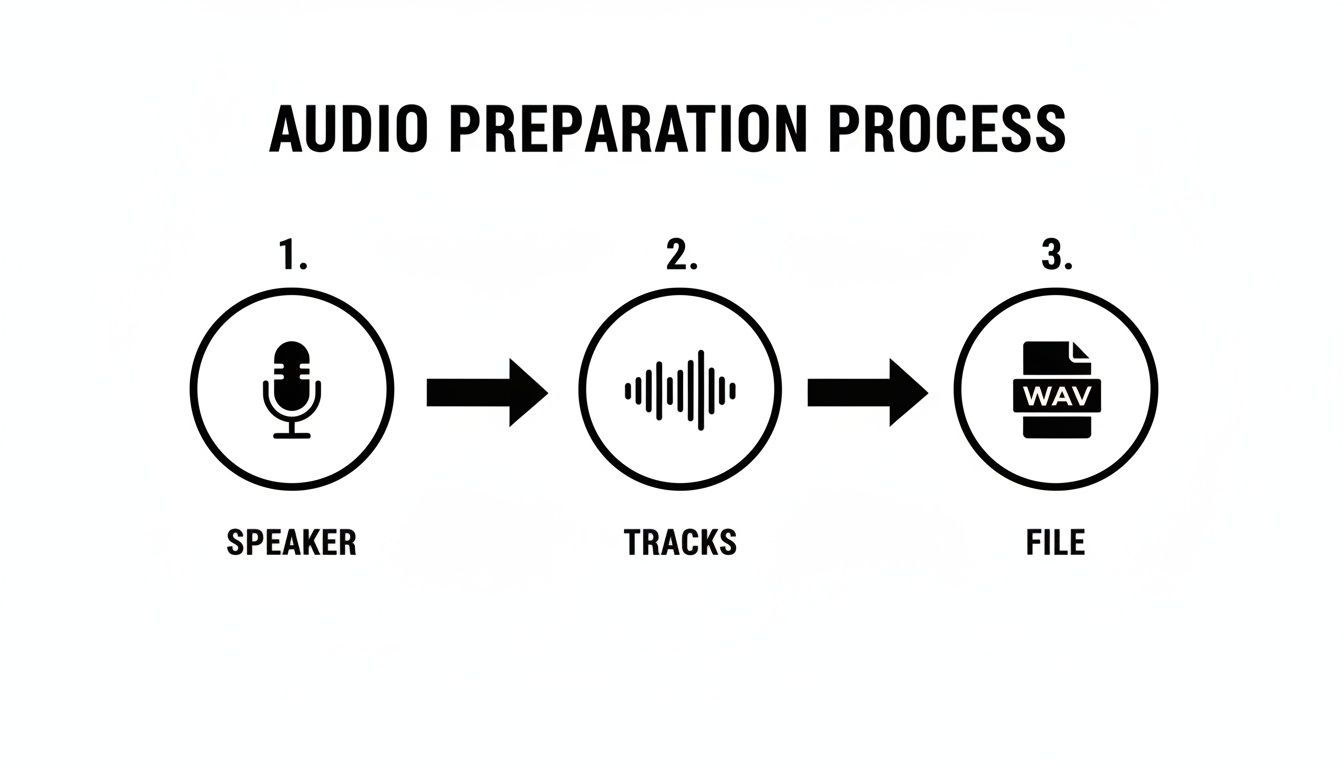
As the visual illustrates, moving from a clear speaker to separate tracks and then to a high-quality file format directly impacts the AI's performance. A little effort upfront yields significant benefits.
Your editing workflow should be a quick scan-and-correct mission. Look for obvious mistakes, correct the spelling of your guest's company, and ensure all speaker labels are accurate. You're not re-typing anything; you're making small, high-impact adjustments.
Quick Fixes and Common Edits
As you gain experience, you'll start to recognize common patterns in AI errors. Knowing what to look for makes the editing process even faster.
Don't aim for a perfect, word-for-word verbatim transcript unless necessary. For most podcasts, a "clean read" transcript—where you remove filler words like "um," "uh," and false starts—is much better for readability and SEO.
Here are a few common issues to correct:
- Homophones: These are words that sound the same but have different spellings (e.g., "their" vs. "there"). AI can get tripped up by these.
- Proper Nouns: The AI might misspell a guest's last name or a niche company. A quick search-and-replace can fix this globally.
- Speaker Labels: Occasionally, the AI might misattribute a short sentence, especially during crosstalk. Most editors let you reassign a block of text to the correct speaker with a few clicks.
The editing phase is where you add the human touch that makes your transcript truly valuable. It's the difference between a raw data dump and a professional piece of content that represents your brand well.
With a little practice, you can get into a flow where you can clean up an hour-long episode in about 15-20 minutes.
Turning Your Transcript into an SEO Powerhouse
Having a clean, accurate transcript is a huge win, but the real SEO magic happens when you publish it strategically. Simply dropping a raw block of text onto your website won't significantly boost your rankings. You need to treat it like any other high-value piece of content.
This means considering formatting, keywords, and how it fits into your broader content strategy.
First, decide how to display your transcript. You could publish it as a full-fledged blog post or place it in a collapsible "show transcript" section on your episode page. A standalone post offers more room for show notes, images, and other rich content, turning it into a powerful SEO asset. A collapsible section keeps your episode page tidy while still making the text available to search engines.
For maximum discoverability, a dedicated blog post is almost always the best approach.
Structuring Your Transcript for Search Engines
Google and other search engines favor well-structured content. You can't just paste the text from your podcast transcribe file and expect results. You need to add formatting that creates a clear hierarchy, making it easy for both search bots and human readers to understand.
Break up long stretches of dialogue with descriptive headings. Use H2s for the main topics discussed in the episode and H3s for sub-points within those themes. This makes the page more scannable for readers and provides search engines with powerful context about your content.
Think of your transcript less like a script and more like the raw material for a fully-formed article. Your headings should be SEO-friendly, ideally phrased as questions your audience is already typing into Google.
Weaving in Keywords and Links
Your transcript is already rich with natural, conversational keywords. Your next step is to refine this advantage. Identify the main themes and target phrases from your conversation, and ensure they appear in your new headings and introductory paragraphs. This reinforces the page's relevance for those topics.
This is also the perfect opportunity to build your site's authority with strategic linking.
- Internal Links: When you mention a topic you've covered in a previous episode or blog post, link to it. This simple technique keeps visitors on your site longer and distributes "link equity" across your pages.
- External Links: Did you reference any credible sources, tools, or studies? Link out to them. This signals to search engines that your content is well-researched and provides real value to the reader.
To give your transcript an extra boost, consider using some of the best AI SEO tools to uncover keyword opportunities you might have missed. By thoughtfully integrating these elements, you transform a simple transcript into a powerful engine for organic traffic, drawing new listeners directly to your show.
Taking Your Transcript to the Next Level
A polished transcript is a fantastic asset, but it's just the beginning. The real value is unlocked when you repurpose that text across different platforms and formats. Moving beyond a simple blog post opens up powerful ways to grow your audience and maximize your content's impact.
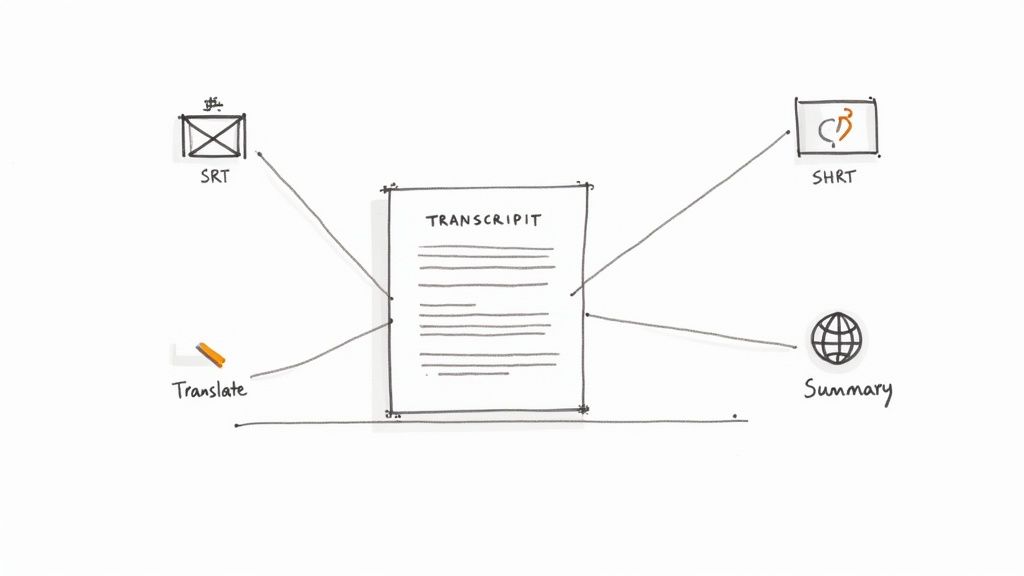
This is about turning one core asset—your transcript—into multiple pieces of content with minimal extra effort. It’s a smart workflow that lets you scale your content production without burning out.
From Transcript to Social Media Captions
Video clips are essential for promoting podcasts on platforms like YouTube Shorts, Instagram Reels, and TikTok. But what makes these clips truly effective? Accurate, easy-to-read captions. This is where your transcript becomes a superpower.
Instead of manually typing out captions, you can export your timed transcript as an SRT (SubRip Subtitle) file. This file contains not just the dialogue but also the precise start and end times for each line.
When you upload this SRT file with your video clip, the platform automatically syncs the captions perfectly with the audio. This entire workflow takes seconds and results in professional-looking videos that are more engaging, especially for the 85% of social media users who watch videos with the sound off.
AI-Powered Summaries for Instant Content
Writing show notes, email newsletters, and social media posts can be a grind. With a clean transcript, you can use AI summarization to automate a significant portion of this work.
By feeding your full transcript into an AI tool, you can instantly generate a variety of content formats. This isn't just about saving time; it's about maintaining consistent, high-quality messaging across all your channels.
From one transcript, you can ask an AI to produce several different outputs:
- Bulleted Key Takeaways: Perfect for your episode's show notes or as a quick-scan section in a blog post.
- A Short Paragraph Blurb: Ideal for an email newsletter to hook subscribers and encourage them to listen.
- Engaging Social Media Posts: Generate different angles or questions based on the conversation for use on Twitter, LinkedIn, or Facebook.
Of course, you'll want to give the AI's first draft a quick human review. The process of proofreading in transcription and tweaking the summaries ensures your brand voice remains authentic. This approach reduces the creative heavy lifting from hours to just a few minutes.
Expanding Your Reach with Translation
If you have ambitions to build a global audience, your transcript is the key. AI translation tools can take your English transcript and convert it into dozens of other languages with impressive accuracy.
This allows you to publish translated blog posts or create translated video captions to connect with listeners in non-English-speaking countries. While not a perfect substitute for professional localization, it’s a powerful and cost-effective way to test new markets and make your content more accessible worldwide.
Your Top Podcast Transcription Questions, Answered
As you begin to transcribe a podcast, a few common questions will likely arise. Addressing them early will help you build an efficient workflow and maximize the benefits of your efforts. Let's tackle the most frequent ones.
It’s natural to weigh the trade-offs between speed, cost, and quality. Understanding these factors will help you choose the right approach for your specific goals, whether it's boosting SEO, improving accessibility, or creating social media content.
Just How Accurate Is AI Transcription Anyway?
Modern AI tools are remarkably accurate, often achieving over 95% accuracy on clear audio. The single biggest factor is your recording quality. With minimal background noise, clear speaker separation, and decent microphones, you'll get excellent results.
For most podcasters, AI provides a fantastic first draft that requires only minor edits. However, if your show features heavy technical jargon, company-specific acronyms, or guests with strong accents, you should budget a little extra time for a human review.
So, Is AI Better Than a Human?
It’s not about which is "better" overall, but which is better for your specific needs. They serve different purposes.
- AI Transcription: This is your best option for speed and affordability. It's the perfect choice for creators focused on SEO, content repurposing, and general accessibility. You get a workable transcript in minutes, not days.
- Human Transcription: This is the premium service. You get near-perfect accuracy (around 99%+), but it costs more and takes significantly longer. It’s the right choice for legal, medical, or academic content where every single word must be exact.
Most podcasters find a hybrid approach offers the best of both worlds. Let an AI tool like Meowtxt handle the heavy lifting in minutes, then spend 15-20 minutes proofreading it yourself. You get a highly accurate, professional transcript without the high cost and long wait times of a human service.
Can I Just Slap the Raw AI Transcript on My Website?
You could, but it's not recommended. A raw, unedited AI transcript can contain small but noticeable errors—awkward punctuation, misheard words, or incorrect speaker labels. These mistakes can make your content look unprofessional and create a poor reading experience.
Think of the AI as an efficient assistant that does 90% of the work. That final 10% of human polish is what transforms a machine-generated text file into a valuable piece of content that reflects your brand’s quality and genuinely helps your SEO. A quick cleanup makes all the difference.
Ready to unlock your podcast's full potential? Stop letting your valuable content stay trapped in audio files. Try Meowtxt today to get fast, accurate, and affordable transcriptions. Turn your audio into SEO gold with just a few clicks at meowtxt.com.


