
Turning your voice recordings into text has never been easier. You just upload an audio file—like an MP3 or WAV—to a transcription platform and let modern AI do the heavy lifting. The best tools are incredibly fast and accurate, allowing you to convert voice recording to text in minutes, turning hours of spoken audio into an editable document.
Why Convert Voice Recordings to Text?
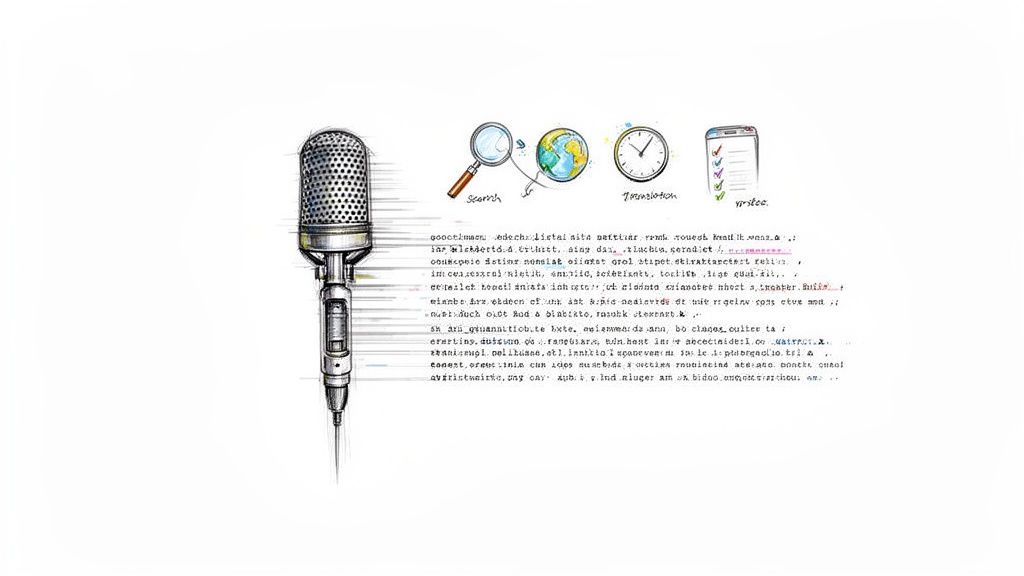
Transforming audio into text is much more than a convenience; it's a strategic move that unlocks the hidden value in your spoken content. For professionals, researchers, and creators, it’s a massive productivity booster. It fundamentally changes how you interact with information, making every spoken word searchable, editable, and shareable.
Think about a one-hour interview or team meeting. Instead of spending hours re-listening and manually typing out notes, an automated service can deliver a full transcript almost instantly. This process of converting voice to text frees up your time and ensures no critical details slip through the cracks.
Boost Accessibility and Reach
One of the biggest wins is making your content accessible to a wider audience. Transcripts allow individuals who are deaf or hard of hearing to engage with your material. They also help non-native speakers who might find reading easier than following fast-paced spoken language.
For podcasters and YouTubers, transcripts are an SEO goldmine. Search engines can't "listen" to audio, but they crawl text religiously. A transcript makes every word you say indexable, helping your content rank for countless keywords and pull in new listeners who are searching for the topics you discuss.
The demand for this technology is exploding. The voice-to-text market for mobile devices is projected to hit USD 183.5 billion by 2035, growing at a staggering 23.5% each year.
By transforming audio into a readable format, you're not just creating a document. You're creating a versatile asset that can be repurposed into blog posts, social media updates, and detailed reports.
Streamline Workflows Across Industries
The applications are incredibly diverse. Students can record lectures and get accurate notes to study from. Journalists can quickly pull quotes from interviews. The benefits span countless industries, from legal and education to specialized fields like healthcare, where the need for efficient documentation has driven the adoption of voice to text in medical settings.
Ultimately, it’s all about efficiency. Automating transcription eliminates a tedious manual task and gives you a powerful tool for documentation and content creation. The ability to quickly convert voice recording to text is a genuine game-changer for any modern workflow.
How to Prepare Your Audio for Flawless Transcription
Here's the single biggest truth in this entire guide: the accuracy of your transcript hinges almost entirely on the quality of your audio. The old saying "garbage in, garbage out" has never been more true. A clean, clear recording is the secret sauce for turning a voice file into text with near-perfect results.
Before you even think about hitting record, take a look around. Background noise is the absolute enemy of a good transcript. That low hum from the air conditioner, the faint rumble of traffic, even the echo in a sparse room—all of these can trip up an AI and force you into a manual cleanup job later.
Find the quietest spot you can. It doesn’t have to be a professional studio. Simple things like closing the door, shutting off a fan, or just moving away from a buzzing fridge can make a world of difference. If you're interviewing someone, ask them to do the same.
Create a Pre-Recording Checklist
If you record audio regularly for things like a podcast or weekly team meetings, consistency is your best friend. A quick checklist stops you from forgetting the basics and ensures every audio file is primed for an easy conversion to text.
- Mind Your Mic: Get your microphone in the right spot—usually a few inches from your mouth is the sweet spot. This captures your voice without picking up every breath.
- Always Do a Sound Check: Record a 10-second test clip and listen back with headphones. Is the volume okay? Any weird static or humming? Fix it now.
- Kill the Interruptions: Silence your phone and mute notifications on your computer. If you can, let people know you're recording to avoid any surprise walk-ins.
Putting in a little prep work here will pay you back tenfold in accuracy. If you want to dive deeper, we have a whole guide on how to improve audio quality for recordings that covers more advanced software and hardware tips.
Remember, you don't need to sound like a professional podcaster. The real goal is just to give the AI a clean signal to work with. Clear speech without people talking over each other is what matters most.
Choosing the Right Audio Format
When it’s time to save or export your audio, you'll see a few different file formats. The one you pick can affect both the quality and how big the file is. While most transcription services are flexible, knowing the difference helps you make the right call.
For a quick breakdown, here's how the most common formats stack up.
Audio File Formats for Transcription
| File Format | Best For | Key Benefit |
|---|---|---|
| WAV | Highest-quality archival recordings | Lossless format; captures the full, uncompressed audio. |
| MP3 | Sharing and uploading to online platforms | Compressed format; creates smaller files for easy transfer. |
| M4A | Apple devices and general use | Good balance of quality and smaller file size. |
So, which should you choose?
For most people looking to convert voice recording to text, an MP3 file is the perfect middle ground. Just make sure to save it at a higher bitrate, like 192 or 320 kbps. This keeps the file size small enough for a quick upload but preserves all the vocal clarity the AI needs to deliver a stellar transcript.
Using a Transcription Service to Convert Your Audio
Once your audio is prepped and ready, this is where the real magic begins. Getting your recording turned into text using a modern transcription service is surprisingly easy—in fact, it's designed to be as painless as possible. If you're imagining complicated software and installation wizards, think again. The best tools today are all about clean, intuitive web interfaces.
The whole process usually kicks off with a simple drag-and-drop. You just grab your MP3, WAV, or M4A file and pull it straight into the browser window. No installs, no fuss. It feels light and immediate.
Here’s a look at the MeowTxt interface. It’s a perfect example of this minimalist approach.
As you can see, the design is laser-focused on one thing: getting your file into the system so the AI can get to work.
From Upload to Transcript in Minutes
Right after you upload, you’ll usually be prompted to select the language spoken in the audio. This is a critical step. It tells the AI engine which phonetic library to pull from, which directly impacts the accuracy of your final transcript. While some advanced services can auto-detect the language, I always recommend confirming it manually just to be safe.
From there, the conversion process starts, and it's shockingly fast. We're not talking hours here. Modern AI can convert a voice recording to text at speeds that feel almost real-time. An hour-long interview or podcast episode can often be fully transcribed in just a few minutes.
Behind the scenes, a powerful AI model is dissecting the soundwaves into phonemes, piecing them into words, and then structuring everything with punctuation. It's an incredibly complex operation made to feel effortless. You'll see a progress bar, but it often moves so fast you barely have time to make a cup of tea.
How Smart Features Work for You
What you get back isn't just a giant wall of text. The best platforms enrich the transcript with intelligent features that slash your editing time down the road.
- Speaker Identification: The AI is smart enough to tell different voices apart. It will automatically label each person (e.g., "Speaker 1," "Speaker 2"), which is an absolute lifesaver for interviews, meetings, or panel discussions.
- Smart Timestamps: Instead of stamping every single word, the service strategically places timestamps at the start of new paragraphs or when a different person starts talking. This makes it incredibly easy to jump to a specific moment in your audio just by clicking the corresponding text.
These features turn a raw transcription into a structured, usable document right out of the gate. The time saved makes using an audio to text converter an essential tool for many professionals.
The goal of a great transcription service isn't just to hand you words—it's to deliver a document that needs as little manual work as possible. The AI does the heavy lifting so you can focus on the content.
This space is growing fast, especially in North America, which has seen huge adoption in media and healthcare. This competition is great for users, pushing tools to deliver processing speeds of up to 40x faster than real-time and accuracy rates hitting 97.5% on clear recordings. (You can dig into some of the market insights on speech recognition here). This is what makes turning hours of audio into accurate text a practical reality for everyone.
Once the AI has done its heavy lifting, you’re left with a raw transcript that’s probably sitting around 97% accuracy. That last little 3% is where you come in. This is the final polish that turns a pretty good transcript into a perfect one, ready for whatever you have planned.
The editing stage isn't about starting from scratch. Modern transcription platforms are built with interactive editors that sync your audio and text. If a word or phrase looks a bit funky, just click on it. The editor will instantly play that exact bit of audio, letting you confirm and correct names, jargon, or mumbled words in seconds.
What used to be a painful proofreading chore now feels more like a quick quality check. You can skim the text, listen to a few spots, and make fixes without ever leaving the platform.
Polishing Your Transcript for Readability
Beyond just fixing mistakes, this is your chance to really clean up the transcript for whoever is going to read it. Even the smartest AI can’t perfectly capture the natural flow of a conversation.
A quick win is managing speaker labels. The AI will probably assign generic tags like "Speaker 1" and "Speaker 2." Take a minute to swap those out for the actual names. This one small change makes a massive difference in readability, especially for interviews or team meetings.
You should also give the timestamps a once-over. Most services are pretty smart about placing them at logical breaks in the conversation, but you can always add more or take some away. If you’re making a simple reference doc, you might want fewer timestamps. If you're syncing the text to a video, you'll probably want more.
This simple diagram breaks down the whole process, from the initial upload to the final download.
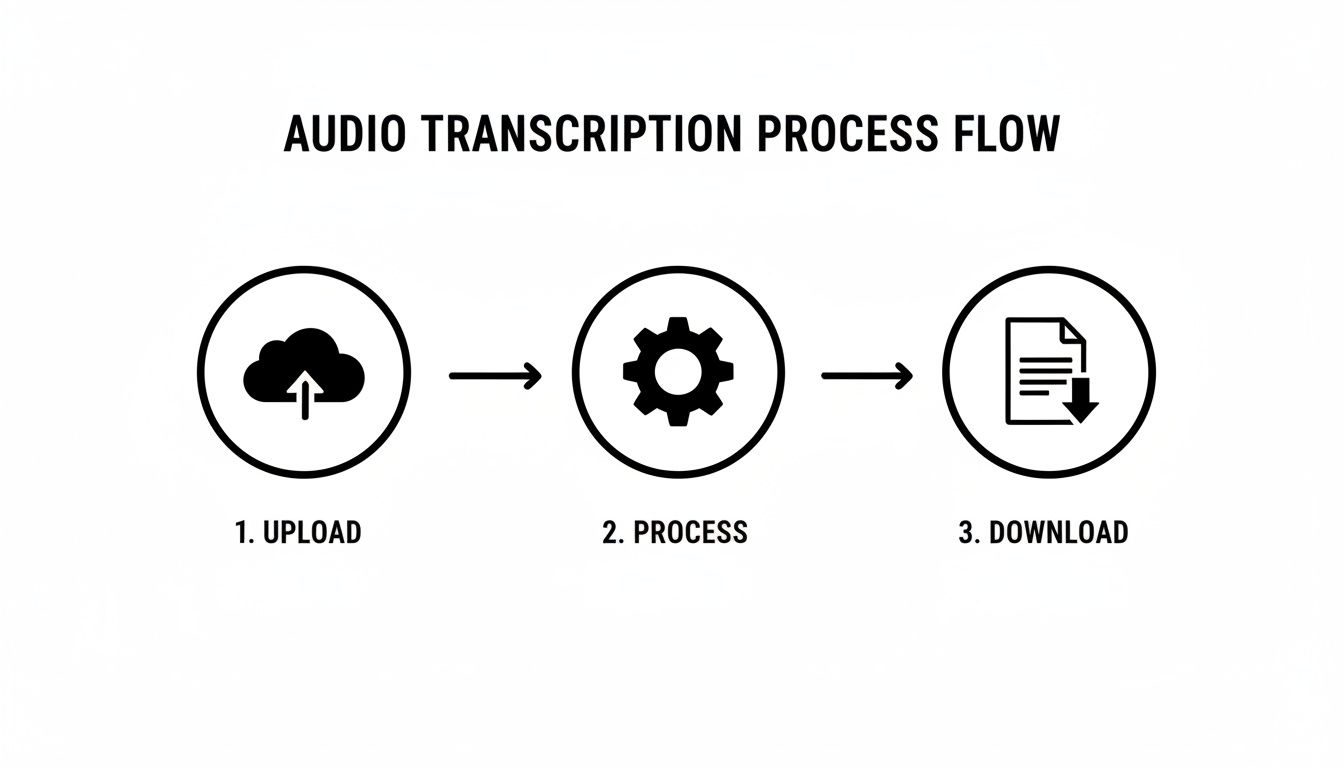
As you can see, that final "download" step is where you decide how your text will live in the world.
Choosing the Right Export Format
The last step in your mission to convert voice recording to text is hitting that export button. Don't just click the first option you see—the format you pick is critical and determines what you can do with the transcript next.
Your choice of export format directly impacts the transcript's utility. A simple text file is great for notes, but an SRT file is purpose-built for video captions, and a JSON file is ready for app integration.
Choosing the right format now saves you a ton of headaches later. Here's a quick guide to help you pick the right one for your project.
Transcript Export Options and Their Uses
Picking the right file type is all about knowing the final destination for your text. This table breaks down the most common options to help you decide.
| Export Format | Primary Use Case | Best For |
|---|---|---|
| TXT (.txt) | Plain text notes | Quick reference, pasting into emails, or basic documentation. |
| DOCX (.docx) | Editable documents | Creating reports, articles, or formatted meeting minutes in Microsoft Word. |
| SRT (.srt) | Video subtitles | Uploading captions to platforms like YouTube, Vimeo, or social media. |
| JSON (.json) | Developer integration | Feeding structured data with timestamps into applications or websites. |
| CSV (.csv) | Data analysis | Importing transcript data into spreadsheets for research or analysis. |
So, let's say you just transcribed a podcast interview. You might grab a DOCX file to start drafting a blog post and an SRT file to get your YouTube captions ready. A market researcher, on the other hand, might go straight for a CSV to run an analysis on keyword frequency. Think about the end goal, and you'll always pick the right format.
Go Beyond Text: Using AI for Instant Summaries and Translations
Getting a transcript is just the first step. The real magic happens when you use that text as a launchpad for other powerful AI tasks. Modern tools don't just stop at transcription; they can analyze, condense, and even translate your content, turning a simple document into something far more useful.
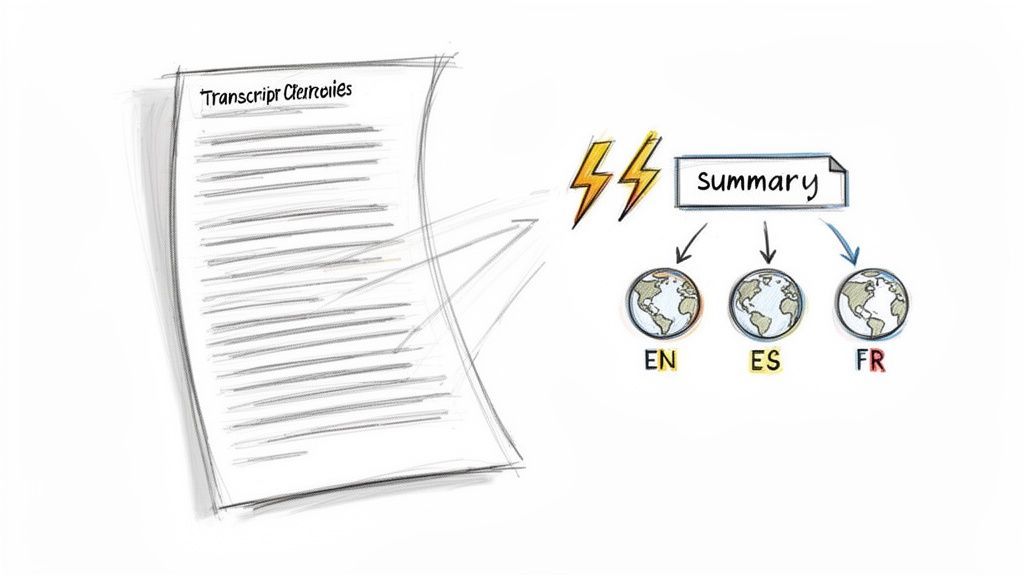
This is where you start saving some serious time. Instead of slogging through a 20-page transcript from an hour-long meeting, you can generate a tight summary in seconds. The AI pulls out the key topics, action items, and major decisions, giving you a clean, bulleted list of everything that actually matters. For anyone drowning in meeting notes, it’s a total game-changer.
Instantly Summarize Long Recordings
The summary feature is incredibly practical. Let’s say you just wrapped up a two-hour podcast interview. You can instantly create a summary to use for your show notes, a promotional email, or a social media teaser—all without re-reading a single line.
- For Meetings: Get a quick rundown of who said what and what needs to get done.
- For Lectures: Boil down a long class into key concepts for faster, smarter studying.
- For Interviews: Pull the most powerful quotes and themes to guide your writing.
This capability is part of a massive shift in the industry. The AI transcription market is projected to jump from $4.5 billion in 2024 to an incredible $19.2 billion by 2034, driven by features that do more than just churn out raw text. And you can take this a step further with advanced video summarization AI tools that condense lengthy content into key highlights automatically.
AI summaries don't just shorten the text; they distill its meaning. This lets you grasp the essence of your audio in a fraction of the time, making you way more efficient.
Break Down Language Barriers with Translation
Maybe the most powerful feature of all is one-click translation. Once your transcript is ready, the best services let you translate it into dozens of different languages almost instantly. This opens your content up to a global audience with practically zero extra effort.
A podcaster in the United States can suddenly make their show accessible to listeners in Spain, Germany, and Japan. A company can share meeting minutes with international teams, ensuring everyone is on the same page, no matter their native language.
This process completely removes a huge barrier to global communication. What used to mean hiring expensive translators and waiting days for the final product can now be done in minutes. Your message just became truly universal.
Got Questions About Voice-to-Text?
Even with a simple process, it's smart to have a few questions. You're probably wondering about accuracy, security, and whether these tools are really worth the hype. Let's tackle the most common queries we see from people just getting started.
My goal here is to clear up any lingering doubts so you can jump in with confidence.
How Accurate Is This Stuff, Really?
This is always the first question, and for good reason. Modern AI transcription can hit up to 97.5% accuracy, but there's a catch: your audio quality has to be decent. For a clean recording—one clear speaker, not a lot of background noise—the results are often nearly flawless.
But, let's be real, accuracy can dip when the AI is up against:
- Heavy accents or regional dialects it hasn't been trained on extensively.
- Multiple people talking over each other.
- Lots of background noise, like a bustling coffee shop or wind.
- Niche industry jargon or uncommon names.
Even with those challenges, the transcript you get back is usually a fantastic starting point. A few quick edits are often all it takes.
Is It Safe to Upload My Audio Files?
Security is a huge deal, especially if your recordings contain sensitive or private info. Reputable services take this very seriously. The best platforms use strong encryption when you upload your file (in transit) and while it's stored on their servers (at rest).
Look for services with a crystal-clear privacy policy. Top-tier tools, for example, will automatically delete your audio files and transcripts after a short window—often just 24 hours. This ensures your data isn't just sitting around.
This practice slashes the risk and gives you peace of mind that your private conversations stay that way. Always double-check a service's security page before uploading anything important.
Is Converting Voice Recordings to Text Actually a Good Deal?
Absolutely. When you stack up the cost of an automated service against the hours it takes to type out a recording by hand, the value becomes obvious. Something that might take you four or five hours to transcribe manually can be done by an AI in less than ten minutes.
Think about what you can do with all that saved time. You could be analyzing the content, drafting a report, or producing your next podcast episode. For businesses and professionals, the return on investment is immediate. For solo creators, it frees up the one resource you can never get back—your time.
Most services offer some free minutes to start, so you can test the quality for yourself and see the value firsthand before you spend a dime.
Ready to stop typing and start transcribing? MeowTxt offers a fast, secure, and incredibly accurate way to convert your audio and video files into text in minutes. Get your first 15 minutes free and see how easy it is to unlock the power of your spoken content. Try MeowTxt for free!


