
If you need to turn a YouTube video into text, the fastest free method is using YouTube's built-in "Show transcript" feature to copy the text. For a more accurate and polished result, you should use a dedicated AI transcription service like Meowtxt to convert the video's audio into an editable, time-stamped document in minutes.
Why Transcribing Your YouTube Videos Is a Game-Changer
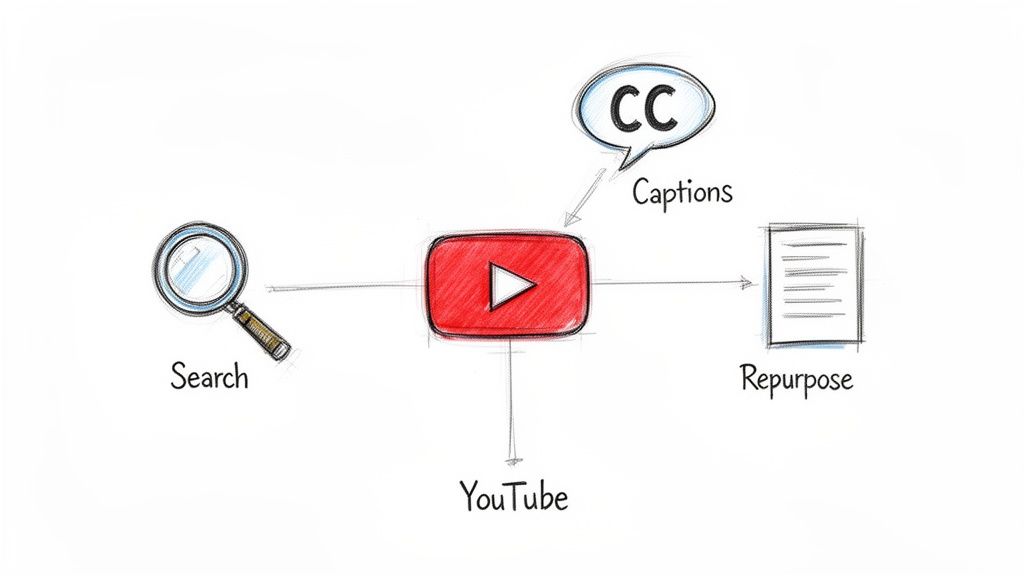
Before diving into the "how-to," it's crucial to understand why this isn't just another task on your checklist. It's a fundamental growth strategy. The creators who view transcription as a massive opportunity—not a chore—are the ones who consistently expand their reach.
At its core, a transcript transforms your spoken content into a searchable goldmine. YouTube isn't just a video platform; it's the world's second-largest search engine. Without text, its algorithm has limited clues to understand what your video is truly about. When you transcribe a YouTube video to text, you hand the algorithm the exact keywords and context it needs on a silver platter.
Supercharge Your YouTube SEO
Every minute, a staggering 500 hours of new video content is uploaded to YouTube. That's intense competition. Transcribing your videos gives you a powerful, built-in advantage to stand out.
Imagine you've published an in-depth tutorial on "advanced photo editing techniques." With a transcript, when someone searches for a specific detail you mentioned—like "how to use the clone stamp tool"—your video has a much higher chance of appearing. Why? Because search engines can now read every single word you said. For more on this, check out our guide on YouTube SEO optimization tips.
This is especially true for educational content, tutorials, and deep dives, which thrive on long-tail keyword searches. Even adding accurate captions has been shown to boost view time by up to 12%, simply because it makes the content more accessible and easier to consume.
Make Your Content Accessible to Everyone
Accessibility isn't just a box to check; it's a core component of creating excellent content. A text transcript opens your video to a massive audience you might be unintentionally excluding.
This includes:
- Viewers with hearing impairments who depend on text.
- People watching in noisy environments, like a bustling café or on public transit, where they can't listen to audio.
- The significant portion of mobile users—around 50% of all views—who often watch videos with the sound off by default.
By providing a transcript or accurate captions, you create a more inclusive and flexible viewing experience. This directly contributes to longer watch times and better engagement.
Think of it this way: A video without a transcript is like a book with a locked cover. The content inside might be brilliant, but a huge portion of your potential audience can't even open it. Transcription gives everyone the key.
The Quick & Dirty Method: Using YouTube's Built-in Transcript
The most straightforward way to get text from a YouTube video is by using the platform's own free, built-in tool. It’s fast, costs nothing, and is available right on the video page.
For many people, this is the first method they try, especially when facing a tight deadline or working with no budget. And honestly? It's a decent starting point that requires no external software.
How to Find and Use It
Accessing the transcript is surprisingly simple. On most video pages, look for the three dots (...) below the video player. Click them, and you should see an option that says "Show transcript."
Clicking this reveals a complete, time-stamped text of the video's audio right next to the player. From here, you can toggle the timestamps off for a cleaner view and then copy-paste the entire text into a document. This works for almost any public video, not just your own.
But this is where the convenience stops and the real work often begins. The text is generated by YouTube's automated speech recognition, and the quality can be a mixed bag.
The Big Downsides: Accuracy and Formatting
The biggest challenge you'll face is accuracy. While YouTube's AI has improved over the years, it still stumbles over common hurdles:
- Complex Language: Technical jargon, industry-specific terms, or unique brand names are often misinterpreted or misspelled.
- Accents and Pacing: Speakers with strong regional accents or those who talk very quickly can easily confuse the system, leading to nonsensical phrases.
- Multiple Speakers: The tool doesn't identify who is speaking. An interview or panel discussion becomes a single, confusing block of text without any speaker labels.
Beyond accuracy, the formatting is a headache. The transcript is often broken into awkward, short lines that don't form natural paragraphs. This makes it nearly useless for creating a blog post or professional document without significant manual editing.
The Takeaway: YouTube's built-in tool is great for getting a quick, rough draft. But if you need to transcribe a YouTube video to text for any serious purpose—like creating accurate captions or repurposing it into a polished article—be prepared to invest significant time cleaning it up.
When You Need Fast and Flawless Transcripts, Use AI
Let's be realistic: YouTube's built-in transcription tool is a decent start, but nothing more. It often produces a messy, inaccurate draft that can take hours of meticulous cleanup. When your time is valuable and accuracy is non-negotiable, dedicated AI transcription services are the best solution. They transform a tedious manual task into a simple, automated workflow.
Services like Meowtxt are designed specifically to solve the problems that native tools create. The process is incredibly straightforward: take your video file, upload it to their platform, and let the AI do the work. In just a few minutes, you receive a transcript that isn't just fast—it's polished and ready for real-world application.
Why Pro Creators Swear by AI Services
The difference between a basic auto-caption and a transcript from a dedicated AI service is stark. These platforms deliver near-human accuracy, correctly identifying industry jargon, brand names, and complex terms that trip up simpler systems.
Here’s where they truly excel:
- Automatic Speaker Identification: Instead of an unreadable wall of text, the AI automatically detects and labels each speaker. This is a massive time-saver for interviews, podcasts, or any video with multiple participants.
- Precise Timestamps: Every word is synced to a precise timestamp. This makes it easy to create perfectly timed SRT caption files for YouTube or to quickly locate specific soundbites for social media clips.
- Flexible Export Options: A great transcript is useless if you can't use it. Professional services let you export in various formats, from DOCX for articles and TXT for notes to SRT for flawless video captions.
This flowchart helps illustrate when to stick with YouTube's tool versus when it's time to upgrade to a dedicated AI service.
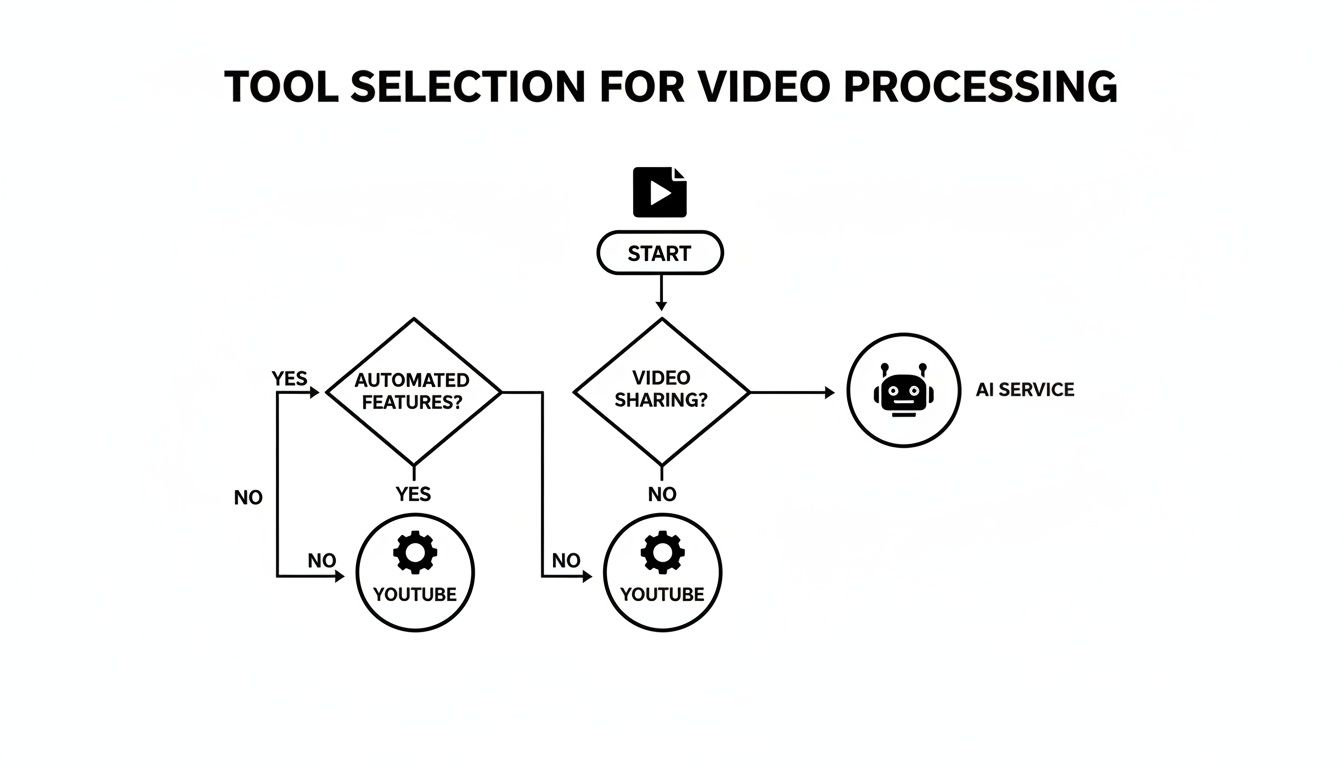
Ultimately, the choice boils down to a simple trade-off: is your time more valuable than the small cost of an AI service?
Choosing the Right Tool for the Job
The global transcription industry was valued at $21.01 billion in 2022 for a reason: professionals demand reliable results, quickly. For YouTubers adding SRT captions or educators timestamping lectures, a service like Meowtxt provides the essential features they need, like speaker labels and multiple export formats.
Most platforms offer a free trial, allowing you to test the quality yourself. To get a better understanding of your options, you can check out a detailed comparison of the best audio to text converter tools and see which one fits your workflow.
Comparing YouTube Transcription Methods
Here’s a quick comparison of how different transcription methods stack up in terms of speed, accuracy, and features.
| Feature | YouTube Auto-Captions | Manual Transcription | AI Service (Meowtxt) |
|---|---|---|---|
| Speed | Fast | Very Slow | Extremely Fast (~40x Real-Time) |
| Accuracy | Low to Moderate | Very High (but tedious) | High (95%+) |
| Speaker ID | No | Yes (Manual) | Yes (Automatic) |
| Timestamps | Basic | Yes (Manual) | Yes (Word-Level) |
| Export Formats | Limited (.sbv, .srt) | Any (Manual) | Multiple (TXT, DOCX, SRT, etc.) |
| Cost | Free | High (Time or Money) | Low (Pay-as-you-go) |
While YouTube's tool is free, the time you'll spend correcting its mistakes often makes a dedicated AI service the more cost-effective choice in the long run.
Investing in a quality AI service isn't an expense; it's a strategic move to reclaim your most valuable asset—time. The hours you save on manual editing can be reinvested into creating more content, engaging with your audience, or growing your channel.
When you transcribe a YouTube video to text with an AI tool, you’re not just getting a document. You're creating a foundational asset for blog posts, social media updates, and website content.
As you integrate AI into your content strategy, it’s also wise to understand Google's stance on AI-generated content to ensure you're aligned with SEO best practices. The goal is always to produce valuable, human-reviewed content that serves your audience, and a clean transcript is the perfect starting point.
Polishing Your AI-Generated Transcript
Getting a raw text file from an AI service is a huge victory, but it's not the finish line. That initial transcript is your raw material, not the final product. A few thoughtful edits are what transform a good text into a polished, professional document that’s ready for any application.
Think of the raw AI output as an excellent first draft. It handles about 95% of the heavy lifting when you transcribe a YouTube video to text, but that final 5% is where you add the human touch that makes all the difference. This final polish ensures everything is clear, readable, and perfectly aligned with your brand.
Spotting and Fixing Common AI Errors
Even the most advanced AI makes mistakes. Your first pass should be a quick scan for the most common errors. You're not rewriting the entire document, just catching the obvious slip-ups that can look unprofessional.
Keep an eye out for these common issues:
- Misspelled Names: AI often struggles with unique names of people, companies, or products. A quick check ensures everyone gets the credit they deserve.
- Industry Jargon: If your video covers niche topics, the AI might misinterpret specialized terms. For example, it could hear "API" and write "a pie."
- Homophones: Words that sound alike but have different meanings (like "their," "there," and "they're") are classic AI mix-ups.
Just a quick read-through with these specific errors in mind can dramatically improve the quality of your final transcript.
Pro Tip: Try reading the transcript aloud while listening to the original audio at 1.5x speed. This is a highly effective way to catch awkward phrasing and transcription errors that your eyes might skim over.
Verbatim vs. Clean Read: What's the Difference?
Next, you need to decide on the style of your transcript. This choice depends entirely on how you plan to use the text.
A verbatim transcript is a literal, word-for-word record of everything that was said. This includes every "um," "ah," "like," stutter, and false start. This style is essential for legal records or deep qualitative analysis, where every single utterance is part of the data.
On the other hand, a clean read transcript (sometimes called "intelligent verbatim") is edited for clarity and readability. It removes all filler words and corrects minor grammatical stumbles to create a smooth, flowing text. For most content repurposing—like turning a video into a blog post or show notes—a clean read is almost always the better choice. It captures the speaker's message without the distractions of natural speech patterns.
Structuring for Maximum Readability
Finally, let's talk about formatting. No one wants to read a giant wall of text. The goal here is to make your transcript as easy to scan and digest as a well-written article.
Start by breaking up long paragraphs into shorter chunks of two to three sentences. Then, add helpful, descriptive subheadings to guide the reader through the main topics you discussed in the video.
You can also use simple formatting to make key points stand out:
- Use bold text for important takeaways or key statistics.
- Turn any lists into bullet points for easy scanning.
- Extract impactful quotes and format them as blockquotes to give them more weight.
These simple formatting tweaks make the content more inviting and help your audience absorb the information quickly. It's the crucial final step in transforming your transcribed YouTube video into a genuinely valuable piece of content.
How to Repurpose Transcripts into New Content
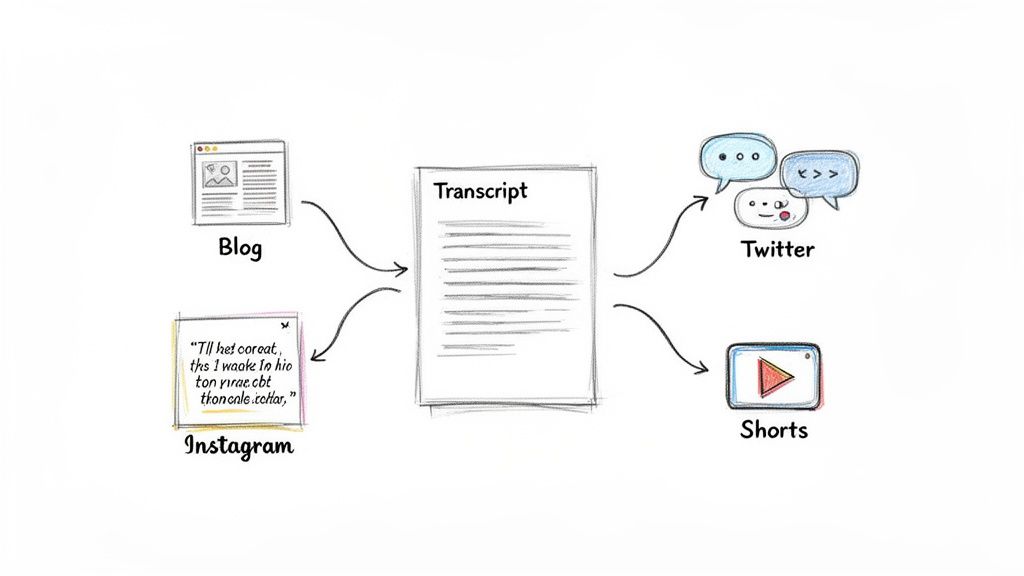
This is where the real value emerges. You've converted a raw audio file into a clean, polished transcript. Now, it's time to leverage that asset. That text document is the raw material for a multi-channel content machine that can dramatically expand your reach with minimal extra effort.
The most immediate benefit is right back on YouTube. Export your perfected transcript as an SRT file and upload it to your video. This replaces YouTube's often-flawed auto-captions with a clean, accurate version. It's a simple step that makes your content more accessible and provides the algorithm with keyword-rich text to index, helping your video rank better in search results.
Turning Your Transcript into a High-Quality Blog Post
Your video transcript is essentially a first draft of a detailed blog post. With some strategic formatting and optimization, you can turn it into an SEO asset that attracts organic traffic for months, or even years, to come.
Start by pasting the "clean read" version of your text into your blog editor. Break up the wall of text using the same subheadings you created while editing the transcript. This structure not only makes the article scannable for readers but also helps search engines understand its key topics.
Next, you'll want to refine the text, transforming it from a spoken script into a well-written article.
- Add Visuals: Embed the original YouTube video near the top of the post. Then, add relevant images, screenshots, or GIFs throughout the article to illustrate your points and break up the text.
- Create Pull Quotes: Review your transcript and identify the most impactful sentences or key takeaways. Format these as blockquotes to make them stand out. They become instant, shareable soundbites.
- Optimize for Keywords: You likely mentioned your main keywords naturally, but now is the time to be strategic. Ensure the target phrase from when you transcribe a YouTube video to text appears in your title, headings, and introduction.
This strategy converts your spoken words into a durable, searchable piece of content that finds a completely new audience.
A single video can spawn a dozen pieces of content. Your transcript is the key that unlocks this potential, turning a one-time recording into an ongoing marketing engine.
Sparking Creativity for Social Media and Beyond
That blog post is just the beginning. The real growth comes from slicing and dicing your transcript into bite-sized content for various social media platforms. Think of it as a content goldmine.
Here are a few ideas to get you started:
- Craft a Twitter Thread: Pull 5-7 key statistics, surprising facts, or actionable tips from your transcript. Each point becomes a tweet in a thread that delivers immense value and links back to the full video or blog post.
- Design Instagram Quote Cards: Find the most memorable or inspiring quotes. Use a simple tool like Canva to turn them into visually appealing graphics for your Instagram feed and Stories.
- Create Short-Form Video Scripts: Your transcript is a ready-made script for a TikTok, Instagram Reel, or YouTube Short. Just grab a compelling section, record a quick video, and you have fresh content in minutes.
By exploring these diverse content repurposing strategies, you ensure your message reaches different audiences on the platforms they prefer. Once you've repurposed your core content, you can go even deeper by winning with AI content for SEO to fine-tune each new asset for maximum visibility.
Your Top YouTube Transcription Questions, Answered
Even with the best tools, a few practical questions often arise when you first start transcribing. Getting these answered from the beginning will save you headaches and help you get the most from the process to transcribe a YouTube video to text.
Let's address the most common questions creators have.
How Accurate Are AI Transcription Services, Really?
This is always the first question, and for good reason. Top-tier AI services like Meowtxt can achieve up to 97.5% accuracy under ideal conditions. For clear audio, like a solo podcast or a voiceover, the results are often so good they barely need any edits.
However, accuracy is not a fixed number. It can decrease with variables like background noise, heavy accents, or multiple people speaking at once. I always recommend a quick proofread, especially for names, brands, and niche jargon the AI might not recognize. Even so, a 95% accurate transcript from an AI service is far superior to the often jumbled text from YouTube's default auto-captions.
Can I Transcribe a YouTube Video That Isn’t Mine?
The short answer is yes, technically. Most public videos allow you to use the "Show transcript" feature to view and copy the text. However, if you want a high-accuracy transcript from a dedicated AI service, you'll need the video or audio file itself.
While many tools exist to download YouTube videos, it's important to be mindful of copyright. Only transcribe and repurpose content if the creator has given you explicit permission. The main exception is if your work falls under fair use, such as for personal study, research, or commentary.
The rule of thumb is simple: if you don't own it or have explicit permission, proceed with caution. Building a brand means respecting the work of others.
What Is an SRT File and Why Should I Care?
An SRT (or SubRip Subtitle) file is a simple text file that serves as the industry standard for video captions. It contains your entire transcript, broken into small segments, with a precise start and end timecode for each line.
Think of it as a set of instructions. It tells the video player exactly when to display each line of text on the screen. When you upload a clean, accurate SRT file to your YouTube video, you replace the flawed auto-captions. This accomplishes two important things: it makes your video much more accessible for viewers and gives YouTube’s search algorithm a perfectly indexed script to help people discover your content.
Ready to stop wrestling with bad captions and turn your videos into searchable, high-quality text in minutes? With meowtxt, you just drag, drop, and get a polished transcript that’s ready for anything.
Try Meowtxt for free and get your first 15 minutes transcribed today!


