
Listening to a rambling voicemail can stop your workflow dead in its tracks. We've all been there—squinting at the phone, trying to find a quiet corner just to hear a message that could have been an email.
There's a simple fix. Learning how to transcribe voicemail to text lets you instantly scan messages, turning audio clutter into organized, actionable information. It's not just a neat trick; it's a genuine game-changer for your daily efficiency.
Why Reading Voicemails Is a Productivity Superpower
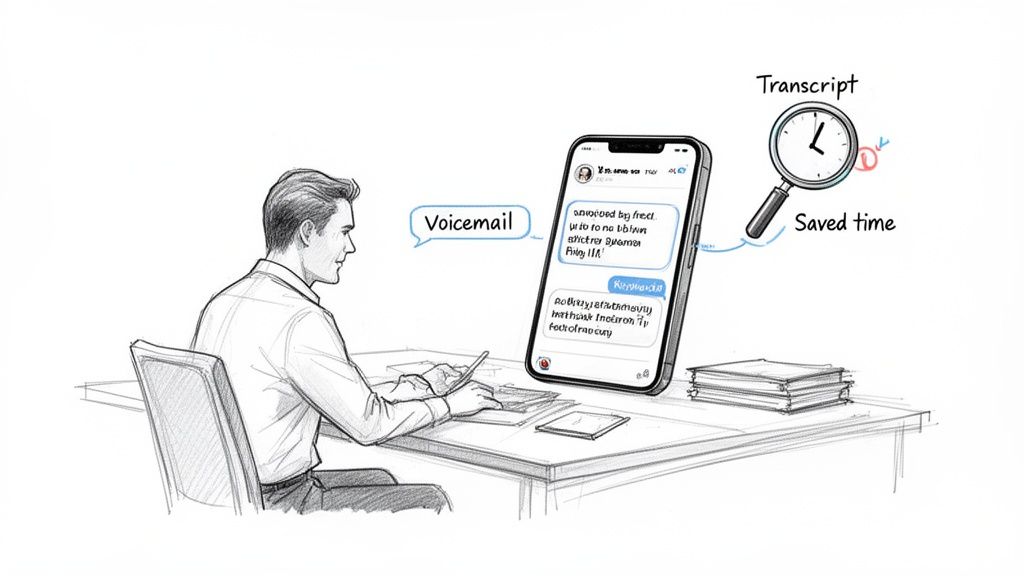
In a packed workday, every minute is precious. Hitting pause on a critical task to decipher a voicemail—often replaying it two or three times to catch a phone number—is a massive productivity drain. It's a classic context switch, shattering your focus and killing your momentum.
This is where turning voice messages into text becomes more than a convenience. It's a strategic move. Instead of being tethered to your phone's speaker or fumbling for headphones, you can skim a message in seconds, just like you would a text or email.
Reclaim Your Time and Focus
Picture this: you're in a loud airport terminal, and a critical update from a client comes through as a voicemail. Instead of hunting for a quiet spot, you just read the transcript on your screen. That immediate access means you can respond faster and keep projects moving, no disruption needed.
The benefits of being able to transcribe voicemail to text ripple across all kinds of professions:
- Legal Teams: Can quickly document client messages for case files without tedious manual transcription.
- Sales Managers: Are able to scan lead inquiries for key details and contact info while on the move.
- Project Managers: Can capture action items from team members without replaying long-winded messages.
Shifting from listening to reading truly transforms how you handle communication. It smooths out your workflow and makes you more adaptable to whatever environment you're in. You can explore more strategies for improving workflow efficiency in our related guide.
The Growing Demand for Voicemail Transcription
It’s not just a hunch; the market data backs this up. The global Business Voicemail Transcription Service market was valued at a whopping USD 1.8 billion in 2023 and is on track to hit USD 5.2 billion by 2033.
This boom is largely driven by the rise of remote work and our constant need for faster communication. Professionals who make the switch can cut their voicemail response times by up to 50%. For a deeper dive, check out the full report on voicemail transcription market trends.
Voicemail transcription isn't just about saving a few minutes here and there. It's about creating a searchable, permanent record. Need to find a specific detail from a message sent last month? A quick keyword search is all it takes, completely eliminating the painful task of digging through old audio files.
Using Your Phone's Native Voicemail Transcription Tools
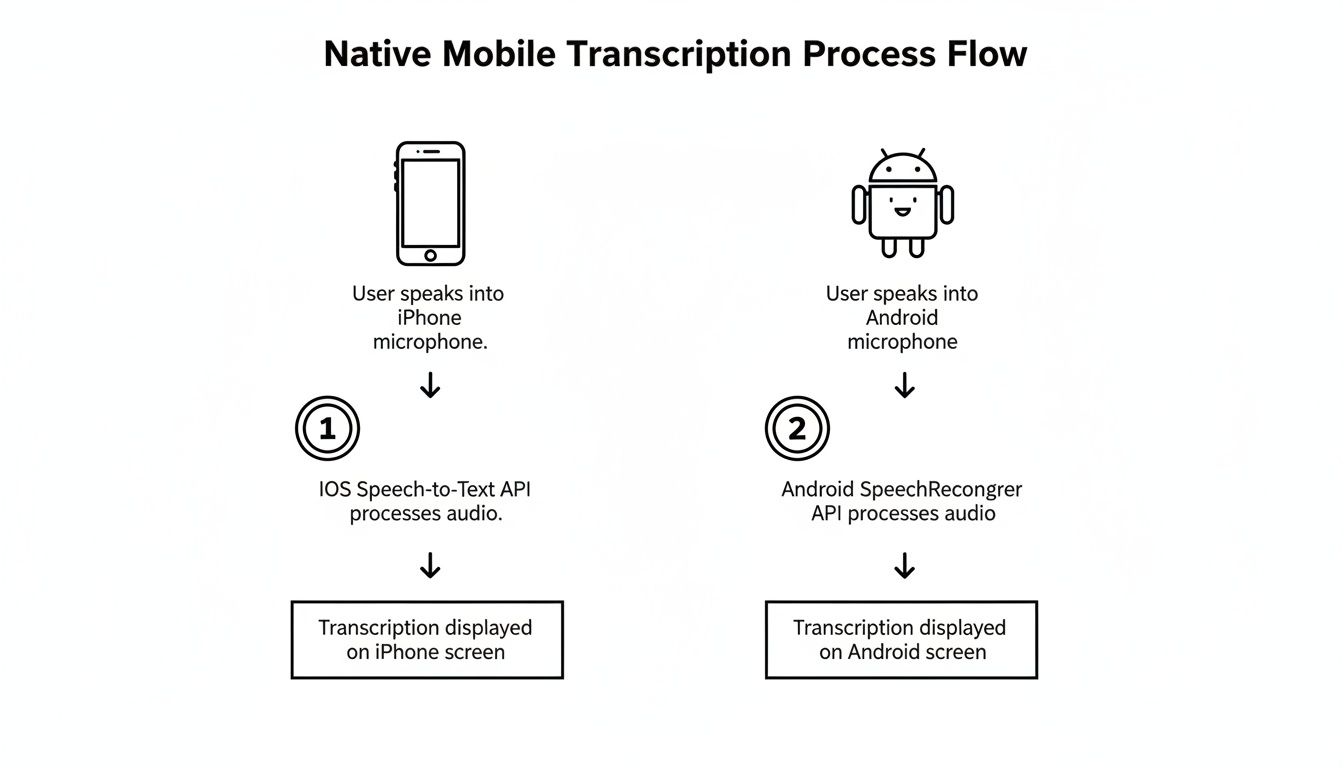
Before you start hunting for a third-party app, it's worth checking out the powerful tool you're already carrying. Most modern smartphones come equipped with native features designed to transcribe voicemail to text, offering a convenient first line of defense against audio overload.
These built-in services are typically baked right into your phone’s dialer app, making them incredibly easy to get to. For the majority of us, this is more than enough to handle everyday messages, turning a missed call into a readable note in seconds.
Voicemail Transcription on iPhone
Apple has made this process pretty seamless with its Visual Voicemail feature. As long as your carrier supports it (and most major ones do), your iPhone will automatically try to transcribe incoming voicemails for you.
You can find these transcripts right inside the Phone app:
- First, open the Phone app.
- Tap the Voicemail tab in the bottom right corner.
- Select any voicemail from the list. You'll see the audio player up top and a text preview of the transcript right below it.
The transcript shows up as a simple block of gray text, ready to be scanned instantly. While it’s incredibly handy, the accuracy can be a bit of a coin toss, especially if there's background noise or the caller has a thick accent. The system will often flag words it's not sure about with dashes. This is a common challenge with any audio file, and if you record a lot of audio, you can learn more about how to transcribe a voice memo on iPhone for even greater control.
Finding Transcripts on Android Devices
The Android world is a bit more fragmented, but the core idea is the same, especially on phones using the stock Google Phone app, like the Pixel series. Google’s app provides a real-time transcription that appears right under the voicemail in your call log.
On other Android devices, like a Samsung Galaxy, you'll usually find the feature within the native Phone or Voicemail app. You might need to pop into the app's settings or check with your carrier to make sure it's switched on.
Pro Tip: No matter what device you're using, keeping your operating system updated is one of the best ways to get better transcription accuracy. Both Apple and Google are constantly tweaking their voice recognition algorithms, and those improvements get pushed out with system updates.
If a transcript looks completely off, think about the source. The quality of the caller's connection and how clearly they spoke play a huge part. A message left from a windy street corner or inside a noisy car is much tougher for any AI to process correctly. Unfortunately, you can't control the audio quality of incoming messages, which is a key limitation of any automated system. When you absolutely need crystal-clear text, you might have to look for a more advanced solution.
When Your Phone's Transcription Just Won't Cut It
While the built-in transcription on your phone is handy for a quick glance at a casual message, it often falls short when the details really matter. Think about it: a new client leaving a voicemail with specific project requirements, a witness providing a statement for a legal case, or a colleague giving sensitive feedback. In these moments, "good enough" isn't good enough.
This is where dedicated cloud transcription services come in. These platforms are built from the ground up to do one thing exceptionally well: create highly accurate, feature-rich transcripts. Instead of a rough, often clunky text preview, you get a clean, polished document that can include powerful features like speaker labels and precise timestamps. It’s the difference between a scribbled note and a professional record.
From Voicemail to Document in a Few Clicks
Making the jump from your phone's basic tools to a professional service is a lot easier than you might think. The process is designed to be quick and intuitive, fitting right into your existing workflow without adding a bunch of extra steps.
It really just boils down to a simple routine:
- Get the Audio File: First, you'll need to save the voicemail audio from your phone. Most devices let you share the audio file (usually an MP3 or WAV) through email, a cloud drive like Google Drive, or even a messaging app.
- Upload to a Service: Next, head over to a platform like Meowtxt. They typically have a simple drag-and-drop interface where you can upload the file you just saved.
- Get Your Transcript: The service’s AI engine gets to work, and in just a few moments, you have an accurate, ready-to-use transcript that you can copy, download, or share.
The basic flow for getting a transcript on your phone is a great starting point, but moving to a dedicated service unlocks a whole new level of quality and functionality.
Why Precision and Security Matter More Than Ever
For any professional, a single misunderstood word can have serious consequences. A paralegal transcribing a message from a witness needs every detail to be perfect for the case file. A podcaster who wants to turn a listener's voicemail into a show segment needs a flawless transcript to work from.
This is why the technology behind these services is booming. The global Speech and Voice Recognition market is on a massive growth trajectory, projected to leap from USD 12.63 billion in 2023 to an incredible USD 92.08 billion by 2032. Advanced services tap into this powerful tech to deliver up to 97.5% accuracy, turning a task that would take ages to do by hand into a job that’s done in seconds.
Beyond just getting the words right, security is a huge advantage of using a professional service. When you're dealing with confidential information—client details, internal strategy, or personal data—you need to know it's being handled securely.
Top-tier transcription services offer crucial security features like end-to-end file encryption and automatic data deletion after a set period. This ensures that sensitive client details or proprietary information never linger on a server longer than necessary, giving you complete peace of mind.
To help you decide what’s best for your needs, here’s a quick look at how built-in tools stack up against a dedicated cloud service.
Built-In vs Cloud Transcription: A Quick Comparison
| Feature | Built-In Tools (iOS/Android) | Cloud Service (Meowtxt) |
|---|---|---|
| Accuracy | Good for clear, simple messages (~85-90%) | Excellent, up to 97.5% for complex audio |
| Features | Basic text preview only | Speaker ID, timestamps, AI summaries, translations |
| Security | Depends on device security | End-to-end encryption, automatic file deletion |
| Cost | Free (included with phone) | Pay-as-you-go, often with a free trial |
| Best For | Casual, non-critical voicemails | Professional, legal, or content creation workflows |
For anyone who regularly handles important or complex audio, exploring the best audio to text converter available can be a game-changer, offering a significant upgrade in both quality and capability over your phone's default tools.
Turning Transcripts Into Actionable Assets
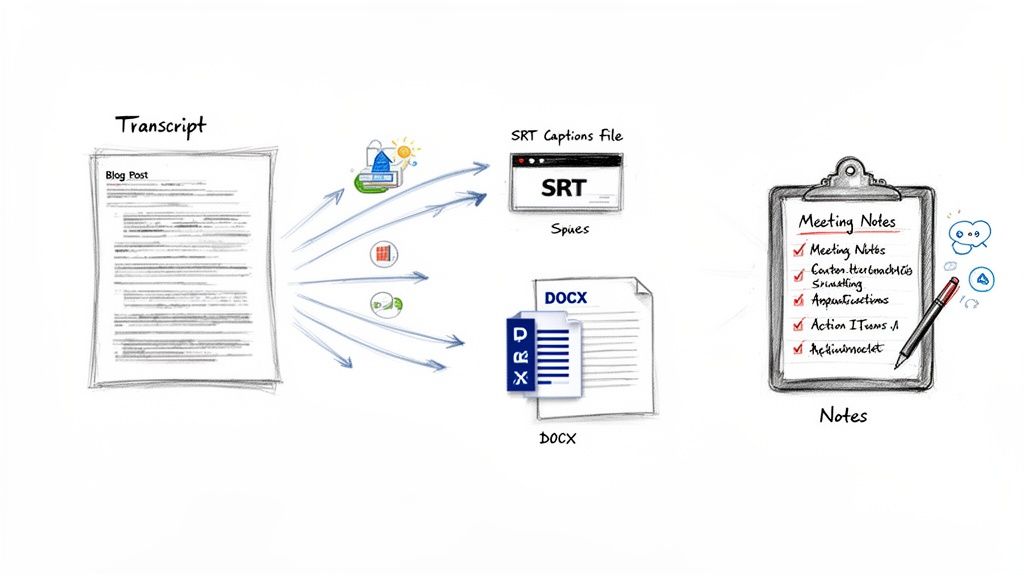
A transcript is so much more than just a block of text—it's raw material, a digital asset you can put to work. Once you transcribe voicemail to text, you unlock a surprising number of uses that can seriously boost your productivity and even spark some creativity. The real value isn't just in reading the message, but in morphing that raw text into something tangible.
Instead of letting important info sit unheard in your voicemail inbox, start thinking of it as a resource. For professionals, a detailed voicemail from a client can instantly become the foundation for a project brief or a checklist of follow-up questions. It’s all about shifting your mindset from just clearing notifications to actively using the information you're given.
From Voicemail to Content Machine
For marketers and content creators, voicemail transcripts can be an unexpected goldmine of inspiration. A thoughtful question from a customer or a bit of feedback from a collaborator could be the spark for your next big idea.
- Blog Post Fodder: That long, detailed question from a client? That's your next blog post, answering a common pain point for your entire audience.
- Social Media Gold: Pull a powerful quote or a key takeaway from a transcript to create a quick, engaging social media caption.
- Instant Video Captions: Exporting a transcript as an SRT file lets you add captions to videos in seconds, making your content way more accessible. Research shows a staggering 85% of social media videos are watched with the sound off, so captions are non-negotiable.
Once you have your text, you can explore all kinds of smart content repurposing strategies to get the most mileage out of a single message.
Streamlining Your Business Workflows
For business teams, transcripts are a secret weapon for documentation and efficiency. A long, rambling voice message doesn't have to derail your team's focus. Instead, it can become a shared resource that keeps everyone on the same page.
A transcribed voicemail from a key stakeholder can be fed into an AI tool to instantly generate a summary with clear action items. Paste that summary directly into Asana or Trello, and boom—no task gets missed.
The ability to export transcripts in different formats is a game-changer, too. A single transcript can be saved as:
- A DOCX file to include in formal reports or client project files.
- A simple TXT file for quick notes or to easily share in Slack or Teams.
- A CSV file to systematically log customer feedback or track recurring issues over time.
By plugging these files directly into your existing software, a simple voicemail evolves. It becomes a searchable, shareable, and actionable piece of data that helps your team stay organized and ahead of the curve.
Dealing with Real-World Transcription Glitches
Voicemail-to-text is a fantastic tool, but let's be honest—it's not magic. The dream of a perfectly transcribed message can quickly become a nightmare of jumbled words when the AI gets confused. Getting the most out of these services means knowing what to expect and how to handle the inevitable bumps in the road.
We've all seen it happen. A simple name gets butchered, or a bit of industry jargon from a colleague is turned into total nonsense. This is the reality of automated systems that lack real-world context and struggle with accents or less-than-ideal audio.
What to Do When Transcripts Get It Wrong
The number one culprit behind a botched transcript is almost always poor audio quality. A message left on a windy street corner or from a loud call center is setting the AI up for failure from the start. It’s trying its best to transcribe voicemail to text, but it’s working with garbled input.
Proper nouns, technical terms, and thick accents are also common tripwires. An automated system has no way of knowing "Meowtxt" is a company name and not just a weird typo.
Here’s how to handle these imperfections without wasting time:
- Proofread Anything That Matters: If a voicemail contains a client’s address, a deadline, or a phone number, give it a quick 30-second scan while listening to the audio. It's a small price to pay to avoid a major mistake.
- Use Timestamps to Your Advantage: The best services link words in the transcript to the exact moment in the audio. This is a huge time-saver. Instead of re-listening to the whole message, you can just click on a garbled phrase and hear what was actually said.
- Guide People to Leave Better Messages: It sounds simple, but you can gently coach colleagues and clients. A quick "Hey, when you leave a voicemail, speaking clearly helps our system transcribe it accurately" can make a world of difference.
The point isn't to achieve 100% perfect automation every time. Think of the transcript as a powerful first draft. It saves you from listening to the whole message from the beginning and lets you zero in on just the parts that need a quick fix.
Keeping Your Voicemails Private and Secure
Handing over a voicemail to a third-party service means you're trusting them with your data. This gets serious when you're dealing with sensitive client information, medical details, or confidential business strategy. Not all transcription platforms are created equal when it comes to privacy.
You should only consider services that treat security as a core feature, not an afterthought. End-to-end encryption is the absolute baseline—it ensures your file is scrambled and unreadable from the moment you hit upload.
Another critical feature is an automatic deletion policy. Look for services that permanently wipe your files from their servers after a set period, like 24 hours. This drastically reduces the risk of your data being exposed down the line.
Breaking Through Language and Translation Barriers
In a global workplace, getting a voicemail in Spanish, French, or Mandarin is becoming more common. If you don't speak the language, that message is a dead end. This is where modern transcription tools have made a massive leap, going beyond simple transcription into full-blown translation.
The truly advanced platforms can now automatically detect the language in the voicemail, transcribe it in the original tongue, and then give you an accurate translation. For businesses working internationally, this is no longer a luxury; it’s essential.
In fact, major companies are already seeing huge benefits, cutting their manual processing costs for multilingual communications by 30-40%. This trend is fueling incredible growth, with the global AI transcription market projected to hit USD 19.2 billion by 2034. It’s a clear sign that the demand for sophisticated, multilingual support is only getting stronger. You can dig into the numbers yourself and learn more about AI transcription market growth to see where the industry is headed.
Your Voicemail Transcription Questions Answered
Jumping into transcribing your voicemails is a great move for getting organized, but it’s totally normal to have a few questions before you go all in. We get it. Let's walk through some of the most common things people ask when they're ready to switch from listening to reading.
How Accurate Can I Expect Transcripts to Be?
This really comes down to the tool you pick. The free, built-in services on an iPhone or Android are pretty handy for getting the gist of a casual message. You can expect them to be around 80-90% accurate, which is usually good enough to know a friend is running late.
But when it comes to business voicemails where every single word matters, that's a different story. Professional cloud services use much more powerful AI and can hit up to 97.5% accuracy. My best advice for important messages? Use a high-quality service and still give the text a quick scan yourself, just to be safe.
Is It Safe to Use a Third-Party Service?
Security should absolutely be your number one concern, especially with potentially sensitive info. Good services know this and build their entire platform around privacy. You'll want to stick with services that are upfront about their security features, like offering end-to-end encryption to protect your file the second you upload it.
Look for a clear and simple data deletion policy. A trustworthy platform will automatically and permanently erase your audio files and transcripts from their servers after a short window, usually 24 hours. If a service is cagey about its privacy policy, it's a huge red flag.
Can I Transcribe Old Voicemails I Have Saved?
You sure can. The age of the voicemail doesn't matter one bit. As long as you can get that old message saved as an audio file—formats like MP3, M4A, or WAV are perfect—you can upload it to any transcription service.
Most smartphones let you save or share voicemails right from the phone app. Just get that audio file over to your computer or cloud storage, and you can get a transcript for a message you got years ago. If you're looking for the right tools to get this done, there are plenty of dedicated voicemail transcription solutions out there.
What Is the Best Audio Format for Transcription?
Honestly, while a high-quality, uncompressed format like WAV is technically the "best," any modern transcription tool will handle common formats like MP3 or M4A just fine. The file type is way less important than the quality of the original recording.
A crystal-clear voicemail recorded in a quiet office as an MP3 will always give you a better transcript than a muffled, staticky message saved as a WAV. Always focus on the clarity of the audio itself, not the file extension.
Ready to turn your audio clutter into clean, actionable text? Meowtxt offers up to 97.5% accuracy, top-tier security with automatic file deletion, and a simple drag-and-drop interface to make transcription effortless. Try it for free and get your first 15 minutes on us


