
Do you have French audio that you need in English? It used to be a complicated, time-consuming task. Now, modern AI tools make it surprisingly simple. These platforms can automatically transcribe the French audio and then translate the text into English, often delivering a finished document in just a few minutes.
Why Translate French Audio to English?
Imagine all the valuable knowledge contained in French podcasts, interviews, and university lectures. Breaking down that language barrier opens up a world of possibilities. It’s a game-changer for everyone, from Quebecois content creators looking to reach a global audience to international teams needing to sync up with their French-speaking colleagues.
The core technology behind this is Automatic Speech Recognition (ASR). This powerful engine converts spoken words into text, which is the essential first step for any audio translation. If you're curious about how it works, we have a helpful guide on what ASR technology is that explains it all.
Unlock Global Content and New Audiences
The need to translate French audio isn't just about convenience—it's a gateway to growth. AI has completely transformed the old way of doing things, leaving slow, expensive manual services behind. A task that once took days and a significant budget can now be completed in the time it takes to grab a coffee.
This shift creates major opportunities:
- Expand Your Market: Businesses can effortlessly repurpose French marketing videos or webinars for English-speaking customers.
- Accelerate Research: Academics and students can process hours of French-language source material in a fraction of the time.
- Grow Your Audience: Podcasters and YouTubers can add accurate English subtitles, making their content discoverable to millions more people.
This isn't just a niche trend. The global language services industry has boomed, driven by creators and professionals who need reliable tools to turn French audio into accurate English text.
The ability to translate French audio to English is no longer a luxury service. It’s a fundamental tool for anyone working across cultures or creating content for a worldwide audience.
Preparing Your French Audio for Flawless Translation
Before you hit the ‘translate’ button, let's talk about the single most important factor in the entire process: the quality of your audio file.
There’s a simple rule here: garbage in, garbage out. If the AI can't clearly "hear" the original French, you can't expect a clean English translation. A crisp, high-quality audio file is the foundation for an accurate result.
You don't need a professional recording studio. The goal is simply to avoid common issues that can confuse even the most advanced AI. Muffled voices, background noise, and people talking over each other are the usual culprits that lead to inaccurate transcripts.
Clean Up Your Source Audio
Have you ever tried to transcribe an interview recorded in a noisy café? The clinking glasses and background chatter can easily interfere with the transcription engine. The same goes for a meeting where multiple people speak at once—it’s a recipe for a messy, jumbled transcript.
Your goal is to isolate the main French dialogue as clearly as possible.
You don't need expensive software for this. A free tool like Audacity offers simple noise reduction filters that can make a massive difference. Seriously, spending just a few minutes on cleanup can dramatically improve the final result when you translate French audio to English.
Getting this part right is what unlocks the bigger benefits.

Ultimately, better audio quality directly translates to better translation quality, helping you achieve a wider global reach, break into new markets, and make your content accessible to more people.
Audio File Best Practices for High Accuracy
To get the best possible translation, it helps to understand what the AI is listening for. Here’s a quick guide to what works and what to avoid.
| Common Mistake | Recommended Practice | Why It Matters |
|---|---|---|
| Recording from far away (e.g., phone on a table). | Keep the mic close to the speaker, about 6-12 inches. | Proximity reduces echo and background noise, making the voice much clearer for the AI. |
| Multiple people talking at once. | Encourage one speaker at a time. | The AI struggles to separate overlapping voices, which leads to jumbled text. |
| Recording in a noisy, echo-prone room. | Choose a quiet space with soft furnishings like carpets or curtains. | Soft surfaces absorb sound, preventing the echo that can muddle the audio. |
| Using a low-quality, built-in mic. | Use an external microphone (even a simple lapel mic makes a huge difference). | A dedicated mic captures a richer, clearer signal that is far easier for the AI to process. |
| Ignoring background hum from A/C or fans. | Turn off any ambient noise sources before you start recording. | This constant low-frequency noise can interfere with accurate voice detection. |
Following these simple tips is the easiest way to give the transcription and translation AI a massive head start.
Choose the Right Format and Name Your Files
Finally, let's touch on file formats. While you’ll encounter dozens, you really only need to know two for this process:
- MP3: This is the industry standard. It provides a great balance between solid audio quality and a small file size, making it perfect for most podcasts, interviews, or meetings.
- WAV: This is the high-fidelity option. As a "lossless" format, it preserves 100% of the original audio data. The file will be much larger, but it’s the best choice for professional recordings where every detail is critical.
Pro Tip: Make your life easier by naming your files clearly before you upload them. A simple
Interview_ClientName_2024-10-28.mp3is infinitely better thanAudio_Final_v2_revised.mp3. It seems like a small detail, but it prevents major headaches down the road.
How to Translate French Audio to English with Meowtxt
Okay, let's walk through the actual steps. Forget clunky software or confusing manuals; the process to translate French audio to English with a tool like Meowtxt is refreshingly straightforward.
Perhaps you have a clip from a French podcast you want to share, or an interview recording with a French client. Whatever your need, the goal is to get from raw audio to a usable English document as efficiently as possible.
From Upload to French Transcript
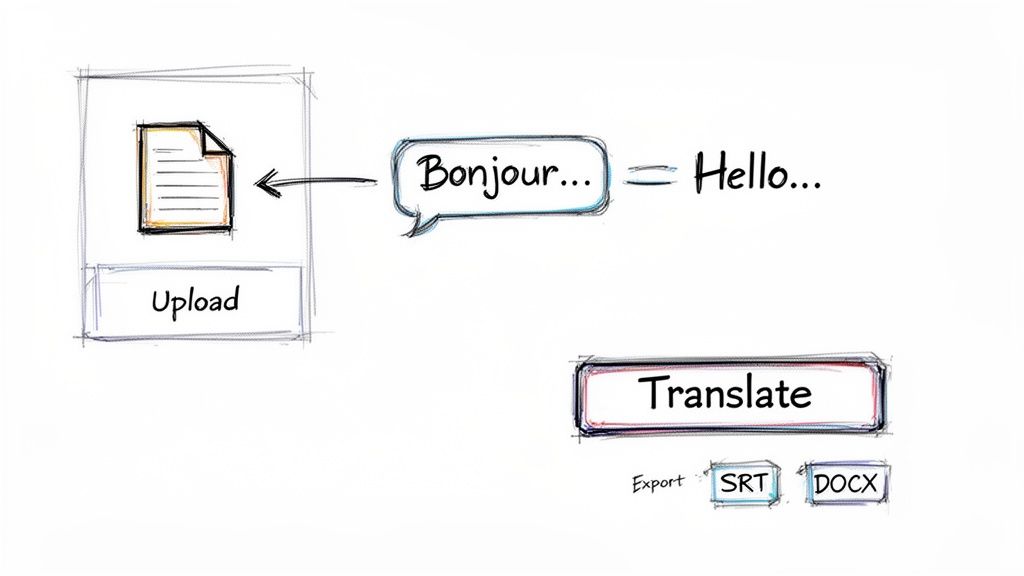
The journey begins the moment you upload your audio file. Meowtxt features a simple drag-and-drop interface, so you can just pull your MP3 or WAV file directly into your browser. There's no complex setup or configuration—just drop your file and go.
Once uploaded, the AI gets to work. In just a few moments, you'll receive a complete French transcript. This isn't just a wall of text; it's a structured document with automatically identified speaker labels and timestamps for every phrase, making it easy to navigate even long recordings.
This initial transcription step is crucial. The quality of your final English translation hinges on the accuracy of the initial French transcript. With up to 97.5% accuracy, you’re starting with a solid foundation.
One-Click Translation into English
With your clean French transcript ready, the translation part feels almost like magic. Simply select your target language—in this case, English—and click the translate button.
Instantly, the entire French text converts to accurate English while preserving the original structure. The speaker labels and timestamps carry over perfectly, so your translated document remains just as organized and easy to follow as the original transcript.
This seamless jump from transcription to translation is what makes modern AI so powerful. You're not just getting a word-for-word swap; you're getting a fully formatted, ready-to-use document that mirrors the flow of the original conversation.
This is a massive time-saver compared to the old method of transcribing, pasting the text into a separate translation tool, and then manually reformatting everything. For a deeper look, check out our guide on how to translate audio to English from any language.
Exporting Your Final Product
Once you have your English translation, the last step is to export it in a format that suits your project. This is where the flexibility of the tool really shines, as different tasks require different file types.
Here are a few common scenarios and the best formats for each:
- YouTube Videos: The SRT (SubRip Subtitle) file is your best option. It contains all the text and timestamps needed for perfectly synchronized closed captions.
- Business Reports: Need to share meeting minutes or summarize a client interview? Exporting as a DOCX file gives you a professional document ready for Microsoft Word or Google Docs.
- Academic Research: A simple TXT file provides clean, unformatted text that’s perfect for importing into research software or performing analysis.
- Website Content: If you're repurposing a French podcast into an English blog post, exporting as a DOCX or TXT provides an excellent starting point.
Choosing the right format ensures your translated content integrates smoothly into your workflow, whatever it may be. Moving from a raw French audio file to a polished, usable English document in minutes is a genuine game-changer.
Refining Your Translation for a Human Touch
An AI-generated translation gets you remarkably close to the finish line, but the final 10% often benefits from a human touch. This is where you can step in to polish the text, catching the subtle cultural nuances that even the smartest algorithms might miss.
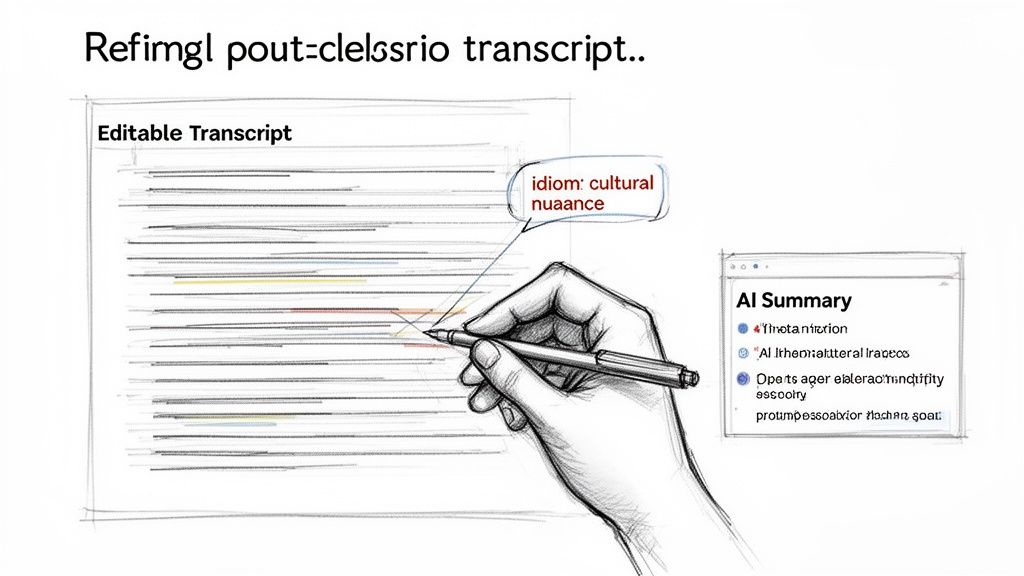
AI is a wizard with literal translation, but idioms and cultural expressions are a different beast. A French speaker might say, "Il pleut des cordes," which an AI could literally translate as "It's raining ropes." While technically correct, it sounds completely unnatural in English. A human editor knows the proper equivalent is, "It's raining cats and dogs." This is exactly the kind of nuance you’ll want to refine.
Fine-Tuning for a Natural Flow
Your goal is to make the final text sound as if it were originally written by a native English speaker. Meowtxt’s editable transcript is the perfect environment for making these tweaks.
- Adjust Sentence Structure: French sentences can sometimes be long and complex. You might want to break these down into shorter, punchier sentences that are easier for an English-speaking audience to read.
- Choose the Right Words: Look for words that are correct but feel slightly unnatural. For instance, swapping a phrase like "perform an action" for the simpler "take action" can make the text flow more smoothly.
- Clarify Cultural References: If the speaker mentions a specific French celebrity or a Parisian landmark, consider adding a brief explanation in parentheses for readers who may not be familiar with it.
Think of this as the final quality control check. You are ensuring the translation doesn't just convey the words, but also captures the original spirit and intent behind them.
To elevate your translation workflow, explore advanced AI auto-captioning features, as they often provide the clean, accurate base text that makes a great translation possible. If you plan to use this text for video subtitles, our guide on how to make an SRT file is the perfect next step.
Don’t forget about AI-powered summaries, either. They're a fantastic tool for quickly grasping the main ideas of a long recording. This helps you confirm that your edits are staying true to the audio’s core message, making your final effort to translate French audio to English both accurate and efficient.
Real-World Uses for French Audio Translation
So, where does this technology make a real impact? Let's move beyond the features and look at how translating French audio to English solves real-world problems. This isn't just a clever trick; it's a practical tool that transforms frustrating bottlenecks into simple, quick tasks across various professional and creative fields.
Consider a YouTuber who just interviewed a famous French filmmaker. Their audience is primarily English-speaking, so they need accurate subtitles to make the content accessible and boost engagement. Instead of the old, painfully slow process of manual translation, they can upload the interview audio. In moments, they get a perfect French transcript, translate it to English with one click, and export an SRT file. Suddenly, adding subtitles becomes the easiest part of their workflow.
From Academic Research to Corporate Meetings
Now, imagine an academic researcher who has recorded hours of lectures at a university in Lyon. Their entire thesis depends on quoting these French-speaking experts. With a tool like Meowtxt, they can feed in all the audio and receive a complete English transcript for every single lecture.
This completely transforms their workflow:
- It creates a searchable text archive. No more scrubbing through hours of audio. They can use Ctrl+F to find key phrases and concepts instantly.
- It makes citations simple. Timestamps in the transcript allow them to pinpoint the exact moment a quote was said for flawless referencing.
- It generates AI summaries. They can get the gist of a two-hour lecture in seconds, which is a massive help for organizing notes and arguments.
The real magic here is turning a pile of unstructured audio into organized, actionable information. What once required days of manual labor is now an automated step that takes minutes.
Finally, think of a project manager working with a team in Belgium. They’ve just finished a critical conference call held in French and need to brief their English-speaking executives on the key decisions. By transcribing and translating the meeting audio, they can deliver a crystal-clear summary, ensuring everyone is on the same page and eliminating the risk of miscommunication that often derails international projects.
These aren't niche situations. They demonstrate how essential a reliable tool to translate French audio has become in our daily work.
Common Questions About Translating French Audio
When you’re looking to translate French audio, a few common questions always come up. It makes sense. French has diverse dialects—the accent in Paris is a world away from what you’ll hear in Montreal—and technical details like file formats can make a big difference.
Let's clear up some of the most common hurdles people encounter when they need to translate French audio to English.
How Well Does AI Handle French Dialects Like Quebecois?
This is a fantastic question. Modern AI models are trained on vast, diverse datasets that include a wide spectrum of regional dialects. While you’ll generally get the highest accuracy with standard Parisian French, today’s tools are remarkably proficient with Quebecois, Swiss, and Belgian French.
If your audio contains heavy slang or a particularly strong regional accent, you might see a slight dip from the usual 97.5% accuracy benchmark. But here’s the key: the transcript is always fully editable. This means you can easily adjust any local terms or phrasing to ensure the final text is perfect.
What’s the Best Audio File Format to Use?
Honestly, keeping it simple is usually the best strategy.
- MP3 is ideal for most applications, like podcasts or interviews. It provides a great mix of solid quality and a file size that uploads quickly.
- WAV is your go-to format when every detail matters—think legal depositions or broadcast-quality recordings. The files are much larger, but the audio fidelity is unmatched.
The good news is that most modern tools handle both formats, so you can typically just upload what you have. As a general rule, though, starting with a clean, clear file will always yield the best translation.
What about video? Can you just upload an MP4? Yes, absolutely. You can drop a video file directly into the tool, and the software will automatically extract the French audio, transcribe it, and then translate it for you.
This is a game-changer for creators who need to add English subtitles to their videos without fussing with separate audio extraction tools.
And don’t worry about privacy. Your files are encrypted during upload and automatically deleted after 24 hours, keeping your sensitive data secure.
Ready to see just how easy it is to get fast, accurate translations? Give Meowtxt a try today and get your first 15 minutes of transcription on the house. Get started at https://www.meowtxt.com.


