
Information is everywhere, but is your organization truly using it? Many teams struggle with knowledge silos, lost insights from meetings, and the endless search for a single piece of data buried in a recording or document. Valuable conversations vanish, critical project details are forgotten, and productivity grinds to a halt. Effective knowledge management isn't just about storing files; it's a strategic framework that turns raw information into a powerful, accessible, and actionable asset. When done right, it stops the constant reinvention of the wheel and starts building real institutional memory.
This guide cuts through the noise to deliver 10 essential best practices for knowledge management, providing a clear roadmap to build a system that empowers your team, improves decision-making, and creates a lasting competitive edge. We will move beyond theory and provide a practical blueprint for turning scattered conversations, lengthy recordings, and complex documents into a centralized, searchable, and secure source of truth. Mastering these principles is crucial for building a resilient operational foundation. Similarly, a strong foundation in a specific platform's ecosystem requires dedicated expertise, as detailed in these content management best practices for Sitecore and SharePoint.
Whether you're a podcaster managing countless hours of audio, a legal team documenting depositions, or a business aiming to capture every key takeaway from a meeting, these strategies will help you create a robust knowledge base. We will explore how to implement:
- Centralized repositories with powerful search functions.
- Automated tools that extract key insights and summaries.
- Integrated workflows that make knowledge capture seamless.
- Secure governance to protect your most valuable data.
Let's dive into the practices that will turn your organization's data chaos into a true strategic advantage.
1. Centralized Content Repository with Searchable Metadata
At the heart of any successful knowledge management strategy is the elimination of information silos. A centralized content repository acts as your team's single source of truth where all organizational knowledge—including transcripts, meeting summaries, and media files—is stored and organized. This isn't just about dumping files into cloud storage; it's about creating a living, searchable archive enriched with robust metadata. For this system to work, every piece of content must be tagged with relevant, consistent information, making it instantly discoverable.
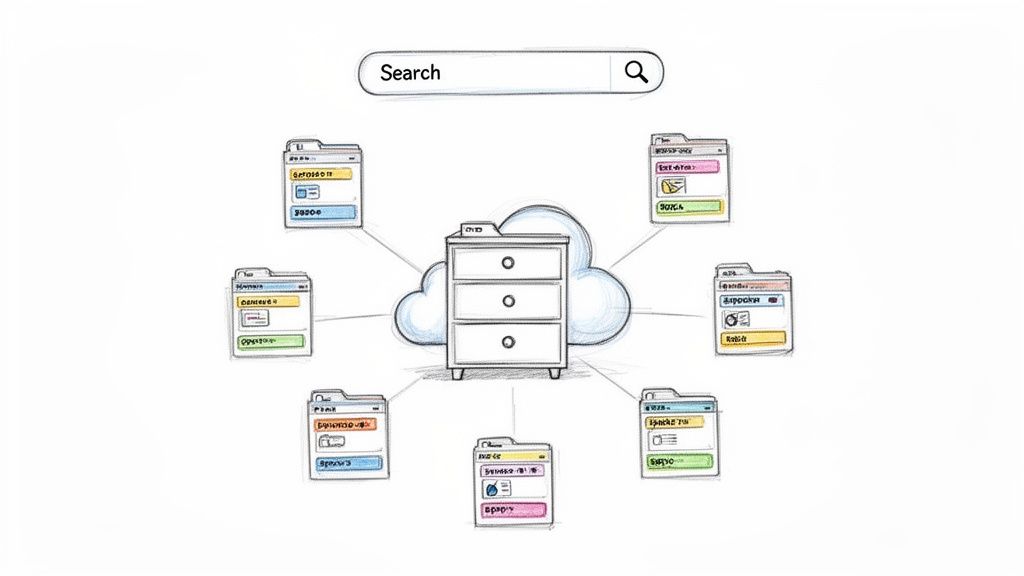
This approach transforms disparate data into a powerful, accessible knowledge base. When your team can quickly find the exact information they need, you boost productivity, reduce duplicate work, and facilitate smarter decision-making. Organizing audio and video content is particularly crucial, and an effective audio-to-text strategy on meowtxt.com is a foundational step in making spoken knowledge searchable.
Why This Is a Core Practice
Implementing a centralized repository is one of the most impactful best practices for knowledge management because it directly tackles the primary challenge of lost information. Without it, valuable insights from meetings, interviews, and lectures remain locked away on individual hard drives or in unsearchable video files, essentially lost to the rest of the organization.
Real-World Implementation Examples
- Legal Firms: Organize depositions and client meeting transcripts by case number, client name, and date. This allows paralegals to instantly pull up all relevant conversations for a specific case.
- Podcast Networks: Catalog episodes by guest name, topic, season, and episode number. Producers can quickly find all instances where a specific topic was discussed for creating compilation episodes.
- University Departments: Archive lecture transcripts by course code, professor, and semester. Students can search across an entire course's content to find explanations of specific concepts.
Actionable Tips for Success
- Standardize Naming and Tagging: Develop and enforce a consistent naming convention and metadata schema across your entire team. Document these standards in a shared location.
- Leverage Speaker Identification: Use tools like Meowtxt that automatically identify different speakers in a transcript. Tagging content by speaker makes it easy to track contributions and find specific quotes.
- Conduct Regular Audits: Schedule quarterly metadata audits to ensure compliance with your standards, correct errors, and remove outdated tags.
- Integrate with Custom Systems: For advanced use cases, use a tool's API or JSON export functionality to feed structured transcript data directly into your custom databases or internal knowledge portals.
2. Automated Summarization and Key Insight Extraction
Merely transcribing content is only half the battle; the real value lies in understanding it quickly. Automated summarization uses AI to distill hours of audio or video content into concise, digestible summaries. This technology identifies key themes, action items, and critical decisions from lengthy meetings, lectures, or interviews, making it possible to grasp the core message in minutes instead of hours. Tools like Meowtxt leverage advanced AI to transform dense transcripts into actionable insights, enabling teams to consume knowledge faster and act decisively.
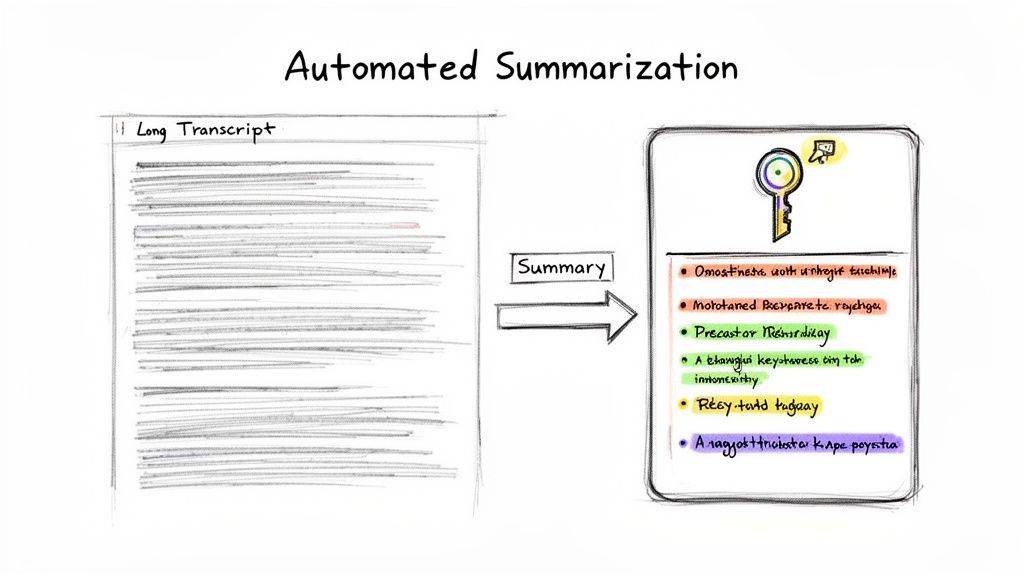
This practice accelerates the knowledge lifecycle, ensuring that valuable information doesn't get buried in a wall of text. By automatically pulling out the most important points, you empower your team to stay informed and aligned without sacrificing their entire day to content review. This is a critical component of modern best practices for knowledge management, as it directly addresses the challenge of information overload.
Why This Is a Core Practice
Without automated summarization, teams face a significant bottleneck. A two-hour meeting transcript can be dozens of pages long, and the critical decisions within it are easily missed. This practice makes key information more accessible, allowing stakeholders who couldn't attend a meeting or watch a long video to get up to speed almost instantly, ensuring no one is left out of the loop.
Real-World Implementation Examples
- Product Teams: Use AI summaries of user feedback calls and sprint planning meetings to quickly create tickets and document feature decisions in platforms like Jira.
- Educators: Generate concise lecture summaries for students to use as study guides, highlighting the most important concepts for exam preparation.
- Podcast Creators: Provide AI-generated episode summaries in show notes, giving potential listeners a quick, compelling preview of the content to boost engagement.
- Developers: Extract key discussion points about API design and technical debt from long team meetings to update documentation and track action items.
Actionable Tips for Success
- Review and Refine: Always have a human briefly review AI-generated summaries for accuracy and context before distributing them widely. Treat them as a powerful first draft.
- Create Summary Templates: Develop standardized formats for different types of content, such as meeting summaries or lecture notes, to ensure consistency and readability.
- Tag with Priority Levels: Tag summaries with labels like "Urgent Action Required," "High Priority," or "Standard Update" to help recipients prioritize their reading.
- Distribute Quickly: Share summaries within 24 hours of the original event while the context is still fresh in everyone’s minds to maximize their impact.
3. Multi-Language Knowledge Base Creation
For organizations operating on a global scale, knowledge management cannot be confined to a single language. Creating a multi-language knowledge base ensures that valuable information is accessible and useful to all team members, clients, and audiences, regardless of their native tongue. This practice involves systematically translating core knowledge assets, such as meeting transcripts and training materials, into various languages. This breaks down communication barriers and fosters a more inclusive and efficient international environment.
This approach transforms your centralized repository from a regional asset into a global powerhouse. By leveraging automated translation for audio and video content, you can efficiently spread insights across diverse markets. For instance, a key strategic meeting held in English can have its transcript translated and shared with teams in France, Japan, and Spain within hours, not days. This rapid sharing of information is a cornerstone of an agile, modern knowledge management strategy. For a deeper look, an effective guide on how to translate audio from French to English on meowtxt.com offers a practical starting point.
Why This Is a Core Practice
In an interconnected world, language silos are just as detrimental as information silos. A multi-language strategy is one of the most vital best practices for knowledge management because it makes information accessible to everyone. It ensures that critical operational knowledge, strategic decisions, and valuable customer insights are not lost in translation or confined to the organization's primary language, unlocking the full potential of a global workforce.
Real-World Implementation Examples
- Multinational Corporations: Translate board meeting minutes and all-hands call transcripts to ensure strategic alignment across international offices.
- Global Podcast Networks: Translate popular episodes to reach non-English speaking audiences, significantly expanding their listener base and market penetration.
- International Law Firms: Automatically translate depositions and client interviews for multi-country litigation, ensuring legal teams in different regions can collaborate effectively on the same case files.
- Educational Institutions: Provide lecture transcripts in multiple languages to support a diverse, international student body and improve learning accessibility.
Actionable Tips for Success
- Store Versions Together: Keep the original language transcript and all its translated versions linked or stored together with clear labeling (e.g.,
Meeting-2024-05-10_EN.txt,Meeting-2024-05-10_FR.txt). - Create a Glossary: Develop a glossary of industry-specific jargon, acronyms, and company terms to ensure consistent and accurate translations across all content.
- Review Critical Translations: For legally sensitive or high-stakes content, always have a native speaker review the automated translation to ensure nuance and accuracy are preserved.
- Leverage for Global SEO: Use translated transcripts on your website as a powerful tool to improve search engine optimization (SEO) in target international markets.
4. Smart Timestamping and Chapter Marking for Navigation
Long-form audio and video content, like lectures or detailed meetings, can be tough to navigate, making it hard to find specific information quickly. Smart timestamping and chapter marking solve this by turning monolithic media files into structured, interactive documents. This practice involves segmenting content by automatically or manually marking key topic transitions, sections, and discussion points with precise timestamps.

By embedding these navigational markers directly into the content or its accompanying transcript, you create a dynamic table of contents. This allows users to instantly jump to the exact moment a topic is discussed, turning a passive listening or viewing experience into an active, efficient knowledge retrieval session. This approach dramatically improves the accessibility and usability of your media archive.
Why This Is a Core Practice
Timestamping is one of the most user-centric best practices for knowledge management because it respects the user's time. Instead of forcing someone to scrub through an hour-long video to find a two-minute segment, you provide a clear roadmap. This dramatically reduces friction in accessing knowledge, encourages deeper engagement with content, and makes your media assets infinitely more valuable for training, research, and reference.
Real-World Implementation Examples
- YouTube Creators: Use chapter markers to improve viewer experience, allowing audiences to skip introductions or jump directly to specific tutorial steps, which can boost watch time and engagement.
- Legal Teams: Mark key sections of deposition testimony with timestamps corresponding to the official transcript. This allows attorneys to quickly reference and play back crucial statements during case preparation.
- Educators and Lecturers: Break down lengthy lecture recordings into chapters for core concepts, Q&A sessions, and assignment explanations, helping students review specific topics efficiently.
Actionable Tips for Success
- Review and Refine: Always review auto-generated chapters to ensure they accurately reflect topic shifts. Manually adjust timings or titles for greater clarity and precision.
- Use Consistent Naming: Establish a clear and consistent naming convention for chapters (e.g., "Introduction," "Topic 1: Core Concepts," "Q&A") across all your content.
- Export for Compatibility: Ensure your timestamped data can be exported in various formats (like SRT, VTT, or plain text) to maintain compatibility across different platforms and players.
- Test All Links: Before publishing, click through every chapter link to confirm it navigates to the correct moment in the audio or video.
5. Integrated Workflow Documentation and Process Knowledge
Institutional knowledge often exists in transient forms like meeting discussions and verbal agreements. A key practice is to systematically convert these conversations into structured, living process documentation. By capturing decisions, procedures, and context from transcripts, organizations can build workflow guides that reflect how work actually gets done, not just how it was planned. This transforms fleeting discussions into durable, referenceable assets.
This approach ensures that the "why" behind a decision is preserved alongside the "what." When a new team member joins or a project is revisited months later, this documented history provides invaluable context, preventing repeated debates and clarifying the original intent. This is one of the most effective best practices for knowledge management because it bridges the gap between conversation and formalized procedure.
Why This Is a Core Practice
Without this integration, critical process knowledge evaporates as soon as a meeting ends. Decisions made in a sprint planning session or policy-setting call are lost, leading to misalignment and repeated work. Actively turning discussions into documentation creates a reliable, up-to-date knowledge base that evolves with your team's practices, ensuring consistency and clarity across the organization.
Real-World Implementation Examples
- Development Teams: Transcribe sprint retrospective meetings to document decisions on technical debt, coding standards, and process improvements. This creates an actionable log for future sprints. For developer-focused knowledge or technical workflows, understanding key considerations like these API documentation best practices can significantly enhance the value of your integrated documentation.
- HR Departments: Record and transcribe meetings where new company policies are decided. The transcript serves as a primary source for drafting official HR handbooks and implementation plans.
- Product Teams: Capture feature requirement discussions with stakeholders. The resulting transcript and summary become the foundation for user stories and functional specification documents.
Actionable Tips for Success
- Assign Ownership: Designate a specific person (e.g., a project manager or team lead) to be responsible for converting meeting outcomes into formal documentation.
- Use Consistent Templates: Create standardized templates for different types of documentation, such as meeting decisions, process guides, and project chronologies, to ensure uniformity.
- Review Promptly: Review and formalize the documentation within 48 hours of the meeting while the context is still fresh in everyone’s minds.
- Implement Version Control: Use a system like Git or a wiki with version history to track changes to process documents, providing a clear audit trail of their evolution.
6. Speaker Identification and Attribution for Accountability
Knowledge isn't just about what was said; it's also about who said it. Automatically identifying and attributing statements to specific speakers creates a clear trail of accountability and enables more granular knowledge management. Instead of a single block of text, a transcript becomes a structured dialogue where ideas, decisions, and action items are clearly assigned to individuals. This transforms a simple record into a powerful tool for governance and follow-up.
This practice is essential for turning conversations into actionable, verifiable assets. Meowtxt's speaker identification feature ensures that quotes, decisions, and crucial insights are correctly attributed, removing ambiguity and enhancing the value of your transcribed content. When you can filter knowledge by contributor, you unlock a new level of insight into your organization's expertise and decision-making processes.
Why This Is a Core Practice
Attributing speech is a fundamental best practice for knowledge management because it introduces accountability and context. Without clear speaker labels, a transcript of a critical meeting or deposition loses much of its value. It becomes impossible to confirm who committed to a task, who made a key argument, or whose testimony is being recorded. Proper attribution provides the "who" behind the "what," which is often just as important.
Real-World Implementation Examples
- Board Meetings: Create an indisputable record documenting which board members voted for or against key decisions, providing a clear governance trail for compliance and review.
- Legal Depositions: Maintain a precise and legally defensible record of testimony, ensuring every statement is correctly attributed to the deponent, attorneys, or other parties. For teams using popular collaboration tools, understanding how to manage a Microsoft Teams transcription on meowtxt.com with speaker labels is crucial.
- Team Meetings: Easily track who volunteered for specific action items or proposed certain ideas, making follow-up and project management far more efficient.
Actionable Tips for Success
- Establish Speaker Profiles: When possible, establish and name speaker profiles before a meeting begins to improve the accuracy of automated identification from the start.
- Review and Refine: Always review the automated speaker labels within 24 hours of receiving a transcript. Correcting any minor errors early ensures the record is accurate for long-term storage.
- Use Consistent Naming: Enforce a standardized naming convention for speakers across all recorded content (e.g., "First Name Last Name - Title") to maintain a clean and searchable database.
- Create Speaker-Specific Filters: Configure your knowledge repository with the ability to filter search results by speaker. This allows users to quickly find all contributions from a specific person.
7. Real-Time Accessibility and On-The-Go Knowledge Access
Knowledge isn't created only at a desk; it's captured in the field, on calls, and during impromptu conversations. A modern knowledge management strategy must extend beyond the office, making sure insights can be secured the moment they emerge. Real-time accessibility and on-the-go access transform knowledge capture from a scheduled task into a continuous, seamless activity integrated into daily workflows, no matter the location.
This approach leverages mobile-first tools and cloud synchronization to make your knowledge base instantly available and updatable from any device. For instance, using a mobile-compatible service like Meowtxt allows a team member to record a client meeting on their phone, receive a transcript within minutes, and have it automatically sync to the centralized repository before they even return to their computer. This immediacy prevents valuable information from being forgotten or lost in transit.
Why This Is a Core Practice
Making knowledge accessible on-the-go is a critical best practice for knowledge management because it closes the gap between when knowledge is generated and when it is captured. Delays in this process lead to data loss and incomplete records. By empowering your team to document insights in real-time, you create a more accurate, comprehensive, and up-to-the-minute knowledge base that reflects the true pace of your operations.
Real-World Implementation Examples
- Journalists: Conduct and transcribe field interviews instantly, allowing them to draft articles with accurate quotes while the conversation is still fresh in their minds.
- Sales Teams: Capture and transcribe client calls while traveling. Key action items and client needs are immediately synced and shared with the account management team for prompt follow-up.
- Academic Researchers: Document interviews with research subjects on-site. The transcribed data is immediately secured in the cloud, ready for analysis without the risk of losing physical notes or recordings.
Actionable Tips for Success
- Configure Automatic Cloud Backup: Set up any mobile transcription app to automatically back up and synchronize files to your team's central cloud storage (e.g., Google Drive, Dropbox) to prevent data loss.
- Use Mobile for Capture, Desktop for Polish: Encourage teams to use mobile devices for quick, on-the-spot capture. Final, detailed edits and metadata tagging can be more efficiently handled later on a desktop.
- Enable Completion Notifications: Turn on push or email notifications to be alerted the moment a transcript is ready. This allows for immediate review and action, keeping projects moving forward.
- Establish a Mobile Folder Structure: Before heading into the field, create a simple, logical folder structure in your cloud storage so that new files can be saved to the correct location with a single tap.
8. Compliance, Security, and Data Governance Integration
Effective knowledge management cannot exist in a vacuum; it must be deeply integrated with your organization's security, compliance, and data governance frameworks. This means ensuring that every piece of captured knowledge, from client consultations to internal strategy meetings, is handled according to strict protocols. This practice involves building a system where data protection isn't an afterthought but a foundational component, safeguarding sensitive information while still making it accessible to authorized personnel.
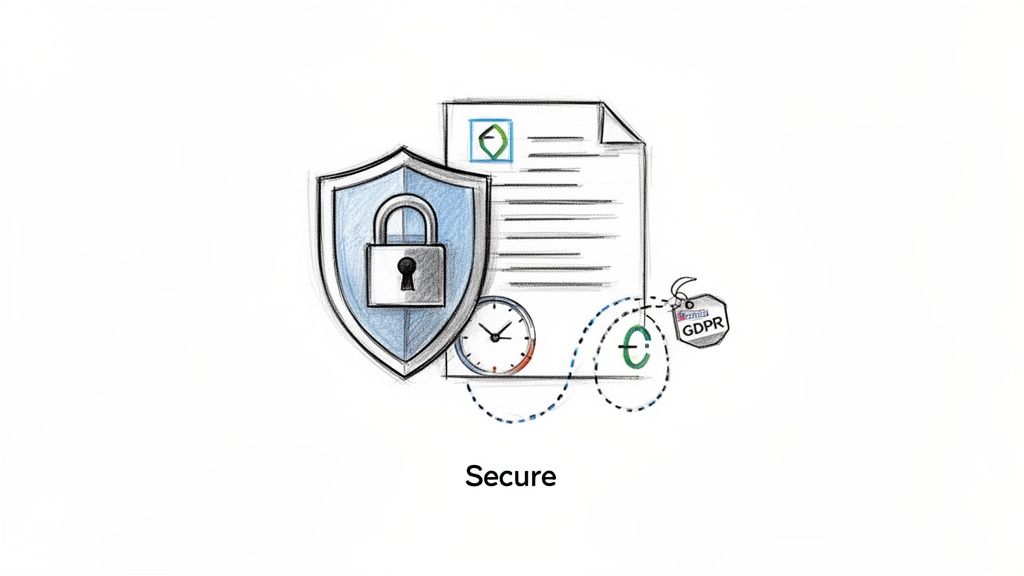
This approach is non-negotiable for organizations in regulated industries. For example, Meowtxt supports this principle with features like encryption-at-rest and automatic data deletion after 24 hours, providing a secure "processing zone" rather than a permanent storage solution. This ensures that sensitive conversations are transcribed and utilized without creating unnecessary long-term data risk, helping teams maintain compliance with standards like GDPR and HIPAA.
Why This Is a Core Practice
Integrating security and compliance is one of the most critical best practices for knowledge management because it mitigates significant legal, financial, and reputational risk. Failure to protect sensitive data can lead to severe penalties, loss of client trust, and compromised intellectual property. By building governance into your knowledge workflows from the start, you create a sustainable and trustworthy system that protects both your organization and your stakeholders.
Real-World Implementation Examples
- Healthcare Providers: Documenting patient interactions or telehealth sessions using a secure transcription service. The resulting text can be added to a HIPAA-compliant Electronic Health Record (EHR) system, while the original audio is promptly deleted to minimize data exposure.
- Legal Firms: Managing attorney-client privileged communications by transcribing depositions and then securely archiving the text in a case management system. The 24-hour deletion policy ensures transient audio data doesn't pose a discovery risk.
- Financial Advisors: Recording client consultations to capture detailed notes, then exporting password-protected transcripts to a FINRA-compliant client relationship manager (CRM) before the source file is deleted.
Actionable Tips for Success
- Classify Your Data: Before implementing any system, establish a data classification policy (e.g., Public, Internal, Confidential, Restricted) to dictate handling procedures.
- Define Retention Policies: Create a documented data retention policy. Know which transcripts must be archived long-term in your secure systems and which can be deleted after use.
- Archive Before Deletion: Implement a workflow where team members are responsible for exporting and archiving critical content from processing tools before automatic deletion occurs.
- Train Your Team: Conduct regular training on the secure handling of sensitive information, including transcripts and other knowledge assets.
- Use Secure Export Options: When sharing sensitive information, use features like password-protected exports to restrict access to authorized individuals only.
9. Export Format Flexibility for Ecosystem Integration
Knowledge is most valuable when it flows freely between the systems your organization already uses. Limiting your transcribed content to a single, proprietary format creates a new information silo, defeating the purpose of knowledge management. True integration demands flexibility, which is why supporting multiple export formats (like TXT, DOCX, JSON, CSV, and SRT) is a crucial practice. This capability ensures that transcribed knowledge can be seamlessly fed into existing workflows, tools, and platforms without manual conversion or reformatting.
This approach makes knowledge portable and universally compatible. It allows different departments to leverage the same core information in the tools best suited for their specific tasks, from video editing suites to data analysis software. By ensuring transcribed data is ready for any destination, you maximize its value and utility across your entire tech stack, making this one of the most practical best practices for knowledge management.
Why This Is a Core Practice
Without format flexibility, transcribed data gets trapped. A marketing team might need SRT files for video captions, while a data science team needs CSV for analysis, and a legal team requires DOCX for reports. Forcing everyone to use a single format creates friction, requires extra work for data conversion, and discourages the use of the knowledge base. Providing versatile export options empowers every team to integrate valuable insights directly into their native workflows.
Real-World Implementation Examples
- Content Creators: Export SRT files to instantly add accurate, synchronized captions to videos on YouTube, Vimeo, and other platforms, improving accessibility and SEO.
- Developers: Use structured JSON exports to feed transcript data into custom applications, such as internal search engines or automated content analysis tools.
- Researchers: Export interview transcripts as CSV files to easily import conversational data into spreadsheets or statistical software for quantitative analysis of themes and keywords.
- Business Teams: Share meeting summaries as DOCX files in collaborative platforms like Microsoft Teams or Google Workspace, where they can be easily edited, commented on, and archived.
Actionable Tips for Success
- Map Formats to Use Cases: Before starting a project, identify the downstream applications and choose the export format that requires the least amount of post-processing.
- Create Export Templates: If you consistently export for specific platforms (like a podcast host or video editor), create standardized settings or templates to ensure consistency.
- Use JSON for Custom Integrations: For feeding data into databases or building custom tools, the structured nature of JSON is ideal as it preserves metadata like timestamps and speaker labels.
- Document Team Standards: Establish and share clear guidelines on which format to use for common tasks, such as "Use SRT for all public-facing video" or "Use DOCX for internal meeting archives."
10. Cost Optimization and Scalable Knowledge Management Economics
Effective knowledge management shouldn't be cost-prohibitive. A truly scalable strategy incorporates an economic model that grows with your organization, avoiding high fixed costs and restrictive subscription fees. Adopting a pay-as-you-go approach allows you to align expenses directly with your actual knowledge capture needs, ensuring you only pay for the value you receive. This model is especially effective for managing variable workloads and makes powerful tools accessible to everyone from solo creators to large enterprises.
This approach democratizes access to advanced knowledge management tools. By eliminating monthly overhead, you can build a comprehensive knowledge base without a significant upfront investment, making it one of the most practical best practices for knowledge management. Platforms like Meowtxt offer this flexibility, enabling cost-effective knowledge capture that scales from your first meeting to your thousandth lecture.
Why This Is a Core Practice
Cost is a major barrier to adopting new systems. A scalable economic model removes this obstacle, allowing teams to implement robust knowledge management practices without straining their budgets. It ensures that your ability to capture, store, and retrieve critical information isn't limited by a fixed monthly subscription, but rather by your actual operational needs. This financial flexibility promotes wider adoption and long-term sustainability.
Real-World Implementation Examples
- Startups: Use a free tier to transcribe and archive initial investor pitches and team meetings, building a foundational knowledge base at zero cost.
- Podcast Networks: Take advantage of volume discounts to process an entire season of episodes at a lower per-minute rate, significantly reducing production costs.
- Legal Firms: Align transcription expenses with caseloads, paying more during busy discovery phases and less during slower periods, optimizing client billing.
- Educational Institutions: Manage seasonal demand by transcribing all fall semester lectures without committing to a year-long subscription that goes unused over the summer.
Actionable Tips for Success
- Start with a Free Tier: Before committing, use the free offering to test the platform's accuracy, features, and workflow integration to ensure it fits your needs.
- Negotiate Volume Discounts: If you anticipate high, consistent usage, contact the provider to discuss custom pricing or volume discounts for committed usage.
- Set Up Usage Alerts: Configure automated alerts to monitor your spending in real-time, preventing unexpected costs and helping you stay within your project budget.
- Calculate ROI by Department: Track transcription spending and link it to productivity gains or revenue generated by each department to prove the value of your knowledge management efforts.
- Review and Optimize Monthly: Dedicate time each month to review usage patterns. Identify opportunities to batch projects or adjust workflows to maximize cost-efficiency.
Comparison of 10 Knowledge Management Best Practices
| Solution | Implementation 🔄 | Resources ⚡ | Expected outcomes 📊 | Ideal use cases 💡 | Key advantages ⭐ |
|---|---|---|---|---|---|
| Centralized Content Repository with Searchable Metadata | Moderate–High: establish tagging standards & versioning | Storage, indexing, metadata governance, periodic audits | Faster discovery and retrieval; stronger institutional memory | Legal firms, podcast networks, business teams, universities | Discoverability, compliance trails, multi-format exports |
| Automated Summarization and Key Insight Extraction | Low–Medium: deploy AI summarization + review workflows | AI compute, human QC for critical items | Rapid consumption (≈70–80% time saved); clear action items | Product teams, educators, podcasters, developers | Fast insights, automated action-item extraction |
| Multi-Language Knowledge Base Creation | Low–Medium: enable translations and glossaries | Translation engines, native-speaker review, extra storage | Broader accessibility and global reach | International firms, global podcasts, multinational teams | One-click 100+ languages, parallel texts, SEO potential |
| Smart Timestamping and Chapter Marking for Navigation | Low: auto-detection with manual tuning | Media linking, minor editorial time for accuracy | Quick navigation to moments; improved UX and citations | YouTube creators, podcasters, researchers, legal teams | Precise timestamps, chapter exports, better discoverability |
| Integrated Workflow Documentation and Process Knowledge | Medium–High: extract decisions into templates and PM tools | Human-in-loop extraction, integrations with PM systems | Living docs reflecting actual practices; improved accountability | Dev teams, HR, product teams, legal matter tracking | Decision trails, onboarding acceleration, process clarity |
| Speaker Identification and Attribution for Accountability | Medium: speaker profiles + model tuning | High-quality audio, manual correction for overlaps | Clear attribution for quotes, actions and audit purposes | Board meetings, depositions, interviews, team meetings | Speaker-filtered search, contribution analytics, accountability |
| Real-Time Accessibility and On-The-Go Knowledge Access | Low: mobile + cloud sync with offline support | Mobile apps, reliable network, device battery | Immediate capture and access; reduced note loss | Journalists, sales teams, field researchers, educators | Instant transcription, cross-device sync, offline access |
| Compliance, Security, and Data Governance Integration | High: encryption, retention, permission controls | Security tooling, legal/compliance oversight, audits | Regulatory compliance, reduced breach risk, controlled sharing | Healthcare, legal, financial services, regulated industries | End-to-end encryption, audit trails, policy enforcement |
| Export Format Flexibility for Ecosystem Integration | Low: implement multiple export pipelines & mappings | Dev effort for formats (JSON, SRT, CSV, DOCX), testing | Seamless ingestion by tools; fewer conversion steps | Developers, content creators, researchers, ops teams | Multi-format exports, metadata preservation, batch exports |
| Cost Optimization and Scalable Knowledge Management Economics | Low–Medium: billing model and usage governance | Usage monitoring, alerts, possible negotiated discounts | Pay-as-you-go cost scaling; easier ROI by project | Startups, high-volume creators, teams with variable needs | No subscription overhead, volume discounts, transparent pricing |
Building Your Intelligent Knowledge Hub
We've explored ten powerful strategies that serve as the blueprint for transforming scattered information into a powerful, strategic asset. Moving beyond a simple file storage system, the goal is to cultivate an intelligent knowledge hub that actively works for your team. This isn't a theoretical exercise; it's a practical roadmap for unlocking the immense value trapped within your daily conversations, meetings, and creative content. Mastering these best practices for knowledge management is what separates organizations that merely store data from those that leverage it for innovation, efficiency, and competitive advantage.
The journey begins by recognizing that knowledge is not static. It’s a dynamic resource that flows through every department, from the legal team verifying compliance details in a recorded deposition to a YouTube creator pinpointing the perfect soundbite for a highlight reel. The practices we've detailed—from creating a centralized repository to automating summaries and ensuring flexible export options—are designed to capture and refine this flow.
Synthesizing the Core Principles
Let's distill the journey down to its most crucial takeaways. The effectiveness of your knowledge management system hinges on a few non-negotiable pillars:
- Accessibility: Knowledge is useless if it can't be found. A centralized, searchable repository enhanced with smart metadata, timestamps, and chapters is the foundation. It ensures that whether you're a student reviewing a lecture or a developer searching for a specific technical discussion, the answer is just a few keystrokes away.
- Intelligence: Raw data requires effort to be useful. By leveraging AI-powered tools for summarization, key insight extraction, and speaker identification, you convert hours of raw audio or video into concise, actionable intelligence. This automation frees up your team's most valuable resource: their time and cognitive energy.
- Integration: Your knowledge hub cannot be an island. It must seamlessly connect with the tools your team already uses. Whether it's exporting a transcript to a project management tool, a legal brief to a case management system, or captions to a video editor, flexible integration ensures knowledge flows where it's needed most.
- Governance: Trust is paramount. A robust knowledge management strategy must be built on a foundation of security, compliance, and clear data governance. This protects sensitive information, ensures regulatory adherence, and gives everyone the confidence to contribute and utilize the shared knowledge base.
Your Actionable Next Steps
Embarking on this path doesn't require a massive, all-at-once overhaul. The most successful implementations start with focused, incremental steps. Identify your biggest knowledge-related pain point right now. Is it finding specific information from past team meetings? Is it making educational content more accessible to a global audience?
- Start with Capture: Begin by consistently capturing the source of your most valuable, unstructured knowledge—your audio and video content.
- Implement One Practice: Choose one of the best practices discussed, such as automated summarization or implementing searchable metadata, and apply it to this newly captured content.
- Measure the Impact: Observe how this single change improves workflow efficiency or decision-making speed.
- Expand and Iterate: Use the momentum from this initial win to progressively roll out other practices, building a comprehensive system piece by piece.
By adopting this methodical approach, you can demonstrate tangible value quickly and build a culture where knowledge sharing becomes a natural, rewarding part of the daily workflow. The ultimate goal is to create an ecosystem where every piece of captured information enriches the collective intelligence of your organization, driving smarter decisions and fostering continuous improvement.
Ready to turn your team's conversations into your most valuable asset? meowtxt provides the essential toolkit for capturing, transcribing, and structuring the knowledge from your audio and video content, making it the perfect foundation for implementing these best practices for knowledge management. Start building your intelligent knowledge hub today by visiting meowtxt to see how it works.


