
Yes, you can absolutely turn long YouTube videos into concise, easy-to-read text summaries with the help of AI. The process is straightforward: get a clean transcript of the video, feed it into an AI tool, and let the algorithm extract the key points. This simple workflow saves you from having to watch the entire video.
Why Bother Summarizing YouTube Videos?
Feeling overwhelmed by a never-ending playlist of lengthy videos? You're not alone.
The sheer volume of online content makes it nearly impossible to keep up. It doesn't matter if you're a student cramming for an exam, a marketer analyzing a competitor's webinar, or just someone trying to learn a new skill from a detailed tutorial. Using an AI to summarize YouTube video content isn't just a time-saving trick—it's a fundamentally smarter way to process information.
It's More Than Just Saving Time
The most obvious benefit is reclaiming hours of your day. But the real magic happens when you can understand and reuse that video content on a much deeper level.
Consider these scenarios:
- For Marketers: Your top competitor just launched a two-hour product video. Instead of blocking out your afternoon, an AI summary delivers their core marketing messages and key product features in minutes.
- For Students: That three-hour quantum physics lecture feels daunting. An AI summary can pull out the essential definitions and concepts, making your study notes more focused and effective without needing to re-watch every second.
- For Creators: You’ve just recorded a fantastic podcast interview filled with valuable insights. A summary gives you an instant outline for a blog post, a series of tweets, and the best quotes for your next newsletter.
A Serious Productivity Boost
This is about more than convenience; it's about being more effective. The market for YouTube AI summarizers is growing because people are reporting significant time savings—often as much as 85%. This efficiency boost leads to huge leaps in productivity for professionals, researchers, and creators alike.
A great summary doesn’t just shorten information. It shines a spotlight on the core ideas, arguments, and actionable advice that were hiding in plain sight. It turns passive watching into active learning.
To truly maximize the benefits of AI in your content strategy, it helps to understand the broader toolkit available. Exploring the best AI tools for content creators can complement your summarization efforts and help you build a much more intelligent workflow.
Getting Your Video Ready for a Spot-On AI Summary
If you want a truly useful result from any tool that will ai summarize youtube video content, you must start with a high-quality source. The whole process relies on a timeless principle you've heard countless times: garbage in, garbage out.
If you feed an AI a jumbled, inaccurate transcript, it will inevitably produce a summary that’s just as confusing. Your first task is to secure a clean transcript. This text is the raw material the AI analyzes, and its accuracy is paramount. Think of the AI as a brilliant but extremely literal assistant—it can't guess what a speaker intended to say, it can only process the words it is given.
Getting this right is the crucial first step to unlocking some serious productivity gains.
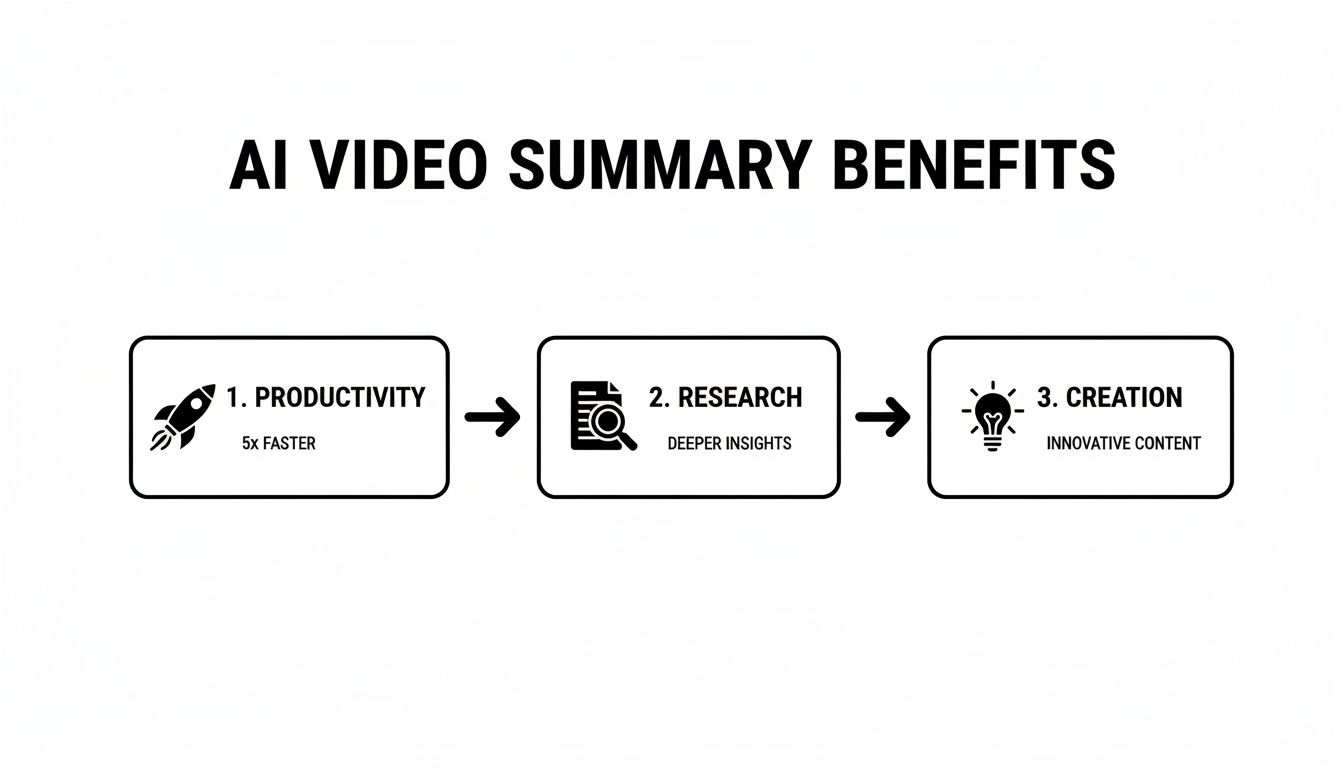
Starting with a clean transcript is how you turn a passive video into an active asset, making these benefits a reality.
The Trouble with YouTube's Default Captions
Your first instinct might be to simply grab the auto-generated captions directly from YouTube. It’s convenient, but this approach is often a direct path to frustration. While YouTube's automatic captions are a decent starting point, they are far from perfect.
You'll almost always encounter several key problems:
- Missing Punctuation: Sentences run together without periods or commas, making it incredibly difficult for an AI to determine where one thought ends and the next begins.
- Incorrect Words: Homophones (like "there" vs. "their") and technical jargon are frequently misinterpreted, which can completely change the meaning of a sentence.
- No Speaker Labels: For interviews or discussions with multiple speakers, the transcript becomes a single, chaotic wall of text, making it impossible to know who said what.
When an AI tries to make sense of a transcript riddled with these issues, it struggles to identify key themes and often misinterprets the entire message. The summary you get back could be factually incorrect or simply nonsensical.
A summary built on a flawed transcript isn't a shortcut; it's a detour. You'll spend more time correcting the AI's mistakes than you would have spent just watching the original video.
A Smarter Way to Get Your Transcript
A much more reliable method is to use a dedicated tool that generates a precise transcript directly from the video link. Platforms like Meowtxt are designed for this specific task. Instead of struggling with YouTube's messy, auto-generated captions, you simply provide the video URL.
The system then produces a clean, accurate transcript, often with speaker labels and intelligent punctuation already included. This clean data provides the perfect foundation for an AI to perform its analysis. If you want to dive deeper into the specifics, you can learn more about how to transcribe a YouTube video to text for the best possible results.
This approach ensures the AI receives a clear, well-structured document, which dramatically improves the quality of the final summary. Honestly, starting this way is the non-negotiable first step to creating a summary you can actually trust and use.
How to Write Prompts That Get the Perfect Summary
Getting a generic, one-size-fits-all summary from an AI is easy, but it’s rarely useful. The real power comes when you stop being a passive user and start actively directing the AI. Crafting a specific, detailed prompt is the difference between a bland list of topics and a sharp, actionable summary that meets your exact needs.
This is how you get an ai summarize youtube video tool to work for you. Think of it like this: telling an artist to "paint a picture" will get you something, but telling them to "paint a dynamic city scene at dusk in a watercolor style" will get you a masterpiece. Your prompts are your creative direction for the AI.
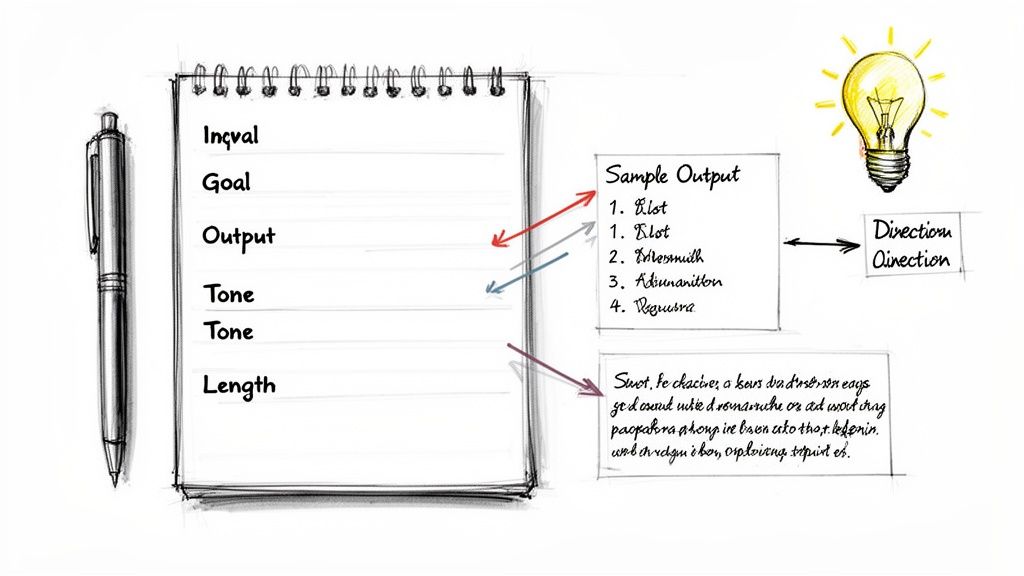
A good prompt is built on three key ingredients: the format you want, the specific information you need, and the tone you’re aiming for. Let's break down how to combine these to create prompts that deliver perfect summaries every time.
Start with Your Goal and Desired Format
Before you write a single word, ask yourself: what am I going to do with this summary? Your end goal completely changes the kind of prompt you should write.
- Creating a Twitter thread? You'll want something concise and punchy.
- Writing a blog post outline? You need a more structured, hierarchical summary.
- Doing academic research? You’ll need to focus on arguments, evidence, and conclusions.
Once you know your goal, you can tell the AI exactly how to format the output. Don't be vague. Instead of just asking for "a summary," specify the structure you need.
Example Prompts by Format:
Summarize this video as a numbered list of the 5 most important marketing takeaways.Create a bulleted list of the main arguments presented in this lecture.Generate a summary in a single paragraph, no more than 100 words long.
This simple instruction immediately focuses the AI's output, preventing it from generating a long, unstructured block of text.
Get Specific with the Content You Need
A generic prompt often misses the nuances that matter most to you. The AI doesn’t know what you find important unless you tell it. This is where you inject your unique perspective and needs into the process.
Guide the AI to focus on specific elements within the video's content. Are you interested in actionable advice, key statistics, or the speaker's core philosophy? Tell the AI to look for those things specifically.
AI summaries aren't objective; they reflect the instructions they're given. A good summary is always subjective and changes depending on who's reading it and what they care about.
Here’s how you can drill down to get exactly what you need:
Identify and extract the three main supporting points for the video's core argument.From this product review, pull out all mentions of pros and cons, and list them separately.Analyze the transcript and create a timeline of key events discussed in this historical documentary.
This level of detail forces the AI to move beyond a simple overview and act more like a research assistant, pulling out the precise information that is most valuable to you. This is the secret to making an ai summarize youtube video tool a truly powerful part of your workflow.
AI Prompt Formulas for Different YouTube Summary Needs
Not all summaries are created equal. The right prompt formula depends entirely on what you plan to do with the information. Here's a look at how to structure your prompts to get different kinds of results, from quick social media content to detailed academic notes.
| Goal | Prompt Formula | Example Prompt |
|---|---|---|
| Marketing Content | Summarize as a [Format] of [Number] key [Topic] takeaways for a [Audience]. Focus on [Specific Element]. |
Summarize as a bulleted list of 5 key marketing takeaways for a beginner audience. Focus on actionable advice. |
| Educational Notes | Create a structured outline of this video's main arguments and supporting evidence. Identify [Number] key concepts. |
Create a structured outline of this lecture's main arguments and supporting evidence. Identify 3 key concepts. |
| Quick Overview | Provide a concise, one-paragraph summary of this video, under [Word Count] words. |
Provide a concise, one-paragraph summary of this video, under 150 words. |
| Product Analysis | Extract all mentions of [Feature 1] and [Feature 2]. List the pros and cons for each separately. |
Extract all mentions of battery life and camera quality. List the pros and cons for each separately. |
| Academic Research | Analyze the video for its central thesis. Extract the primary arguments and any counter-arguments presented. |
Analyze the video for its central thesis. Extract the primary arguments and any counter-arguments presented. |
Using these formulas as a starting point will help you move from generic requests to targeted instructions. The more specific you are about your goal, audience, and desired format, the better the AI will perform as your personal research assistant.
Reviewing and Polishing Your AI-Generated Summary
An AI gets you about 90% of the way there. That last 10% is where you step in, transforming a machine's draft into something genuinely useful. This final review is where your judgment elevates the summary from good to great.
Think of the AI as a talented but very literal assistant. It’s brilliant with words and patterns but can easily miss the subtle context or tone of a human conversation. Your job is to be the sharp-eyed editor who catches those small imperfections and adds the crucial human touch.
This step doesn’t need to take long, but skipping it is a mistake. A few focused minutes can make all the difference between a robotic output and a polished, professional asset.
The Quick Polish: What to Look For
Before you hit publish or share the summary, give it a quick once-over, focusing on three core areas: accuracy, clarity, and tone.
First, check the facts. Does the summary correctly represent the key names, figures, and technical terms mentioned in the video? AI can sometimes mishear a number or mangle a specific industry term, especially if the original transcript wasn't perfect. A quick scan to confirm critical data points is essential.
Next, read it out loud. Does it flow naturally? AI summaries sometimes stitch together sentences from different parts of the video, losing the logical transitions that connect them. You might just need to add a single connecting word or rephrase a sentence to restore that smooth, logical flow.
Finally, ask if it captures the original tone. A summary of a passionate keynote speech should feel worlds apart from a dry technical tutorial. Feel free to adjust the language to better reflect the speaker's energy and intent. For a deeper dive, our guide on the importance of proofreading in transcription offers more insights into catching these nuances.
Think of it this way: The AI provides the skeleton, but you add the personality. Your edits ensure the summary isn't just a bland list of facts but a true reflection of the original content's value.
Common AI Quirks and How to Fix Them
After you've done this a few times, you'll start to spot common patterns. Knowing what to look for makes the editing process much faster.
- Overly Generic Statements: Sometimes, an ai summarize youtube video tool will generate a vague point like, "The speaker discussed marketing strategies." Your job is to punch that up with specifics: "The speaker highlighted three key Instagram marketing strategies for small businesses."
- Lost Nuance: A speaker might use sarcasm or tell an illustrative story to make a point. An AI will often summarize the literal words, completely missing the underlying message. You may need to manually re-insert that context to make sure the real meaning isn't lost.
Polishing the summary is your chance to ensure the final output is not just accurate but genuinely insightful. As you get more comfortable with the process, you'll find that advanced AI editing tools can help streamline this final step even further, blending machine efficiency with your expert oversight.
Putting Your Video Summaries into Action
A perfectly polished summary is great, but it’s what you do with it that really matters. This is where you move from just saving time to actively creating value. That text you've generated is more than just a summary; it's a versatile asset, ready to be deployed across your entire content strategy.
Instead of letting this valuable text sit on a hard drive, think of it as raw material. When you use a tool to ai summarize youtube video content, you’re not just understanding a video, you’re creating the building blocks for your next wave of content. A single high-quality summary can easily become the launchpad for a whole month's worth of posts, turning one video into a powerful engine for engagement.
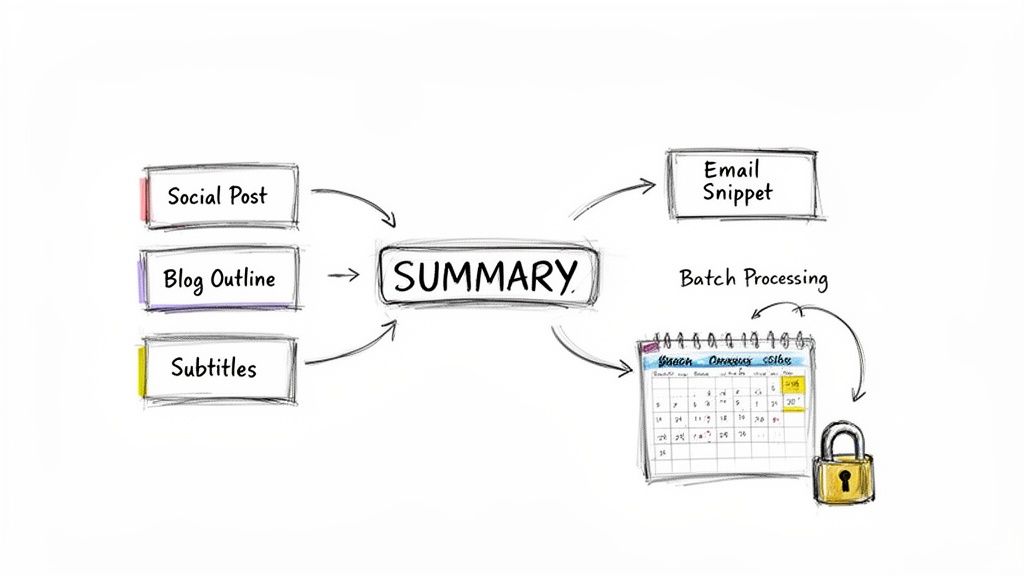
Unlocking Content Repurposing
Your AI-generated summary is an absolute goldmine for content repurposing. The key ideas, memorable quotes, and important data points are already pulled out for you, making it incredibly easy to adapt them for different platforms and audiences.
Here are a few practical ways to put that summary to work immediately:
- Social Media Threads: Pull out the top three to five bullet points. Expand each one into a post for a compelling Twitter or LinkedIn thread. Done.
- Blog Post Outlines: The main points from your summary can serve as the H2 and H3 headings for a new article. This gives you a ready-made structure to build upon.
- Email Newsletter Snippets: Grab the most impactful quote or statistic from the summary and use it as a hook in your next newsletter. It's a perfect way to drive traffic back to the original video.
- SEO-Rich YouTube Descriptions: Use the summary to write a detailed, keyword-rich description for the video itself. This helps it rank better in both YouTube and Google search results.
By treating your summary as a content hub, you multiply the return on your initial time investment. It’s all about working smarter, not harder, to keep your content channels fresh and engaging. For more ideas on this, check out our deep dive on content repurposing strategies.
Streamlining Your Workflow and Security
Beyond just creating new content, summaries can seriously improve your operational efficiency and protect your work. For researchers or students analyzing a video series, batch processing an entire playlist can save days of manual work, creating a searchable knowledge base from hours of footage in no time.
Another killer application is generating accurate subtitles. The polished transcript can be exported as an SRT file, making your video accessible to a wider audience in minutes. This is far more efficient than creating captions from scratch.
Of course, when you’re handling proprietary or sensitive videos, security is non-negotiable. You have to trust the platform you’re using. Reputable services like Meowtxt prioritize data protection by implementing strong, transparent security measures.
Key Security Features to Look For:
- File Encryption: Your uploaded videos should be encrypted both in transit and at rest, preventing anyone from snooping.
- Automatic Data Deletion: A strict data retention policy, like Meowtxt's 24-hour auto-deletion, ensures your content isn't stored indefinitely on someone else's servers.
These features mean you can summarize confidential meetings, internal training videos, or unreleased content with complete confidence, knowing your intellectual property is safe. This thoughtful approach to workflow and security transforms your summarization tool from a simple utility into a trusted partner.
Your Top Questions About AI Video Summarization, Answered
Jumping into new AI tools always sparks a few questions. To help you get started on the right foot, here are some straight answers to the most common things people ask about using an ai summarize youtube video tool.
Just How Accurate Are These AI Summaries?
Here's the deal: an AI summary is only as good as its source material. The transcript is everything.
If you start with a clean, precise transcript from a service like Meowtxt, which can hit 97.5% accuracy, you’re giving the AI a solid foundation to work from. The result? A summary you can actually trust. But if you feed it YouTube's notoriously wonky auto-captions, you're rolling the dice. A less reliable summary is almost a guarantee.
Your prompt and a quick human review are the final polish to get everything spot-on.
Can AI Really Summarize Super Long Videos or Live Streams?
Yes, absolutely. Modern AI tools are built for the long haul.
Platforms like Meowtxt are designed to process hours of video from podcasts, webinars, or archived streams without breaking a sweat. The transcription engine handles the heavy lifting first. Once that text is ready, the AI can condense it no matter the original runtime. It's the perfect way to break down dense, lengthy material.
The real magic isn't just about making long content shorter. It's about making dense information accessible and actionable, no matter how long the original video was.
Is It Safe to Upload My Videos for Summarization?
Security is non-negotiable, so you have to choose your tool wisely. Any reputable service will have robust security measures baked in.
Look for a platform like Meowtxt that encrypts your files and, crucially, automatically deletes all user data after 24 hours. This kind of policy means your content isn't just sitting on a server somewhere, giving you peace of mind when you're working with private or sensitive video files.
Can I Summarize a Video That's in Another Language?
Definitely. Many advanced tools now come with powerful translation features built right in.
With a platform like Meowtxt, you can transcribe a video in its original language and then instantly translate the entire transcript—and the AI summary—into over 100 other languages. This is a game-changer for anyone with a global audience or researchers who need to analyze international content.
Ready to turn long videos into actionable insights in minutes? Try Meowtxt today and get your first 15 minutes of transcription and summarization for free. Experience a smarter, faster way to work with video content. Get started at meowtxt.com.


